Curated ToolThis tool is part of our curated AI directory. We only include tools that meet our standards for relevance, usability and real-world value.

Openart

Generate, edit, upscale, and animate AI images and characters

AI Image GeneratorLogo & Brand Assets
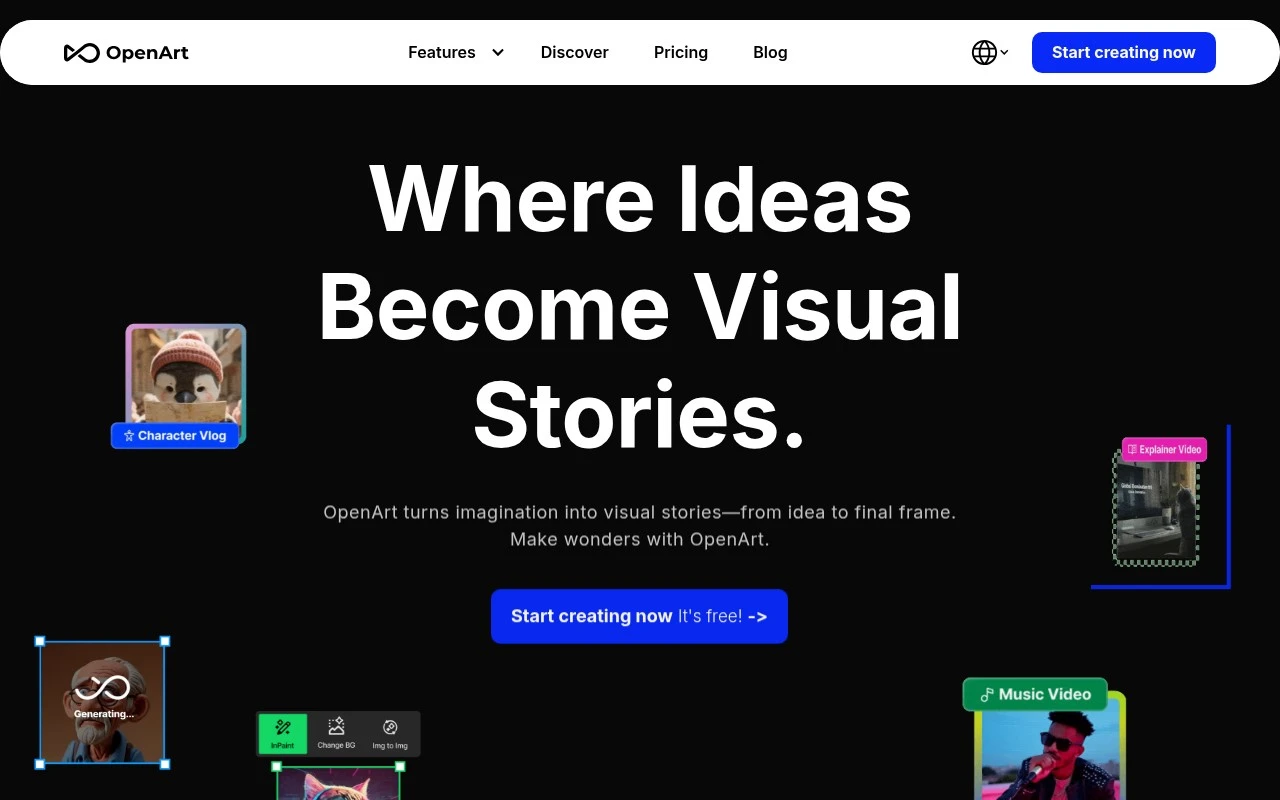
Openart is an AI creative platform focused on visual generation and editing. Its listed product areas include creating, editing, discovering, and training models, with specific tools for AI image generation, image-to-video, consistent characters, sketch-to-image, creative upscaling, creative variations, and AI QR codes. The affiliate page also describes a program where approved creators can earn commissions by referring new subscribers.

FYAI Score

7.7 / 10

Based on 869 reviews

Pricing:

Paid only

Best for:

Creators generating and editing AI visuals with consistent style

Score Breakdown

  • Ease of use7.6 / 10
  • Features7.9 / 10
  • Pricing7.3 / 10
  • Integrations7.7 / 10
  • Support8.1 / 10

PRODUCT PREVIEW

What this AI tool does

Openart is an AI tool designed to help people create and explore visual content through text-based prompts. It’s typically used by designers, creators, and teams who want a faster way to generate image ideas, iterate on styles, or produce draft visuals without starting from scratch. In practice, you describe what you want to see, adjust the prompt as needed, and review the results to refine your direction. This makes it useful for early-stage concepting, mood boards, and experimenting with different looks before committing to a final design. Because outputs can vary and may require review, it works best as a starting point rather than a final source of truth. If you’re comparing AI image generation tools, openart can be evaluated based on how well it matches your preferred style, how controllable the results feel, and how easily it fits into your existing workflow.

Use cases

Best for

Generate Images

Generate images from text prompts in Openart, with options like sketch to image and consistent character outputs.

Upscale Image

Upscale an image using Openart creative upscaling to increase resolution while preserving and enhancing details.

Generate Video

Generate video by turning an image into a short clip using Openart image to video generation.

ANALYSIS

Strengths & limitations

Strengths
  • Covers multiple visual AI workflows, including generation, editing, upscaling, variations, and image-to-video.
  • Includes model training and consistent-character features, which can support repeatable styles or character-based projects.
  • Has an affiliate program for creators who want to promote OpenArt and earn commissions from referred subscribers.
Limitations
  • The provided affiliate page gives limited detail about pricing, output limits, licensing, or model behavior.
  • Affiliate participation requires approval and depends on referred users becoming new subscribers.
  • The page does not provide enough detail to assess output quality, commercial-use terms, or workflow depth.

Evaluation

FYAI score breakdown

Our structured evaluation across five key criteria

7.7 / 10

Overall score

Based on 869 reviews

  • Ease of use7.6 / 10
  • Features7.9 / 10
  • Pricing7.3 / 10
  • Integrations7.7 / 10
  • Support8.1 / 10

What users say

Findings from public reviews, documentation and community sources.

  • Ease of use

    Product Hunt says reviewers “mostly praise OpenArt AI for being easy to pick up and fast,” while Reddit sentiment includes some learning/credit friction.

  • Features

    OpenArt’s own page lists a creation toolkit with “Create,” “Edit,” “Train model,” and “Image to video.” OpenArt’s own page also references tools such as “Consistent character,” “Sketch to image,” “Creative Upscale,” and “AI QR code.”

  • Pricing

    OpenArt’s pricing page lists “Essential” at “$14 $12.6” and “Advanced” at “$29 $23.2.” Reddit users discuss credit consumption and subscription-worth concerns.

  • Integrations

    OpenArt’s MCP page says users can “Connect OpenArt with Claude, ChatGPT, Cursor, and more” to unify image generation, video creation, and the creative library.

  • Support

    OpenArt’s site lists “Need Help?” resources including “Email us,” “Discord,” “Help Center,” and “FAQ.”

Who is this for?

Best for creators who want image and video generation in one workspace, OpenArt’s own page lists “Create,” “Edit,” “Train model,” “Image to video,” and “Consistent character.” Best for users who want workflow connections with AI assistants, OpenArt’s MCP page says users can “Connect OpenArt with Claude, ChatGPT, Cursor, and more.” Less suited to buyers who need predictable subscription value, Reddit users discuss credit consumption and subscription-worth concerns.

PRODUCT PREVIEW

Feature highlights

AI Image Generation

Create high-quality images from prompts, sketches, or references.

Image-to-Video

Animate still images into short videos for social and ads.

Consistent Characters

Keep the same character look across scenes and variations.

COMPARE

Discover curated alternatives worth comparing

Compare similar AI tools based on features, pricing and use cases

7.2/ 10Based on 2.027 reviews

Pixa

AI Image Generator
Edits and creates pixel art images with drawing and animation tools.
Best for:
Designers
Pricing
Freemium

8.2/ 10Based on 193 reviews

Uizard

UI/UX Design
Generates editable UI prototypes from prompts, screenshots, or sketche
Best for:
Product teams
Pricing
Freemium

8.2/ 10Based on 56.265 reviews

Topaz Labs

Image UpscalerPhoto Editing
AI upscales, denoises, sharpens, and restores photos and videos
Best for:
Designers
Pricing
Paid only

Create campaign-ready visuals that match your brand in minutes. See why teams choose Openart to turn ideas into standout creative—start your next concept today.

FAQ

Frequently asked
questions

Everything you need to know about this AI tool,
its features, pricing, use cases, and limitations.

Is Openart a good fit for marketing and branding workflows, or is it more for artists?
Openart tends to fit teams that need fast, on-brand image variations for ads, social posts, landing pages, and campaign concepts. It’s most useful when you already have a clear brand direction and want to generate multiple options quickly. If you need highly bespoke illustration or a very specific art direction outside its supported styles, you may find other tools or a designer more reliable.
Does Openart have a free plan, and what are the practical limits compared to paid?
Openart typically offers limited free usage, but the main constraints are around generation credits, speed/queue priority, and access to higher-quality outputs or advanced features. Paid plans are usually necessary if you’re producing assets regularly for campaigns or need consistent throughput. Before committing, check whether the paid tier you’re considering includes the resolution and commercial-use terms you need.
How does Openart compare with Midjourney, DALL·E, or Stable Diffusion-based tools for brand work?
Openart is often chosen for a more guided, workflow-friendly experience, while Midjourney can be stronger for distinctive aesthetics but may require more prompt iteration. DALL·E is commonly valued for prompt adherence and safer defaults, whereas Stable Diffusion setups can offer deeper control at the cost of more configuration. If your priority is quick, repeatable marketing variations with minimal setup, Openart can be the more straightforward option.
How quickly can a team get started with Openart, and what onboarding is usually needed?
Openart can be less flexible if your campaign requires niche styles, strict art direction, or highly original illustration that doesn’t map well to its models. AI-generated results can also vary between runs, so you may need extra iterations to hit exact requirements. Subscription costs and credit usage can become a factor for high-volume teams or tight budgets.
What should I know about data privacy, ownership, and compliance when using Openart?
Review Openart’s terms for how prompts, uploads, and generated images may be stored or used to improve services, especially if you handle confidential brand assets. For regulated industries, confirm whether you can opt out of data retention/training and whether the platform supports necessary controls (access management, deletion requests, audit needs). Also verify the licensing/commercial-use terms for outputs and any restrictions tied to specific models or content policies.