Curated ToolThis tool is part of our curated AI directory. We only include tools that meet our standards for relevance, usability and real-world value.

Nightcafe Studio

Generates original AI artwork from text prompts and image inputs.

AI Image Generator
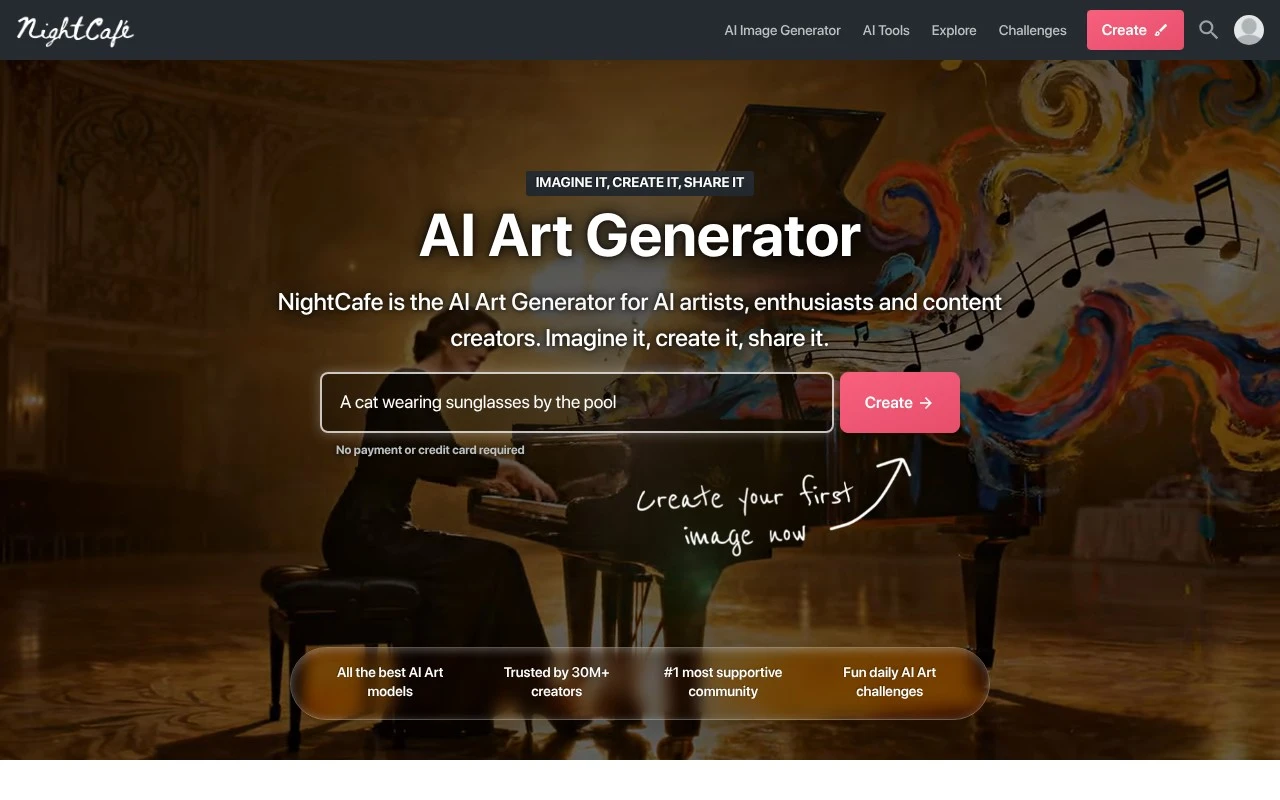
NightCafe Studio is an AI art generator focused on creating images from prompts and image-based inputs. It is used by creators who want to produce stylized visuals, explore concepts, or participate in an AI-art community rather than build images entirely with traditional design tools.

FYAI Score

7.7 / 10

Based on 561 reviews

Pricing:

Freemium

Best for:

AI art creators exploring styles and sharing work

Score Breakdown

  • Ease of use8.2 / 10
  • Features7.1 / 10
  • Pricing8.3 / 10
  • Integrations7.1 / 10
  • Support7.8 / 10

PRODUCT PREVIEW

What this AI tool does

Nightcafe Studio is an AI image generation tool designed to help people create visual artwork from text prompts. It’s typically used by creators who want to explore styles, experiment with concepts, or quickly produce images for personal projects, social posts, or early-stage design ideas. The tool generally works by letting you describe what you want to see and then generating one or more images based on that description. Results can vary depending on how specific your prompt is, the style you choose, and the settings you apply, so it’s often useful to iterate and refine your input. As an informational resource, this page is meant to help you understand what nightcafestudio does, what kinds of outputs you can expect, and when it may be a practical option compared with other AI art generators.

Use cases

Best for

Text-To-Image Artwork

Generate original images and illustrations by entering a text prompt and rendering it into AI art.

Style and Model Testing

Nightcafe Studio lets you iterate on prompts, switch styles, and compare generative models to explore visual variations.

Concept Art Generation

Create concept art, characters, backgrounds, or reference images by prompting from text or using an input image as a base.

ANALYSIS

Strengths & limitations

Strengths
  • Focused specifically on AI image creation, making it suitable for art and visual ideation workflows.
  • Useful for both casual experimentation and more deliberate concept-art generation.
  • Has a creator-community orientation, which can help users discover styles, prompts, and inspiration.
Limitations
  • The supplied official page scrape did not describe the product function, so this description relies on general knowledge rather than the fetched page text.
  • Generated results can vary significantly depending on prompt quality, model choice, and settings.
  • It is not a full replacement for professional image editing or illustration software when precise manual control is required.

Evaluation

FYAI score breakdown

Our structured evaluation across five key criteria

7.7 / 10

Overall score

Based on 561 reviews

  • Ease of use8.2 / 10
  • Features7.1 / 10
  • Pricing8.3 / 10
  • Integrations7.1 / 10
  • Support7.8 / 10

What users say

Findings from public reviews, documentation and community sources.

  • Ease of use

    Trustpilot review snippets describe NightCafe Studio as “the easy way to write prompts and create what you want” and “Fun and easy to use, interactive community.” A Reddit post from a new user describes friction around understanding credits/subscriptions.

  • Features

    NightCafe Studio’s creator site describes the product as a “suite of image and video generation tools” for creating “realistic and/or artistic images and videos.” The creator site frames NightCafe Studio around generation/community creation rather than a full design-suite workflow.

  • Pricing

    NightCafe Studio’s pricing page lists credit bundles including “100 Credits… $7.99,” “200 Credits… $9.99,” and “500 Credits… $19.99.” Reddit sentiment indicates some new-user confusion around credits and subscriptions.

  • Integrations

    NightCafe Studio’s creator site frames the product mainly as a standalone creator environment and describes it as a “suite of image and video generation tools” for creating content quickly.

  • Support

    A Reddit AMA shows founder Angus participating directly and explaining operational issues such as GPU/server queue lag. The Reddit AMA points to community-led support through direct founder participation.

Who is this for?

Best for users who want an approachable AI-art creator with community interaction, Trustpilot review snippets describe NightCafe Studio as “the easy way to write prompts and create what you want” and “Fun and easy to use, interactive community.” Best for users who prefer credit entry points, the pricing page lists “100 Credits… $7.99,” “200 Credits… $9.99,” and “500 Credits… $19.99.” Less suited to users who need a full design-suite workflow or ecosystem integrations, the creator site frames NightCafe Studio around generation/community creation and mainly as a standalone creator environment.

PRODUCT PREVIEW

Feature highlights

Prompt-to-image art

Generate stylized images from text prompts in seconds.

Image-to-image styles

Transform photos with artistic styles and guided variations.

Creator community

Publish creations, join challenges, and discover new prompts.

COMPARE

Discover curated alternatives worth comparing

Compare similar AI tools based on features, pricing and use cases

7.2/ 10Based on 2.027 reviews

Pixa

AI Image Generator
Edits and creates pixel art images with drawing and animation tools.
Best for:
Designers
Pricing
Freemium

8.2/ 10Based on 193 reviews

Uizard

UI/UX Design
Generates editable UI prototypes from prompts, screenshots, or sketche
Best for:
Product teams
Pricing
Freemium

8.2/ 10Based on 56.265 reviews

Topaz Labs

Image UpscalerPhoto Editing
AI upscales, denoises, sharpens, and restores photos and videos
Best for:
Designers
Pricing
Paid only

Create standout, on-brand visuals in minutes. Join creators and teams using Nightcafe Studio to turn ideas into scroll-stopping artwork fast.

FAQ

Frequently asked
questions

Everything you need to know about this AI tool,
its features, pricing, use cases, and limitations.

Is Nightcafe Studio a good fit for marketing teams and creative agencies?
Nightcafe Studio works well for quickly generating on-brand concept art, campaign visuals, and social creatives in multiple styles without heavy design effort. It’s a solid choice when you need lots of variations fast for ideation or A/B testing. If you require strict art direction, exact layouts, or product-accurate imagery, expect to do additional editing in a design tool.
What’s the difference between Nightcafe Studio’s free and paid options?
Nightcafe Studio typically uses a credit-based model: free usage is limited and may restrict generation volume, resolution, or access to certain models/features. Paid tiers mainly increase monthly credits and unlock higher-quality outputs and more flexibility. If you’re comparing costs, estimate how many images you need per week and whether you’ll be iterating heavily, since that drives credit burn.
How does Nightcafe Studio compare with Midjourney, DALL·E, or Stable Diffusion tools?
Nightcafe Studio is generally easier to use than many Stable Diffusion setups and offers a broad set of styles in a single web interface. Compared with Midjourney, it’s often more straightforward for quick experimentation, but you may find less control or consistency for highly specific art direction. Versus DALL·E-style tools, results can vary by model choice, so you’ll want to test the same prompt across tools for your brand’s look.
How fast can a team get started with Nightcafe Studio?
Output control can be limited, so you may not consistently get exact compositions, typography, or brand-specific details without post-editing. Quality can vary between generations, which adds iteration time and credit usage. If your workflow demands pixel-perfect deliverables, you’ll likely use Nightcafe Studio for concepts and then finalize elsewhere.
What should I consider about data privacy and commercial use with Nightcafe Studio?
Review Nightcafe Studio’s terms for how prompts and generated images may be stored, shared, or used for improving services, especially if you handle client-confidential material. Avoid uploading sensitive or regulated data unless the policy explicitly supports your compliance needs. Also confirm the commercial usage rights and any attribution or licensing constraints before using outputs in paid campaigns.