Curated ToolThis tool is part of our curated AI directory. We only include tools that meet our standards for relevance, usability and real-world value.

Luminar Neo

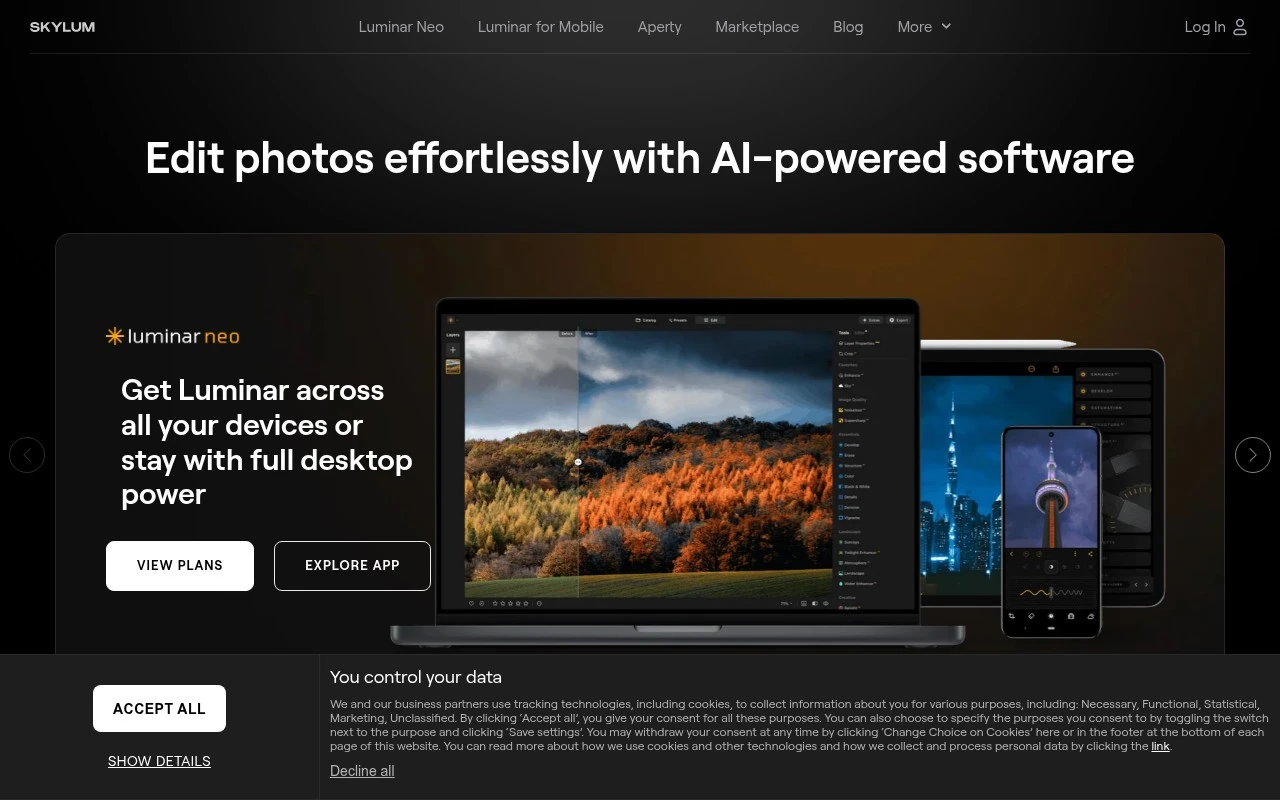
AI photo editor for enhancements, sky swap, retouching, and masking

Image UpscalerPhoto Editing
Luminar Neo is Skylum’s AI-powered photo editing application. It is positioned as an accessible editor for photographers and photo enthusiasts, combining conventional image adjustments with automated tools for enhancement, cleanup, portrait editing, background work, sky replacement, and creative effects. Its main distinction is the emphasis on intuitive AI controls, including one-slider improvements and specialized tools for common photo-editing tasks.

FYAI Score

8.0 / 10

FYAI rating based on features, pricing and integrations

Pricing:

Paid only

Best for:

Photographers and enthusiasts who want fast, natural-looking edits

Score Breakdown

  • Ease of use7.2 / 10
  • Features7.4 / 10
  • Pricing8.9 / 10
  • Integrations7.6 / 10
  • Support9.3 / 10

PRODUCT PREVIEW

What this AI tool does

Luminar Neo is an AI-assisted photo editing application designed to help users improve and refine images with less manual work. It combines traditional editing controls with automated adjustments, making it suitable for photographers and creators who want a streamlined workflow without giving up the ability to fine-tune results. The tool is typically used for tasks like enhancing lighting and color, improving detail, and making selective edits to specific parts of a photo. It can be useful for everyday image cleanup as well as more deliberate edits where you want consistent results across a set of photos. As with most AI photo editors, outcomes depend on the original image quality and the style you’re aiming for, so it’s often best used as a starting point and then adjusted to taste. If you’re comparing options, it may help to consider how much control you want over edits versus how much you prefer automated suggestions.

Use cases

Best for

Image Enhancement

Luminar Neo applies AI Enhance and relight controls to adjust exposure, color, and contrast with minimal manual masking.

Remove Background

It removes backgrounds by selecting the subject with AI and letting you replace or blur the backdrop using masking tools.

Image Object Removal

It removes unwanted objects by painting over them and using AI to fill the area with matching texture and lighting.

ANALYSIS

Strengths & limitations

Strengths
  • Offers a broad set of AI-assisted editing tools for enhancement, cleanup, portraits, skies, backgrounds, and creative effects.
  • Designed to be approachable for beginners while still useful for photographers who want faster editing workflows.
  • Supported by a marketplace ecosystem with editing add-ons, courses, ebooks, and other creative resources.
Limitations
  • The provided official page is a broad product overview and does not give full technical details about file support, workflow depth, or exact included features by plan.
  • Some advanced creative resources appear to be part of a separate marketplace ecosystem, so included content may depend on purchase or subscription choices.
  • It is focused on photo editing rather than broader creative production such as video editing, illustration, or design layout.

Evaluation

FYAI score breakdown

Our structured evaluation across five key criteria

8.0 / 10

Overall score

FYAI rating based on features, pricing and integrations

  • Ease of use7.2 / 10
  • Features7.4 / 10
  • Pricing8.9 / 10
  • Integrations7.6 / 10
  • Support9.3 / 10

What users say

Findings from public reviews, documentation and community sources.

  • Ease of use

    A Reddit user described Luminar Neo as “good for quicker edits” with “heavy use of presets.” Another Reddit community snippet says they “just can't adapt to it's quirky UI.”

  • Features

    The Skylum product page lists Luminar Neo AI photo-editing tools including “Panorama Stiksels, Magisch Licht, Focus Stacking en Achtergrond Verwijderen.” The Skylum product page also references Accent AI, Portretbokeh, sky replacement, generative erase/swap/expand, desktop options, and mobile options.

  • Pricing

    The Skylum pricing page shows perpetual desktop, cross-device, and max licenses at €99, €139, and €149, plus a “30-dagen geld terug garantie” and a 7-day trial. The Skylum pricing page references ongoing access that is tiered or time-limited, including generative tools for one year and Creative Library renewal pricing.

  • Integrations

    Skylum’s support page says Luminar Neo can be used as a plugin “with Adobe Photoshop,” “with Adobe Lightroom Classic,” and “with macOS Photos.”

  • Support

    The Skylum pricing page advertises “24/7 chatondersteuning,” “Technische assistentie,” and a “9/10 Tevredenheidspercentage.” The Skylum pricing page references support pages for system requirements.

Who is this for?

Best for photographers who want fast AI-assisted photo edits, a Reddit user described Luminar Neo as “good for quicker edits” with “heavy use of presets.” Best for users who prefer a one-time license option, the Skylum pricing page shows perpetual desktop, cross-device, and max licenses at €99, €139, and €149. Less suited to users who need a broad design workflow beyond photo editing, the Skylum product page focuses on AI photo-editing tools such as “Panorama Stiksels, Magisch Licht, Focus Stacking en Achtergrond Verwijderen.” Less suited to users who depend on many third-party workflow connections. Skylum’s support page lists plugin use “with Adobe Photoshop,” “with Adobe Lightroom Classic,” and “with macOS Photos.”

PRODUCT PREVIEW

Feature highlights

One-slider AI edits

Boost tone, color, and detail fast with intuitive AI controls.

Sky replacement

Swap skies and relight scenes for dramatic, believable results.

Portrait retouching

Smooth skin, enhance eyes, and refine faces while staying natural.

COMPARE

Discover curated alternatives worth comparing

Compare similar AI tools based on features, pricing and use cases

7.2/ 10Based on 2.027 reviews

Pixa

AI Image Generator
Edits and creates pixel art images with drawing and animation tools.
Best for:
Designers
Pricing
Freemium

8.2/ 10Based on 193 reviews

Uizard

UI/UX Design
Generates editable UI prototypes from prompts, screenshots, or sketche
Best for:
Product teams
Pricing
Freemium

8.2/ 10Based on 56.265 reviews

Topaz Labs

Image UpscalerPhoto Editing
AI upscales, denoises, sharpens, and restores photos and videos
Best for:
Designers
Pricing
Paid only

Join photographers leveling up their edits fast. Start creating cleaner, more dramatic images with Luminar Neo today.

FAQ

Frequently asked
questions

Everything you need to know about this AI tool,
its features, pricing, use cases, and limitations.

What types of photo work is Luminar Neo a good fit for?
Luminar Neo is well-suited for portrait retouching, landscape enhancement, and fast creative looks using presets and AI-assisted tools. It’s a strong option if you want high-impact edits without building complex layer stacks from scratch. For heavy compositing, advanced typography, or layout design, you may still prefer a full raster editor like Photoshop.
Is Luminar Neo free, and what are the limitations of trial vs paid?
Luminar Neo is a paid product, typically offered via subscription and/or a perpetual license depending on region and current offers. A free trial is often available, but it may be time-limited and can restrict certain export or add-on features. Check the current plan details on skylum.com because what’s included can change (especially around extensions and updates).
How does Luminar Neo compare with Lightroom, Photoshop, and Capture One?
Compared with Lightroom, Luminar Neo leans more toward creative enhancement tools and one-click looks, while Lightroom is stronger for cataloging and consistent color workflows. Versus Photoshop, Luminar Neo is generally faster for retouching and effects but has fewer advanced compositing and design capabilities. Against Capture One, Luminar Neo is usually simpler to use, while Capture One is often preferred for tethering and precise color control.
How quickly can I get started with Luminar Neo, and what onboarding effort should I expect?
Luminar Neo can be resource-intensive, so performance may lag on older machines, particularly with high-resolution RAW files and multiple effects. Some users report occasional stability issues, which matters if you’re editing large batches on deadlines. It also isn’t a full replacement for tools that require deep asset management, advanced printing workflows, or complex graphic design features.
What should I know about data handling and privacy when using Luminar Neo?
Luminar Neo primarily runs as a desktop editor, so many edits can be performed locally on your machine, which can be preferable for sensitive images. Some features may involve online services (for licensing, updates, or certain AI-powered functions), so review Skylum’s privacy policy and any feature-specific notices. If you work under strict compliance requirements, confirm where processing occurs and whether any images or metadata are transmitted.