Curated ToolThis tool is part of our curated AI directory. We only include tools that meet our standards for relevance, usability and real-world value.

Ideogram

Generates images from prompts with accurate text and typography.

AI Image GeneratorSocial Graphics
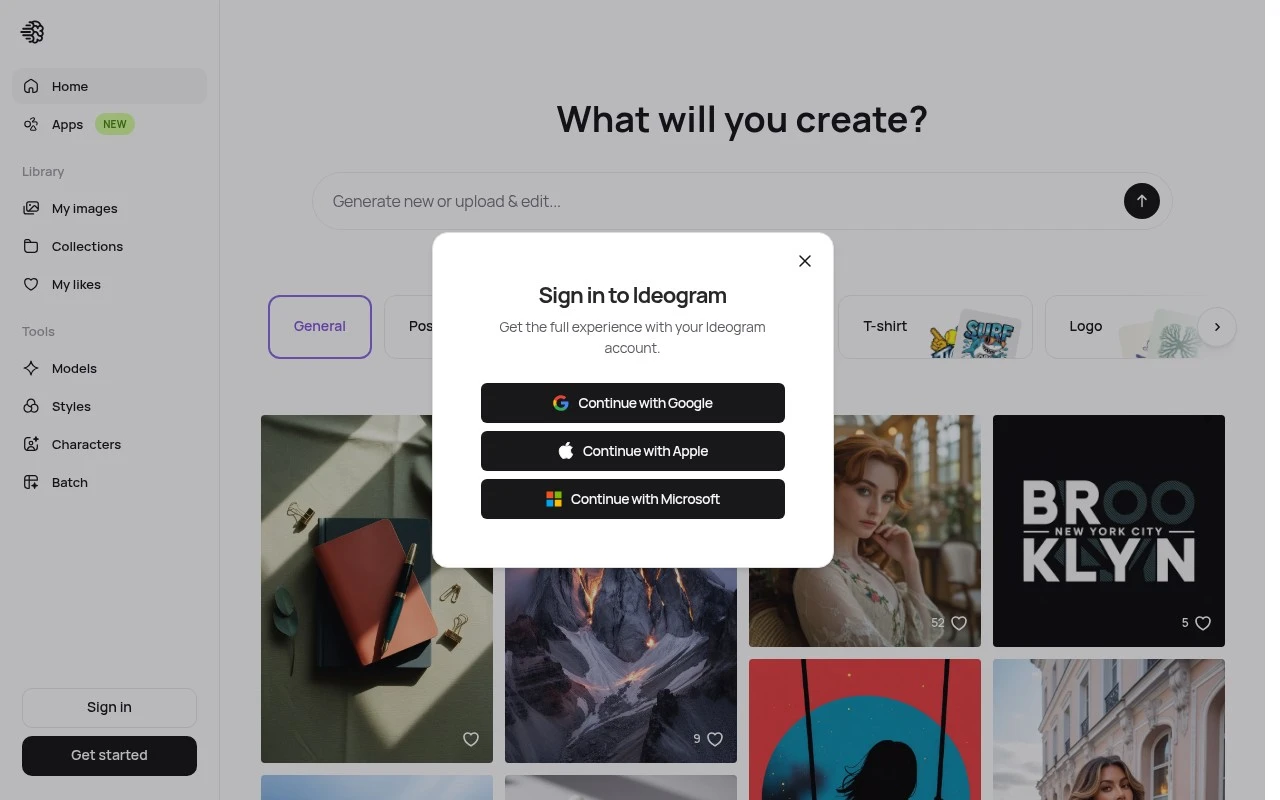
Ideogram is an AI image-generation tool focused on turning written prompts into visual designs. It is especially associated with typography-aware image generation, making it useful for assets where readable text, slogans, logos, or poster-like layouts matter. The explore page functions as a gallery for browsing generated images and finding prompt or style inspiration.

FYAI Score

7.9 / 10

Based on 159 reviews

Pricing:

Free trial

Best for:

Designers and marketers creating text-forward visuals and posters

Score Breakdown

  • Ease of use8.0 / 10
  • Features7.7 / 10
  • Pricing7.9 / 10
  • Integrations8.2 / 10
  • Support7.5 / 10

PRODUCT PREVIEW

What this AI tool does

Ideogram is an AI image-generation tool that turns written prompts into visuals. It’s designed for people who want to explore ideas quickly by describing a scene, style, or concept in plain language and receiving image options in return. A typical workflow starts with a short prompt and a few choices about the look you’re aiming for, then iterating based on what you see. This can be useful for early-stage design exploration, creating draft illustrations, or generating reference images for presentations and creative projects. As with most generative tools, results depend on how specific your prompt is and may require a few revisions to match your intent. It’s best used as a starting point for visual direction rather than a guaranteed final asset, especially when accuracy, brand consistency, or rights considerations matter.

Use cases

Best for

Generate Images

Generate images from text prompts, using the Explore gallery to reuse styles and prompt patterns for new visuals.

Create Logo

Create logo concepts by prompting Ideogram for icon plus wordmark layouts with readable typography and clean backgrounds.

Create Thumbnails

Create thumbnails by generating bold, high contrast images with short, readable text and poster-like composition.

ANALYSIS

Strengths & limitations

Strengths
  • Strong fit for text-heavy visuals compared with many general-purpose image generators.
  • Useful for rapid creative ideation across posters, logos, social content, and branded concepts.
  • Explore-style gallery helps users discover examples, styles, and prompt directions.
Limitations
  • AI-generated text and layout may still require review or editing for accuracy and brand polish.
  • Not a full professional design suite for precise manual layout, vector editing, or production-ready brand systems.
  • The provided page scrape did not expose feature details, so specifics such as current pricing, limits, and model versions should be verified directly.

Evaluation

FYAI score breakdown

Our structured evaluation across five key criteria

7.9 / 10

Overall score

Based on 159 reviews

  • Ease of use8.0 / 10
  • Features7.7 / 10
  • Pricing7.9 / 10
  • Integrations8.2 / 10
  • Support7.5 / 10

What users say

Findings from public reviews, documentation and community sources.

  • Ease of use

    A Trustpilot review excerpt says “The platform is easy to use.” Reddit users describe quick enthusiasm after trying Ideogram, including “Just found out about Ideogram 4 days ago. I AM BLOWN.”

  • Features

    A Reddit user comparing Ideogram with other image generators says “Ideogram is much better” and says Midjourney’s “text rendering is still useless,” pointing to text-in-image capability. Trustpilot describes Ideogram as generating “creative images” for “content creators/marketers.”

  • Pricing

    Saasworthy lists Ideogram pricing starting at “$7.0 per month” with “4 different plans.” Ideogram’s pricing page references “Priority credits,” “slow credits,” and top-ups.

  • Integrations

    TinyCommand states “Connect Ideogram to 458 apps” with “real-time webhooks.” Other provided integration snippets mention workflow automation and an API.

  • Support

    The official subreddit description points users to Ideogram content and says “Join the Discord.” Direct support responsiveness is not strongly represented in the provided evidence.

Who is this for?

Best for content creators/marketers who need creative images with text in images. Trustpilot describes Ideogram as generating “creative images” for “content creators/marketers,” and a Reddit user says “Ideogram is much better” while Midjourney’s “text rendering is still useless.” Less suited to teams that require direct support workflows, the official subreddit says “Join the Discord,” so the clearest cited support path is community-based.

PRODUCT PREVIEW

Feature highlights

Typography-first images

Generate designs where text stays readable for slogans and layouts.

Style exploration feed

Browse the Explore gallery to spark ideas and refine your look.

Prompt-to-design

Create posters, logo concepts, and social graphics from a prompt.

COMPARE

Discover curated alternatives worth comparing

Compare similar AI tools based on features, pricing and use cases

7.2/ 10Based on 2.027 reviews

Pixa

AI Image Generator
Edits and creates pixel art images with drawing and animation tools.
Best for:
Designers
Pricing
Freemium

8.2/ 10Based on 193 reviews

Uizard

UI/UX Design
Generates editable UI prototypes from prompts, screenshots, or sketche
Best for:
Product teams
Pricing
Freemium

8.2/ 10Based on 56.265 reviews

Topaz Labs

Image UpscalerPhoto Editing
AI upscales, denoises, sharpens, and restores photos and videos
Best for:
Designers
Pricing
Paid only

Create standout, on-brand visuals in minutes. Start with Ideogram today and turn ideas into polished graphics your audience will remember.

FAQ

Frequently asked
questions

Everything you need to know about this AI tool,
its features, pricing, use cases, and limitations.

What types of marketing and branding work is Ideogram a good fit for?
Ideogram is a strong option for generating social ads, campaign creatives, posters, and brand-style graphics when you need fast iterations and consistent visual themes. It’s especially useful if your team lacks dedicated designers but still needs high-resolution outputs for web and print. If your workflow depends on complex layout systems or heavy photo compositing, you may find it limiting compared with full design suites.
How do Ideogram’s free and paid options typically differ, and what limits matter most?
The free experience is usually best for testing quality and workflow, but it tends to come with tighter usage limits and fewer controls than paid tiers. Paid plans generally increase generation capacity and may add features that make production work smoother (like higher throughput and more consistent outputs). If you need multiple teammates using it daily, pricing and seat management can become a deciding factor.
How does Ideogram compare with Midjourney, DALL·E, or Canva for marketing creatives?
Compared with Midjourney, Ideogram is often chosen when you want more predictable text-in-image results and a straightforward web workflow, while Midjourney can be stronger for highly stylized art. Versus DALL·E, Ideogram can feel more geared toward quick marketing-ready variations, though DALL·E may integrate better in some ecosystems. Against Canva, Ideogram is more about generating the image itself, while Canva is typically better for assembling multi-element layouts and brand kits.
How quickly can a team start using Ideogram, and what onboarding is required?
Ideogram can be less satisfying for professional designers who need advanced editing, precise layout control, or complex vector workflows. Rendering very large or complex outputs may occasionally slow down, which matters if you’re producing in bulk on deadlines. Also consider the ongoing subscription cost if multiple users need frequent generations.
What should I know about data privacy, IP, and compliance when using Ideogram?
Assume anything you upload or generate could be processed on third-party infrastructure, so avoid sensitive customer data unless your plan and policies explicitly allow it. Review Ideogram’s terms for ownership, usage rights, and whether your prompts/outputs may be used to improve models, since this affects brand and legal risk. For regulated industries, confirm retention, deletion options, and whether the service supports required compliance controls before standardizing on it.