Curated ToolThis tool is part of our curated AI directory. We only include tools that meet our standards for relevance, usability and real-world value.

Fotor

AI photo editor for enhancing, removing backgrounds, and generating im

AI Image GeneratorBackground Edit
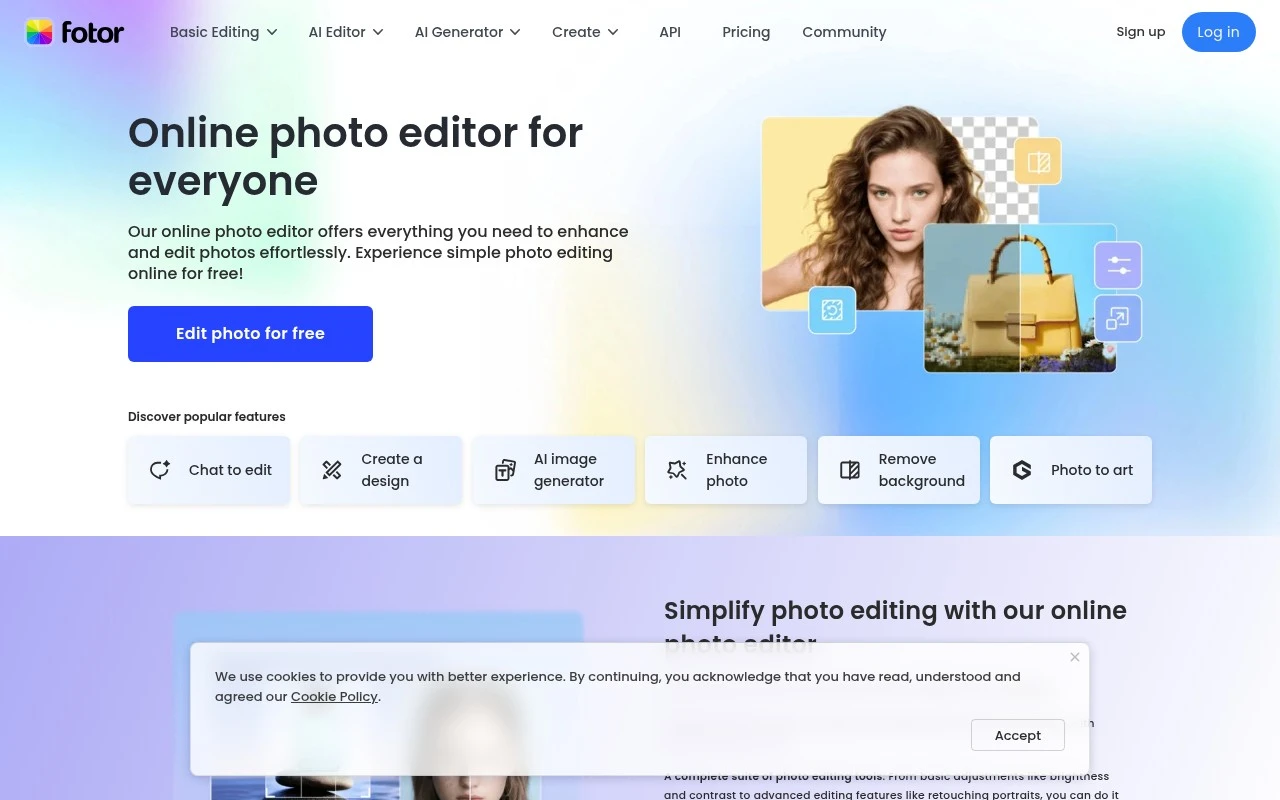
Fotor is a browser-based photo editor and visual content toolkit. Its core product is an online image editor for basic adjustments, retouching, background and object removal, image enhancement, and creative effects, with many of those tasks also offered as standalone AI tools. The site also extends beyond photo editing into AI image generation, AI video generation, design templates, ecommerce product visuals, and marketing-oriented assets such as posters, listing images, product videos, and UGC-style ads.

FYAI Score

7.8 / 10

Based on 1.541 reviews

Pricing:

Freemium

Best for:

Creators and marketers making fast, polished visuals for web and social

Score Breakdown

  • Ease of use8.6 / 10
  • Features8.2 / 10
  • Pricing7.3 / 10
  • Integrations7.6 / 10
  • Support7.0 / 10

PRODUCT PREVIEW

What this AI tool does

Fotor is an online photo editing tool designed for people who want to improve images without needing advanced software. It focuses on common editing tasks and a straightforward workflow, making it suitable for quick adjustments as well as more polished results. You can use it to edit photos for social media, websites, presentations, or personal projects, typically by uploading an image and applying edits directly in the browser. It also supports creating simple designs and collages, which can be helpful when you need a finished graphic rather than just a retouched photo. Because it runs online, it can fit into different devices and work setups, especially when you want to make changes quickly and export a ready-to-use file. It’s generally aimed at users who prefer an accessible interface and practical editing options over complex, professional-grade tools.

Use cases

Best for

Image Enhancement

Fotor enhances photos with one click AI that adjusts lighting, color, sharpness, and noise for a cleaner image.

Remove Background

Remove backgrounds by auto-detecting the subject and generating a transparent cutout you can export or place on a new backdrop.

Upscale Image

Upscale image files by using AI super-resolution to increase pixel dimensions while preserving edges and reducing blur.

ANALYSIS

Strengths & limitations

Strengths
  • Covers a wide range of common photo-editing jobs in one place, from basic crop and resize tasks to retouching, upscaling, background removal, and object removal.
  • Includes many AI-assisted tools aimed at reducing manual editing work, such as photo enhancement, image extension, background generation, image-to-video, and style conversion.
  • Serves both personal and commercial visual workflows with templates and product-focused tools for collages, logos, flyers, ecommerce images, product backgrounds, and marketing visuals.
Limitations
  • The product is very broad, so users looking for one simple editing task may need to navigate many separate tools and categories.
  • The fetched page lists many AI image and video features but does not fully explain limits, output controls, model access, or pricing for each feature.
  • It is positioned as an accessible online editor rather than a specialized professional workflow for areas like RAW photo processing, advanced layer-based compositing, or studio-grade video editing.

Evaluation

FYAI score breakdown

Our structured evaluation across five key criteria

7.8 / 10

Overall score

Based on 1.541 reviews

  • Ease of use8.6 / 10
  • Features8.2 / 10
  • Pricing7.3 / 10
  • Integrations7.6 / 10
  • Support7.0 / 10

What users say

Findings from public reviews, documentation and community sources.

  • Ease of use

    GetApp’s review signal says reviewers describe Fotor as offering “a wide range of intuitive photo editing tools,” and Fotor’s own page positions it as “powerful & easy-to-use” with “fewer learning curves.”

  • Features

    Fotor’s own site lists batch editing, background/object removal, AI image generation, and AI video tools.

  • Pricing

    SoftwareAdvice review snippets describe Fotor as “Good value” with “lots of good templates and user friendly.” Public user discussions report mixed subscription experience signals.

  • Integrations

    Fotor’s developer page says users can “integrate Fotor's AI content creation APIs” for background removal, image enhancement, AI visual generation, and image transformation at scale.

  • Support

    A Reddit support-related complaint says “it’s been 4 days since I contacted them and I got no response” after a billing issue.

Who is this for?

Best for users who want photo editing plus AI-assisted design outputs in one tool, Fotor’s own site lists batch editing, background/object removal, AI image generation, and AI video tools. Less suited to users who need consistently responsive billing support, a Reddit support-related complaint says “it’s been 4 days since I contacted them and I got no response” after a billing issue.

PRODUCT PREVIEW

Feature highlights

AI Photo Enhancer

Auto-improve clarity, lighting, and color for cleaner, sharper images.

BG & Object Remover

Remove backgrounds or unwanted objects for product-ready visuals.

Templates & Designs

Build posters, ads, and listings fast with ready-made layouts.

COMPARE

Discover curated alternatives worth comparing

Compare similar AI tools based on features, pricing and use cases

7.2/ 10Based on 2.027 reviews

Pixa

AI Image Generator
Edits and creates pixel art images with drawing and animation tools.
Best for:
Designers
Pricing
Freemium

8.2/ 10Based on 193 reviews

Uizard

UI/UX Design
Generates editable UI prototypes from prompts, screenshots, or sketche
Best for:
Product teams
Pricing
Freemium

8.2/ 10Based on 56.265 reviews

Topaz Labs

Image UpscalerPhoto Editing
AI upscales, denoises, sharpens, and restores photos and videos
Best for:
Designers
Pricing
Paid only

Create standout marketing visuals in minutes with Fotor. Start designing today and keep your brand looking polished across every channel.

FAQ

Frequently asked
questions

Everything you need to know about this AI tool,
its features, pricing, use cases, and limitations.

What types of teams and projects is Fotor a good fit for?
Fotor works well for small businesses and marketing teams that need quick social posts, ads, banners, and simple brand visuals without a dedicated designer. It’s especially useful when templates and fast resizing matter more than pixel-perfect control. If your workflow depends on complex vector work or multi-page layout production, you may outgrow it.
How do Fotor’s free and paid plans differ in day-to-day use?
The free version is fine for trying templates and basic edits, but it typically comes with feature limits and may restrict certain assets/exports. Paid plans are more practical if you need consistent access to premium templates, higher-quality downloads, and fewer interruptions while producing marketing graphics. If you’re exporting frequently for client work, the paid tier usually saves time.
How does Fotor compare with Canva or Adobe Express for marketing graphics?
Compared with Canva, Fotor is often simpler and can feel faster for quick edits, but Canva usually has deeper collaboration and brand-kit workflows. Versus Adobe Express, Fotor tends to be easier for lightweight design tasks, while Adobe may integrate better if you already use Creative Cloud tools. If your priority is team collaboration and shared brand governance, Canva is often stronger.
How quickly can a team get started with Fotor, and what onboarding is needed?
Fotor has fewer advanced design controls than pro tools, which can be limiting for detailed typography, complex compositions, or precision layout work. Customization can feel constrained when you want highly bespoke designs beyond the template structure. Some users also report slowdowns when working with high-resolution images or heavier projects.
What should I check about Fotor’s data handling, privacy, and compliance before using it?
Review Fotor’s privacy policy and terms to understand how uploaded images are stored, processed, and retained, especially if you handle client or sensitive content. Confirm whether your plan offers any controls around data deletion, account management, and usage of uploaded content for product improvement. If you operate under GDPR/CCPA or have strict vendor requirements, validate where data is processed and whether a DPA or equivalent documentation is available.