Curated ToolThis tool is part of our curated AI directory. We only include tools that meet our standards for relevance, usability and real-world value.

CodeRabbit

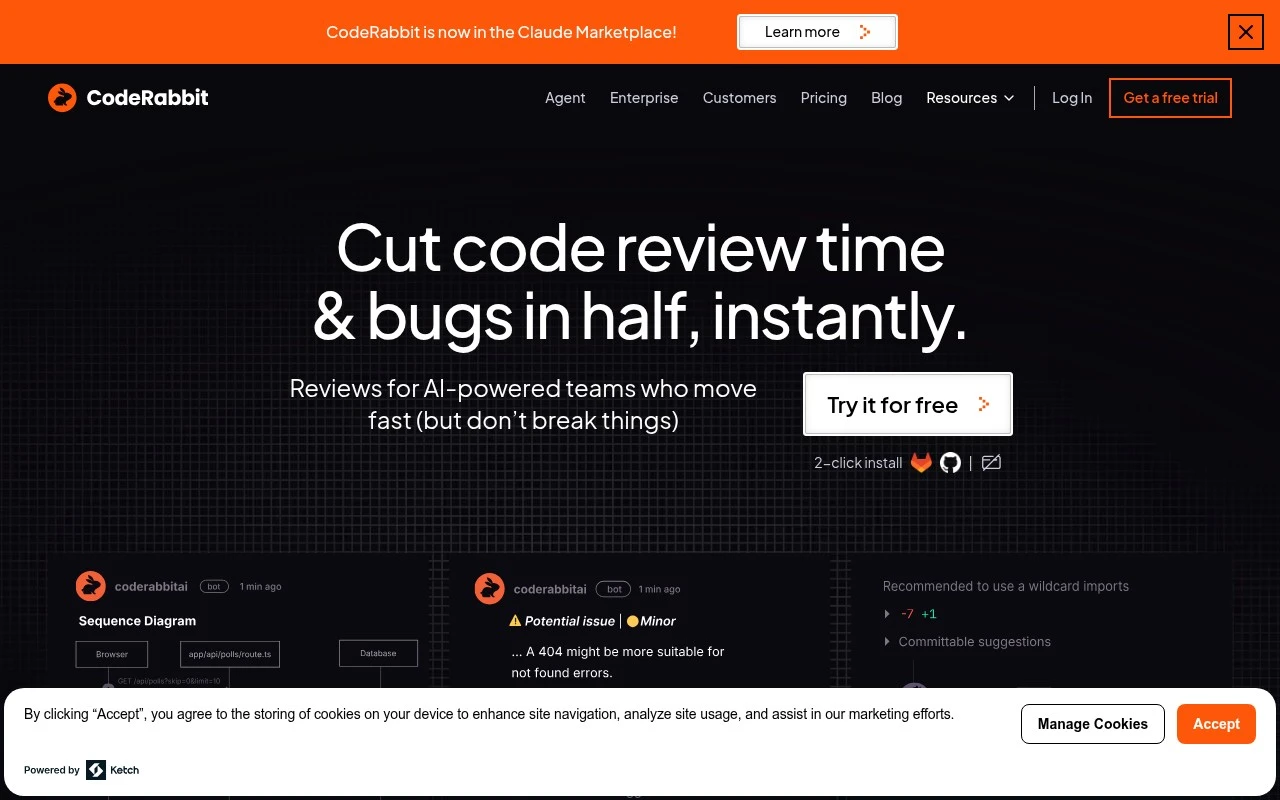
AI code reviews: summarizes diffs, finds defects, suggests fixes

Code Review & Quality
CodeRabbit is an AI-first code review tool for development teams. It reviews pull requests and code changes using repository context, custom guidelines, linters, security scanners, linked issue context, and natural-language feedback from developers. It is designed to reduce manual review load while keeping humans responsible for the final merge decision.

FYAI Score

8.6 / 10

Based on 26 reviews

Pricing:

Freemium

Best for:

Engineering teams handling high-volume pull requests

Score Breakdown

  • Ease of use8.5 / 10
  • Features8.8 / 10
  • Pricing9.1 / 10
  • Integrations8.1 / 10
  • Support8.4 / 10

PRODUCT PREVIEW

What this AI tool does

CodeRabbit is an AI-assisted tool designed to support software development workflows by helping teams review and refine code changes. It fits into the informational need of understanding how an AI tool can be used during code review, offering guidance that can make feedback more consistent and easier to act on. In practice, coderabbit-ai can be used alongside common version control and pull request processes to surface potential issues, suggest improvements, and clarify intent in code diffs. This can be useful for developers who want an additional layer of review support, especially when working across larger codebases or collaborating with multiple contributors. As with any AI tool used in engineering, its output is best treated as a starting point rather than a final decision. Teams typically get the most value by combining AI-generated suggestions with human judgment, project conventions, and existing testing and quality checks.

Use cases

Best for

Pull Request Review Comments

CodeRabbit summarizes PR diffs, provides walkthroughs, posts line-by-line comments, and suggests inline code fixes on changed lines.

Policy-Based Code Review

It applies repo context and team rules by checking changes against coding guidelines, linters, and scanners during PR review.

Follow-Up Review Tasks

It generates follow-up items like unit tests, docstrings, custom pre-merge checks, and review reports from the PR changes.

ANALYSIS

Strengths & limitations

Strengths
  • Reviews code with pull request context and codebase-aware analysis rather than only isolated snippets.
  • Supports customizable review behavior through rules, style guides, YAML configuration, and natural-language feedback.
  • Works beyond standard PR comments, with availability across pull requests, IDE, and CLI workflows.
Limitations
  • It is focused on review and governance, not a full replacement for human reviewers or broader software planning.
  • Teams must grant repository/code access and configure guidelines to get the most relevant results.
  • AI review findings still require developer judgment because some issues may be incomplete, low priority, or not applicable despite noise filtering.

Evaluation

FYAI score breakdown

Our structured evaluation across five key criteria

8.6 / 10

Overall score

Based on 26 reviews

  • Ease of use8.5 / 10
  • Features8.8 / 10
  • Pricing9.1 / 10
  • Integrations8.1 / 10
  • Support8.4 / 10

What users say

Findings from public reviews, documentation and community sources.

  • Ease of use

    CodeRabbit's product page describes setup as a “2-click install” and says users can “Get started in 2 clicks. No credit card needed.” CodeRabbit's product page also references YAML customization.

  • Features

    CodeRabbit's product page lists “context-aware feedback,” “line-by-line code suggestions,” real-time chat, and PR/IDE/CLI review. CodeRabbit's product page also references codebase intelligence, MCP/web/issue context, “40+ linters and security scanners,” and unit-test generation.

  • Pricing

    CodeRabbit's pricing page lists Free at “$0 /mo/user,” Pro at “$24 /mo/user billed annually,” Pro Plus at “$48 /mo/user billed annually,” and Enterprise as quote-based. CodeRabbit's pricing page also says there is a 14-day free trial, “No credit card required,” and “no limit on the number of pull requests reviewed or the number of repositories.”

  • Integrations

    CodeRabbit's pricing page lists “Jira & Linear integrations,” MCP connections, Slack agent usage, and Claude/AWS/GCP marketplace payment options. CodeRabbit's pricing page says Enterprise includes “API access.”

  • Support

    CodeRabbit's pricing FAQ says CodeRabbit offers “documentation, tutorials, and access to a dedicated support team.” CodeRabbit's pricing FAQ says Enterprise adds “SLA support,” “Technical enablement,” and a dedicated CSM.

Who is this for?

Best for development teams that want AI code review across existing coding workflows, CodeRabbit's product page lists PR/IDE/CLI review, real-time chat, and “line-by-line code suggestions.” Best for teams with frequent pull requests because CodeRabbit's pricing page says there is “no limit on the number of pull requests reviewed or the number of repositories.” Less suited to teams that require API access without an enterprise plan, CodeRabbit's pricing page says Enterprise includes “API access.”

PRODUCT PREVIEW

Feature highlights

PR reviews with context

Reviews diffs using full repo context for relevant, actionable notes.

Security-aware feedback

Flags risky patterns using scanners and secure coding guidelines.

Guideline-based comments

Applies your custom review rules and explains suggestions in plain English.

COMPARE

Discover curated alternatives worth comparing

Compare similar AI tools based on features, pricing and use cases

8.3/ 10Based on 68 reviews

Gemini Code Assist

Code Generation & CompletionTesting & Refactoring
AI coding assistant for code completion, edits, and explanations
Best for:
Software developers
Pricing
Freemium

9.1/ 10Based on 46 reviews

GitHub Copilot

Code Generation & CompletionTesting & Refactoring
AI coding assistant for code suggestions, chat, and reviews
Best for:
Software developers
Pricing
Freemium

8.9/ 10Based on 6 reviews

Cline

Code Generation & CompletionDebugging
Agentic coding runtime that edits files and runs commands
Best for:
Software developers
Pricing
Free

Ship better code faster with CodeRabbit. Turn reviews into clear fixes and keep your team focused on building, not back-and-forth.

FAQ

Frequently asked
questions

Everything you need to know about this AI tool,
its features, pricing, use cases, and limitations.

What types of teams and workflows is CodeRabbit a good fit for?
CodeRabbit is best for teams that want automated, consistent pull-request reviews and faster iteration on routine changes. It tends to fit well in GitHub/GitLab-based workflows where code quality and review throughput are bottlenecks. If your work is heavy on greenfield architecture or highly specialized domains, you may still need substantial human review.
Does CodeRabbit have a free plan, and what are the typical limitations compared to paid tiers?
CodeRabbit commonly offers a free or trial option, but it’s usually constrained by usage (e.g., number of repositories, PRs, or review volume) and may limit advanced features. Paid plans typically add higher limits, team/admin controls, and more robust integrations. Check the current pricing page for exact caps, since they can change.
How does CodeRabbit compare with GitHub Copilot, Amazon CodeWhisperer, or other AI coding tools?
CodeRabbit is primarily oriented around automated PR review and feedback, while tools like GitHub Copilot and CodeWhisperer focus on in-IDE code completion and generation. If your goal is to speed up writing code, an IDE assistant may deliver more direct gains; if you want to reduce review load and enforce consistency, CodeRabbit is often the closer match. Many teams use both categories together rather than choosing only one.
How quickly can a team set up CodeRabbit, and what onboarding effort should you expect?
CodeRabbit can surface incorrect or overly generic suggestions, so you still need developer oversight—especially for security-sensitive or complex changes. It may be less effective for niche languages or unconventional codebases where context is hard to infer. Some teams also find that too much automated feedback can add noise unless settings are carefully tuned.
What should we evaluate about CodeRabbit’s data handling, privacy, and compliance before using it?
Confirm what code and metadata CodeRabbit accesses (source, diffs, comments) and whether that data is stored, logged, or used for model training. Review options for access controls, repository scoping, retention, and any enterprise features like SSO or audit logs if you need them. If you have regulatory requirements, verify available documentation (e.g., SOC 2/ISO claims) and whether self-hosting or dedicated environments are offered.