Curated ToolThis tool is part of our curated AI directory. We only include tools that meet our standards for relevance, usability and real-world value.

Pipedream

Build workflows and AI agents that connect apps and APIs

Workflow AutomationIntegration Automation
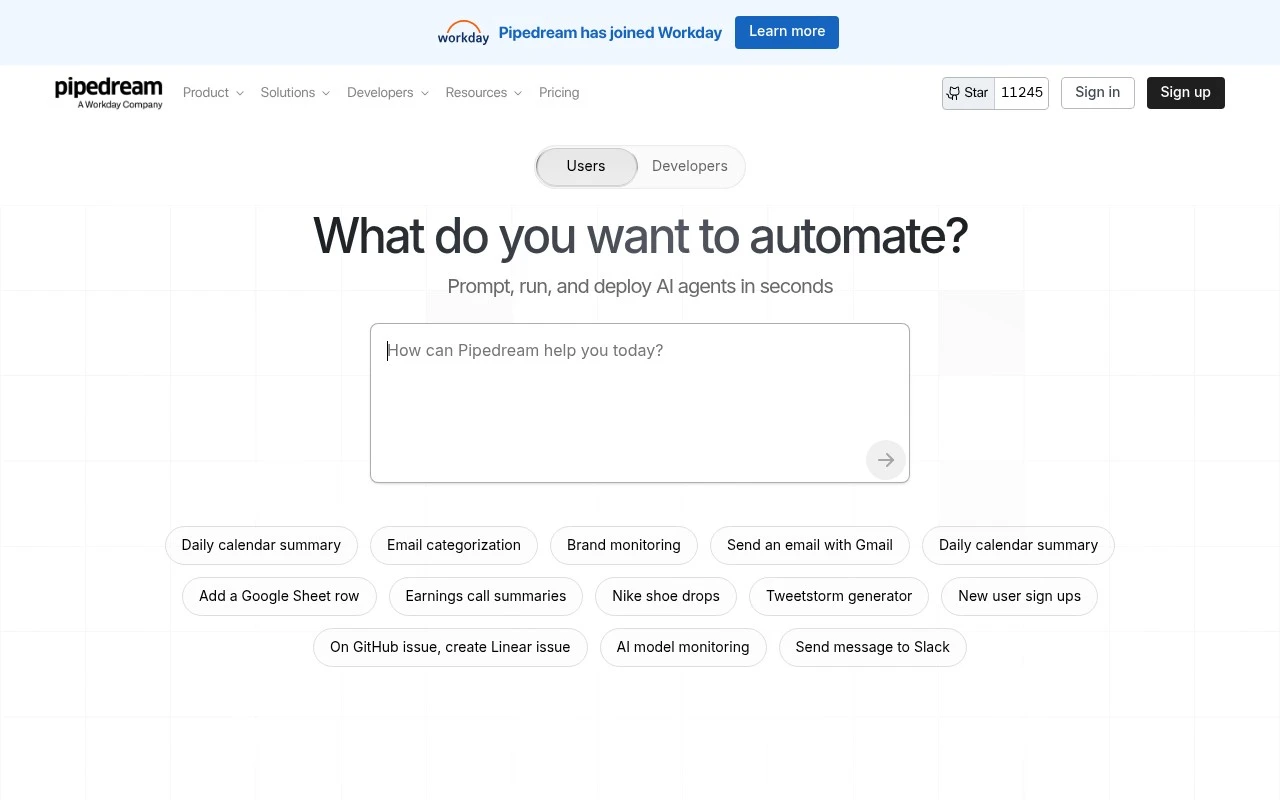
Pipedream helps technical users connect services and automate processes across APIs. It combines a workflow builder, code-level customization, managed authentication, prebuilt app actions, an AI agent builder, MCP server support, and a developer SDK for embedding integrations into applications or agents.

FYAI Score

8.5 / 10

Based on 25 reviews

Pricing:

Freemium

Best for:

Developers building API automations and product integrations

Score Breakdown

  • Ease of use7.9 / 10
  • Features9.0 / 10
  • Pricing7.9 / 10
  • Integrations9.3 / 10
  • Support8.7 / 10

PRODUCT PREVIEW

What this AI tool does

Pipedream is an automation and integration tool that helps you connect different apps and services through event-based workflows. It’s designed for people who want to move data between systems, trigger actions when something changes, or add lightweight logic in between—without having to build and host a full application. A typical use case is listening for events (such as a new record, message, or webhook call) and then running a short sequence of steps to transform data, call an API, or update another service. This makes it useful for prototypes, internal tooling, and routine operational tasks where reliability and clear visibility into what happened matter. Because it supports custom code alongside prebuilt integrations, it can fit both simple “connect A to B” automations and more tailored workflows that need validation, formatting, or conditional routing. If you’re comparing integration platforms, it’s helpful to think about how you want to handle authentication, error handling, and ongoing maintenance for the workflows you create.

Use cases

Best for

Integration Automation

Connect SaaS APIs with managed auth and prebuilt actions, then run custom code steps to sync data between services.

Workflow Automation

Pipedream builds event driven workflows with triggers, branching logic, and code steps to automate multi step processes.

Agent Building

Create AI agents that call tools via Pipedream workflows, including MCP server support for secure API access and actions.

ANALYSIS

Strengths & limitations

Strengths
  • Supports a large integration surface, with the site claiming 3,000+ integrated apps and 10,000+ tools.
  • Balances no-code workflow building with custom code control for developers who need API-level flexibility.
  • Includes infrastructure-oriented features such as managed authentication, built-in queues, data stores, private networks, and compliance claims including SOC 2 Type II, HIPAA, GDPR, and DPA support.
Limitations
  • The platform is primarily oriented toward developers and technical teams, so non-technical users may find it less approachable than simpler automation tools.
  • Broad automation, AI agent, MCP, and embedded integration capabilities can make product scope complex for teams seeking only a basic workflow builder.
  • The provided site copy gives high-level capability claims but limited detail on pricing, limits, implementation effort, or how specific advanced features behave in practice.

Evaluation

FYAI score breakdown

Our structured evaluation across five key criteria

8.5 / 10

Overall score

Based on 25 reviews

  • Ease of use7.9 / 10
  • Features9.0 / 10
  • Pricing7.9 / 10
  • Integrations9.3 / 10
  • Support8.7 / 10

What users say

Findings from public reviews, documentation and community sources.

  • Ease of use

    A Reddit discussion describes Pipedream as “very intuitive and easy to manage,” especially for auth. A Reddit discussion also says Pipedream can feel “more technical” because much of the logic lives inside scripts.

  • Features

    Pipedream’s own site describes a workflow builder, an AI agent builder, managed authentication, and built-in queues/data stores/private networks. Pipedream’s own site lists “3,000+ integrated apps” and “10,000+ tools.”

  • Pricing

    Zapier lists Pipedream as having a free plan, with paid plans starting at $29/month for Basic and $49/month for Advanced.

  • Integrations

    Pipedream’s own site says “One SDK, 1000s of integrations” and lists “3,000+ integrated apps.” Pipedream’s own site names integrations including Supabase, Shopify, Google Drive, and OpenAI.

  • Support

    Pipedream’s docs page points users to quickstarts, a complete docs index, a community forum, and the support team. Pipedream’s docs page also links a public status page with incident updates via Slack and Twitter.

Who is this for?

Best for developer-oriented automation teams that want to build workflows around scripts, managed authentication, and “3,000+ integrated apps.” Less suited to users who want a near-zero-learning-curve automation tool, because Reddit notes Pipedream can feel “more technical” when much of the logic lives inside scripts.

PRODUCT PREVIEW

Feature highlights

Workflow builder

Create event-driven workflows across apps with steps, retries, and logs.

Code-first control

Write Node.js/Python to transform data and call any API in-line.

Managed auth

Use built-in OAuth and secrets to connect services securely.

COMPARE

Discover curated alternatives worth comparing

Compare similar AI tools based on features, pricing and use cases

9.0/ 10Based on 3.056 reviews

Zapier

Workflow AutomationIntegration Automation
Connects apps to automate multi-step workflows and actions
Best for:
Operations teams
Pricing
Freemium

8.6/ 10Based on 779 reviews

Workato

Workflow AutomationIntegration Automation
Orchestrates workflows across business apps via MCP integrations
Best for:
IT & Security teams
Pricing
Free trial

8.9/ 10Based on 7.771 reviews

Uipath

Workflow AutomationIntegration Automation
Automates workflows with AI agents, robots, and document processing
Best for:
Operations teams
Pricing
Freemium

Start automating the busywork between your apps in minutes. See why teams choose Pipedream to ship reliable workflows faster and keep data moving without manual handoffs.

FAQ

Frequently asked
questions

Everything you need to know about this AI tool,
its features, pricing, use cases, and limitations.

What types of automation is Pipedream a good fit for?
Pipedream is a strong choice for event-driven workflows like syncing data between SaaS apps, reacting to webhooks, and orchestrating API calls with custom code. It fits teams that want more flexibility than no-code tools but don’t want to maintain their own integration infrastructure. If you mainly need simple, linear “if-this-then-that” automations, a lighter tool may be faster to standardize.
How do Pipedream’s free and paid plans differ in practice?
The free tier is typically enough for prototyping and low-volume workflows, but you’ll run into limits around usage and scale as executions increase. Paid plans become relevant when you need higher throughput, more reliability controls, and production-grade operations. If your workflows are chatty (many steps/API calls), costs can rise quickly compared to flat-rate alternatives.
How does Pipedream compare with Zapier, Make, and n8n?
Compared with Zapier and Make, Pipedream tends to be more developer-friendly because you can drop into Node.js code easily and work directly with APIs. Versus n8n, Pipedream is more managed (less self-hosting overhead), while n8n can be cheaper at scale if you run it yourself. If your team prefers visual-only building and minimal code, Zapier/Make may feel simpler day to day.
How quickly can a team get Pipedream running, and what onboarding effort should you expect?
Pipedream’s flexibility comes with a learning curve, especially if you rely on code steps and API debugging. Some advanced enterprise features found in specialized iPaaS platforms may be limited or require more manual setup. Pricing can also become a deciding factor when workflows grow in volume or complexity.
What should I know about data handling, privacy, and compliance when using Pipedream?
Pipedream workflows often process third-party app data and may store configuration details like connected account credentials and environment variables, so you should treat it as a system handling sensitive integration data. Evaluate whether you can minimize payload retention, mask secrets, and control access with least-privilege permissions. If you have strict compliance needs (e.g., SOC 2, HIPAA, GDPR), confirm Pipedream’s current certifications, data residency options, and audit/logging capabilities match your requirements.