Curated ToolThis tool is part of our curated AI directory. We only include tools that meet our standards for relevance, usability and real-world value.

Lindy AI

AI agents manage email, calendars, meeting notes, and follow-ups

Workflow AutomationIntegration Automation

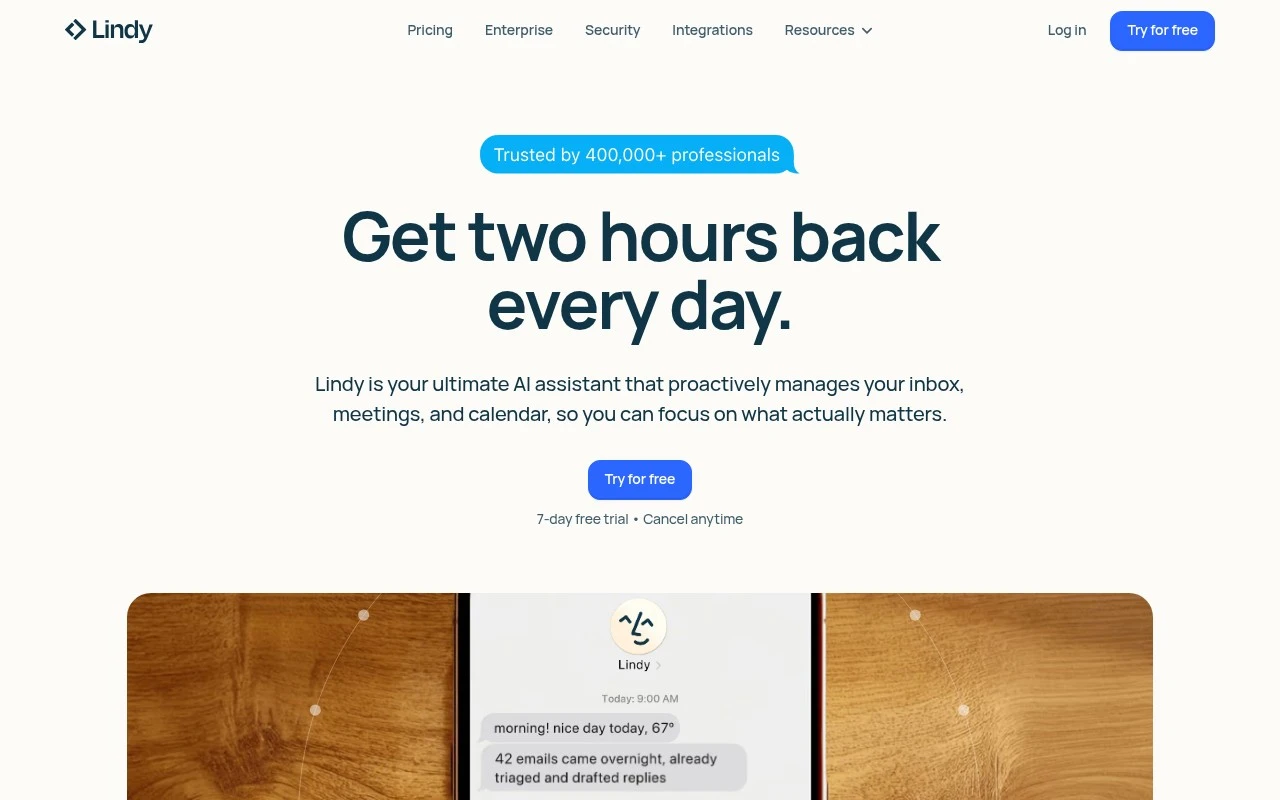
Lindy AI is an AI executive assistant that connects to workplace tools to help manage email, meetings, scheduling, reminders, and follow-up tasks. Its website positions it as a personalized assistant that can draft replies in the user’s voice, organize inboxes, schedule meetings, brief users before calls, record notes, send recaps, and coordinate actions across integrations. It is aimed at individuals and teams who spend significant time on administrative coordination and want an AI agent with access to their everyday work apps.

FYAI Score

7.7 / 10

Based on 171 reviews

Pricing:

Freemium

Best for:

Busy executives and teams drowning in email, meetings, and follow-ups

Score Breakdown

  • Ease of use8.2 / 10
  • Features7.4 / 10
  • Pricing7.5 / 10
  • Integrations8.0 / 10
  • Support7.4 / 10

PRODUCT PREVIEW

What this AI tool does

Lindy AI is an AI tool designed to help users automate and streamline routine work by connecting to common apps and services. It’s typically used to handle recurring tasks that would otherwise require manual follow-up, such as organizing information, triggering actions based on events, or coordinating simple workflows across tools. This kind of tool is most useful for individuals and teams who want to reduce time spent on repetitive processes without building custom software. Depending on how it’s set up, lindy-ai can support day-to-day operations by turning inputs like messages, forms, or calendar events into consistent next steps. If you’re researching AI automation options, it helps to consider what systems you need to connect, how much control you want over the workflow logic, and what level of oversight is required. The best fit usually depends on whether you need lightweight task handling or more structured process automation.

Use cases

Best for

Workflow Automation

Connect Lindy AI to your work apps to trigger reminders, follow ups, and task updates from emails and meeting notes.

Email Writing

Draft and refine email replies in your voice using context from your inbox threads and calendar events.

Schedule Planning

Schedule meetings by proposing times from your calendar, sending invites, and delivering pre call briefs and recaps.

ANALYSIS

Strengths & limitations

Strengths
  • Covers several common executive-assistant workflows in one product: inbox management, scheduling, meeting prep, note taking, and follow-ups.
  • Connects with Gmail or Outlook and advertises 100+ integrations, allowing it to work across email, calendars, Slack, and other apps.
  • Includes human approval and security-oriented positioning, with enterprise options such as team settings, SSO, SCIM, audit logs, HIPAA support, and a signed BAA.
Limitations
  • Requires access to sensitive systems such as email, calendar, messages, and work apps, which may need security review before adoption.
  • Email drafts and automated actions still require user review to avoid mistakes or inappropriate replies.
  • The public site describes broad assistant capabilities, but real-world reliability, integration depth, and limits may vary by plan and workflow.

Evaluation

FYAI score breakdown

Our structured evaluation across five key criteria

7.7 / 10

Overall score

Based on 171 reviews

  • Ease of use8.2 / 10
  • Features7.4 / 10
  • Pricing7.5 / 10
  • Integrations8.0 / 10
  • Support7.4 / 10

What users say

Findings from public reviews, documentation and community sources.

  • Ease of use

    Reddit user sentiment describes Lindy as able to automate office tasks in a way that is "not too complicated, but also practical." The product page says setup takes "about 60 seconds" by connecting a phone number and receiving a text from Lindy.

  • Features

    The Lindy pricing page lists assistant workflows including "Email drafting," "Meeting scheduling," "Meeting note taking," and "Meeting prep & follow-up." The Lindy pricing page says higher tiers add "Computer use" and model selection.

  • Pricing

    The Lindy pricing page lists Plus at "$49.99 / month," Pro at "$99.99 / month," and Max at "$199.99 / month," with a "7-day free trial" and Enterprise via sales. The Lindy pricing page describes usage mainly as "Standard usage" or multipliers.

  • Integrations

    The Lindy integrations page states "Hundreds of integrations available." The Lindy pricing FAQ names common apps including "Gmail, Outlook, Google Calendar, Slack, Notion, and more," and says Enterprise customers can request custom integrations.

  • Support

    The Lindy pricing page says Plus users get a "help center and community support," Pro includes a "Live onboarding session," and Enterprise includes "Dedicated support" plus "Onboarding & enablement." Trustpilot shows Lindy at "1.7/5" across 36 reviews.

Who is this for?

Best for teams that want an AI assistant for executive-assistant workflows, the Lindy pricing page lists "Email drafting," "Meeting scheduling," "Meeting note taking," and "Meeting prep & follow-up." Less suited to buyers seeking a low entry paid plan, the Lindy pricing page lists Plus at "$49.99 / month," with Pro at "$99.99 / month" and Max at "$199.99 / month."

PRODUCT PREVIEW

Feature highlights

Email in your voice

Drafts replies that match your tone and keeps threads moving.

Smart scheduling

Coordinates meetings, reminders, and follow-ups across your tools.

Call briefs & recaps

Preps you before meetings and sends notes and action items after.

COMPARE

Discover curated alternatives worth comparing

Compare similar AI tools based on features, pricing and use cases

9.0/ 10Based on 3.056 reviews

Zapier

Workflow AutomationIntegration Automation
Connects apps to automate multi-step workflows and actions
Best for:
Operations teams
Pricing
Freemium

8.6/ 10Based on 779 reviews

Workato

Workflow AutomationIntegration Automation
Orchestrates workflows across business apps via MCP integrations
Best for:
IT & Security teams
Pricing
Free trial

8.9/ 10Based on 7.771 reviews

Uipath

Workflow AutomationIntegration Automation
Automates workflows with AI agents, robots, and document processing
Best for:
Operations teams
Pricing
Freemium

See why teams choose Lindy AI to automate busywork and move faster. Start turning repetitive tasks into reliable workflows today.

FAQ

Frequently asked
questions

Everything you need to know about this AI tool,
its features, pricing, use cases, and limitations.

What marketing use cases is Lindy AI a good fit for?
Lindy AI is best suited for teams that need to produce repeatable marketing content quickly, such as email sequences, ad variations, landing page copy, and social posts. It’s a stronger fit when you already have clear brand guidelines and want consistent outputs across channels. If your work depends on deep subject-matter nuance (e.g., regulated industries or technical thought leadership), plan for heavier human review.
Does Lindy AI have a free plan, and what are the typical limitations compared to paid tiers?
Lindy AI may offer limited access options, but the practical differences usually show up in usage caps, available features, and collaboration controls. Paid plans are typically where you get higher volume, more customization, and better workflow support for teams. If you’re evaluating cost, confirm what counts toward limits (e.g., generations, seats, or integrations) before committing.
How does Lindy AI compare with other AI writing and automation tools?
Compared with general-purpose AI writing tools, Lindy AI is often evaluated more on workflow automation and repeatable content processes than on one-off drafting. Versus broader automation platforms, it can be easier to use for content-centric tasks but may be less flexible for complex, multi-system business processes. The deciding factor is whether you need content production at scale or a wider automation toolkit.
How quickly can a team get Lindy AI running, and what onboarding effort should you expect?
Lindy AI can speed up production, but it may still miss context on complex topics, so editorial oversight remains important. There’s also a learning curve to use customization features effectively, which can slow early adoption. For smaller teams, subscription cost versus actual content volume is often the key trade-off.
What should I check about data handling, privacy, and compliance when using Lindy AI?
Before using Lindy AI with sensitive material, review what content is stored, how long it’s retained, and whether it’s used to improve models. Confirm access controls for team accounts and whether the platform supports requirements like SSO, audit logs, or data processing agreements if you need them. If you operate in regulated environments, validate where data is processed and any available compliance documentation.