Curated ToolThis tool is part of our curated AI directory. We only include tools that meet our standards for relevance, usability and real-world value.

Jarvis AI

AI agents suggest replies and automate routine support across channels

Automation
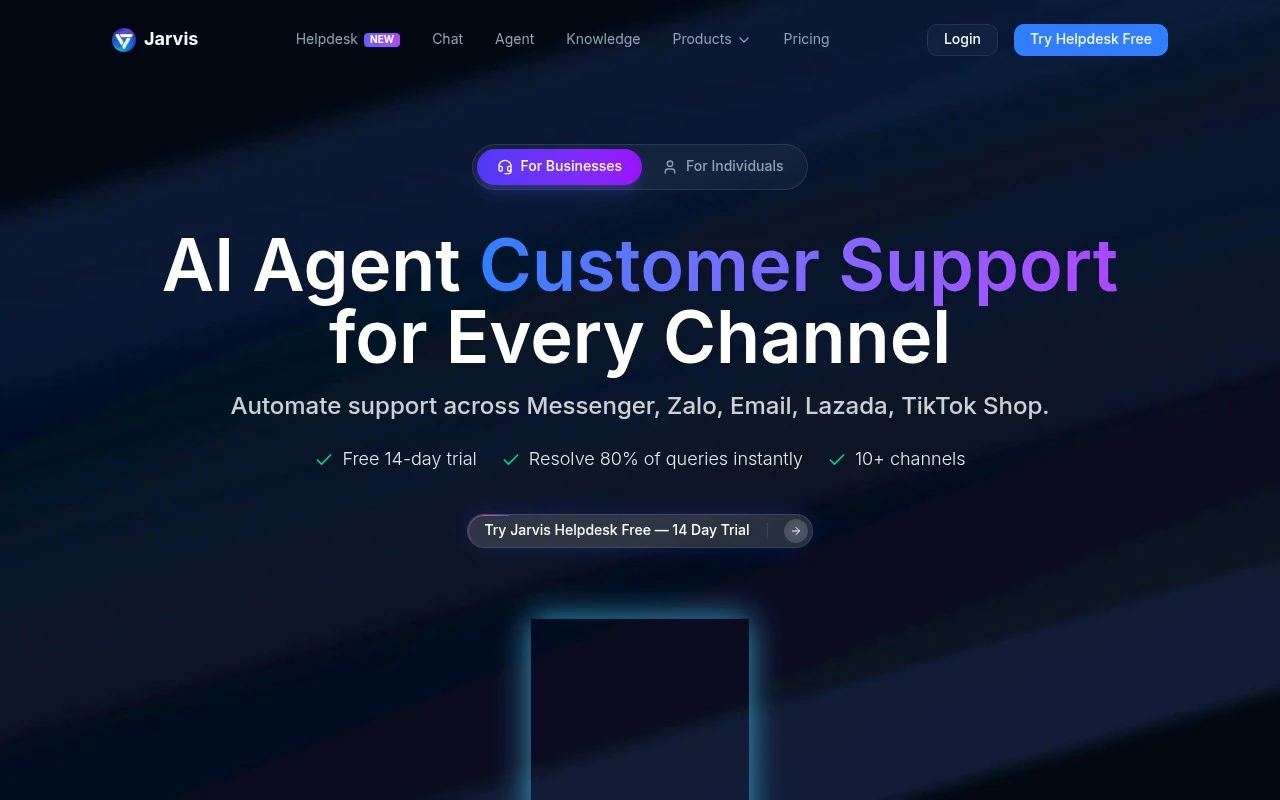
Jarvis AI (jarvis.cx) is presented as an AI agent and helpdesk copilot for customer support. Its official site focuses on automating support across Messenger, Zalo, email, Lazada, TikTok Shop, and website chat, with AI trained on company data and ticket history to resolve routine inquiries and help agents respond faster.

FYAI Score

7.9 / 10

Based on 23 reviews

Pricing:

Freemium

Best for:

Customer support teams handling high-volume omnichannel inquiries

Score Breakdown

  • Ease of use8.2 / 10
  • Features7.7 / 10
  • Pricing8.4 / 10
  • Integrations7.7 / 10
  • Support7.3 / 10

PRODUCT PREVIEW

What this AI tool does

Jarvis AI is an AI tool page intended to help readers understand what the product is and how it may be used in practice. Since the introductory details and main use case are not provided, this description focuses on the general role such tools typically play: assisting with text-based tasks by generating, rewriting, or refining content based on user prompts. In an informational context, the most useful way to evaluate jarvisai is to consider your workflow and the type of output you need, such as drafting copy, summarizing information, or improving clarity and tone. As with any AI system, results can vary depending on the prompt quality and the source material, so it’s best used as a support tool alongside human review. If you’re comparing options, look for details on supported languages, integrations, data handling, and any usage limits, as these factors often determine whether an AI tool fits a specific team or project. This page can serve as a starting point for understanding where jarvisai may fit and what questions to ask before adopting it.

Use cases

Best for

Customer Support Automation

Jarvis AI uses your company data and past tickets to auto answer routine support questions and draft agent replies.

Chatbot Deployment

Deploy a website chat bot trained on your knowledge base to handle FAQs and route complex issues to agents.

Omnichannel Support

Centralize and automate replies across Messenger, Zalo, email, Lazada, TikTok Shop, and website chat from one inbox.

ANALYSIS

Strengths & limitations

Strengths
  • Supports multichannel customer support, including messaging apps, email, ecommerce marketplaces, and website live chat.
  • Combines customer-facing automation with an agent copilot for suggested replies inside the support workflow.
  • The site positions it around business support operations rather than a generic personal chatbot.
Limitations
  • The public page gives limited detail about pricing, deployment requirements, integrations beyond named channels, and security controls.
  • Performance figures and testimonials on the site are marketing claims and are not independently verifiable from the provided source.
  • The page title includes broad terms like ChatGPT, Claude, Bard, translation, grammar, and rewriting, but the readable page content mainly supports the customer support/helpdesk use case.

Evaluation

FYAI score breakdown

Our structured evaluation across five key criteria

7.9 / 10

Overall score

Based on 23 reviews

  • Ease of use8.2 / 10
  • Features7.7 / 10
  • Pricing8.4 / 10
  • Integrations7.7 / 10
  • Support7.3 / 10

What users say

Findings from public reviews, documentation and community sources.

  • Ease of use

    G2’s review signal says users “consistently praise Jarvis for its ease of use and voice command functionality,” and the product page claims “Setup in 5 minutes” with a “Free 14-day trial.”

  • Features

    The Jarvis product page describes AI trained on company data, automated workflows, AI-suggested replies, and a helpdesk copilot. The Jarvis product page claims “70% of conversations auto-resolved.”

  • Pricing

    The pricing page lists a self-serve subscription at “US$6.67/month” or “US$79.9/year,” and the homepage adds a “Free 14-day trial” with “No credit card required.”

  • Integrations

    The Jarvis homepage states it automates support across “Messenger, Zalo, Email, Lazada, TikTok Shop” and mentions “10+ channels.”

  • Support

    The Jarvis homepage provides customer-access paths including “Start Free Trial” and “Schedule a Demo.”

Who is this for?

Best for customer-support teams that need automation across chat, email, and marketplace channels, the Jarvis homepage lists “Messenger, Zalo, Email, Lazada, TikTok Shop” and mentions “10+ channels.” The pricing page’s “US$6.67/month” or “US$79.9/year” self-serve subscription and the homepage’s “Free 14-day trial” with “No credit card required” make it easier to test before committing. Less suited to teams that require clearly documented public support resources before adoption, the homepage-access paths cited are “Start Free Trial” and “Schedule a Demo.”

PRODUCT PREVIEW

Feature highlights

Omnichannel support

Handle Messenger, Zalo, email, web chat, Lazada, and TikTok Shop.

Trained on your data

Uses company knowledge and ticket history to answer routine questions.

Faster agent replies

Suggests responses so agents resolve tickets quicker with less effort.

COMPARE

Discover curated alternatives worth comparing

Compare similar AI tools based on features, pricing and use cases

9.0/ 10Based on 3.056 reviews

Zapier

Workflow AutomationIntegration Automation
Connects apps to automate multi-step workflows and actions
Best for:
Operations teams
Pricing
Freemium

8.6/ 10Based on 779 reviews

Workato

Workflow AutomationIntegration Automation
Orchestrates workflows across business apps via MCP integrations
Best for:
IT & Security teams
Pricing
Free trial

8.9/ 10Based on 7.771 reviews

Uipath

Workflow AutomationIntegration Automation
Automates workflows with AI agents, robots, and document processing
Best for:
Operations teams
Pricing
Freemium

Join thousands of marketers writing faster with Jarvis AI. Turn ideas into on-brand content in minutes and keep campaigns moving.

FAQ

Frequently asked
questions

Everything you need to know about this AI tool,
its features, pricing, use cases, and limitations.

What types of teams and workflows is Jarvis AI a good fit for?
Jarvis AI fits marketing teams that need high-volume drafts for blogs, social posts, ads, and email campaigns, especially when speed matters. It’s most useful when you already have a review process to align outputs with brand voice and compliance. If you need deeply technical writing or highly regulated messaging with minimal editing, you may want a tool with stronger controls or human-in-the-loop features.
Does Jarvis AI have a free plan, and what are the practical limits of paid tiers?
Jarvis AI is typically offered as a paid subscription, with any trials being time-limited rather than a robust free tier. Paid plans usually gate usage by feature access and/or generation limits, so costs can rise with frequent long-form content needs. Before committing, check whether your expected monthly output fits the plan’s caps and whether key features (templates, brand features, integrations) are included.
How does Jarvis AI compare with tools like Copy.ai, Writesonic, or ChatGPT for marketing content?
Jarvis AI is oriented around marketing workflows with templates and guided generation, which can be faster for repeatable campaign assets than a general chat tool. Compared with Copy.ai or Writesonic, the difference often comes down to output consistency, brand controls, and pricing at your volume. If your team prefers flexible prompting and multi-purpose use beyond marketing, a general assistant may be more cost-effective.
How quickly can a team get Jarvis AI running, and what onboarding work is involved?
Jarvis AI can produce uneven quality, so you should budget time for editing, fact-checking, and tightening brand voice. It may also struggle with nuanced positioning or highly differentiated tone without strong guidance and examples. For smaller teams, subscription cost versus actual content volume is often the deciding trade-off.
What should we consider about data privacy and compliance when using Jarvis AI?
Treat prompts and generated text as potentially sensitive data and avoid pasting confidential customer or internal information unless your policy allows it. Review Jarvis AI’s terms for data retention, training usage, and any available enterprise controls (SSO, admin roles, audit logs) if you have compliance requirements. If you operate under strict regulations, confirm where data is processed and whether you can opt out of data being used to improve models.