Curated ToolThis tool is part of our curated AI directory. We only include tools that meet our standards for relevance, usability and real-world value.

Flowise

Visually build and deploy LLM workflows, RAG, and agents

Automation
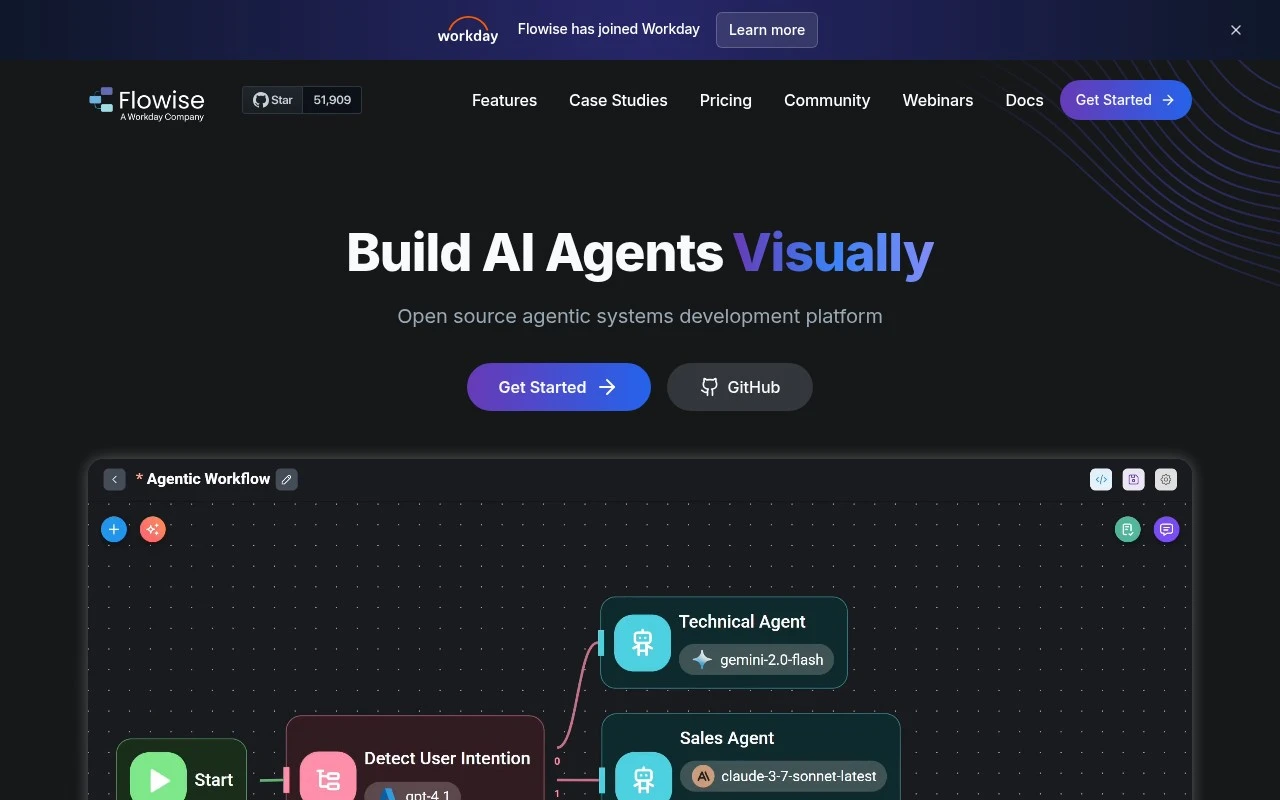
Flowise is an open-source generative AI development platform for visually building agentic systems. It provides modular blocks for chatflows, multi-agent workflows, human-in-the-loop review, execution tracing, and integration with LLMs, embeddings, vector databases, APIs, SDKs, and embedded chat interfaces.

FYAI Score

7.9 / 10

FYAI rating based on features, pricing and integrations

Pricing:

Freemium

Best for:

Developers building agentic AI workflows and chat applications

Score Breakdown

  • Ease of use7.9 / 10
  • Features7.7 / 10
  • Pricing8.4 / 10
  • Integrations7.9 / 10
  • Support7.8 / 10

PRODUCT PREVIEW

What this AI tool does

Flowise is a tool for building and managing AI workflows, especially those that connect large language models with other steps like prompts, data sources, and simple logic. It’s typically used by developers and teams who want a more structured way to design how an AI assistant or automation behaves without writing everything from scratch. In practice, it helps you assemble a workflow, test it, and iterate as requirements change—such as adjusting prompts, swapping model providers, or adding retrieval from documents. This makes it useful for informational prototypes as well as internal tools where you need repeatable, understandable AI behavior. If you’re evaluating it, the main thing to consider is whether your project benefits from a workflow-based approach to LLM applications, where components can be updated independently and the overall flow remains easy to review and maintain.

Use cases

Best for

Agent Building

Use Flowise to visually assemble agent workflows with modular nodes, tool calls, memory, and execution tracing.

Internal Search

Build an internal search chatflow that embeds company docs and queries a vector database for retrieval augmented answers.

Knowledge Base Search

Create a knowledge base search assistant by indexing articles into embeddings and returning cited passages via a chat interface.

ANALYSIS

Strengths & limitations

Strengths
  • Visual builder makes it easier to assemble and iterate on LLM agents, chatbots, and orchestration workflows.
  • Supports practical AI application patterns such as RAG, tool calling, multi-agent systems, human review, and execution traces.
  • Can be used as open source and deployed in cloud or on-premises environments, with developer-facing APIs and SDKs.
Limitations
  • The hosted free plan is limited to 2 flows or assistants, 100 predictions per month, and 5MB storage.
  • Production use may still require technical work around deployment, scaling, observability, and integration.
  • It is focused on LLM and agentic workflows, so it is not a general-purpose no-code app builder for non-AI software.

Evaluation

FYAI score breakdown

Our structured evaluation across five key criteria

7.9 / 10

Overall score

FYAI rating based on features, pricing and integrations

  • Ease of use7.9 / 10
  • Features7.7 / 10
  • Pricing8.4 / 10
  • Integrations7.9 / 10
  • Support7.8 / 10

What users say

Findings from public reviews, documentation and community sources.

  • Ease of use

    Flowise's product page presents the product as a visual builder to “Build AI Agents Visually.” In a Reddit thread, users describe Flowise as useful to “link up a solution fast” and “great for getting something working quickly,” while one user notes “Flowise is harder to make custom components for.”

  • Features

    Flowise's product page lists “Agentflow Multi Agents,” “Chatflow Chat Assistants,” RAG, and “100+ LLMs, Embeddings, Vector DBs.”

  • Pricing

    Flowise's pricing page lists a Free tier at “$0 /month,” Starter at “$35 /month,” and Pro at “$65 /month.” Flowise's pricing page lists limits including “100 Predictions / month,” “10,000 Predictions / month,” and “50,000 Predictions / month.”

  • Integrations

    Flowise's product page lists “APIs, SDK and Embedded Chat APIs,” “Typescript & Python SDK,” and “Prometheus, OpenTelemetry.” Flowise's product page lists “100+ LLMs, Embeddings, Vector DBs.”

  • Support

    Flowise's pricing page lists “Community Support” for Free and Starter and “Priority Support” for Pro. Flowise's site highlights its open-source community with “Join Discord.”

Who is this for?

Best for teams building AI-agent workflows visually, Flowise's product page lists “Agentflow Multi Agents,” “Chatflow Chat Assistants,” RAG, and “100+ LLMs, Embeddings, Vector DBs.” Less suited to teams that need stronger human support on lower tiers, Flowise's pricing page lists “Community Support” for Free and Starter, while Pro includes “Priority Support.”

PRODUCT PREVIEW

Feature highlights

Visual agent builder

Compose chatflows and multi-agent workflows with modular blocks.

Tracing & debugging

Inspect runs end-to-end with execution tracing and logs.

LLM & vector connects

Integrate LLMs, embeddings, vector DBs, APIs, and SDKs.

COMPARE

Discover curated alternatives worth comparing

Compare similar AI tools based on features, pricing and use cases

9.0/ 10Based on 3.056 reviews

Zapier

Workflow AutomationIntegration Automation
Connects apps to automate multi-step workflows and actions
Best for:
Operations teams
Pricing
Freemium

8.6/ 10Based on 779 reviews

Workato

Workflow AutomationIntegration Automation
Orchestrates workflows across business apps via MCP integrations
Best for:
IT & Security teams
Pricing
Free trial

8.9/ 10Based on 7.771 reviews

Uipath

Workflow AutomationIntegration Automation
Automates workflows with AI agents, robots, and document processing
Best for:
Operations teams
Pricing
Freemium

Build and ship reliable AI workflows faster with Flowise. Turn ideas into automated processes your team can run and improve every day.

FAQ

Frequently asked
questions

Everything you need to know about this AI tool,
its features, pricing, use cases, and limitations.

What types of automation workflows is Flowise a good fit for?
Flowise is a strong fit for teams building LLM-driven workflows such as chatbots, internal Q&A over documents, lead triage, and support automation. It works well when you want a visual builder to connect prompts, tools, and data sources without heavy custom code. If you need deep enterprise orchestration (complex approvals, SLAs, or large-scale RPA), you may find it less complete than dedicated automation suites.
Does Flowise have a free plan, and what are the practical limitations compared to paid options?
Flowise is commonly used as a self-hosted open-source tool, so the “free” route is typically running it yourself with your own infrastructure and API keys. Paid offerings (where available) usually reduce operational overhead and may add team features or managed hosting, but you’ll still pay for underlying model usage through providers like OpenAI. When comparing, factor in hosting, monitoring, and security work that comes with self-hosting.
How does Flowise compare with LangFlow, n8n, or Zapier for automation?
Flowise is closer to LangFlow in that it focuses on building and running LLM chains/agents via a visual canvas, rather than broad business-process automation. n8n and Zapier generally offer more mature app-to-app workflow automation, triggers, and governance, but are less specialized for LLM graph design. If your priority is LLM app prototyping and deployment, Flowise often wins; if you need hundreds of SaaS connectors and robust ops, n8n/Zapier may be a better baseline.
How quickly can a team get Flowise running, and what onboarding effort should we expect?
Flowise can be less feature-rich than enterprise automation platforms for permissions, audit trails, and large-scale workflow governance. Some users hit friction when debugging complex graphs or managing versioning and testing across environments. It’s a practical choice for LLM workflow building, but you may need additional tooling for reliability, observability, and CI/CD.
How should we evaluate Flowise for data privacy, security, and compliance needs?
With Flowise, data handling depends heavily on your deployment model and the LLM/vector DB providers you connect to. For regulated environments, self-hosting helps control data residency, but you still need to review what is sent to third-party model APIs and how logs are stored. Check whether you can enforce access controls, secrets management, and retention policies that match your compliance requirements before standardizing on it.