Curated ToolThis tool is part of our curated AI directory. We only include tools that meet our standards for relevance, usability and real-world value.

Bardeen

Automates lead research by scraping, enriching, and exporting lists

RPA & Browser Automation
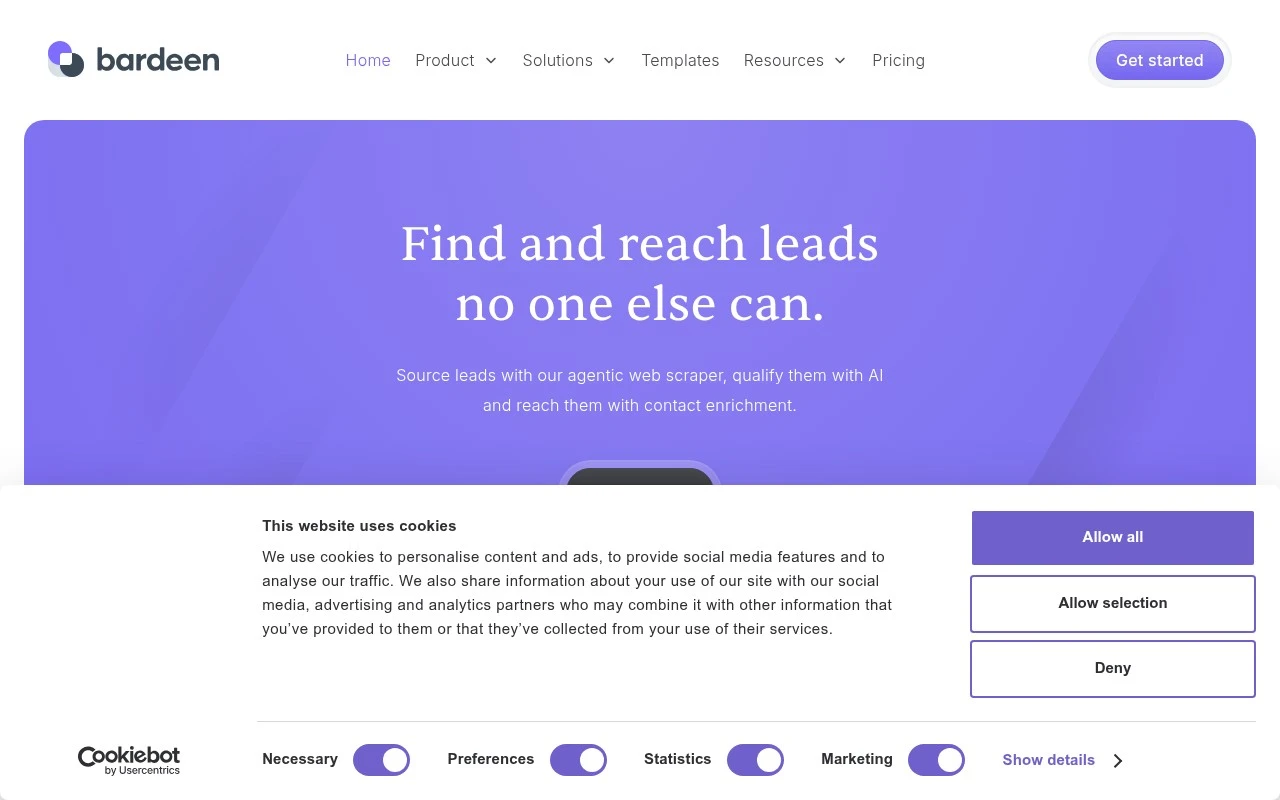
Bardeen focuses on web-based lead generation workflows: finding leads where they appear online, extracting the relevant data, using AI to research and qualify them, and enriching them with contact information for outreach. Its current positioning is less a general automation app and more a prospecting system for teams that need custom lead lists from websites, search, and niche sources.

FYAI Score

7.6 / 10

Based on 36 reviews

Pricing:

Freemium

Best for:

Sales and growth teams building custom lead lists from the web

Score Breakdown

  • Ease of use8.4 / 10
  • Features7.3 / 10
  • Pricing7.3 / 10
  • Integrations7.2 / 10
  • Support7.4 / 10

PRODUCT PREVIEW

What this AI tool does

Bardeen is an automation tool designed to help people reduce repetitive work by connecting everyday web apps and turning common actions into reusable workflows. It’s typically used to move information between tools, trigger follow-up steps after an event, and keep routine tasks consistent without needing to write code. In practice, it can support tasks like collecting data from webpages, updating spreadsheets or databases, creating records in project tools, and sending notifications when something changes. If you’re evaluating automation options, bardeen is generally relevant for individuals and teams who want lightweight workflow automation that fits into day-to-day operations and can be adjusted as processes evolve.

Use cases

Best for

Rpa Browser Automation

Bardeen automates browser steps to find leads on websites, extract fields from pages, and send the data to your CRM.

Lead Scoring

Bardeen uses AI to research prospects from scraped data and tag or rank them for outreach based on fit signals.

ANALYSIS

Strengths & limitations

Strengths
  • Combines scraping, AI research, contact enrichment, qualification, and export in one lead-sourcing workflow.
  • Supports custom lead discovery from niche or industry-specific web sources rather than relying only on static lead databases.
  • Offers ready-made scraper templates and exports to common destinations such as CSV, Google Sheets, Airtable, and Notion.
Limitations
  • The official site emphasizes lead sourcing and prospecting, so it may not be the best fit for users seeking a broad general-purpose automation platform.
  • Results likely depend on the availability, quality, and accessibility of public web data and contact enrichment sources.
  • Custom scraping and qualification workflows may require setup and careful targeting to produce useful lead lists.

Evaluation

FYAI score breakdown

Our structured evaluation across five key criteria

7.6 / 10

Overall score

Based on 36 reviews

  • Ease of use8.4 / 10
  • Features7.3 / 10
  • Pricing7.3 / 10
  • Integrations7.2 / 10
  • Support7.4 / 10

What users say

Findings from public reviews, documentation and community sources.

  • Ease of use

    G2’s review signal says users “consistently praise Bardeen for its ease of use” and “intuitive interface.”

  • Features

    Bardeen’s site lists GTM-focused automation features including “agentic web scraper,” AI web search, contact enrichment, and AI qualification.

  • Pricing

    Bardeen’s pricing page is structured around plans and usage credits, including a “Basic” monthly plan and an action-cost calculator with “Total Credits Used 64.”

  • Integrations

    Bardeen’s site surfaces exports to “CSV,” “Google Sheets,” “Airtable,” and “Notion.” Bardeen’s site lists integration/template targets including GitHub, YouTube, Crunchbase, and Upwork.

  • Support

    Product Hunt’s review summary notes that “tutorials and guidance are thin” and that some automations “break without clear feedback.” Bardeen’s site surfaces standard support resources.

Who is this for?

Best for GTM teams focused on lead sourcing and web scraping, Bardeen’s site lists an “agentic web scraper,” AI web search, contact enrichment, and AI qualification. Less suited to teams that need broad native app ecosystems, Bardeen’s site surfaces exports to “CSV,” “Google Sheets,” “Airtable,” and “Notion” and lists integration/template targets including GitHub, YouTube, Crunchbase, and Upwork. Less suited to users who need guided onboarding, Product Hunt’s review summary notes that “tutorials and guidance are thin” and that some automations “break without clear feedback.”

PRODUCT PREVIEW

Feature highlights

Web lead discovery

Find prospects across sites, search results, and niche directories.

AI lead research

Auto-qualify leads with AI summaries, signals, and fit scoring.

Contact enrichment

Enrich records with emails and key fields for outreach-ready lists.

COMPARE

Discover curated alternatives worth comparing

Compare similar AI tools based on features, pricing and use cases

9.0/ 10Based on 3.056 reviews

Zapier

Workflow AutomationIntegration Automation
Connects apps to automate multi-step workflows and actions
Best for:
Operations teams
Pricing
Freemium

8.6/ 10Based on 779 reviews

Workato

Workflow AutomationIntegration Automation
Orchestrates workflows across business apps via MCP integrations
Best for:
IT & Security teams
Pricing
Free trial

8.9/ 10Based on 7.771 reviews

Uipath

Workflow AutomationIntegration Automation
Automates workflows with AI agents, robots, and document processing
Best for:
Operations teams
Pricing
Freemium

Start automating the busywork that slows your team down. See why teams choose Bardeen to move faster, stay consistent, and focus on high-impact work.

FAQ

Frequently asked
questions

Everything you need to know about this AI tool,
its features, pricing, use cases, and limitations.

What types of workflows is Bardeen a good fit for?
Bardeen is a strong fit for browser-based, cross-app automations like lead capture, CRM updates, enrichment, and moving data between tools such as Google Sheets, Notion, Airtable, and Slack. It’s especially practical for sales, ops, and recruiting teams that want to automate repetitive web tasks without writing code. If you need heavy back-end orchestration or complex branching logic, you may find other automation platforms more suitable.
Does Bardeen have a free plan, and what are the main limitations compared to paid tiers?
Bardeen typically offers a free tier that’s useful for trying core automations and a limited number of runs/credits, with paid plans increasing usage limits and unlocking more advanced capabilities. The free plan can be restrictive if you’re running automations frequently or across multiple team members. Check the current pricing page for exact quotas since limits can change.
How does Bardeen compare with Zapier, Make, or Power Automate?
Compared with Zapier and Make, Bardeen is often more convenient for automations that start in the browser (scraping, form-to-CRM, web app actions) and for non-technical users building quick playbooks. Zapier and Make usually offer deeper multi-step logic, error handling, and broader app coverage for long-running workflows. Power Automate is typically a better fit if you’re heavily invested in Microsoft 365 and need enterprise governance.
How fast can a team get Bardeen running, and what onboarding effort should we expect?
Bardeen can feel limiting if you need highly customized logic, complex branching, or robust monitoring and retry controls for mission-critical workflows. Some users report a learning curve when translating a manual process into reliable automation steps. Integrations with less common apps may be less stable or require manual workarounds.
What should we consider about data handling, privacy, and compliance when using Bardeen?
Because Bardeen automations can access data in connected apps and in the browser, you should review what permissions are requested and limit connections to the minimum required. For regulated environments, verify the vendor’s current security documentation (e.g., data retention, subprocessors, and where data is processed) and whether features like SSO or admin controls are available on your plan. If you handle sensitive data, test workflows with non-production accounts first and document what data each playbook reads/writes.