Curated ToolThis tool is part of our curated AI directory. We only include tools that meet our standards for relevance, usability and real-world value.

BabyAGI

Prototype autonomous agents using Python functions and dependency grap

Automation
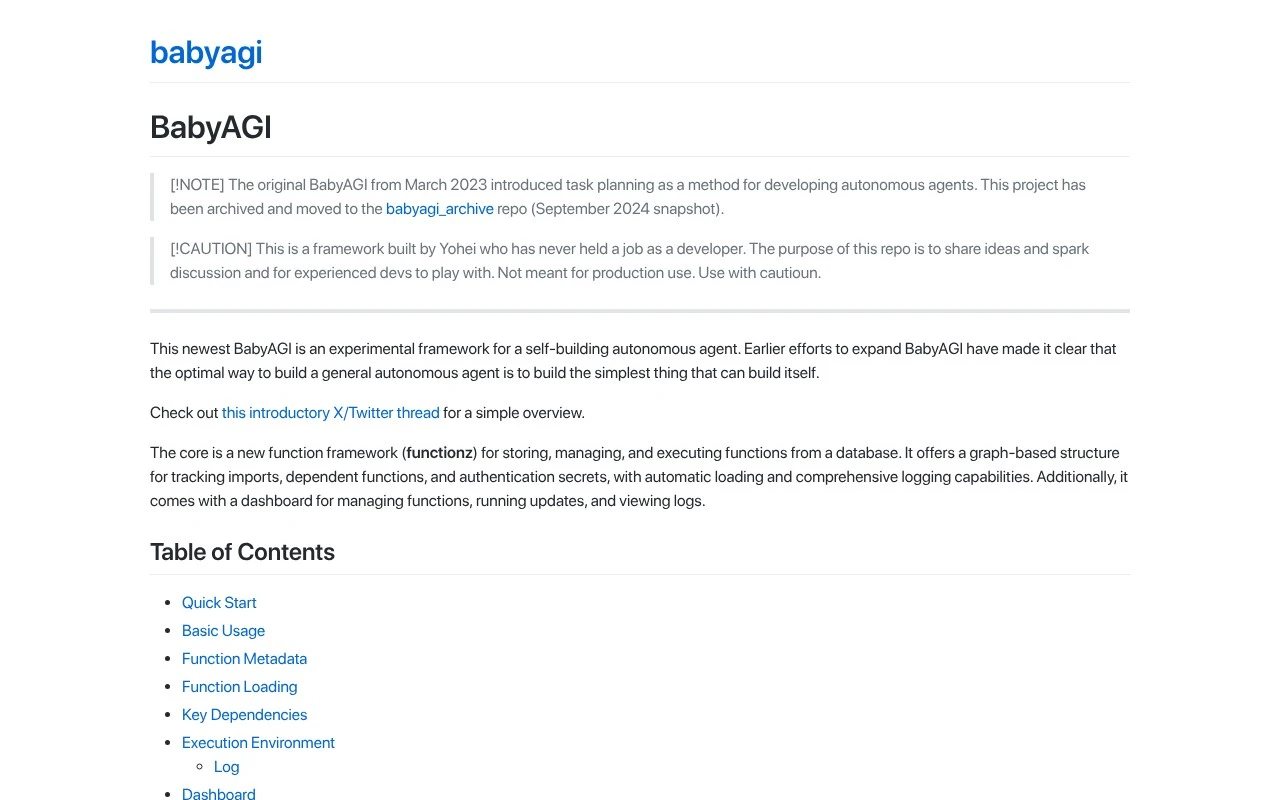
BabyAGI, in its current GitHub version, is not the original March 2023 task-planning agent but an experimental framework for a self-building autonomous agent. Its core is functionz, a system for storing, managing, loading, and executing functions from a database with dependency tracking, secret-key handling, logging, triggers, and a dashboard. The repository explicitly cautions that it is for sharing ideas and experienced developers to experiment with, not for production use.

FYAI Score

7.4 / 10

FYAI rating based on features, pricing and integrations

Pricing:

Freemium

Best for:

Experienced developers prototyping autonomous agents

Score Breakdown

  • Ease of use7.0 / 10
  • Features7.1 / 10
  • Pricing8.8 / 10
  • Integrations7.2 / 10
  • Support7.2 / 10

PRODUCT PREVIEW

What this AI tool does

BabyAGI is an AI tool concept focused on running a simple, goal-driven loop: you provide an objective, the system breaks it into smaller tasks, completes what it can, and uses the results to decide what to do next. It’s commonly discussed in the context of lightweight autonomous agents and task management workflows, where the emphasis is on iterative planning rather than one-off responses. In practice, babyagi can be used to explore how an agent might research a topic, draft outlines, summarize findings, or keep track of next steps across multiple iterations. It’s most useful for informational experimentation—understanding how task decomposition, prioritization, and memory-like context can be combined—rather than as a fully managed end-to-end solution. If you’re evaluating babyagi, it helps to think about the kinds of goals you want to automate, how you’ll review and correct intermediate outputs, and what data sources or tools the agent is allowed to use. Clear constraints and human oversight are typically important when testing autonomous behavior in real workflows.

Use cases

Best for

Function Registration Metadata

Register Python functions with metadata, imports, dependencies, secret key needs, and descriptions in BabyAGI functionz.

Function Pack Loading

Load custom or prebuilt function packs to group related functions into organized capability sets for the agent.

Execution Dashboard Inspection

Use the dashboard and logs to inspect function runs, dependencies, triggers, errors, and runtime behavior.

ANALYSIS

Strengths & limitations

Strengths
  • Provides a concrete framework for registering functions with dependencies, imports, metadata, and required secrets.
  • Includes a dashboard for managing functions, running updates, adding keys, and reviewing logs.
  • Tracks function relationships and executions, which is useful for debugging autonomous-agent experiments.
Limitations
  • The repository states that it is experimental and not meant for production use.
  • It is aimed at experienced developers, so non-technical users are unlikely to use it directly.
  • The current project differs from the original archived BabyAGI task-planning agent, which may confuse users looking for the older implementation.

Evaluation

FYAI score breakdown

Our structured evaluation across five key criteria

7.4 / 10

Overall score

FYAI rating based on features, pricing and integrations

  • Ease of use7.0 / 10
  • Features7.1 / 10
  • Pricing8.8 / 10
  • Integrations7.2 / 10
  • Support7.2 / 10

What users say

Findings from public reviews, documentation and community sources.

  • Ease of use

    The BabyAGI GitHub README shows a quick start with “pip install babyagi” and a local dashboard at “/dashboard.” The BabyAGI GitHub README also says the project is “for experienced devs to play with” and “Not meant for production use,” so users should expect developer-oriented setup rather than a production automation service.

  • Features

    The BabyAGI GitHub README describes a function framework for “storing, managing, and executing functions,” graph-based tracking for imports/dependencies/secrets, function packs, and triggers. The BabyAGI GitHub README describes the repo as an “experimental framework” rather than a production automation platform.

  • Pricing

    AI Agents Directory describes BabyAGI as a “free personal assistant AI agent with open source access,” and the GitHub distribution supports self-hosted use. AI Agents Directory notes that real-world costs can still depend on external model/API usage.

  • Integrations

    AI Agent Store notes that BabyAGI uses OpenAI GPT APIs and vector databases like “Chroma or Weaviate.” The BabyAGI project is extensible through Python imports, custom function packs, dependency registration, and key dependencies such as an “openai_api_key,” which means users connect systems through code-oriented extension points rather than a native automation-app integration marketplace.

  • Support

    The BabyAGI GitHub project delivers support through the product and its community rather than a separate documented channel.

Who is this for?

Best for experienced developers experimenting with self-hosted automation agents, the BabyAGI GitHub README calls it “for experienced devs to play with” and shows setup with “pip install babyagi” plus a local “/dashboard.” Less suited to teams needing a production automation service, the same README says “Not meant for production use,” so adoption would require accepting experimental, developer-run operation. Less suited to users wanting native app-connector marketplaces because integrations are handled through Python imports, custom function packs, dependency registration, OpenAI GPT APIs, and vector databases like “Chroma or Weaviate.”

PRODUCT PREVIEW

Feature highlights

Function database

Store, load, and execute reusable functions with dependency tracking.

Secrets handling

Manage secret keys safely while running experiments and workflows.

Logs & dashboard

Monitor runs with logging, triggers, and a built-in dashboard.

COMPARE

Discover curated alternatives worth comparing

Compare similar AI tools based on features, pricing and use cases

9.0/ 10Based on 3.056 reviews

Zapier

Workflow AutomationIntegration Automation
Connects apps to automate multi-step workflows and actions
Best for:
Operations teams
Pricing
Freemium

8.6/ 10Based on 779 reviews

Workato

Workflow AutomationIntegration Automation
Orchestrates workflows across business apps via MCP integrations
Best for:
IT & Security teams
Pricing
Free trial

8.9/ 10Based on 7.771 reviews

Uipath

Workflow AutomationIntegration Automation
Automates workflows with AI agents, robots, and document processing
Best for:
Operations teams
Pricing
Freemium

Turn big goals into completed work. Start with BabyAGI today and let an AI agent plan, prioritize, and execute tasks so your team can move faster.

FAQ

Frequently asked
questions

Everything you need to know about this AI tool,
its features, pricing, use cases, and limitations.

What types of workflows is BabyAGI a good fit for?
BabyAGI fits best when you want an autonomous loop that breaks a goal into tasks, executes them, and reprioritizes—useful for lightweight research, content ops, lead enrichment, or internal “assistant” projects. It’s most practical for startups and small teams that can tolerate some iteration and oversight. If you need strict approvals, complex dependencies, or enterprise-grade governance, you may find purpose-built automation platforms easier to control.
Is BabyAGI free to use, and what costs should I expect?
The BabyAGI repository is open-source, so there’s no license fee to try it. Your main costs typically come from the model/API you connect (e.g., OpenAI) and any infrastructure you run it on. Some features depend on how you configure storage, tools, and integrations, so “free” still requires setup and ongoing API spend.
How does BabyAGI compare with Auto-GPT, LangChain agents, or Zapier-style automation?
Compared with Auto-GPT-style projects, BabyAGI is generally simpler and easier to modify, but it’s also less “batteries-included” for complex toolchains. Versus LangChain agents, BabyAGI is more of a reference implementation than a full framework, so you may write more glue code for production use. Against Zapier/Make, BabyAGI offers more flexible reasoning-driven task execution, but far less reliability, monitoring, and admin controls out of the box.
How quickly can I get BabyAGI running, and what onboarding effort is typical?
BabyAGI is not designed as an enterprise-scale task manager, so larger programs with many stakeholders can outgrow it quickly. It may require meaningful tuning to avoid loops, low-quality task generation, or inconsistent outputs. It also lacks advanced analytics and governance features that dedicated automation suites provide.
What should I know about data handling, privacy, and compliance when using BabyAGI?
BabyAGI itself is code you run, so your data exposure depends on where it’s hosted and which model/API providers you call. If you send prompts or documents to third-party LLM APIs, that can create compliance and retention considerations, especially for regulated data. For stricter requirements, you’ll likely need self-hosting, careful logging controls, and a provider with appropriate contractual terms (e.g., DPA/SOC 2) rather than relying on defaults.