Curated ToolThis tool is part of our curated AI directory. We only include tools that meet our standards for relevance, usability and real-world value.

ChatGPT

Conversational AI for answering questions and generating text

Copy OptimizationPR & Press Releases
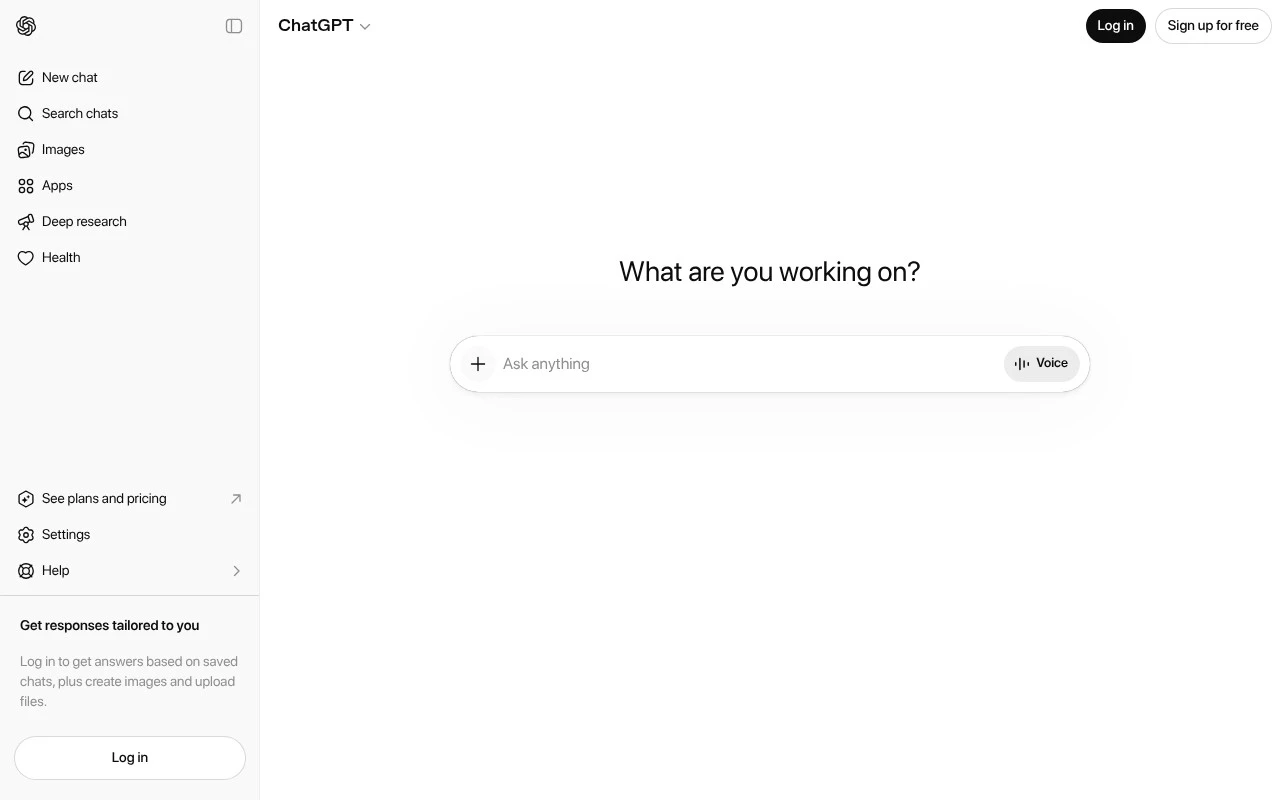
ChatGPT is OpenAI’s general-purpose AI chatbot for everyday use. Users chat with it in natural language to explore ideas, solve problems, learn topics, and produce or refine text across a wide range of personal, educational, and work-related tasks.

FYAI Score

9.0 / 10

Based on 3.222 reviews

Pricing:

Freemium

Best for:

Students and knowledge workers who need fast help writing and learning

Score Breakdown

  • Ease of use9.4 / 10
  • Features9.4 / 10
  • Pricing9.2 / 10
  • Integrations8.7 / 10
  • Support7.8 / 10

PRODUCT PREVIEW

What this AI tool does

ChatGPT is an AI-powered conversational tool designed to help people generate and refine text through natural language prompts. It can be used to draft messages, summarize information, brainstorm ideas, and explain concepts in a clear way, making it useful for everyday writing and learning tasks. The tool works by responding to what you type, so the quality of the output depends on the clarity of your request and any context you provide. It can help you iterate quickly—asking follow-up questions, adjusting tone, or rewriting content—while you remain responsible for reviewing results for accuracy, completeness, and appropriateness. For informational use, it’s best treated as a starting point rather than a final authority. When the topic is sensitive or requires precision, you should verify important details with reliable sources and apply your own judgment before using the content.

Use cases

Best for

AI Assistant

ChatGPT answers questions and drafts or revises text from your prompts, using conversation to iterate on outputs.

Keyword Research

Generate keyword ideas from a seed topic, then group them by intent and suggest related questions for content planning.

Analyze Data

Paste a table or CSV and ask for summaries, calculations, and trends, and it will explain the results in plain language.

ANALYSIS

Strengths & limitations

Strengths
  • Supports a broad range of everyday tasks in one conversational interface.
  • Works interactively, letting users refine answers, ask follow-up questions, and iterate on ideas.
  • Useful for learning, writing, brainstorming, and problem-solving without needing a specialized tool for each task.
Limitations
  • Responses can be inaccurate or incomplete, so important information should be verified.
  • The official page states that chats may be reviewed and used to improve AI models, which may matter for sensitive information.
  • Because it is a general-purpose assistant, it may not replace specialized software or expert judgment for domain-specific work.

Evaluation

FYAI score breakdown

Our structured evaluation across five key criteria

9.0 / 10

Overall score

Based on 3.222 reviews

  • Ease of use9.4 / 10
  • Features9.4 / 10
  • Pricing9.2 / 10
  • Integrations8.7 / 10
  • Support7.8 / 10

What users say

Findings from public reviews, documentation and community sources.

  • Ease of use

    Software Advice says ChatGPT is "very simple to use," and Capterra users describe ChatGPT as "a super versatile assistant at your fingertips."

  • Features

    Capterra calls ChatGPT "super versatile," and Reddit users cite advanced usage through "prompts, personalization, Custom GPTs, and projects."

  • Pricing

    The ChatGPT pricing page lists "Free" at "$0," "Go" at "$8," and "Plus" at "$20," with business options described as per-user monthly plans.

  • Integrations

    ChatGPT’s apps page says ChatGPT works with "Google Drive, SharePoint, GitHub, HubSpot, and other apps" for drafting, file access, data analysis, and workflow actions.

  • Support

    Capterra shows ChatGPT at 4.4/5 across 376 reviews. Trustpilot shows ChatGPT at 1.6/5 across consumer reviews.

Who is this for?

Best for users who want one conversational AI for varied personal or work tasks, Reddit users cite advanced usage through "prompts, personalization, Custom GPTs, and projects." ChatGPT also fits buyers who want an entry point before paying, because the pricing page lists "Free" at "$0," plus "Go" at "$8" and "Plus" at "$20." Less suited to teams that base tool selection on consistently positive public support signals. Capterra shows 4.4/5 across 376 reviews, while Trustpilot shows 1.6/5 across consumer reviews.

PRODUCT PREVIEW

Feature highlights

Drafts & rewrites

Turn rough notes into polished emails, posts, and documents.

Explain & tutor

Learn concepts step-by-step with examples and practice prompts.

ChatGPT free chat

Ask questions anytime and iterate quickly with natural dialogue.

COMPARE

Discover curated alternatives worth comparing

Compare similar AI tools based on features, pricing and use cases

8.1/ 10FYAI score

Helply

Customer Support BotsKnowledge Base Bots
Answers support tickets, drafts replies, and flags churn risk
Best for:
Customer support teams
Pricing
Freemium

7.4/ 10Based on 5 reviews

Chapterly

Copy OptimizationBlog & Article Writing
AI writing assistant for refining narrative, characters, and settings
Best for:
Content creators
Pricing
Freemium

8.7/ 10Based on 7.757 reviews

Zoho Desk

Customer Support BotsKnowledge Base Bots
Uses Zia AI to triage tickets, draft replies, and flag issues
Best for:
Customer support teams
Pricing
Freemium

Join thousands of teams using ChatGPT to draft, refine, and ship content faster. Start creating clearer copy and stronger campaigns today.

FAQ

Frequently asked
questions

Everything you need to know about this AI tool,
its features, pricing, use cases, and limitations.

Is ChatGPT a good fit for marketing teams writing blogs, social posts, and email campaigns?
ChatGPT works well for drafting first versions of blog posts, ad copy, social captions, and email sequences, especially when you provide a clear brief and examples. It’s also useful for brainstorming angles, headlines, and campaign themes when a team is stuck. If you need strict brand voice adherence or regulated-claims review, plan for a human editing step.
Can I use ChatGPT free, and what do paid plans change in day-to-day work?
ChatGPT has a free tier, but it typically comes with tighter usage limits and fewer options for higher-capability models and tools. Paid plans generally offer higher limits, more consistent access during peak times, and additional features that can speed up content workflows. For teams, the decision usually comes down to volume needs and whether reliability matters for deadlines.
If I’m comparing Gemini AI vs ChatGPT for writing and copy, what differences matter most?
For writing tasks, the practical difference is often output style, consistency, and how well each tool follows your prompt constraints and examples. ChatGPT is commonly chosen when teams want flexible tone control and iterative drafting with tight feedback loops. If your workflow depends heavily on a specific ecosystem (e.g., where the tool is embedded), that integration can outweigh small quality differences.
How fast can a team get started with ChatGPT, including ChatGPT login and basic workflows?
ChatGPT can produce generic copy if prompts are vague, so teams need strong briefs and examples to maintain differentiation. It may introduce factual errors or inconsistent brand voice, making editorial review necessary. Costs can rise with heavy usage, especially if multiple teammates need higher limits.
What should I consider about data privacy and compliance when using ChatGPT for client or internal content?
Assume anything you paste could be sensitive, so avoid sharing confidential client data, personal data, or unreleased business details unless your organization has approved the risk. Check your plan’s settings and policies for data usage, retention, and whether content may be used to improve models. If you have compliance requirements (e.g., SOC 2, GDPR workflows, vendor reviews), involve security/legal before rolling it out broadly.