Curated ToolThis tool is part of our curated AI directory. We only include tools that meet our standards for relevance, usability and real-world value.

Udio

Generates vocal or instrumental music tracks from text prompts

Music & Sound Effects
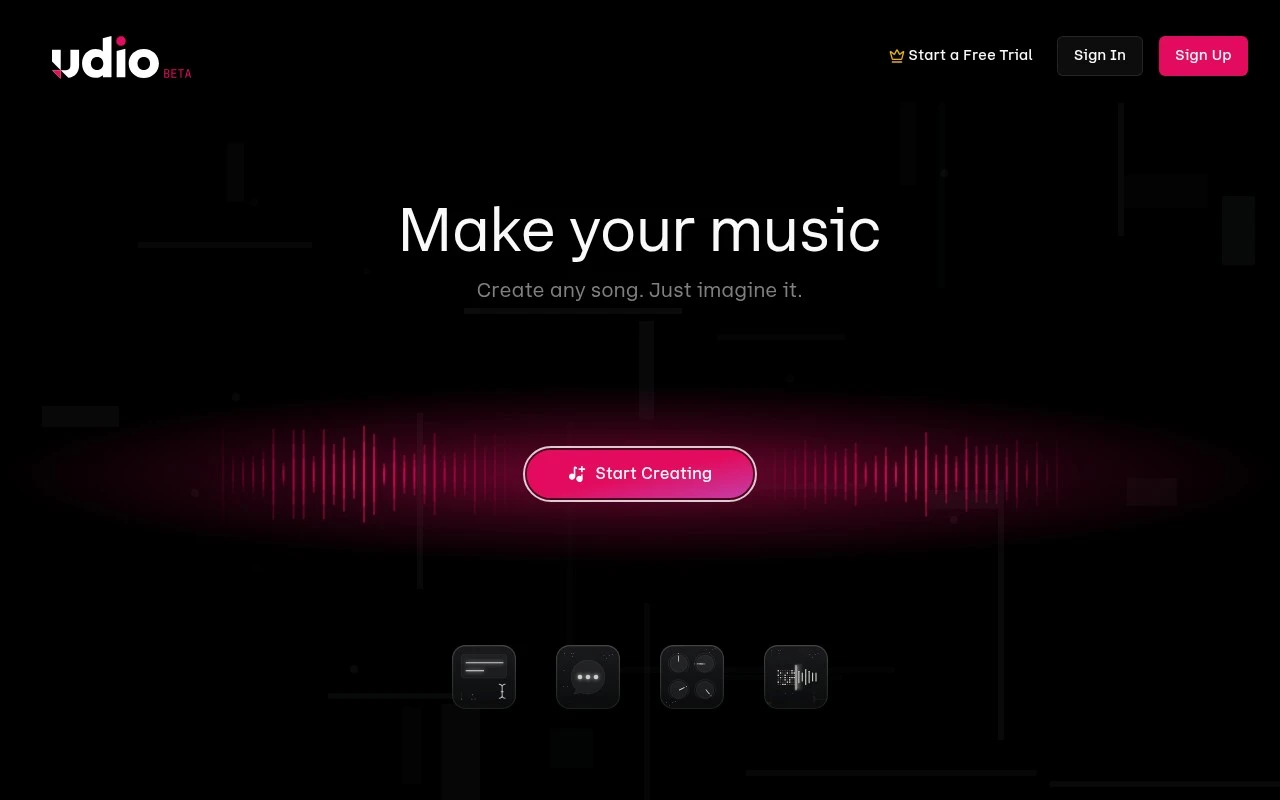
Udio is an AI music generation tool for creating, discovering, and sharing music. Users can prompt the system to generate music in seconds, making it useful for rapid song ideation, demo creation, and experimentation with AI-generated vocals and instrumentals.

FYAI Score

7.6 / 10

Based on 54 reviews

Pricing:

Freemium

Best for:

Songwriters and producers exploring fast AI song demos

Score Breakdown

  • Ease of use7.2 / 10
  • Features7.1 / 10
  • Pricing8.7 / 10
  • Integrations8.4 / 10
  • Support7.1 / 10

PRODUCT PREVIEW

What this AI tool does

Udio is an AI tool designed to help people create and explore audio content with less manual effort. It’s suited to users who want a straightforward way to generate sound or music ideas, iterate quickly, and compare variations without needing deep production experience. In practice, you provide a prompt or starting direction and the tool produces audio outputs you can review and refine. This makes it useful for early-stage creative work, prototyping, and experimenting with different styles or moods. Because the results are generated by a model, output quality and consistency can vary, and you may need multiple attempts to get a version that fits your needs. It’s best approached as a helper for drafting and exploration rather than a complete replacement for editing, mixing, or final production.

Use cases

Best for

Prompted Song Generation

Create song ideas, demos, or full music clips by entering a written prompt that Udio turns into an audio track.

Vocal Or Instrumental Tracks

Generate vocal or instrumental tracks from prompts to use as creative building blocks for projects, experiments, or inspiration.

Music Discovery and Sharing

Browse, play, and share AI-generated songs inside Udio, using its creation environment to publish and explore tracks.

ANALYSIS

Strengths & limitations

Strengths
  • Generates music quickly from prompts.
  • Supports creative exploration for both musicians and non-musicians.
  • Includes a discovery and sharing angle, not only private generation.
Limitations
  • The public site text provides limited detail about exact editing controls, licensing terms, or workflow depth.
  • AI-generated music may require human review or editing before professional use.
  • Suitability depends on the user’s expectations for originality, control, and rights management.

Evaluation

FYAI score breakdown

Our structured evaluation across five key criteria

7.6 / 10

Overall score

Based on 54 reviews

  • Ease of use7.2 / 10
  • Features7.1 / 10
  • Pricing8.7 / 10
  • Integrations8.4 / 10
  • Support7.1 / 10

What users say

Findings from public reviews, documentation and community sources.

  • Ease of use

    A Reddit discussion in r/udiomusic is the cited source for Udio usability, and no separate onboarding page was reviewed.

  • Features

    A Reddit user in r/udiomusic described Udio as better for a “polished final result,” with “more natural vocals, smoother transitions,” and stronger song creation/editing than at least one compared platform.

  • Pricing

    The eesel.ai blog lists Udio pricing tiers including Free “100 credits/month,” Standard at “$10/month or $8/month annually,” and “2,400” credits.

  • Integrations

    Zapier lists Udio as connecting with “9000 other apps.”

  • Support

    A Reddit user in r/udiomusic reported they “emailed and submitted a request” but “never received a response,” with tickets that “remained open” and “was never answered.”

Who is this for?

Best for users who want AI music generation focused on finished songs, a Reddit user described Udio as better for a “polished final result,” with “more natural vocals, smoother transitions,” and stronger song creation/editing than at least one compared platform. Udio can also fit users who want a free monthly allowance, since the eesel.ai blog cites Free “100 credits/month” and Standard at “$10/month or $8/month annually.” Less suited to users who need responsive support, a Reddit user reported they “emailed and submitted a request” but “never received a response,” leaving tickets that “remained open” and “was never answered.”

PRODUCT PREVIEW

Feature highlights

Prompt-to-song

Generate complete tracks from a text prompt in seconds.

AI vocals & styles

Experiment with genres, voices, and arrangements for new ideas.

Discover & share

Explore community tracks and share your generations easily.

COMPARE

Discover curated alternatives worth comparing

Compare similar AI tools based on features, pricing and use cases

7.4/ 10Based on 30 reviews

Zencastr

Podcast Editing
Edits audio/video via text, transcribes, and makes social clips
Best for:
Audio & podcast creators
Pricing
Freemium

8.5/ 10Based on 16 reviews

Wondercraft

Short-form VideoVideo Editing
Turns text or audio into editable AI-generated videos and audio
Best for:
Video creators
Pricing
Freemium

8.6/ 10Based on 130 reviews

Wellsaid

AI Voiceover
Generates realistic AI voiceovers from scripts with voice controls
Best for:
Audio & podcast creators
Pricing
Paid only

Turn a simple prompt into a full song in seconds. Start creating demos, hooks, and experimental tracks with Udio today and share what you make.

FAQ

Frequently asked
questions

Everything you need to know about this AI tool,
its features, pricing, use cases, and limitations.

What is Udio best suited for compared with other music-generation tools?
Udio is a strong fit for quickly generating song ideas, style experiments, and demo-like drafts from text prompts. It’s useful when you want to explore multiple directions fast rather than craft a track with precise arrangement control. If your workflow depends on detailed MIDI editing, mixing, and stem-level production, you’ll likely still rely on a DAW alongside it.
How do Udio’s free and paid options typically differ, and what limitations should I expect?
Expect the free tier to be more constrained on generation volume and/or speed, with paid plans offering higher usage limits and fewer restrictions. Some features (like higher output quality, longer generations, or priority access) may be gated behind subscription tiers. Before choosing, check whether the plan you want includes the usage level you need for iterative prompting.
How does Udio compare to alternatives like Suno or Stable Audio for choosing a tool?
Udio tends to emphasize exploration and sharing/discovery, which can matter if you want feedback loops and browsing for inspiration. Competing tools may differ in how well they follow prompts, the consistency of vocals, available controls (e.g., structure, length), and what they allow for commercial use. The deciding factor is often which platform best matches your target genre and how much iteration you’re willing to do to reach a usable result.
How fast can I get started with Udio, and what onboarding effort is involved?
Udio can miss specific musical intent, so you may need multiple generations to get close to the arrangement, vocals, or energy you want. It’s not a substitute for full production control—editing, mixing, and exact timing changes are limited compared with a DAW. Also, outputs can vary in consistency across versions, which affects projects that need tight creative direction.
What should I consider about data, privacy, and commercial compliance when using Udio?
Review Udio’s terms for how prompts, uploads (if any), and generated audio may be stored or used, especially if you’re working with confidential material. For commercial release, confirm the licensing and acceptable-use rules for your plan and region, since rights and restrictions can differ across providers. If you have compliance requirements (e.g., client NDAs), avoid including sensitive identifiers in prompts and verify whether opt-out or deletion options exist.