Cartesia
Curated ToolThis tool is part of our curated AI directory. We only include tools that meet our standards for relevance, usability and real-world value.

Cartesia

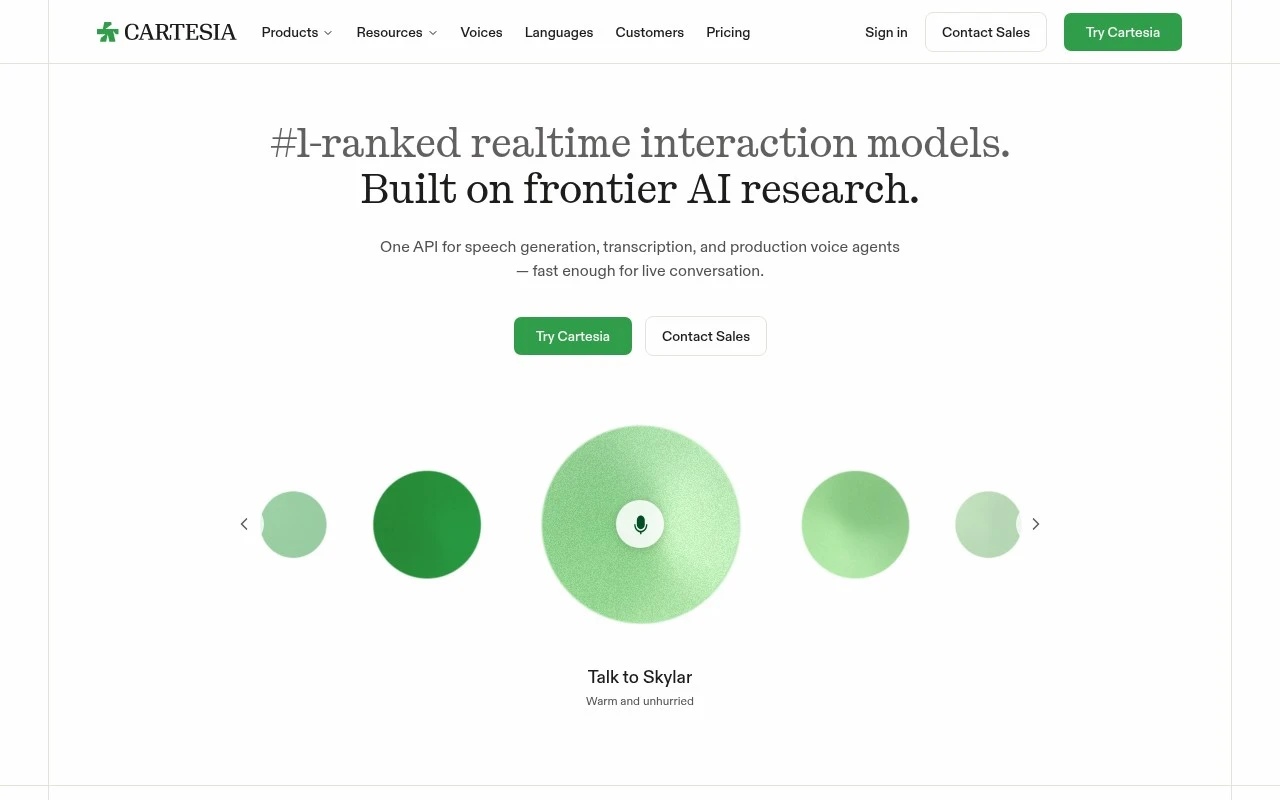
Cartesia is an AI voice platform that provides low-latency text-to-speech, voice cloning, and speech generation APIs for building real-time voice agents and audio applications.
AI Voiceover

Cartesia

FYAI Score

8.5 / 10

Based on 23 reviews

Pricing:

Freemium

Best for:

Engineering teams building real-time voice AI products

Score Breakdown

  • Ease of use8.2 / 10
  • Features8.7 / 10
  • Pricing9.2 / 10
  • Integrations7.9 / 10
  • Support8.6 / 10

PRODUCT PREVIEW

What this AI tool does

Cartesia
Cartesia is an AI speech infrastructure platform for teams building real-time voice products, combining text to speech, streaming transcription, and managed voice agents through a single API. Cartesia is best suited to developers, product teams, and enterprises that need low-latency spoken interaction to feel natural rather than delayed, scripted, or bolted onto an existing app. Real-time voice is the center of the product story. The platform is designed for applications where milliseconds matter, such as phone agents, in-app assistants, live coaching, workflow copilots, and conversational interfaces that need to interrupt, respond, and adapt while a user is speaking. Instead of treating speech as a slow media-generation task, it positions voice as interactive infrastructure. For builders, the appeal is that Cartesia brings multiple speech layers into one development surface. A team can generate realistic voices, transcribe live audio streams, and orchestrate voice agents without stitching together separate vendors for every part of the speech stack. This makes it relevant not only for prototypes, but also for production systems that need reliability, observability, and deployment flexibility. Voice quality is a major part of how Cartesia differentiates itself. Its speech generation is intended to sound expressive, responsive, and human enough for real conversations, not just static narration or one-way audio playback. That matters for use cases such as customer support automation, financial service calls, healthcare intake, training simulations, and any product where the voice itself affects trust and comprehension. Enterprise and regulated environments are also part of the platform’s identity. Cartesia supports deployment across cloud, on-premise, and on-device contexts, which gives organisations more control over latency, privacy, data residency, and operational constraints. For sectors such as finance, healthcare, and government, that flexibility can be as important as the model quality itself. Managed voice agents extend the platform beyond raw speech APIs. Rather than only providing text to speech or transcription as isolated capabilities, the tool supports the creation of agents that can speak, listen, and participate in workflows. This places it in the broader category of voice AI infrastructure, where the goal is not just generating audio, but enabling spoken software experiences. Developers are likely to see Cartesia as a foundation layer rather than a finished call center product. It gives technical teams the primitives and hosted services needed to build branded, domain-specific voice experiences while retaining control over the application logic around them. That makes it useful for companies that want voice AI embedded inside their own products, not only delivered through a generic assistant. At its best, Cartesia is for teams that believe voice will become a primary interface for software. Its strength is the combination of low-latency interaction, realistic speech synthesis, live transcription, and deployment options that fit serious production environments. The result is a platform built for real-time voice systems that need to sound natural, respond quickly, and operate at enterprise scale.

Use cases

Best for

Text to Speech

Cartesia converts text into low-latency, realistic speech through an API for real-time voice apps.

Customer Support Automation

It runs managed voice agents that transcribe callers and generate spoken responses for support workflows.

ANALYSIS

Strengths & limitations

Strengths
  • Strong fit for live voice products because Cartesia combines text-to-speech, speech-to-text, and voice agent tooling in one platform.
  • Well suited to latency-sensitive deployments because its models are built for real-time conversation and in-region inference.
  • Useful for enterprise and regulated environments because Cartesia supports cloud, on-premise, and on-device deployment patterns.

Limitations
  • Less suitable for casual creators who only need occasional voiceovers because Cartesia is positioned around APIs, real-time interaction, and production voice systems.
  • Less suitable for nontechnical teams without engineering support because integrating speech APIs and deploying voice agents requires technical setup.
  • Less suitable as a general business automation suite because Cartesia focuses on speech models and voice agents rather than broad CRM, helpdesk, or workflow management.

Evaluation

FYAI score breakdown

Our structured evaluation across five key criteria

8.5 / 10

Overall score

Based on 23 reviews

  • Ease of use8.2 / 10
  • Features8.7 / 10
  • Pricing9.2 / 10
  • Integrations7.9 / 10
  • Support8.6 / 10

What users say

Findings from public reviews, documentation and community sources.

  • Ease of use

    Product Hunt reviewers describe Cartesia Sonic as “easy to integrate,” and Cartesia’s own page positions onboarding around “One API” and the ability to “bring a voice agent into production in minutes.” Cartesia Sonic is described as an API-first voice platform rather than a fully no-code tool.

  • Features

    Cartesia’s website says the platform covers “speech generation, transcription, and production voice agents.” Cartesia lists Sonic text-to-speech, Ink speech-to-text, Managed Agents, and cloud/on-premise/on-device deployment options.

  • Pricing

    Cartesia’s pricing page lists 5 tiers, from Free to Enterprise custom, with Scale $299/mo as the highest listed monthly price. The pricing page also lists monthly credits, included TTS minutes, STT hours, concurrency limits, and agent/telephony usage rates.

  • Integrations

    Cartesia’s indexed product text says users can “Integrate real-time text-to-speech with Sonic-3.6.” Cartesia’s agents page says builders can “choose your LLM, connect tools” with integrated STT/TTS.

  • Support

    Cartesia’s documentation lists a support email for “integration, your account, or billing.” Cartesia’s support options include higher-tier “Priority support” and Enterprise “Shared Slack channel.”

Who is this for?

Best for developer teams building voice products, with Cartesia’s own page positioning onboarding around “One API” and the ability to “bring a voice agent into production in minutes.” Less suited to teams looking for a fully no-code setup, because Cartesia Sonic is described as an API-first voice platform rather than a fully no-code tool.

PRODUCT PREVIEW

Feature highlights

Low-Latency Speech

Generate natural voice responses fast for real-time conversations.

Text to Speech API

Create expressive voices through one API for apps, agents, and workflows.

Managed Voice Agents

Power customer support automation with production-ready voice agents.

COMPARE

Discover curated alternatives worth comparing

Compare similar AI tools based on features, pricing and use cases

8.2/ 10Based on 215 reviews

Synthflow

Voice & Audio
Automates phone calls, follows logic, and connects systems
Best for:
Customer support teams
Pricing
Paid only

9.2/ 10Based on 2,638 reviews

Retell AI

Voice & Audio
Automates phone calls, routes issues, and logs outcomes
Best for:
Operations teams
Pricing
Usage-based

8.1/ 10Based on 119 reviews

Fish Audio

AI VoiceoverVideo Dubbing & Translation
Creates expressive speech, clones voices, and transcribes audio
Best for:
Audio & podcast creators
Pricing
Freemium

Cartesia

See why teams choose Cartesia to turn voice ideas into responsive, production-ready AI experiences. Start building conversations that feel natural today.

FAQ

Frequently asked
questions

Everything you need to know about this AI tool,
its features, pricing, use cases, and limitations.

Who is Cartesia best suited for?
Cartesia is best suited for developers, AI product teams, and enterprises building low-latency voice applications. It fits use cases such as real-time text-to-speech, streaming transcription, customer support voice agents, verification workflows, and regulated voice systems that need fast, natural spoken interaction.
Does Cartesia have a free plan, and when would I need to pay?
Cartesia uses a freemium pricing model, so teams can typically start with limited access before moving to paid usage. Paid plans are more relevant for production workloads, higher usage, enterprise deployment needs, or managed voice agent implementations. Check cartesia.ai for current limits and plan details.
How does Cartesia compare with other text-to-speech and voice agent tools?
Cartesia stands out when the priority is real-time voice interaction rather than simple voiceover generation. It combines text-to-speech, speech-to-text, and managed voice agent tooling, which can reduce the need to stitch together separate services. The best choice depends on latency, deployment needs, budget, and engineering resources.
How hard is it to set up Cartesia?
Cartesia is likely a developer-led setup because it is built around APIs, real-time speech streams, and production voice agents. Teams with engineering support can use it for live voice interfaces and transcription workflows, while nontechnical teams may need implementation help to integrate it into apps, support flows, or telephony systems.
What are the main limitations of Cartesia?
Cartesia is not the best fit for casual users who only need occasional voiceovers. Its strengths are real-time speech generation, streaming transcription, and voice agents, so teams looking for a general CRM, helpdesk, or broad business automation suite may need additional tools alongside it.
What should buyers check about Cartesia for privacy and compliance?
Buyers should evaluate Cartesia’s data handling, deployment model, retention controls, and compliance fit before using it with sensitive voice data. Cartesia supports cloud, on-premise, and on-device deployment patterns, which can be important for regulated environments. Enterprises should confirm current security documentation, certifications, and contractual terms directly with Cartesia.