Curated ToolThis tool is part of our curated AI directory. We only include tools that meet our standards for relevance, usability and real-world value.

Typecast

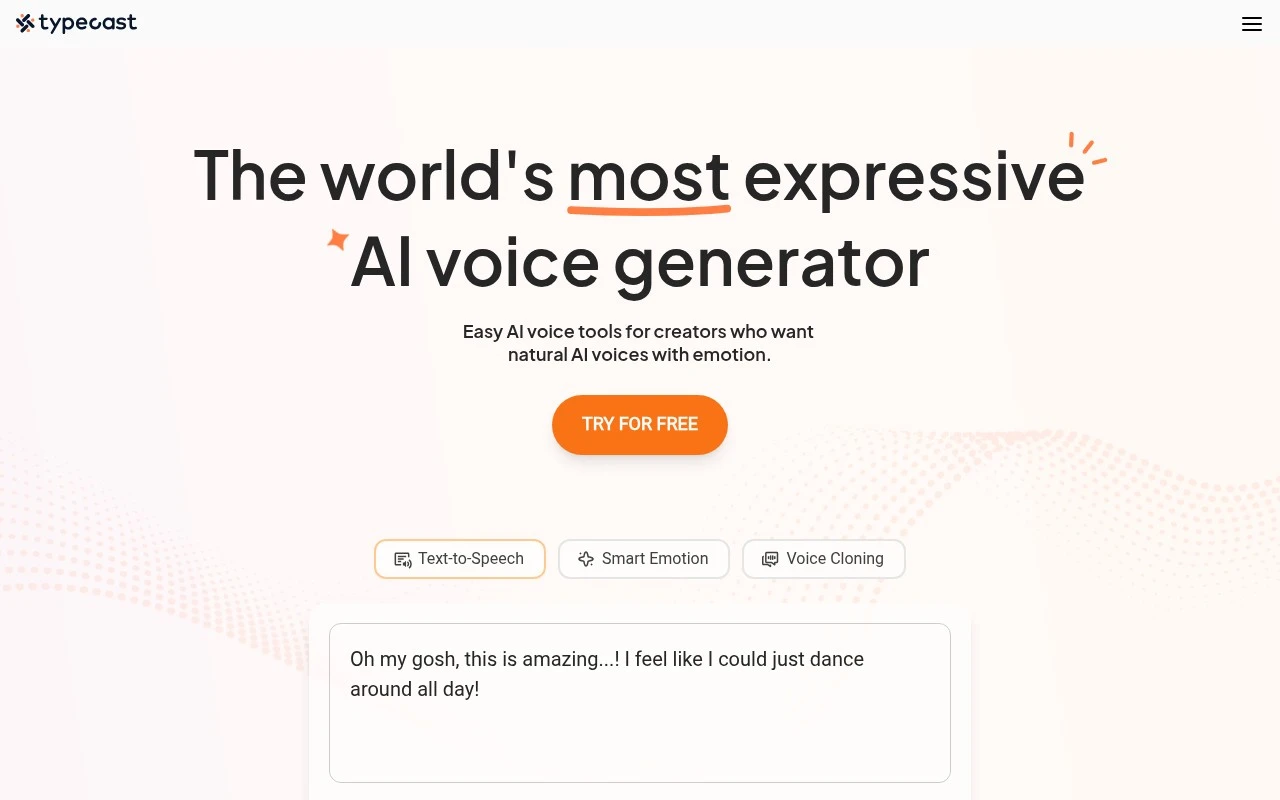
Converts scripts into AI text-to-speech voiceovers with character voices.

AI VoiceoverVideo Dubbing & Translation

Typecast is an AI voice generation tool focused on producing synthetic speech from written text. It is best understood as a voiceover and text-to-speech platform with a library of AI voice characters, used by creators and teams that need quick narration or dialogue for digital content.

FYAI Score

7.5 / 10

Based on 22 reviews

Pricing:

Freemium

Best for:

Video creators and content teams needing fast, realistic voiceovers

Score Breakdown

  • Ease of use7.5 / 10
  • Features7.2 / 10
  • Pricing7.7 / 10
  • Integrations8.0 / 10
  • Support7.4 / 10

PRODUCT PREVIEW

What this AI tool does

Typecast is an AI-assisted writing tool designed to help people turn rough ideas into clearer, more polished text. It can be useful when you need a starting draft, want to rephrase something for readability, or need help adjusting tone for different audiences. In practice, you provide a prompt or existing text and the tool generates alternative wording or expanded content that you can edit and refine. This makes it suitable for common writing tasks such as emails, short articles, and basic content revisions, especially when you want to move from a blank page to a workable draft. As with any AI writing assistant, the output may need fact-checking and style adjustments to match your intent. typecast works best when you give specific context and review the results before using them in final materials.

Use cases

Best for

Generate Voiceover

Generate voiceover audio by typing a script and selecting an AI voice character to render narration or dialogue.

Text to Speech

Typecast converts written text into natural sounding speech audio files for videos, podcasts, and product demos.

Multilingual Voice

Create multilingual voice audio by choosing a supported language and generating speech from translated scripts.

ANALYSIS

Strengths & limitations

Strengths
  • Offers a practical alternative to recording every voiceover manually.
  • Useful for creators who need different voice styles or character-like narration.
  • Fits common production workflows for video, education, podcasting, and marketing content.
Limitations
  • Synthetic voices may not fully replace the nuance of a professional human voice actor.
  • Best results still depend on script quality, pacing choices, and review by the creator.
  • Current feature details, pricing, and availability should be verified directly because the provided official-site scrape was blocked.

Evaluation

FYAI score breakdown

Our structured evaluation across five key criteria

7.5 / 10

Overall score

Based on 22 reviews

  • Ease of use7.5 / 10
  • Features7.2 / 10
  • Pricing7.7 / 10
  • Integrations8.0 / 10
  • Support7.4 / 10

What users say

Findings from public reviews, documentation and community sources.

  • Ease of use

    G2's review summary says users can create projects with “high-quality narration easily,” and G2 lists a 4/5 rating across 22 reviews.

  • Features

    G2 summarizes that users “love the variety of AI voices offered by Typecast.”

  • Pricing

    The Typecast pricing page is described as offering “membership plans for free and professional users alike.” Third-party pricing information says plans start from $8.99.

  • Integrations

    Typecast’s docs snippet references agents generating integration code and an “official SDK.” Other supplied sources reference a Typecast TTS API and voice-management/API functionality.

  • Support

    G2 lists a 4/5 rating across 22 reviews for Typecast. G2's review summary focuses on voice variety and narration.

Who is this for?

Best for creators who need AI narration with voice choice, G2's review summary says users can create projects with “high-quality narration easily” and that users “love the variety of AI voices offered by Typecast.” Less suited to teams that need a large native integration marketplace, Typecast’s docs snippet references agents generating integration code and an “official SDK,” while the supplied integration facts center on API/SDK access.

PRODUCT PREVIEW

Feature highlights

AI Voice Characters

Pick from a library of voices to match tone, role, and style.

Expressive TTS

Generate natural speech with emotion and pacing from your text.

Quick Voiceovers

Produce narration and dialogue fast for videos, ads, and lessons.

COMPARE

Discover curated alternatives worth comparing

Compare similar AI tools based on features, pricing and use cases

7.4/ 10Based on 30 reviews

Zencastr

Podcast Editing
Edits audio/video via text, transcribes, and makes social clips
Best for:
Audio & podcast creators
Pricing
Freemium

8.5/ 10Based on 16 reviews

Wondercraft

Short-form VideoVideo Editing
Turns text or audio into editable AI-generated videos and audio
Best for:
Video creators
Pricing
Freemium

8.6/ 10Based on 130 reviews

Wellsaid

AI Voiceover
Generates realistic AI voiceovers from scripts with voice controls
Best for:
Audio & podcast creators
Pricing
Paid only

Bring your scripts to life with natural voiceovers in minutes. Start creating polished audio for videos and ads with Typecast today.

FAQ

Frequently asked
questions

Everything you need to know about this AI tool,
its features, pricing, use cases, and limitations.

What types of projects is Typecast a good fit for?
Typecast is best for marketing videos, YouTube-style content, product explainers, and social ads where you need clean, natural-sounding narration fast. It’s also useful for teams producing lots of variations (different scripts, tones, or languages) without booking voice talent. If you need highly expressive acting or complex character performances, you may want to compare it with tools that offer deeper prosody controls.
Does Typecast have a free plan, and what are the main limitations compared to paid tiers?
Typecast typically offers a way to try the product, but free usage is usually constrained by export limits, available voices, and/or usage caps. Paid plans generally unlock higher monthly generation limits, more voice options, and commercial-friendly export settings. Before committing, confirm whether your target voice and export format are included at your expected volume.
How does Typecast compare with tools like ElevenLabs, Murf, or Play.ht?
Typecast is often chosen for straightforward voiceovers and a workflow geared toward video narration, while ElevenLabs is frequently preferred for advanced voice cloning and fine-grained expressiveness. Murf and Play.ht can be competitive for studio-style editing, integrations, and broader TTS management features depending on plan. If your priority is maximum control over emotion and delivery, benchmark the same script across these tools and compare editing effort, not just raw audio quality.
How quickly can I get a usable voiceover in Typecast, and what onboarding is required?
Typecast can be less flexible for detailed voice modulation than some competitors, which matters if you need precise emotional beats or performance-style delivery. Pronunciation can occasionally be off for niche terms, requiring manual tweaks or respelling. Pricing may be less attractive if you only need occasional short clips rather than ongoing production volume.
What should I know about data handling, privacy, and compliance when using Typecast?
Assume your scripts and generated audio are processed and stored by Typecast’s cloud service, so avoid uploading sensitive or regulated content unless your plan and contract explicitly support it. Check the vendor’s terms for data retention, ownership of generated outputs, and whether content may be used to improve models. If you need GDPR/enterprise compliance, look for documented controls like DPA availability, access management, and deletion requests.