Curated ToolThis tool is part of our curated AI directory. We only include tools that meet our standards for relevance, usability and real-world value.

Suno

Generate, edit, and remix songs from prompts, lyrics, or audio

Music & Sound Effects
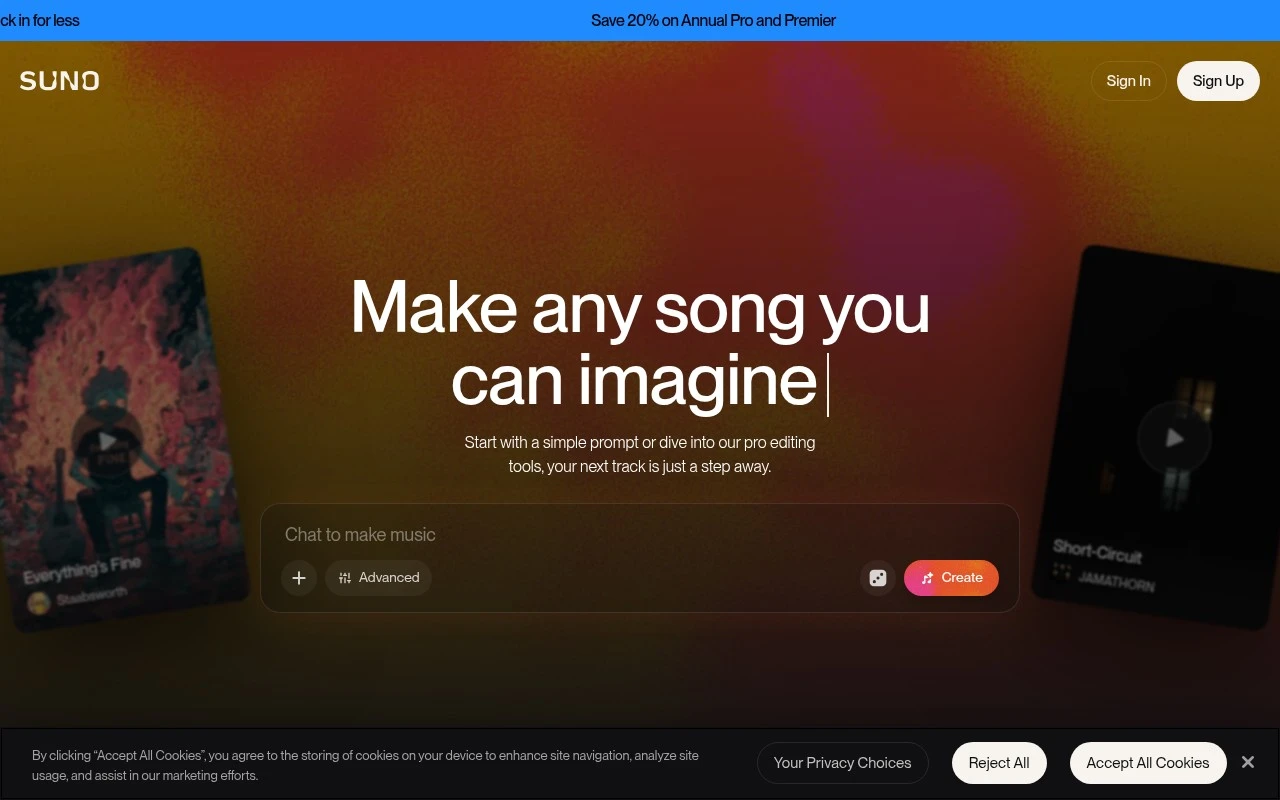
Suno is a web and mobile AI music creation tool for making complete songs in seconds. Users can describe a genre, mood, theme, or lyric idea and generate tracks with vocals, instrumentation, and production, then refine them with editing, remixing, audio upload, stem export, and more advanced controls on paid plans.

FYAI Score

8.4 / 10

Based on 671 reviews

Pricing:

Freemium

Best for:

Creators who want to generate full songs fast from simple prompts

Score Breakdown

  • Ease of use9.0 / 10
  • Features8.2 / 10
  • Pricing9.1 / 10
  • Integrations7.4 / 10
  • Support7.6 / 10

PRODUCT PREVIEW

What this AI tool does

Suno is an AI tool designed to help people create music using text prompts and simple inputs. It’s aimed at users who want to explore songwriting ideas, generate quick musical drafts, or experiment with different styles without needing deep production knowledge. In practice, you describe what you want—such as a mood, genre, or theme—and the tool generates audio that matches your request. This can be useful for brainstorming, prototyping background tracks, or testing lyrical concepts before moving to a full production workflow. Because results depend on the prompt and the model’s interpretation, it works best as a starting point rather than a final mastering solution. If you’re researching AI music generation tools, suno provides a straightforward way to understand how prompt-based music creation can fit into a creative process.

Use cases

Best for

Text-To-Song Generation

Suno generates a full song with vocals, lyrics, instruments, and mix from a short prompt or your provided lyrics.

Song Editing and Remixing

Edit and refine tracks by extending sections, rewriting lyrics, reordering parts, and uploading audio for remixing in Suno.

Commercial Export to Daw

On paid plans, export stems for commercial use and import the audio into DAWs like Ableton or Logic for further production.

ANALYSIS

Strengths & limitations

Strengths
  • Creates full songs rather than only short instrumental loops, including vocals, lyrics, and production.
  • Offers a free tier with daily song generation and no subscription required.
  • Supports more advanced workflows through editing tools, audio uploads, stem exports, and Suno Studio on higher-tier plans.
Limitations
  • Commercial rights are described as applying to songs created by paid subscribers, so the free tier is limited for commercial use.
  • Higher-volume creation, priority generation, advanced models, longer uploads, multitrack editing, MIDI export, and Suno Studio require paid plans.
  • AI-generated results may still require regeneration, editing, or external production work to fit a specific professional brief.

Evaluation

FYAI score breakdown

Our structured evaluation across five key criteria

8.4 / 10

Overall score

Based on 671 reviews

  • Ease of use9.0 / 10
  • Features8.2 / 10
  • Pricing9.1 / 10
  • Integrations7.4 / 10
  • Support7.6 / 10

What users say

Findings from public reviews, documentation and community sources.

  • Ease of use

    Suno says users can “Start with a simple prompt,” and Suno FAQ says “No experience needed” and that a complete track can be created “in under a minute.” Reddit user sentiment describes Suno as fast, while noting output quality can vary by prompt and use case.

  • Features

    Suno product page lists complete songs with vocals/lyrics/production, stem separation, Suno Studio, and up to 2,000 songs monthly on Premier. Reddit audio-engineer feedback calls Suno “Great for ideas” but says stems and mastering remain difficult.

  • Pricing

    Suno pricing page says Free includes “10 songs, daily,” Pro is listed at “$8 /month” with 500 songs monthly, and Premier is listed at “$24 /month” with 2,000 songs monthly, plus commercial rights on paid plans. Suno pricing page says subscription credits do not carry over and top-up credits require an active subscription.

  • Integrations

    Suno says users can “Export up to 12 time-aligned WAV stems” for use in “Ableton, Logic, or any DAW.” Suno pricing lists MIDI export on Premier.

  • Support

    Suno site surfaces FAQs, Support/Help/Contact links, and Suno pricing page says users can email questions. Public review-site sentiment includes product/subscription dissatisfaction rather than detailed support responsiveness.

Who is this for?

Best for beginners who want fast music drafts from prompts, Suno FAQ says “No experience needed” and that a complete track can be created “in under a minute.” Less suited to professional production workflows, Reddit audio-engineer feedback calls Suno “Great for ideas” but says stems and mastering remain difficult.

PRODUCT PREVIEW

Feature highlights

Prompt-to-song

Describe a vibe or lyrics and generate complete songs with vocals.

Remix & edit tools

Refine sections, extend, remix, and iterate until it sounds right.

Stems & audio upload

Upload audio and export stems for deeper control on paid plans.

COMPARE

Discover curated alternatives worth comparing

Compare similar AI tools based on features, pricing and use cases

7.4/ 10Based on 30 reviews

Zencastr

Podcast Editing
Edits audio/video via text, transcribes, and makes social clips
Best for:
Audio & podcast creators
Pricing
Freemium

8.5/ 10Based on 16 reviews

Wondercraft

Short-form VideoVideo Editing
Turns text or audio into editable AI-generated videos and audio
Best for:
Video creators
Pricing
Freemium

8.6/ 10Based on 130 reviews

Wellsaid

AI Voiceover
Generates realistic AI voiceovers from scripts with voice controls
Best for:
Audio & podcast creators
Pricing
Paid only

Turn a simple prompt into a full song in seconds. Start creating original tracks you’ll actually want to share today with Suno.

FAQ

Frequently asked
questions

Everything you need to know about this AI tool,
its features, pricing, use cases, and limitations.

What types of projects is Suno a good fit for compared with other music generators?
Suno is best when you want complete songs quickly—vocals, lyrics, and arrangement—not just short instrumental loops. It’s a strong option for demos, social content, songwriting exploration, and rapid style variations from prompts or lyrics. If your priority is precise DAW-level control from the start, a traditional production workflow or a tool focused on stems may fit better.
How do Suno’s free and paid plans differ in practice?
Suno’s free tier typically limits how many songs you can generate per day and keeps several workflow features behind paid plans. Paid tiers are where you generally get commercial-use rights and more production-oriented options like editing, stem export, and MIDI export. If you’re publishing music or need repeatable output at scale, plan limits and rights are usually the deciding factors.
How does Suno compare with tools like Udio, AIVA, or Soundraw?
Compared with Udio, Suno is often evaluated on song quality, controllability, and how well it follows lyrics and style prompts; results can vary by genre and prompt specificity. Versus AIVA or Soundraw (more composition/production-focused), Suno leans toward generating finished vocal songs rather than customizable instrumental tracks for licensing. If you need consistent structure for background music libraries, the more “instrumental-first” tools may be easier to standardize.
How fast can I get usable results in Suno, and what onboarding effort should I expect?
Suno can be less predictable than a DAW: small prompt changes may produce large musical differences, and fine-grained control over phrasing, mix decisions, or exact melodies can be limited. Daily generation caps on the free plan can slow iteration, and higher-tier plans are often needed for professional exports and rights. If your workflow depends on tight revision control, you may prefer tools with stronger editing or stem-first pipelines.
What should I consider about privacy, data use, and compliance when using Suno?
If you upload lyrics or audio, treat it as potentially stored and processed by a third party; review Suno’s terms and privacy policy for retention, training use, and sharing settings. For client work, confirm whether your plan includes commercial rights and whether you can meet confidentiality requirements. If you operate under strict compliance (e.g., regulated industries), check for enterprise controls, data residency, and DPA availability before adopting.