Curated ToolThis tool is part of our curated AI directory. We only include tools that meet our standards for relevance, usability and real-world value.

Recast Studio

Transcribes recordings and edits video via text with captions.

Audio Summarization
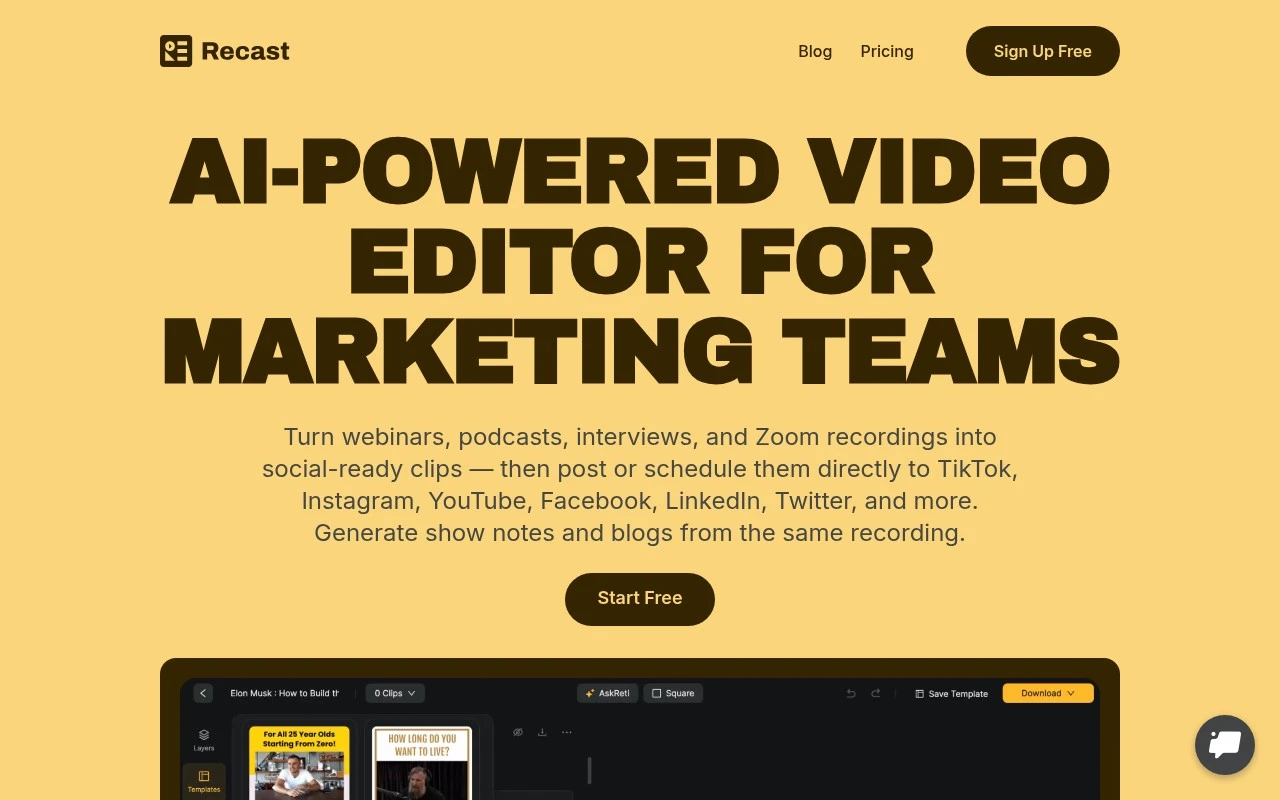
Recast Studio is an AI-powered video editor built for repurposing long-form spoken content into social-ready assets. Users upload recordings such as podcasts, webinars, interviews, Zoom calls, or live events, then use AI transcription, highlight detection, text-based editing, auto reframing, captioning, filler-word removal, templates, and brand styling to create clips and audiograms. It also includes AI writing tools and built-in social publishing and scheduling.

FYAI Score

7.9 / 10

Based on 86 reviews

Pricing:

Freemium

Best for:

Podcasters and creators repurposing long-form recordings into social clips

Score Breakdown

  • Ease of use7.7 / 10
  • Features7.9 / 10
  • Pricing8.7 / 10
  • Integrations8.0 / 10
  • Support7.1 / 10

PRODUCT PREVIEW

What this AI tool does

Recast Studio is an AI tool designed to help you rework existing text into a clearer, more usable version while keeping the original meaning. It can be useful when you have a draft that feels too long, too informal, or not well structured, and you want a cleaner rewrite without starting from scratch. In practice, you provide a passage and indicate the kind of change you need—such as simplifying language, adjusting tone, or improving readability—and the tool generates an updated version you can review and edit. This makes it suitable for everyday writing tasks like refining emails, polishing documentation, or preparing content for different audiences. Because the output is generated automatically, it’s best used as a drafting aid rather than a final authority. Reviewing for accuracy, context, and any domain-specific details helps ensure the rewritten text matches your intent and any required standards.

Use cases

Best for

Content Repurposing

Upload long recordings and use AI transcription and highlight detection to turn them into short clips and audiograms.

Edit Video

Recast Studio edits video via text-based transcript cuts, filler-word removal, auto reframing, and caption styling.

Social Media Content Creation

Create social-ready posts with templates, branded captions, and built-in publishing and scheduling for multiple platforms.

ANALYSIS

Strengths & limitations

Strengths
  • Combines video clipping, transcript-based editing, captioning, written content generation, and social scheduling in one workflow.
  • Designed for non-editors, with text-based trimming and automatic caption synchronization instead of complex timeline editing.
  • Supports repurposing one recording into multiple output formats for several social channels.
Limitations
  • Best suited to repurposing existing spoken recordings rather than creating original video from scratch.
  • The public site emphasizes social clips and marketing workflows, so it may not fit users needing advanced professional video editing controls.
  • Platform support and workflow depth should be verified for specific publishing, team, language, and pricing requirements before adoption.

Evaluation

FYAI score breakdown

Our structured evaluation across five key criteria

7.9 / 10

Overall score

Based on 86 reviews

  • Ease of use7.7 / 10
  • Features7.9 / 10
  • Pricing8.7 / 10
  • Integrations8.0 / 10
  • Support7.1 / 10

What users say

Findings from public reviews, documentation and community sources.

  • Ease of use

    Recast's website says users can “edit video by editing text,” “highlight and delete transcript text to trim video,” and avoid “complex timelines.”

  • Features

    Recast's pricing page lists AI clip generation, auto reframe, filler and silence removal, and 20+ language transcription. Recast's pricing page also lists AI writing for social posts, blogs, show notes, and summaries.

  • Pricing

    Recast's pricing page lists a Free Trial at $0 including 60 one-time credits, Starter at $14/month billed yearly, and Professional at $26/month billed yearly. Recast's pricing page also states upload-credit, export-minute, export-length, storage, and storage-duration limits.

  • Integrations

    Recast's pricing page lists direct social publishing and scheduling for TikTok, Instagram, YouTube, Facebook, LinkedIn, and X/Twitter.

  • Support

    Capterra references “Support, customer service and training options” for Recast and includes a 4/10 recommendation with the comment that “the system is a bit raw.”

Who is this for?

Best for marketers and creators repurposing audio or video for social channels, Recast's pricing page lists AI clip generation, auto reframe, animated captions, and direct publishing or scheduling to TikTok, Instagram, YouTube, Facebook, LinkedIn, and X/Twitter. Less suited to teams that need a broader API or marketplace ecosystem, the integration facts center on native social publishing and scheduling rather than broader workflow connectivity.

PRODUCT PREVIEW

Feature highlights

AI Highlights

Find the best moments automatically and turn them into shareable clips.

Text-Based Editing

Edit video by editing the transcript, plus remove filler words fast.

Social-Ready Output

Auto reframe, captions, templates, and brand styling for every platform.

COMPARE

Discover curated alternatives worth comparing

Compare similar AI tools based on features, pricing and use cases

7.4/ 10Based on 30 reviews

Zencastr

Podcast Editing
Edits audio/video via text, transcribes, and makes social clips
Best for:
Audio & podcast creators
Pricing
Freemium

8.5/ 10Based on 16 reviews

Wondercraft

Short-form VideoVideo Editing
Turns text or audio into editable AI-generated videos and audio
Best for:
Video creators
Pricing
Freemium

8.6/ 10Based on 130 reviews

Wellsaid

AI Voiceover
Generates realistic AI voiceovers from scripts with voice controls
Best for:
Audio & podcast creators
Pricing
Paid only

Start producing studio-quality voiceovers that make every video sound polished and professional. Create more content faster with Recast Studio today.

FAQ

Frequently asked
questions

Everything you need to know about this AI tool,
its features, pricing, use cases, and limitations.

Is Recast Studio a good fit for videos, e-learning, and podcasts, or is it better for one format?
Recast Studio is a solid choice when you need consistent, studio-sounding voiceovers for videos, course modules, and podcast segments without booking voice talent. It tends to work best for scripted narration and repeatable formats (intros/outros, lessons, explainers) rather than highly emotive character work. If your workflow involves frequent revisions, its fast regeneration can be a practical advantage.
Does Recast Studio have a free plan, and what are the typical limitations compared to paid tiers?
Recast Studio commonly gates higher usage behind paid tiers, with free access (if available) usually limited by minutes/credits and sometimes by export options. Paid plans are typically where you get more generation capacity and fewer restrictions for production use. Before committing, check whether your expected monthly voiceover minutes fit the included quota and whether commercial usage is covered.
How does Recast Studio compare with other voiceover tools like ElevenLabs, Play.ht, or Descript?
Recast Studio is often evaluated as a straightforward voiceover generator with a broad set of voices and accents, while some competitors emphasize deeper voice control or advanced cloning. Tools like Descript can be more editing-centric for podcasts, whereas dedicated TTS platforms may offer finer prosody controls. If you prioritize quick, clean narration over extensive voice modulation, Recast Studio can be the simpler pick.
How fast can I get from signup to a usable voiceover in Recast Studio?
Recast Studio may feel limiting if you need detailed control over prosody, emotion, or custom voice modulation beyond basic settings. Some users also report occasional pronunciation or intonation issues that require manual edits or re-generations. Pricing can be a deciding factor if you generate high volumes and competing tools offer more minutes per dollar.
What should I consider about data privacy and compliance when using Recast Studio?
Assume scripts you upload are processed on Recast Studio’s servers, so treat sensitive or regulated content cautiously unless the policy explicitly supports it. Review the terms for data retention, whether content is used to improve models, and what controls exist for deletion. If you have GDPR/enterprise compliance needs, confirm available agreements (e.g., DPA) and where processing/storage occurs.