Curated ToolThis tool is part of our curated AI directory. We only include tools that meet our standards for relevance, usability and real-world value.

Podcastle

Edits audio and video, adds captions, and dubs translations.

AI VoiceoverAudio Enhancement
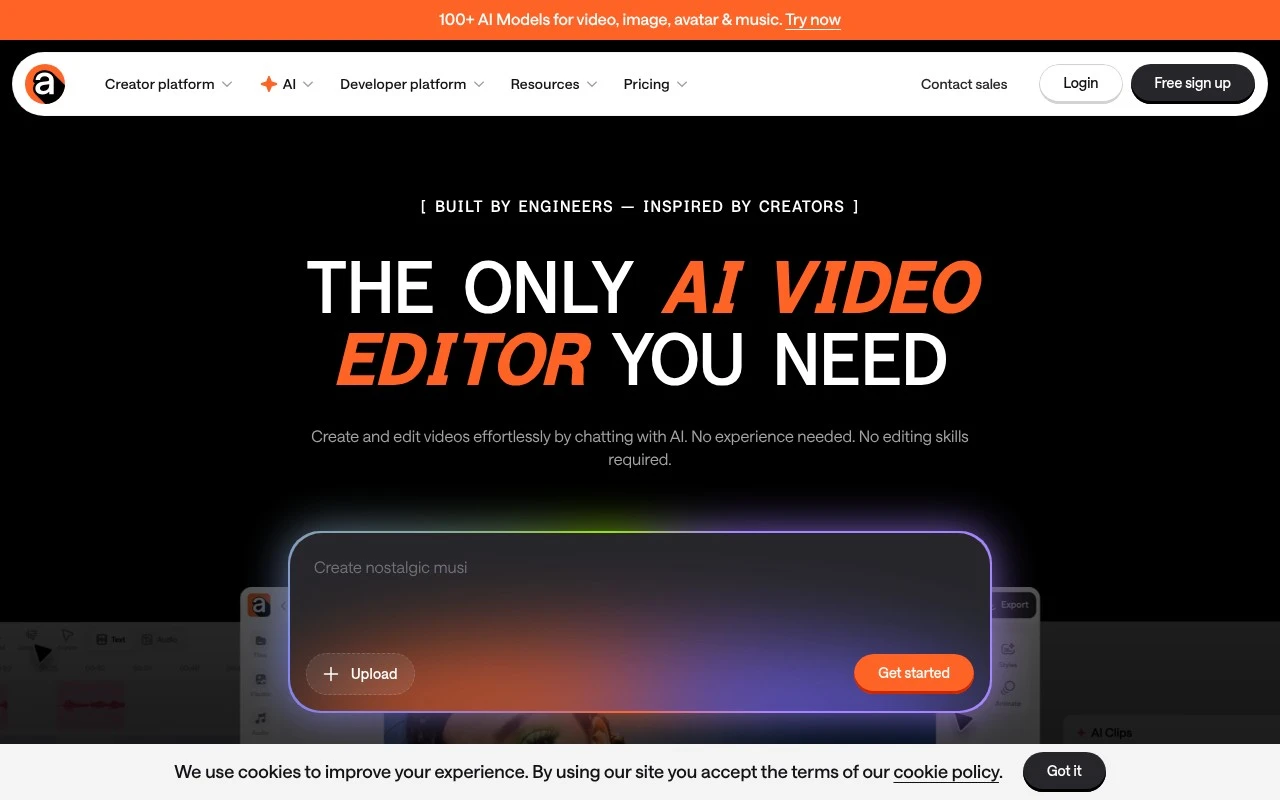
Podcastle.ai’s current official site describes Async as a chat-based AI video workflow for creating, editing, and repurposing content. It supports video generation, clip creation, subtitles, dubbing, voiceovers, audio cleanup, podcast recording, audio editing, and template-based video formats for ads, social clips, podcasts, interviews, explainers, travel vlogs, and more. The branding on the official page is Async rather than Podcastle, so the current product appears to be positioned primarily as an AI video editor rather than only a podcast production tool.

FYAI Score

7.7 / 10

Based on 252 reviews

Pricing:

Freemium

Best for:

Podcasters and creators producing polished audio and video content

Score Breakdown

  • Ease of use7.8 / 10
  • Features7.9 / 10
  • Pricing7.4 / 10
  • Integrations7.4 / 10
  • Support7.6 / 10

PRODUCT PREVIEW

What this AI tool does

Podcastle is an AI-assisted audio and podcast production tool designed to help people record, edit, and publish spoken content with less manual work. It’s commonly used by podcasters, interviewers, and teams who need a straightforward way to turn raw recordings into a finished episode without relying on a full studio setup. The platform typically supports recording from a browser, cleaning up audio, and making edits through a guided interface that aims to be approachable for non-specialists. It can be useful for creating podcasts, voiceovers, and other spoken-word projects where consistent sound quality and efficient editing matter. For someone researching podcastle, the main value is understanding how it fits into a modern audio workflow: capturing audio, improving clarity, and preparing files for distribution. It’s best suited for users who want an all-in-one environment for producing spoken audio and prefer AI-assisted tools over fully manual editing.

Use cases

Best for

Edit Video

Edit video in Async by Podcastle using templates to generate clips, add subtitles, and assemble social-ready edits.

Video Translation

Translate videos by generating dubbed voiceovers and synced subtitles for repurposed clips in multiple languages.

Podcast Editing

Edit podcasts by recording, cleaning up audio, and trimming interviews in its built-in podcast editor.

ANALYSIS

Strengths & limitations

Strengths
  • Combines several video and audio tasks in one workflow, including editing, clipping, subtitles, dubbing, voiceovers, and audio cleanup.
  • Designed for non-editors, with prompt-based and template-based creation instead of complex timeline editing.
  • Supports repurposing long-form recordings into short clips for platforms such as TikTok, Instagram Reels, YouTube Shorts, and LinkedIn.
Limitations
  • The official page uses the Async brand, which may create ambiguity for users looking specifically for Podcastle.
  • The scraped page does not provide enough detail about pricing, export limits, storage, recording quality, or plan restrictions.
  • The site describes broad AI capabilities, but specific output quality, editing control, and model limitations are not verifiable from the provided content.

Evaluation

FYAI score breakdown

Our structured evaluation across five key criteria

7.7 / 10

Overall score

Based on 252 reviews

  • Ease of use7.8 / 10
  • Features7.9 / 10
  • Pricing7.4 / 10
  • Integrations7.4 / 10
  • Support7.6 / 10

What users say

Findings from public reviews, documentation and community sources.

  • Ease of use

    ProductHunt review-summary evidence says users praise Podcastle for a “simple, beginner-friendly workflow,” and Capterra’s snippet describes the interface as “user-friendly.”

  • Features

    The Podcastle pricing/features page lists remote recording for up to 10 participants, Magic Dust AI, text-based audio editing, and AI dubbing. The same page also references hosting/publishing, subtitles, clips, thumbnails, and video generation.

  • Pricing

    The Podcastle pricing page lists five tiers from Free to Business and includes usage limits such as 3/8/20 hours of video recording, 1/10/25 hours of transcription, and 10/450/1200/3000 AI credits by plan. The same pricing page shows paid dollar amounts as placeholders in the supplied page text.

  • Integrations

    ApiX-Drive says it can “Connect Podcastle to the services and applications you use every day.”

  • Support

    The Podcastle homepage includes a user testimonial saying “The customer service is also top rate.” The Podcastle homepage also includes a FAQ section explaining the product and use cases.

Who is this for?

Best for podcast or video creators who want recording, editing, and publishing in one workflow, the pricing/features page lists remote recording for up to 10 participants, text-based audio editing, transcription, and hosting/publishing. Less suited to buyers who need fully clear paid pricing before evaluation, the supplied pricing page text shows paid dollar amounts as placeholders. Less suited to teams that require a clearly documented native integration marketplace, the available integration fact comes from ApiX-Drive saying it can “Connect Podcastle to the services and applications you use every day.”

PRODUCT PREVIEW

Feature highlights

Podcast Recording

Record interviews and solo shows with built-in capture tools.

AI Audio Cleanup

Reduce noise and enhance voice for clearer, pro sound.

Clips & Subtitles

Turn long content into shareable clips with captions fast.

COMPARE

Discover curated alternatives worth comparing

Compare similar AI tools based on features, pricing and use cases

7.4/ 10Based on 30 reviews

Zencastr

Podcast Editing
Edits audio/video via text, transcribes, and makes social clips
Best for:
Audio & podcast creators
Pricing
Freemium

8.5/ 10Based on 16 reviews

Wondercraft

Short-form VideoVideo Editing
Turns text or audio into editable AI-generated videos and audio
Best for:
Video creators
Pricing
Freemium

8.6/ 10Based on 130 reviews

Wellsaid

AI Voiceover
Generates realistic AI voiceovers from scripts with voice controls
Best for:
Audio & podcast creators
Pricing
Paid only

Join creators making studio-quality podcasts and voiceovers in less time. Start recording, polishing, and publishing with confidence using Podcastle today.

FAQ

Frequently asked
questions

Everything you need to know about this AI tool,
its features, pricing, use cases, and limitations.

Who is Podcastle a good fit for, and when should I pick something else?
Podcastle fits podcasters and small teams who want a streamlined, browser-based workflow for recording, editing, and polishing spoken-word audio. It’s especially useful if you value quick cleanup (like noise reduction) over deep sound design. If you need complex mixing, detailed effect chains, or music production features, a DAW like Adobe Audition, Reaper, or Logic may be a better match.
How do Podcastle’s free and paid plans differ in practice?
The free tier is typically best for testing the editor and basic workflows, but it tends to limit usage, exports, or access to higher-end enhancement features. Paid plans generally unlock more processing capacity, higher-quality exports, and additional AI-powered tools. If you publish frequently, check whether your plan’s monthly limits align with your episode length and output volume.
How does Podcastle compare with Descript, Riverside, and Adobe Audition?
Compared with Descript, Podcastle is often more focused on audio-first editing and enhancement, while Descript leans heavily into transcript-based editing and multi-format content workflows. Versus Riverside, Podcastle is less centered on remote multi-guest capture and more on post-production and polishing. Against Adobe Audition, Podcastle is easier to start with but offers fewer advanced controls and effect customization.
How fast can I get started with Podcastle, and what’s the onboarding effort?
Podcastle can feel restrictive if you rely on highly customized audio effects, detailed routing, or niche export formats. Some creators also find subscription pricing less appealing than one-time-license editors. Because it’s cloud-based, your workflow may depend on stable internet and the platform’s available export and project options.
What should I consider about data handling, privacy, and compliance with Podcastle?
Since Podcastle is cloud-based, audio files and generated outputs are processed and stored on their servers, which may matter for sensitive interviews or regulated industries. Review their terms for retention, sharing controls, and whether you can delete projects permanently. If you have strict compliance needs (e.g., HIPAA, specific data residency), confirm those requirements directly against Podcastle’s published policies before uploading client data.