Curated ToolThis tool is part of our curated AI directory. We only include tools that meet our standards for relevance, usability and real-world value.

Murf

Converts text to speech, creates voiceovers, and dubs videos.

AI VoiceoverVideo Dubbing & Translation

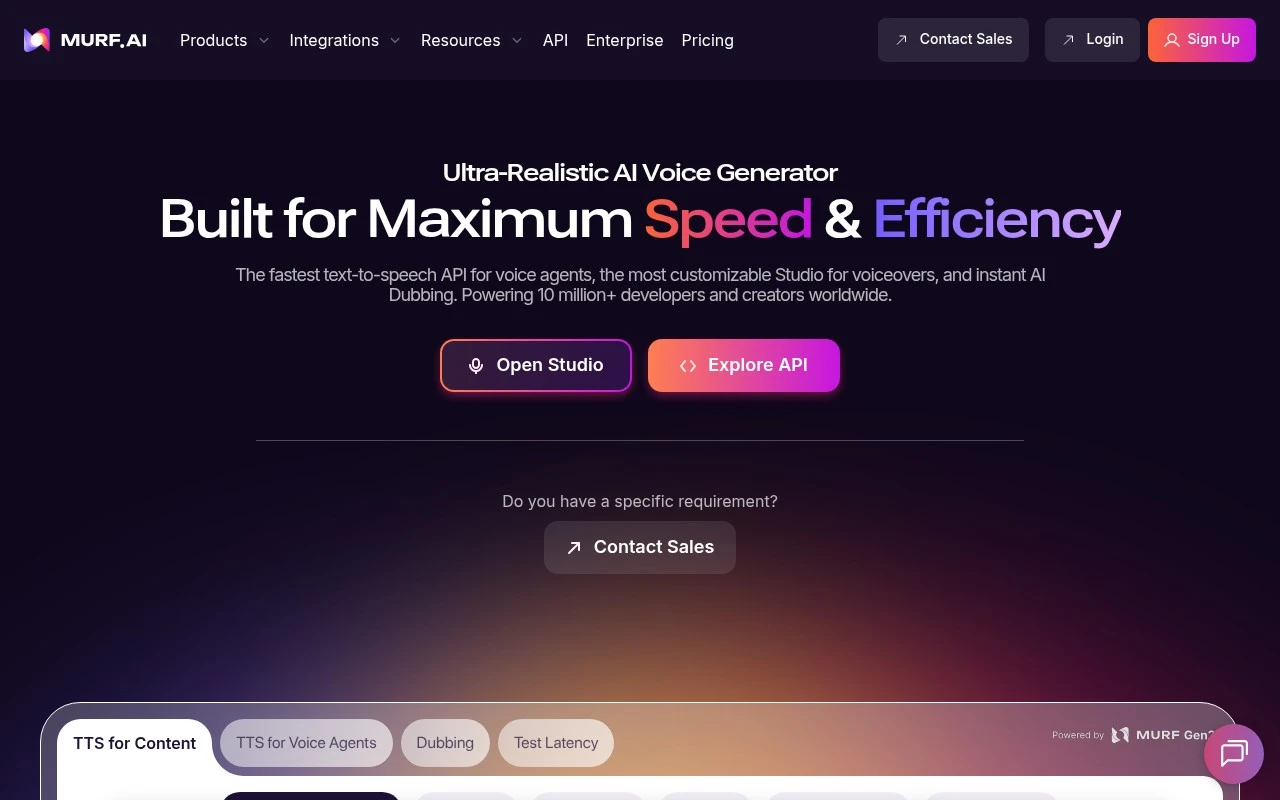
Murf is an AI voice platform centered on text-to-speech, voiceover production, voice APIs, and AI dubbing. Its products include Murf Studio for customizable voiceovers, Murf Falcon for fast text-to-speech APIs used in voice agents, and an AI Dubbing product for video localization. The official site positions it for developers, creators, localization teams, and enterprises that need lifelike multilingual speech at scale.

FYAI Score

9.1 / 10

Based on 1.413 reviews

Pricing:

Freemium

Best for:

Creators and teams producing lifelike voiceovers and localized video

Score Breakdown

  • Ease of use9.3 / 10
  • Features9.3 / 10
  • Pricing8.3 / 10
  • Integrations9.1 / 10
  • Support9.3 / 10

PRODUCT PREVIEW

What this AI tool does

Murf is an AI voice tool designed to turn written text into natural-sounding speech. It’s commonly used when you need a voiceover but don’t want to record audio yourself, such as for training materials, product walkthroughs, short videos, or internal presentations. The typical workflow is straightforward: you paste or write a script, choose a voice and speaking style, and generate audio you can download or place into your project. This can help teams keep narration consistent across updates, iterate quickly on wording, and produce audio in a repeatable way without setting up microphones or studio time. As with any text-to-speech system, results depend on the script quality and how well the selected voice matches the audience and context. It’s a good fit for informational content where clarity and consistency matter, and it can be evaluated by testing a short sample script before committing to a longer production.

Use cases

Best for

Generate Voiceover

Use Murf Studio to turn a script into a voiceover by selecting an AI voice and adjusting pacing, emphasis, and pronunciation.

Text to Speech

Convert text into lifelike speech with Murf text to speech voices, then export audio files or generate speech via API.

Video Translation

Translate and dub videos by generating multilingual voice tracks with Murf AI Dubbing and syncing them to the original timing.

ANALYSIS

Strengths & limitations

Strengths
  • Covers multiple voice workflows in one product family: studio voiceovers, developer TTS APIs, and AI dubbing.
  • Offers a large multilingual voice library, with the site citing 200+ voices across 35+ languages and dubbing in 40+ languages.
  • Includes production-oriented controls and capabilities such as pronunciation libraries, pitch/speed/intonation control, language switching, and integrations with tools such as Canva, PowerPoint, and Captivate.
Limitations
  • It is focused on AI speech and dubbing, so teams needing full video editing, scriptwriting, or broader media production tools may need additional software.
  • The official page provides high-level product claims but does not fully specify plan limits, workflow constraints, or which features are available on each tier.
  • Voice quality, translation accuracy, and suitability for a brand or use case still need to be tested with the specific voices, languages, and content involved.

Evaluation

FYAI score breakdown

Our structured evaluation across five key criteria

9.1 / 10

Overall score

Based on 1.413 reviews

  • Ease of use9.3 / 10
  • Features9.3 / 10
  • Pricing8.3 / 10
  • Integrations9.1 / 10
  • Support9.3 / 10

What users say

Findings from public reviews, documentation and community sources.

  • Ease of use

    G2 says users “consistently praise” Murf.ai’s “ease of use” and its ability to create professional voiceovers quickly, and G2 shows a 4.7/5 rating across 1,413 reviews.

  • Features

    Murf’s site positions Murf as an AI voice platform for conversational agents, a low-latency TTS API, studio voiceovers, and AI dubbing. Murf’s site lists “200+ Expressive Voices Across 35+ Languages,” pronunciation controls, pitch/speed/intonation control, and dubbing in “40+ Languages.”

  • Pricing

    Murf’s pricing page lists Creator “From $19/mo,” Business “From $66/mo,” Enterprise as custom, and API pay-as-you-go at “1000 characters at $0.03” with a $2 minimum. The Murf pricing page presents Enterprise pricing as handled through sales rather than fully self-serve public rates.

  • Integrations

    Murf’s integrations page lists native integrations for Articulate 360, PowerPoint, Adobe Captivate, and Adobe Audition, plus embed options and voice APIs surfaced on the main site.

  • Support

    Murf’s site states “Average chat response time < 3 minutes.” Murf’s site includes enterprise customer quotes describing Murf as a partner that “goes above and beyond.”

Who is this for?

Best for teams creating multilingual voiceovers and dubbing, Murf’s site lists “200+ Expressive Voices Across 35+ Languages” and dubbing in “40+ Languages.” Less suited to buyers who need fully self-serve public rates for every plan, Murf’s pricing page lists Enterprise as custom and handled through sales.

PRODUCT PREVIEW

Feature highlights

AI Voiceovers

Turn scripts into natural speech with control over tone and pacing.

Falcon Voice API

Fast text-to-speech APIs for voice agents and product experiences.

AI Dubbing

Localize videos with multilingual dubbing for global audiences.

COMPARE

Discover curated alternatives worth comparing

Compare similar AI tools based on features, pricing and use cases

7.4/ 10Based on 30 reviews

Zencastr

Podcast Editing
Edits audio/video via text, transcribes, and makes social clips
Best for:
Audio & podcast creators
Pricing
Freemium

8.5/ 10Based on 16 reviews

Wondercraft

Short-form VideoVideo Editing
Turns text or audio into editable AI-generated videos and audio
Best for:
Video creators
Pricing
Freemium

8.6/ 10Based on 130 reviews

Wellsaid

AI Voiceover
Generates realistic AI voiceovers from scripts with voice controls
Best for:
Audio & podcast creators
Pricing
Paid only

Turn scripts into studio-quality voiceovers in minutes. Start creating narration that sounds natural, clear, and ready to publish with Murf today.

FAQ

Frequently asked
questions

Everything you need to know about this AI tool,
its features, pricing, use cases, and limitations.

What types of projects is Murf a good fit for, and when should I consider another tool?
Murf is typically a strong fit for marketing voiceovers, training/eLearning narration, product explainers, and quick multilingual audio where you need consistent, studio-style output. If your project requires highly expressive acting, granular control over prosody, or character-style voices, you may find other voice tools more suitable. It’s also worth comparing alternatives if you need deep audio post-production features beyond basic editing.
Does Murf have a free plan, and what are the practical limitations compared to paid tiers?
Murf generally offers a free way to try the studio and voices, but free usage is usually constrained by limited export options and/or usage caps. Paid plans are where you typically get higher-quality exports, more usage, and commercial-friendly licensing. If you’re producing voiceovers at scale, compare how each plan counts minutes/characters and what’s included in the license.
How does Murf compare with tools like ElevenLabs, Play.ht, or Descript for voiceover work?
Murf is often chosen for a straightforward workflow to generate polished voiceovers with a broad set of business-friendly voices and languages. Tools like ElevenLabs may offer more expressive voice control and cloning options, while Descript is frequently preferred when voiceover is part of a larger audio/video editing pipeline. The best choice depends on whether you prioritize voice realism and control, multilingual coverage, or end-to-end editing.
How quickly can a team get started with Murf, and what onboarding effort should I expect?
Murf can be less flexible for detailed voice modulation compared to tools that offer fine-grained prosody controls or advanced voice design. Pronunciation may occasionally need manual fixes for names, acronyms, or niche terminology, which adds review time. Pricing can also be a deciding factor for high-volume production, so compare effective cost per minute across vendors.
What should I know about data handling, privacy, and compliance when using Murf?
Before committing, review Murf’s current policies on how text scripts and generated audio are stored, retained, and used for service improvement. If you handle sensitive content, confirm whether you can control sharing settings, delete projects, and meet internal retention requirements. For regulated teams, check available contractual options (e.g., DPA) and whether the plan supports your compliance needs.