Curated ToolThis tool is part of our curated AI directory. We only include tools that meet our standards for relevance, usability and real-world value.

Mubert

Generates royalty-free music tracks and streams from prompts

Music & Sound Effects
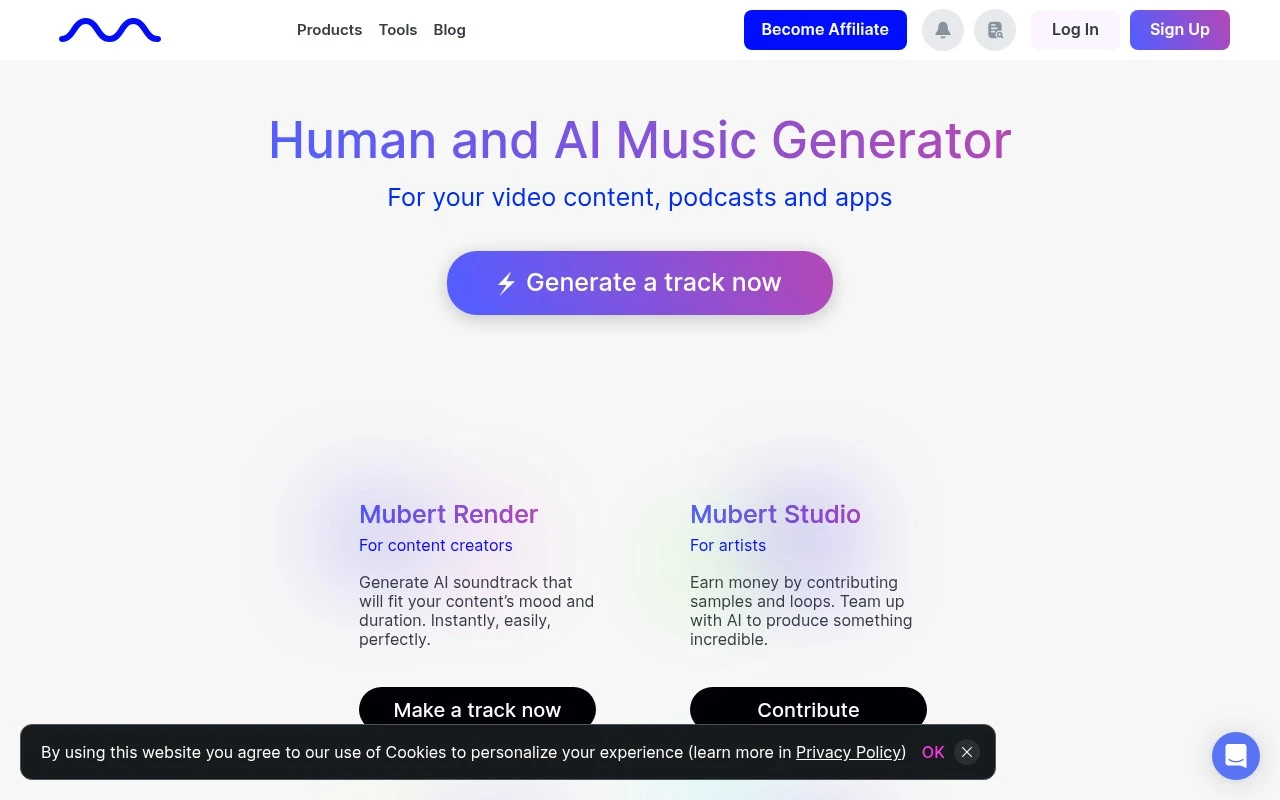
Mubert is an AI music platform that combines artist-contributed samples and loops with generative algorithms to create royalty-free music. Its main creator product, Mubert Render, generates custom tracks for content by prompt or parameters such as mood, genre, style, and duration. The platform also includes an API for developers and brands, a Studio program for musicians who contribute source material, and Mubert Play for infinite AI music listening streams.

FYAI Score

7.6 / 10

Based on 20 reviews

Pricing:

Freemium

Best for:

Creators needing custom royalty-free music for videos, ads, and streams

Score Breakdown

  • Ease of use8.3 / 10
  • Features7.7 / 10
  • Pricing7.1 / 10
  • Integrations7.5 / 10
  • Support7.0 / 10

PRODUCT PREVIEW

What this AI tool does

Mubert is an AI-based music tool designed to help people generate background tracks quickly for digital projects. It’s commonly used when you need music that fits a certain mood or pace without spending time searching through large libraries or handling complex editing. The tool typically works by letting you choose a style or setting and then producing a track that can be used in contexts like videos, podcasts, apps, or social content. This can be useful for creators who want consistent audio that matches their content while keeping the workflow simple. As with any AI-generated music service, it’s important to review the licensing terms for your intended use, especially for commercial publishing or platform distribution. Checking how attribution works and what rights you receive can help avoid issues later when you share or monetize your content.

Use cases

Best for

Royalty-Free Soundtrack Generation

Generate royalty-free music tracks by choosing mood, style, and duration from a text prompt or parameters for videos and podcasts.

Music Generation API

Use the Mubert API to stream or generate AI music inside apps, games, and other software experiences with configurable parameters.

Sample Contribution for AI

Upload loops, riffs, and sample packs in Mubert Studio so they can be used as source material for AI-generated music.

ANALYSIS

Strengths & limitations

Strengths
  • Generates music tailored to content duration, mood, and style rather than requiring users to search a fixed stock library.
  • Covers multiple workflows: creator track generation, developer API access, artist contributions, and listener streams.
  • Positions its output for royalty-free use in videos, podcasts, apps, games, and commercial projects.
Limitations
  • The provided site text does not give detailed pricing, plan limits, or full license conditions, so users should verify terms before commercial use.
  • It is focused on AI-generated music and soundtracks, not full manual music production or detailed DAW-style editing.
  • Users who need a specific human-composed track or precise arrangement control may find parameter-based generation less predictable than commissioning or composing music directly.

Evaluation

FYAI score breakdown

Our structured evaluation across five key criteria

7.6 / 10

Overall score

Based on 20 reviews

  • Ease of use8.3 / 10
  • Features7.7 / 10
  • Pricing7.1 / 10
  • Integrations7.5 / 10
  • Support7.0 / 10

What users say

Findings from public reviews, documentation and community sources.

  • Ease of use

    A Reddit user in r/Polkadot said they “typed in ‘happy puppy’ and it instantly created a cheerful little track” and added “Love how smooth” it was.

  • Features

    Mubert’s features page lists Render for creators, Studio for artists, API for developers/brands, and Play for listeners. Mubert’s features page says users can generate music from text prompts with control over “length, mood and style,” and it describes royalty-free music for YouTube, TikTok, podcasts, and videos.

  • Pricing

    A Reddit royalty-free-music comparison says “commercial licensing for monetized YouTube requires a higher tier most people don’t know about.” The Reddit royalty-free-music comparison also notes Mubert offers subscription and perpetual-license options.

  • Integrations

    Mubert’s API page describes integration into apps or games and says Mubert “partnered with Restream to integrate an AI music API.” Mubert’s API page presents developer connectivity through its API.

  • Support

    Product Hunt snippets for Mubert mention “The chat bot support is useless,” “poor customer support,” and “subscription issues.” Mubert surfaces FAQs and demo/contact flows.

Who is this for?

Best for creators or developers who need AI-generated royalty-free music for YouTube, TikTok, podcasts, videos, apps, or games, Mubert’s features page lists creator, artist, API, and listener modes plus prompt control over “length, mood and style.” Less suited to monetized YouTube creators who want licensing to be straightforward, because a Reddit royalty-free-music comparison says “commercial licensing for monetized YouTube requires a higher tier most people don’t know about.”

PRODUCT PREVIEW

Feature highlights

Prompted music

Generate tracks by mood, genre, style, and duration.

Royalty-free output

Use music safely in content with clear licensing options.

Mubert API

Embed generative music in apps, games, and brand experiences.

COMPARE

Discover curated alternatives worth comparing

Compare similar AI tools based on features, pricing and use cases

7.4/ 10Based on 30 reviews

Zencastr

Podcast Editing
Edits audio/video via text, transcribes, and makes social clips
Best for:
Audio & podcast creators
Pricing
Freemium

8.5/ 10Based on 16 reviews

Wondercraft

Short-form VideoVideo Editing
Turns text or audio into editable AI-generated videos and audio
Best for:
Video creators
Pricing
Freemium

8.6/ 10Based on 130 reviews

Wellsaid

AI Voiceover
Generates realistic AI voiceovers from scripts with voice controls
Best for:
Audio & podcast creators
Pricing
Paid only

Start creating unique, royalty-free soundtracks in minutes. See why creators and brands use Mubert to keep every project sounding fresh and on-brand.

FAQ

Frequently asked
questions

Everything you need to know about this AI tool,
its features, pricing, use cases, and limitations.

What is Mubert best suited for compared with other music tools?
Mubert is a strong fit for creators and teams who need fast, royalty-free background music for videos, podcasts, ads, apps, or streams without negotiating licenses. It works well when you want mood-based tracks and consistent audio branding rather than a specific, recognizable song. If you need bespoke composition with detailed musical direction, a human composer or a production-focused tool may fit better.
How do Mubert’s free and paid options differ in practice?
Mubert’s free access is typically best for testing the workflow and previewing outputs, with tighter limits on usage and/or export rights. Paid plans generally expand commercial usage permissions and provide higher-volume generation or downloads depending on the plan. Before committing, verify the exact licensing terms for your channel (e.g., YouTube, client work, ads) and any attribution requirements.
How does Mubert compare to Soundraw, AIVA, or Beatoven for commercial projects?
Mubert is often chosen for speed and a steady supply of royalty-free tracks generated to match a mood or theme, which can be ideal for ongoing content production. Tools like AIVA may appeal more if you want composition-style control and structured pieces, while others may offer more granular editing or arrangement features. If your priority is avoiding repetitive patterns and getting more “song-like” variation, it’s worth A/B testing the same prompt across tools.
How quickly can a team start using Mubert, and what onboarding is required?
Because Mubert is algorithmic, some outputs can sound less nuanced than professionally composed music and may repeat motifs over time. Customization is broad but not always precise enough for niche genres or very specific musical references. If you need exact timing to picture or detailed arrangement edits, you may find the controls limiting compared with DAW-based workflows.
What should I know about data privacy and compliance when using Mubert?
Assume that prompts, account details, and usage metadata may be processed and stored to operate the service, which can matter for regulated or confidential projects. Review Mubert’s privacy policy and terms to confirm data retention, whether inputs are used to improve models, and where processing occurs. If you need SOC 2/ISO assurances, DPA support, or strict data residency, verify availability before rolling it out company-wide.