Curated ToolThis tool is part of our curated AI directory. We only include tools that meet our standards for relevance, usability and real-world value.

LALAL.AI

Separates audio into stems and removes vocals or instruments.

Voice CloningAudio Enhancement
LALAL.AI is an online AI audio processing service focused on vocal removal, stem splitting, and voice cleanup. Users upload audio or video files, preview separated results, and download outputs such as vocals, instrumentals, individual instruments, lead/backing vocals, cleaned voice tracks, or other processed versions. It supports common audio and video formats and also offers related voice tools such as voice changing, voice cloning, echo and reverb removal, and enterprise/API processing.

FYAI Score

8.4 / 10

Based on 4.123 reviews

Pricing:

Freemium

Best for:

Music producers and creators needing clean stems fast

Score Breakdown

  • Ease of use8.6 / 10
  • Features8.4 / 10
  • Pricing8.4 / 10
  • Integrations8.6 / 10
  • Support7.7 / 10

PRODUCT PREVIEW

What this AI tool does

LALAL.AI is an AI tool designed to help people work with text more efficiently, especially when they need to turn longer content into something easier to review and use. It’s suited to everyday informational tasks like getting the gist of articles, notes, or documents, and can support a faster reading and writing workflow. In practice, you can use it to reduce time spent scanning long passages, clarify key points, and produce a cleaner version of content for sharing or further editing. It’s most useful when you want a straightforward way to process written material without changing your existing tools or requiring a complex setup.

Use cases

Best for

Clone Voice

Use LALAL.AI to clone a voice by generating a new voice model from an uploaded sample and applying it to audio.

Remove Noise

Remove noise by uploading audio to isolate the voice track and apply echo and reverb removal for a cleaner vocal.

ANALYSIS

Strengths & limitations

Strengths
  • Covers more than basic vocal removal, with support for vocals, instrumentals, drums, bass, guitars, piano, synths, strings, wind instruments, lead/backing vocals, voice/noise separation, and cleanup tools.
  • Works with both audio and video uploads and supports common formats such as MP3, WAV, FLAC, AAC, M4A, MP4, MOV, MKV, and AVI.
  • Lets users preview separation results before full processing and offers options such as lead/back separation, noise canceling level, neural network selection, and output format selection.
Limitations
  • Separation quality depends on the original mix; dense arrangements, reverb, harmonies, distortion, and overlapping instruments may be harder to separate cleanly.
  • Files must be uploaded to an online service, which may not suit users with strict privacy, rights-management, or offline workflow requirements.
  • The provided site text does not give full pricing, usage limit, or plan details, so cost and processing allowances need to be checked directly before relying on it.

Evaluation

FYAI score breakdown

Our structured evaluation across five key criteria

8.4 / 10

Overall score

Based on 4.123 reviews

  • Ease of use8.6 / 10
  • Features8.4 / 10
  • Pricing8.4 / 10
  • Integrations8.6 / 10
  • Support7.7 / 10

What users say

Findings from public reviews, documentation and community sources.

  • Ease of use

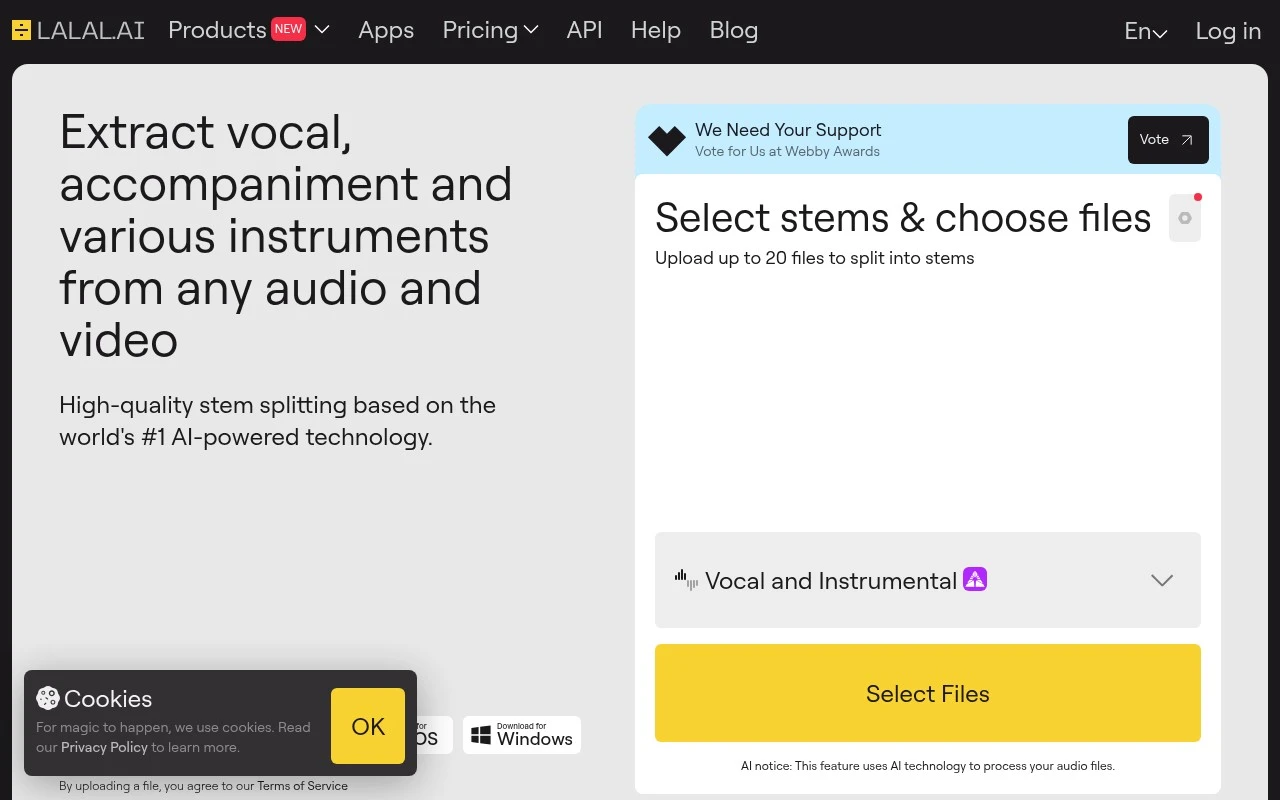
    The LALAL.AI website presents the core workflow as "upload your audio or video file," preview the separated result, then "download the tracks you need." The LALAL.AI website also references advanced options such as neural-network selection and lead/back settings.

  • Features

    The LALAL.AI website lists vocal/instrumental splitting, lead/back separation, voice cleaner, and echo/reverb removal. The LALAL.AI website also lists voice changer and voice cloner capabilities.

  • Pricing

    The LALAL.AI pricing page lists Starter free, Lite at €6.75/month billed annually, and Pro at €13.5/month billed annually. The LALAL.AI pricing page also lists Fast Queue limits of 90 and 250 minutes/month, named top-ups, and non-rollover Fast minutes.

  • Integrations

    The LALAL.AI API page lists apps/plugins for "iOS, Android, Windows, Mac," a VST plugin, and API options to "integrate stem splitting and noise reduction solutions" into other software or services.

  • Support

    The LALAL.AI pricing page includes FAQ coverage for plan choice, queue behavior, top-ups, rollover, cancellation, and device access.

Who is this for?

Best for users who need browser-based stem separation and cleanup, the LALAL.AI website supports uploading an audio or video file, previewing the separated result, and downloading the needed tracks. Best for workflows that need more than vocal removal, because the LALAL.AI website lists lead/back separation, voice cleaner, and echo/reverb removal. Less suited to users who want a fully unlimited queue model, the LALAL.AI pricing page lists Fast Queue limits of 90 and 250 minutes/month and non-rollover Fast minutes.

PRODUCT PREVIEW

Feature highlights

AI stem splitting

Separate vocals, drums, bass, piano, and more from one file.

Vocal removal

Create instrumentals or karaoke tracks with high-quality separation.

Voice cleanup tools

Remove echo/reverb and isolate lead vs backing vocals.

COMPARE

Discover curated alternatives worth comparing

Compare similar AI tools based on features, pricing and use cases

7.4/ 10Based on 30 reviews

Zencastr

Podcast Editing
Edits audio/video via text, transcribes, and makes social clips
Best for:
Audio & podcast creators
Pricing
Freemium

8.5/ 10Based on 16 reviews

Wondercraft

Short-form VideoVideo Editing
Turns text or audio into editable AI-generated videos and audio
Best for:
Video creators
Pricing
Freemium

8.6/ 10Based on 130 reviews

Wellsaid

AI Voiceover
Generates realistic AI voiceovers from scripts with voice controls
Best for:
Audio & podcast creators
Pricing
Paid only

Join creators isolating vocals and instruments in minutes. Start making cleaner remixes, samples, and edits with LALAL.AI today.

FAQ

Frequently asked
questions

Everything you need to know about this AI tool,
its features, pricing, use cases, and limitations.

Who is LALAL.AI a good fit for, and when should I pick a different tool?
LALAL.AI is best for music-focused stem separation (e.g., isolating vocals, drums, bass, or instruments) for remixing, sampling, karaoke, and quick mix prep. If you need dialogue cleanup for film/podcasts, multi-speaker separation, or deep spectral repair, you may be better served by restoration-first editors or DAW plugins built for post-production.
What’s the difference between LALAL.AI’s free use and the paid plans?
The free option is mainly for testing quality and workflow, with tighter limits on how much audio you can process and what you can download. Paid plans typically increase processing minutes/credits and unlock higher-quality exports and batch-friendly usage. If you’re comparing tools, check whether your expected monthly minutes fit the plan tiers without overbuying.
How does LALAL.AI compare with alternatives like Moises, Spleeter-based apps, or iZotope RX?
Compared with Moises, LALAL.AI is often chosen for straightforward stem extraction rather than practice features or integrated music learning tools. Versus Spleeter-based apps, it generally offers a more polished web workflow and consistent results without local setup, but you trade off offline control. Against iZotope RX, LALAL.AI is more specialized for music separation, while RX is broader for restoration and detailed post work.
How quickly can I get started with LALAL.AI, and what’s the onboarding effort?
Like most separators, LALAL.AI can introduce artifacts (watery/phasey sounds, transient smearing) especially on dense mixes or heavy reverb. Results vary by source quality, and you may still need EQ, gating, or manual editing to make stems production-ready. It’s also more reliable for music than for non-musical audio content.
What should I consider about data handling, privacy, and compliance when using LALAL.AI?
Because LALAL.AI processes uploaded audio, treat it as sharing content with a third-party service and avoid uploading sensitive or unreleased material unless you’re comfortable with the provider’s terms. Review their privacy policy and retention/deletion details to confirm how long files are stored and whether they’re used for service improvement. If you need strict compliance (e.g., contractual confidentiality), an offline/on-prem alternative may be safer.