Curated ToolThis tool is part of our curated AI directory. We only include tools that meet our standards for relevance, usability and real-world value.

Headliner

Turns podcast audio into captioned video clips for social media

Voice & Audio
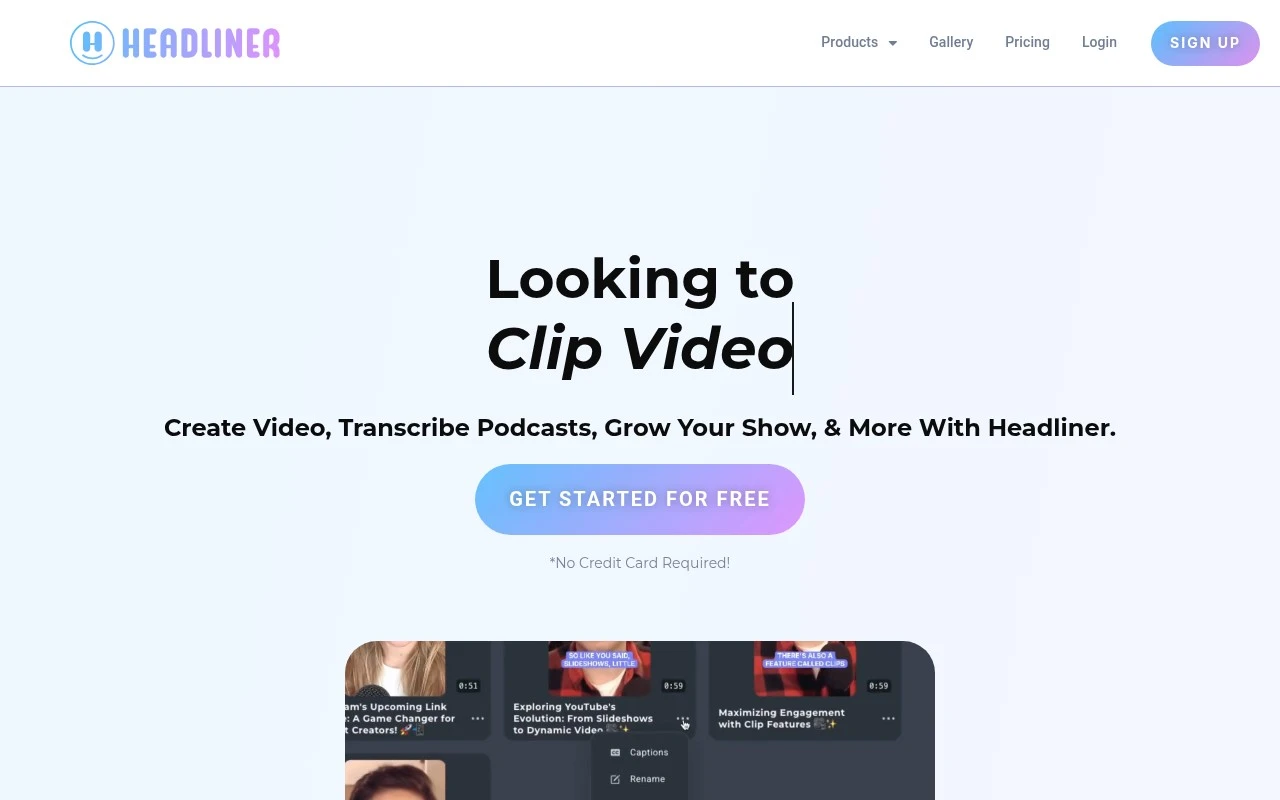
Headliner is primarily a podcast and audio promotion tool. It helps users upload or import audio, add visual elements such as waveforms, captions, images, and templates, and export short videos suitable for social sharing. Its main distinction is its focus on audio-first creators who need fast, repeatable ways to promote episodes without using a full video editing suite.

FYAI Score

7.8 / 10

Based on 8 reviews + FYAI product analysis

Pricing:

Freemium

Best for:

Podcasters promoting episodes with fast, repeatable social video clips

Score Breakdown

  • Ease of use7.8 / 10
  • Features7.2 / 10
  • Pricing8.4 / 10
  • Integrations8.3 / 10
  • Support7.8 / 10

PRODUCT PREVIEW

What this AI tool does

Headliner is an AI tool designed to help people turn longer audio or video content into shorter, shareable pieces. It’s commonly used when you already have a recording—such as a podcast episode, interview, webinar, or meeting—and want to create clips that are easier to publish and promote across different channels. In practice, the tool focuses on simplifying the steps between a full-length recording and a finished snippet. It can assist with selecting segments, generating text elements like captions, and preparing outputs that fit typical social formats. This makes it useful for creators and teams who need a repeatable way to repurpose content without spending as much time on manual editing. If you’re researching headliner for informational purposes, it’s worth considering how it fits into your workflow: what types of source files you work with, how much control you want over the final edit, and whether you need help with captions or formatting for distribution. The best fit usually depends on how often you publish and how quickly you need to produce consistent clips.

Use cases

Best for

Content Repurposing

Import podcast audio and turn it into short shareable clips by applying waveform visuals, images, and templates.

Social Media Content Creation

Headliner exports audiograms and short videos sized for social feeds, combining audio with waveforms, captions, and artwork.

Add Subtitles

Generate captioned videos by auto transcribing audio and burning subtitles onto the clip before exporting.

ANALYSIS

Strengths & limitations

Strengths
  • Purpose-built for turning podcast and spoken-audio content into social video assets.
  • Supports common audiogram elements such as waveform visuals, captions, images, and templates.
  • More accessible for podcasters than a general-purpose video editor when the goal is episode promotion.
Limitations
  • Less suitable for complex video production or highly customized motion graphics work.
  • Best fit is audio-first content, so it may be limiting for creators whose main workflow is conventional video editing.
  • Output quality still depends on the source audio, selected clip, captions, and visual setup.

Evaluation

FYAI score breakdown

Our structured evaluation across five key criteria

7.8 / 10

Overall score

Based on 8 reviews + FYAI product analysis

  • Ease of use7.8 / 10
  • Features7.2 / 10
  • Pricing8.4 / 10
  • Integrations8.3 / 10
  • Support7.8 / 10

What users say

Findings from public reviews, documentation and community sources.

  • Ease of use

    Capterra lists Headliner at 4.5/5 from 8 reviews, and a Capterra review snippet says Headliner “delivers on the promise” and is “never down.”

  • Features

    Acast’s Headliner integration article describes creating audiograms, sharing to Instagram and TikTok, and aligning branding with shows.

  • Pricing

    Headliner’s pricing help article describes four tiers, “Forever Free, Basic, Pro, and Enterprise/API”, and third-party pricing evidence lists paid pricing starting at $14.99. A Capterra review snippet calls Headliner “incredible value.”

  • Integrations

    Headliner’s blog names podcast-platform integrations including Castos, Podigee, Acast, and Spreaker. Headliner’s tiers include an Enterprise/API option.

  • Support

    Capterra lists Headliner at 4.5/5 from 8 reviews, and a Capterra review snippet says Headliner is “never down.”

Who is this for?

Best for podcasters and show teams that want to turn episodes into audiograms for Instagram and TikTok, Acast’s Headliner integration article describes creating audiograms, sharing to Instagram and TikTok, and aligning branding with shows. Less suited to teams that need a broad app marketplace, the named integrations in the evidence are focused on podcast platforms including Castos, Podigee, Acast, and Spreaker.

PRODUCT PREVIEW

Feature highlights

Audiograms to video

Convert audio into shareable videos built for social feeds.

Auto captions

Add readable captions fast to boost watch time and clarity.

Templates & branding

Reuse styles, images, and layouts for consistent episode promos.

COMPARE

Discover curated alternatives worth comparing

Compare similar AI tools based on features, pricing and use cases

7.4/ 10Based on 30 reviews

Zencastr

Podcast Editing
Edits audio/video via text, transcribes, and makes social clips
Best for:
Audio & podcast creators
Pricing
Freemium

8.5/ 10Based on 16 reviews

Wondercraft

Short-form VideoVideo Editing
Turns text or audio into editable AI-generated videos and audio
Best for:
Video creators
Pricing
Freemium

8.6/ 10Based on 130 reviews

Wellsaid

AI Voiceover
Generates realistic AI voiceovers from scripts with voice controls
Best for:
Audio & podcast creators
Pricing
Paid only

Turn your audio into scroll-stopping social videos in minutes. Start creating shareable clips with Headliner today and grow engagement across every channel.

FAQ

Frequently asked
questions

Everything you need to know about this AI tool,
its features, pricing, use cases, and limitations.

When is Headliner a good fit, and when should I pick a different tool?
Headliner is a strong choice if you need to turn podcasts or audio clips into short, captioned social videos quickly for consistent posting. It’s best for marketing workflows focused on audiograms, subtitles, and simple branding rather than full video production. If you need multi-track timelines, complex motion graphics, or heavy color/effects work, a dedicated video editor may be a better fit.
How do Headliner’s free and paid plans differ in practice?
Headliner’s free tier is typically enough to test the workflow, but it commonly comes with limits like watermarks, fewer exports, shorter durations, or reduced template/feature access. Paid plans generally remove branding, increase export capacity, and unlock more customization and automation options. If you’re producing content weekly for multiple shows or clients, the paid tier is usually where it becomes workable.
How does Headliner compare with tools like Descript, Kapwing, or Canva for social clips?
Headliner is more specialized for audio-first social assets (audiograms, waveform videos, captions) and can be faster for that narrow job than general-purpose editors. Descript tends to win when you want transcript-based editing and deeper audio/video manipulation, while Kapwing/Canva are often better for broader visual design and mixed-media layouts. If your main input is audio and your output is short social video, Headliner is often the more direct path.
How quickly can a team get started with Headliner?
Headliner is not a replacement for professional video editing software, so advanced effects, detailed keyframing, and complex compositing are limited. Customization can feel constrained if you need highly unique layouts beyond the available templates. Performance may slow down with larger files or more complex projects, which can affect turnaround time.
What should I know about data handling, privacy, and compliance when using Headliner?
Using Headliner typically involves uploading audio (and sometimes transcripts/captions), so you should assume your content is processed on the vendor’s servers. For sensitive recordings, review Headliner’s terms, retention policies, and any available enterprise controls before adopting it team-wide. If you have GDPR/CCPA or client confidentiality requirements, confirm where data is stored, who can access it, and whether you can delete assets on demand.