Curated ToolThis tool is part of our curated AI directory. We only include tools that meet our standards for relevance, usability and real-world value.

Acoust

Generates voice narration from text using AI text-to-speech

AI VoiceoverVideo Dubbing & Translation
Acoust is an AI voice generation tool focused on converting text into spoken audio. It is mainly for people who need narration or voiceover output without hiring voice talent or recording their own audio, such as creators, educators, marketers, and media teams. Its value is in making voice production faster and more accessible through synthetic voices rather than traditional studio recording.

FYAI Score

7.9 / 10

Based on 2 reviews + FYAI product analysis

Pricing:

Free

Best for:

Creators and educators needing fast narration without recording

Score Breakdown

  • Ease of use7.8 / 10
  • Features8.1 / 10
  • Pricing8.8 / 10
  • Integrations7.0 / 10
  • Support7.7 / 10

PRODUCT PREVIEW

What this AI tool does

Acoust is an AI tool designed to help you work with audio in a more automated, text-guided way. It’s intended for people who need to turn spoken content into something easier to search, review, or reuse, without having to manually listen through long recordings. In practice, acoust can support common informational workflows such as transcribing speech, summarizing key points, or extracting specific details from meetings, interviews, lectures, or voice notes. It can be useful when you want a quick understanding of what was said, need written records for documentation, or want to locate moments in an audio file based on topics or phrases. Because the exact output depends on the quality of the recording and the clarity of speech, it works best with clean audio and clear speakers. If you’re evaluating the tool, consider testing it on a short sample that matches your typical audio sources to see whether the results meet your accuracy and formatting needs.

Use cases

Best for

Text to Speech

Convert written text into spoken audio using AI voices for narration, accessibility, or reading content aloud.

Generate Voiceover

Use Acoust to generate a voiceover from a script and export the audio for videos, ads, or presentations.

Multilingual Voice

Create multilingual voice audio by generating speech from text in different languages for localized content.

ANALYSIS

Strengths & limitations

Strengths
  • Speeds up voiceover production from written scripts.
  • Useful for creators who need narration but do not want to record their own voice.
  • Can support repeatable audio production for videos, courses, ads, and other spoken-content formats.
Limitations
  • Synthetic voices may not match the nuance or performance of a professional human narrator.
  • Best suited to scripted narration rather than complex audio production workflows.
  • Voice quality, language coverage, and licensing terms should be checked for the specific project before use.

Evaluation

FYAI score breakdown

Our structured evaluation across five key criteria

7.9 / 10

Overall score

Based on 2 reviews + FYAI product analysis

  • Ease of use7.8 / 10
  • Features8.1 / 10
  • Pricing8.8 / 10
  • Integrations7.0 / 10
  • Support7.7 / 10

What users say

Findings from public reviews, documentation and community sources.

  • Ease of use

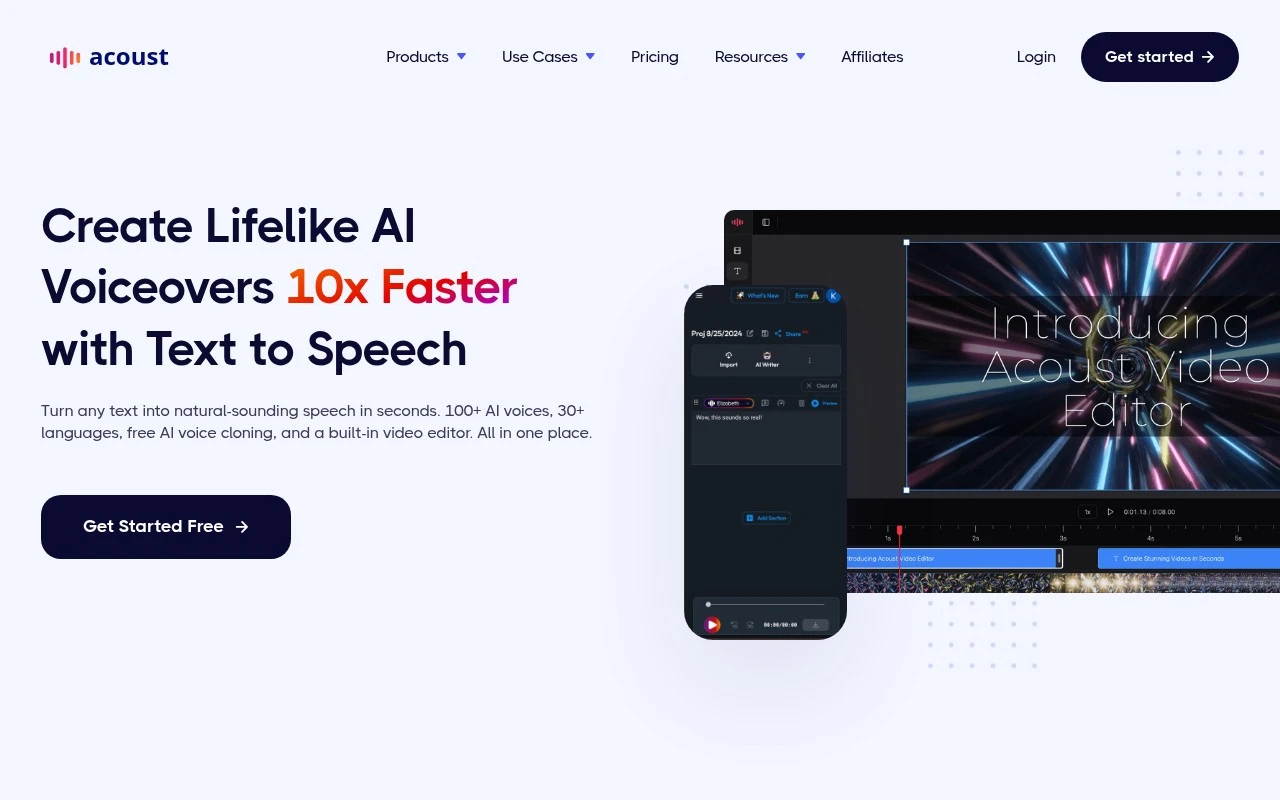
    The Acoust website describes a browser-based workflow with “Turn any text into natural-sounding speech in seconds” and “No downloads.” The Acoust website includes customer quotes calling the platform “thoughtfully and logically designed” and “super easy.”

  • Features

    The Acoust website lists “100+ AI voices,” “30+ languages,” “AI voice cloning,” “AI Translation,” and advanced controls for “pauses, laughter, breathing, pitch, speed, emphasis.”

  • Pricing

    The Acoust pricing page lists a free plan, Pro at “$9 / month,” Premium at “$29 / month,” annual discounts, and published credit/minute limits. The Acoust pricing page says exports and commercial usage require paid plans and lists add-ons such as “$5 50K characters.”

  • Integrations

    The Acoust pricing page plan comparison lists “Import (YT, Webpage, Text Files, PDF),” “Public Share (Hosted),” and “Downloads Unlimited.”

  • Support

    The Acoust pricing page includes a detailed FAQ covering cancellation, limits, plan changes, commercial licensing, and enterprise options. The Acoust pricing page says Enterprise includes “Dedicated Support.”

Who is this for?

Best for creators who want browser-based text-to-speech without installing software, the Acoust website says “Turn any text into natural-sounding speech in seconds” and “No downloads.” Best for voice projects that need options beyond basic narration, the Acoust website lists “100+ AI voices,” “30+ languages,” “AI voice cloning,” and “AI Translation.” Less suited to teams that need automated or marketplace-style connectivity, the Acoust pricing page lists “Import (YT, Webpage, Text Files, PDF),” “Public Share (Hosted),” and “Downloads Unlimited,” so the cited workflow is import/export-centered.

PRODUCT PREVIEW

Feature highlights

Text-to-speech

Convert text into clear spoken audio for narration and voiceovers.

Rapid voice output

Generate voice tracks quickly to speed up content production cycles.

Voiceover-ready audio

Create consistent narration for videos, lessons, ads, and podcasts.

COMPARE

Discover curated alternatives worth comparing

Compare similar AI tools based on features, pricing and use cases

7.4/ 10Based on 30 reviews

Zencastr

Podcast Editing
Edits audio/video via text, transcribes, and makes social clips
Best for:
Audio & podcast creators
Pricing
Freemium

8.5/ 10Based on 16 reviews

Wondercraft

Short-form VideoVideo Editing
Turns text or audio into editable AI-generated videos and audio
Best for:
Video creators
Pricing
Freemium

8.6/ 10Based on 130 reviews

Wellsaid

AI Voiceover
Generates realistic AI voiceovers from scripts with voice controls
Best for:
Audio & podcast creators
Pricing
Paid only

Turn any script into a natural voiceover in minutes. Start creating polished audio for videos, training, and posts with Acoust today.

FAQ

Frequently asked
questions

Everything you need to know about this AI tool,
its features, pricing, use cases, and limitations.

What is Acoust best suited for compared to other voice & audio tools?
Acoust is a good fit when you need to go from script to finished voice-led content in one browser workflow—voiceover generation, voice cloning, translation, and basic assembly for social, training, or marketing. It’s especially useful for multilingual narration and quick iterations with expressive controls (pauses, emphasis, speed, pitch). If you only need high-volume text-to-speech or only a DAW-style audio editor, a more specialized tool may be simpler.
How do Acoust’s free and paid plans differ in practice?
Acoust’s free option is mainly for testing: you can preview voices and try voice cloning, but usage is constrained by a monthly character allowance and typically limited export/download capabilities. Paid plans are where higher character limits, more seats, and commercial usage/licensing are usually handled. Before committing, confirm what’s included for downloads and commercial rights in the specific plan you’re considering.
How does Acoust compare with tools like ElevenLabs, Descript, or HeyGen?
Compared with ElevenLabs-style tools, Acoust is more “end-to-end” for translation plus assembling voice-led audio/video, but it may not be the best choice if you only care about the deepest voice model tuning. Versus Descript, Acoust is more centered on generating/cloning/translation rather than transcript-first editing of existing recordings. Against HeyGen-like products, Acoust is stronger on narration workflows, while avatar-first video generation may be better served elsewhere.
How fast can I get from script to a usable output in Acoust?
Acoust’s published counts for voices/languages are inconsistent (e.g., 100+ in 30+ vs 200+ in 40+), so you should verify availability for your target language and style before choosing it. Some features, including AI Clips and the video editor, are marked beta, which can affect reliability and workflow stability. If you need guaranteed feature maturity or fixed specs for procurement, this uncertainty may be a drawback.
What should I check about data handling, privacy, and compliance before using Acoust?
If you’re uploading voice samples for cloning or scripts with sensitive content, review Acoust’s terms and privacy policy for retention, training/use of uploaded audio, and deletion controls. Confirm whether your plan offers commercial licensing and whether there are enterprise options (e.g., DPA, SOC 2/ISO claims, regional data hosting) if you have compliance requirements. For regulated use cases, get written confirmation on how voice data is stored and who can access it.