Curated ToolThis tool is part of our curated AI directory. We only include tools that meet our standards for relevance, usability and real-world value.

Wondercraft

Turns text or audio into editable AI-generated videos and audio

Short-form VideoVideo Editing
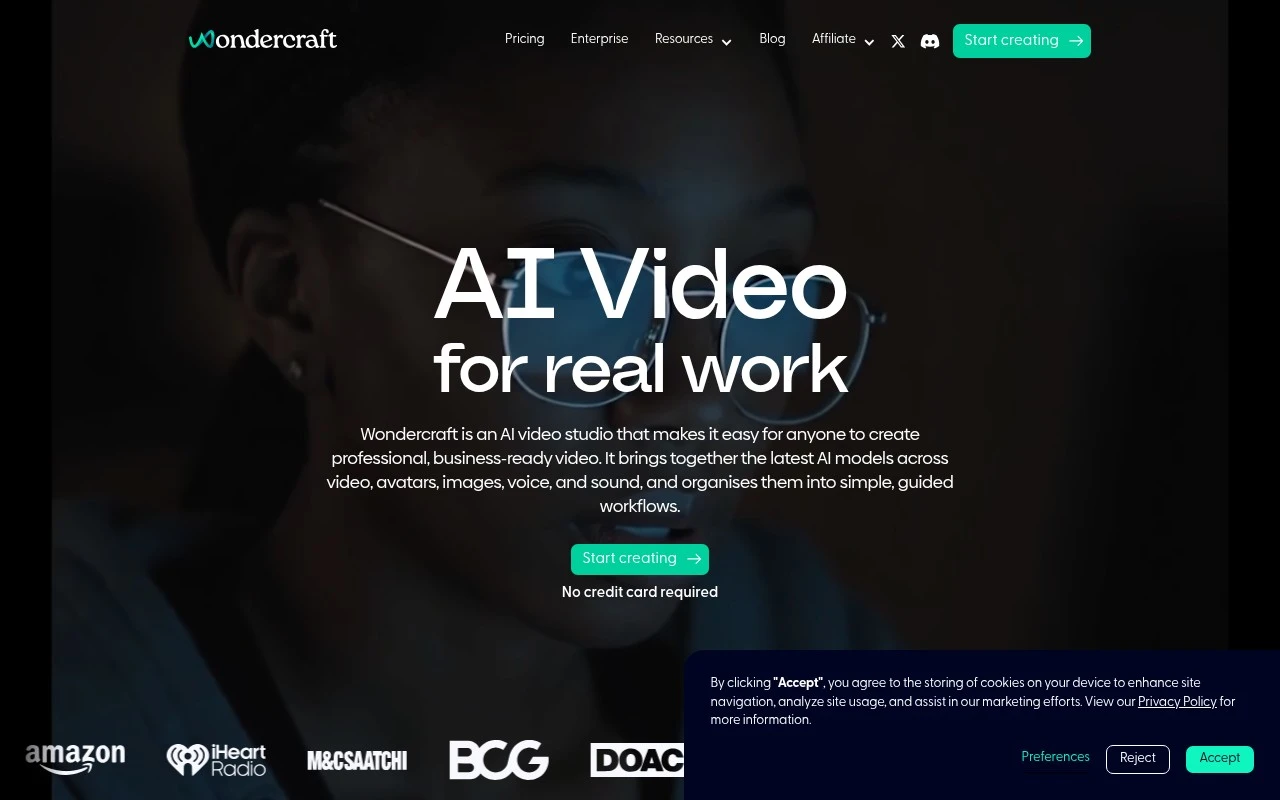
Wondercraft is an AI video and audio studio focused on making generative media usable for real business content. Instead of only producing isolated AI clips, it organizes video, voice, image, avatar, music, and sound models into structured workflows for outputs like training videos, onboarding content, explainers, product launches, promotional videos, podcasts, and narrated audio. The platform includes a built-in editor with timeline, canvas, captions, branding, layers, resizing, and export controls.

FYAI Score

8.5 / 10

Based on 16 reviews + FYAI product analysis

Pricing:

Freemium

Best for:

Marketing and enablement teams producing business video and audio

Score Breakdown

  • Ease of use8.2 / 10
  • Features8.2 / 10
  • Pricing8.6 / 10
  • Integrations9.0 / 10
  • Support8.9 / 10

PRODUCT PREVIEW

What this AI tool does

Wondercraft is an AI tool designed to help people turn written content into spoken audio. It’s typically used when you need a voice version of a script, article, or other text for listening rather than reading, such as internal updates, learning materials, or simple audio content for sharing. In practice, you provide the text you want to convert and choose how you want it to sound, then generate an audio output you can review and refine. This can be useful for teams and individuals who want a consistent way to produce narration without recording everything manually. As an informational resource, this page is meant to explain what wondercraft does, what kinds of tasks it fits best, and what to consider when deciding whether an AI voice workflow matches your needs.

Use cases

Best for

Generate Video

Generate business videos by combining AI voice, avatars, images, music, captions, and branding in Wondercraft’s timeline editor.

Text to Speech

Convert scripts into natural voiceovers using text to speech voices, then sync narration to scenes and captions on the timeline.

Edit Video

Edit video with a built-in timeline and canvas to trim clips, layer visuals, add captions, apply branding, resize, and export.

ANALYSIS

Strengths & limitations

Strengths
  • Combines multiple generative media capabilities in one workspace, including video, avatars, images, voice, music, sound, text-to-speech, voice cloning, podcasts, and image-to-video.
  • Uses guided workflows aimed at business outcomes such as training, onboarding, explainers, promotions, and product content rather than leaving users with only open-ended prompts.
  • Includes editing and enterprise-oriented controls such as timeline editing, captions, branding, SSO/MFA support, SOC 2 and GDPR claims, and a stated policy that customer data is not used for model training.
Limitations
  • The site indicates the video platform is newly launching, so availability and maturity of the AI video features may vary compared with its established audio tools.
  • Best suited to structured business and creator content; teams needing advanced manual post-production may still require a dedicated professional video editor.
  • AI-generated video, narration, translations, and voice clones may require human review for accuracy, brand fit, rights, and quality before publication.

Evaluation

FYAI score breakdown

Our structured evaluation across five key criteria

8.5 / 10

Overall score

Based on 16 reviews + FYAI product analysis

  • Ease of use8.2 / 10
  • Features8.2 / 10
  • Pricing8.6 / 10
  • Integrations9.0 / 10
  • Support8.9 / 10

What users say

Findings from public reviews, documentation and community sources.

  • Ease of use

    Wondercraft says it uses “simple, guided workflows” and says non-experts can “make a few choices and get a strong first draft automatically.” Product Hunt reviewers describe Wondercraft as fast and easy with a simple interface.

  • Features

    Wondercraft product page lists text-to-video, image-to-video, avatars, and AI voice cloning. Wondercraft product page also lists a built-in video editor with timeline, canvas, captions, and export.

  • Pricing

    Wondercraft pricing page lists a Free plan with 150 credits and 720p exports, Creator at $25/month or $21/month annually with 1,000 credits and commercial rights, Pro at $45/month with team collaboration, 4K upscaling, and concurrent generations, plus Enterprise. Wondercraft pricing page uses credit-based tiers rather than unlimited creation.

  • Integrations

    Wondercraft surfaces API access for generation, models, and editing, plus SAML/SSO/MFA with Outlook or Google. Zapier lists Wondercraft connectivity with 9,000 apps, and n8n lists Wondercraft automation support.

  • Support

    Wondercraft pricing page lists guides, documentation, examples, case studies, and Enterprise onboarding/training with an account manager and dedicated support. A Wondercraft customer quote says “the team has been very supportive.”

Who is this for?

Best for creators and marketing teams that want generation and editing in one workflow, Wondercraft product page lists text-to-video, image-to-video, avatars, and a built-in video editor. Less suited to users who need unlimited creation, Wondercraft pricing page uses credit-based tiers, with Free including 150 credits and Creator including 1,000 credits.

PRODUCT PREVIEW

Feature highlights

Workflow-based studio

Create training, onboarding, promos, podcasts, and explainers end to end.

Timeline editor

Edit with layers, canvas, captions, branding, resizing, and exports.

Generative media stack

Combine voice, video, images, avatars, music, and sound in one project.

COMPARE

Discover curated alternatives worth comparing

Compare similar AI tools based on features, pricing and use cases

7.4/ 10Based on 30 reviews

Zencastr

Podcast Editing
Edits audio/video via text, transcribes, and makes social clips
Best for:
Audio & podcast creators
Pricing
Freemium

8.5/ 10Based on 65 reviews

Wisecut

Short-form VideoVideo Editing
Edits long videos by removing pauses and adding captions
Best for:
Video creators
Pricing
Freemium

8.6/ 10Based on 130 reviews

Wellsaid

AI Voiceover
Generates realistic AI voiceovers from scripts with voice controls
Best for:
Audio & podcast creators
Pricing
Paid only

Turn scripts into polished audio in minutes. Start creating voiceovers your audience trusts with Wondercraft today.

FAQ

Frequently asked
questions

Everything you need to know about this AI tool,
its features, pricing, use cases, and limitations.

What types of projects is Wondercraft a good fit for?
Wondercraft is best suited for marketing and brand audio like ads, social clips, product explainers, and podcast-style segments where consistent voiceover quality matters. It works well when you need multiple voice options quickly without hiring voice talent. If you require highly nuanced acting or custom vocal direction, you may find other tools or human VO a better fit.
Does Wondercraft have a free plan, and what are the typical limitations compared to paid tiers?
Wondercraft commonly offers a free or trial option, but it’s usually constrained by usage caps (minutes/exports), fewer voices or features, and potential watermarking or limited commercial rights. Paid plans generally expand generation limits, unlock more voice/style choices, and support higher-volume production. Check the current plan page on wondercraft.ai since limits can change over time.
How does Wondercraft compare to other AI voiceover tools for marketing teams?
Compared with general-purpose TTS tools, Wondercraft is often evaluated for how quickly it can produce brand-ready voiceovers with a variety of voice styles and a workflow geared toward content production. Some competitors may offer deeper controls for emotion, prosody, or voice cloning, which can matter for strict brand tone matching. If your priority is speed and breadth of voice options over fine-grained modulation, Wondercraft tends to score well.
How fast can a team get started with Wondercraft, and what onboarding effort should you expect?
Wondercraft may feel limiting if you need detailed control over emotional tone, delivery nuance, or advanced voice modulation. Longer audio projects can require additional editing to keep transitions and timing consistent across sections. Pricing can also be a deciding factor for smaller teams if you expect frequent, high-volume exports.
What should I know about data privacy and compliance when using Wondercraft?
Assume scripts and generated audio are processed and stored by the service, so confirm retention policies, access controls, and whether content is used for model improvement. If you handle regulated or confidential material, review Wondercraft’s DPA, security documentation, and options for enterprise controls before uploading sensitive scripts. Also verify where data is hosted and whether the plan supports compliance needs (e.g., SOC 2 reports or similar assurances) if required by your organization.