Curated ToolThis tool is part of our curated AI directory. We only include tools that meet our standards for relevance, usability and real-world value.

Vizard.ai

Extracts short clips from long videos and adds captions for social.

Short-form VideoVideo Editing
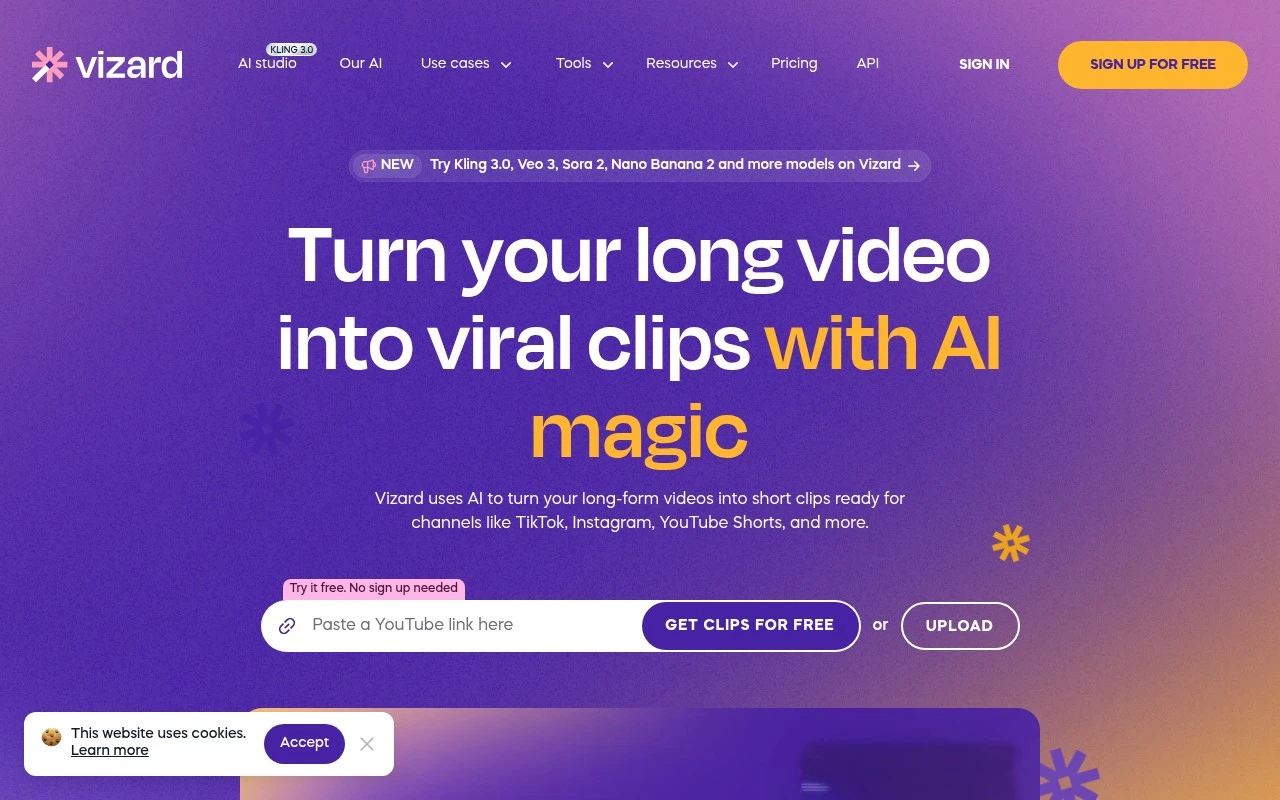
Vizard.ai is an AI-assisted video repurposing tool for converting long-form video into short clips. Its workflow centers on uploading a video, transcribing it, letting AI find clip-worthy moments, reframing subjects for vertical formats, and producing clips for social platforms. It also includes an editor for transcript-based trimming, caption translation, aspect-ratio changes, templates, timeline adjustments, and team collaboration.

FYAI Score

8.6 / 10

Based on 2.521 reviews

Pricing:

Freemium

Best for:

Creators and marketing teams repurposing long videos into shorts

Score Breakdown

  • Ease of use9.3 / 10
  • Features8.3 / 10
  • Pricing8.0 / 10
  • Integrations8.3 / 10
  • Support9.1 / 10

PRODUCT PREVIEW

What this AI tool does

Vizard.ai is an AI tool designed to help users work with video content more efficiently. It focuses on simplifying common steps in the video workflow, making it easier to turn longer recordings into usable outputs without requiring advanced editing skills. In practice, it can support tasks like identifying key moments, generating shorter clips, and preparing video assets for sharing across different channels. This makes it relevant for teams and individuals who regularly repurpose webinars, interviews, meetings, or other long-form footage and want a more streamlined way to produce consistent results. For anyone researching vizard-ai, the main value is understanding how it fits into an existing content process: it can reduce manual review time and help standardize how video is trimmed and packaged. As with any AI-assisted workflow, results may vary depending on the source material and the level of control you need over the final edit.

Use cases

Best for

Content Repurposing

Use Vizard.ai to upload long videos, auto-transcribe them, and let AI select moments to export as short social clips.

Edit Video

Edit video by trimming via the transcript, adjusting the timeline, changing aspect ratios, and reframing subjects for vertical formats.

Add Subtitles

Add subtitles by generating captions from the transcript, styling them with templates, and translating captions for other languages.

ANALYSIS

Strengths & limitations

Strengths
  • Designed specifically for turning long-form video into multiple short social clips.
  • Combines AI clipping with practical editing controls such as text-based editing, captions, resizing, and timeline fine-tuning.
  • Supports team-oriented workflows through shared workspaces, link sharing, and client or member previews.
Limitations
  • Its main focus is repurposing existing video, not creating original video from scratch.
  • Claims such as “viral clips” and view growth are marketing outcomes and are not guaranteed by the tool itself.
  • The provided site text does not clearly specify pricing limits, export restrictions, supported upload sources, or direct publishing destinations.

Evaluation

FYAI score breakdown

Our structured evaluation across five key criteria

8.6 / 10

Overall score

Based on 2.521 reviews

  • Ease of use9.3 / 10
  • Features8.3 / 10
  • Pricing8.0 / 10
  • Integrations8.3 / 10
  • Support9.1 / 10

What users say

Findings from public reviews, documentation and community sources.

  • Ease of use

    Capterra lists Vizard at 4.9/5 across 452 reviews, with cited review text saying “the editing tools are very intuitive” and Vizard “saves me so much time.” Vizard’s own workflow references “Get AI clips” and generating clips “with just a few clicks.”

  • Features

    Vizard says it can “turn long video into 30+ clips, in one click,” identify highlights, auto-reframe for TikTok/Reels/Shorts, and edit by transcript. Vizard also says captions can be translated to “over 100 languages.”

  • Pricing

    The Vizard pricing page lists Free, Creator, and Business tiers, including “60 credits/month” on Free and paid tiers starting “From 600” monthly credits. The Vizard pricing page lists 720p export on Free, 4K export on paid tiers, storage limits, account limits, and support differences.

  • Integrations

    The Vizard pricing/features table lists “Direct publishing to social media,” “Schedule post,” and “Save to Google Drive.” The Vizard pricing/features table lists management of 1/6/20 social media accounts by tier and API rate limits by plan.

  • Support

    The Vizard pricing FAQ states that “All plans come with basic support via email,” while higher tiers include “priority support” and custom plans include “dedicated support with a dedicated account manager.” The Vizard plan table lists “Live chat support,” and a homepage customer quote says support “connects you with real humans.”

Who is this for?

Best for creators and teams repurposing long videos into social clips, Vizard says it can “turn long video into 30+ clips, in one click” and auto-reframe for TikTok/Reels/Shorts. Less suited to teams seeking full general-purpose animation production, the listed workflow centers on AI clipping, transcript editing, captions, and short-form video repurposing rather than broad animation creation.

PRODUCT PREVIEW

Feature highlights

AI Clip Finder

Auto-detects highlight moments and drafts short clips from long videos.

Auto Reframe Vertical

Keeps speakers centered for 9:16, 1:1, and 16:9 exports.

Captions & Translate

Generate captions and translate subtitles to reach global audiences.

COMPARE

Discover curated alternatives worth comparing

Compare similar AI tools based on features, pricing and use cases

8.5/ 10Based on 16 reviews

Wondercraft

Short-form VideoVideo Editing
Turns text or audio into editable AI-generated videos and audio
Best for:
Video creators
Pricing
Freemium

8.5/ 10Based on 65 reviews

Wisecut

Short-form VideoVideo Editing
Edits long videos by removing pauses and adding captions
Best for:
Video creators
Pricing
Freemium

7.5/ 10Based on 1.711 reviews

Topaz Video AI

Video Editing
Enhances video by upscaling resolution and reducing artifacts.
Best for:
Video creators
Pricing
Paid

Turn your long videos into scroll-stopping clips in minutes. See why marketing teams choose Vizard.ai to publish more content, faster.

FAQ

Frequently asked
questions

Everything you need to know about this AI tool,
its features, pricing, use cases, and limitations.

Is Vizard.ai a good fit for my marketing team’s video use cases?
Vizard.ai is best suited for teams that need to turn existing long-form content (webinars, interviews, podcasts, product demos) into short, branded clips for social and ads. It’s a practical choice when speed, volume, and consistent formatting matter more than frame-by-frame creative control. If your workflow relies on complex motion graphics or heavy compositing, you may outgrow it.
What’s the difference between Vizard.ai’s free and paid plans, and what are the common limitations?
Vizard.ai typically gates higher export limits, longer processing, and advanced branding options (like removing watermarks and using more templates) behind paid tiers. Free access is usually enough to test the workflow but can be restrictive for regular publishing. Before choosing a plan, check caps on video length, number of exports, and brand kit features.
How does Vizard.ai compare with tools like Opus Clip, Descript, or Canva for video marketing?
Compared with clipping-first tools like Opus Clip, Vizard.ai is similarly oriented toward repurposing but may differ in editing depth and template/brand controls. Versus Descript, it’s generally less of a full editing suite and more focused on fast marketing outputs. Against Canva, Vizard.ai is typically stronger for automated clip generation from long videos, while Canva offers broader design flexibility.
How quickly can a team get started with Vizard.ai, and what onboarding effort is involved?
Vizard.ai can be limiting if you need granular timeline control, advanced color work, or custom animations. Output quality depends heavily on the source audio/video and how clearly the content is structured, so messy recordings can require manual cleanup elsewhere. It’s optimized for repeatable marketing formats rather than bespoke, high-end edits.
What should I know about data handling, privacy, and compliance when using Vizard.ai?
Using Vizard.ai means uploading or linking media that may include personal data, so you should review its privacy policy, data retention practices, and any available DPA terms before processing customer or employee content. If you operate under GDPR/CCPA or have strict vendor requirements, confirm where data is stored and whether you can request deletion. For regulated industries, consider whether you can avoid sensitive footage or anonymize content prior to upload.