Curated ToolThis tool is part of our curated AI directory. We only include tools that meet our standards for relevance, usability and real-world value.

Runway ML

Generates and edits videos with AI, including cinematic effects

Video GeneratorsAvatar / Talking Head
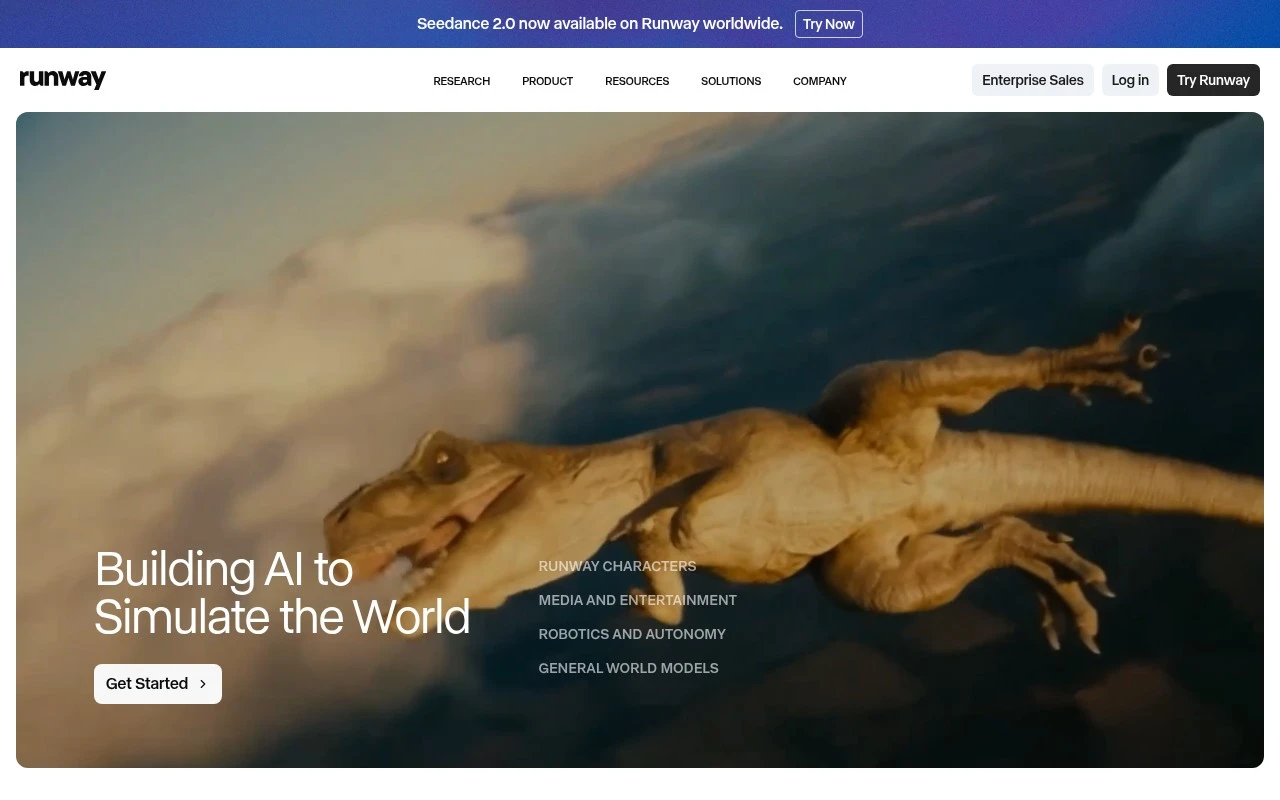
Runway ML develops generative video and General World Model products. Its current positioning centers on Gen-4.5 for high-quality video generation, Runway Characters for real-time video agent APIs, and GWM variants for explorable worlds, avatars, and robotics simulation. It is best understood as a creative AI and world-simulation platform rather than a general productivity assistant.

FYAI Score

8.0 / 10

Based on 276 reviews

Pricing:

Freemium

Best for:

Filmmakers and creative teams generating high-end AI video

Score Breakdown

  • Ease of use7.5 / 10
  • Features8.8 / 10
  • Pricing8.2 / 10
  • Integrations8.0 / 10
  • Support7.1 / 10

PRODUCT PREVIEW

What this AI tool does

Runway ML is an AI tool used to create and edit visual content, especially video, with the help of machine learning models. It’s commonly used by creators and teams who want to experiment with AI-assisted workflows without building their own models from scratch. The platform typically supports tasks like generating new visuals from text prompts, transforming existing footage, and applying effects that would otherwise require specialized editing skills. It can fit into early-stage ideation as well as later-stage production, depending on how you prefer to work. For people researching AI video generation and related creative tools, runway-ml offers a practical way to test what current models can do and to understand their strengths and limits. As with most AI tools, results can vary based on input quality and settings, so it’s useful to plan for iteration and review.

Use cases

Best for

Generate Video

Generate high quality videos from text prompts or images using Runway ML Gen-4.5, with controls for style and motion.

Agent Building

Build real time video agents by calling Runway Characters APIs to generate, control, and stream character video responses.

Create Avatar Video

Create avatar videos by generating a consistent character and animating it into clips from prompts or reference images.

ANALYSIS

Strengths & limitations

Strengths
  • Focused on advanced generative video, with official emphasis on motion quality, visual fidelity, prompt adherence, and creative control.
  • Includes a real-time video character API for building custom conversational digital personas from a single image.
  • Backed by active research into General World Models, including interactive environments, avatars, and robotics simulation.
Limitations
  • Some capabilities described on the site, especially world models and robotics, appear research- or frontier-product oriented rather than clearly self-serve for every user.
  • The official site uses strong vendor claims such as world’s best video model, so buyers should independently test output quality for their own workflows.
  • The homepage does not provide enough detail to fully assess pricing, production limits, rights, integrations, or operational constraints.

Evaluation

FYAI score breakdown

Our structured evaluation across five key criteria

8.0 / 10

Overall score

Based on 276 reviews

  • Ease of use7.5 / 10
  • Features8.8 / 10
  • Pricing8.2 / 10
  • Integrations8.0 / 10
  • Support7.1 / 10

What users say

Findings from public reviews, documentation and community sources.

  • Ease of use

    G2 reviewers describe Runway as “straightforward,” and one G2 reviewer specifically highlights the image/text-to-video tool as easy to use.

  • Features

    Runway’s pricing page lists Gen-4.5 video generation, image generation, text-to-speech, and 4K upscaling.

  • Pricing

    Runway’s pricing page lists 5 tiers, from Free to Enterprise. Runway’s pricing page lists monthly prices, credit allowances, model usage rates, rollover rules, and the minimum extra-credit purchase for paid plans.

  • Integrations

    Runway’s developer docs say its API “allows you to bring” its generative models into apps, products, platforms, and websites.

  • Support

    Trustpilot’s review summary says “customer support takes forever to respond.” Runway’s pricing page references enterprise onboarding and priority support.

Who is this for?

Best for creators and teams that want several media-generation tools in one workflow, Runway’s pricing page lists Gen-4.5 video generation, image generation, text-to-speech, and 4K upscaling. Less suited to users who want simple included video generation, Runway’s paid plans use credit allowances and model usage rates, and the pricing note says short included Gen-4.5 generation amounts affect value.

PRODUCT PREVIEW

Feature highlights

Gen-4.5 Video Gen

Generate high-quality, cinematic video from prompts and references.

Runway Characters API

Real-time video agent APIs for interactive characters and scenes.

General World Models

Build explorable worlds for avatars, simulation, and robotics R&D.

COMPARE

Discover curated alternatives worth comparing

Compare similar AI tools based on features, pricing and use cases

8.5/ 10Based on 16 reviews

Wondercraft

Short-form VideoVideo Editing
Turns text or audio into editable AI-generated videos and audio
Best for:
Video creators
Pricing
Freemium

8.5/ 10Based on 65 reviews

Wisecut

Short-form VideoVideo Editing
Edits long videos by removing pauses and adding captions
Best for:
Video creators
Pricing
Freemium

8.6/ 10Based on 2.521 reviews

Vizard.ai

Short-form VideoVideo Editing
Extracts short clips from long videos and adds captions for social.
Best for:
Social media managers
Pricing
Freemium

Bring your ideas to life faster with Runway ML. Create cinematic videos that look polished, bold, and ready to share—start your next story today.

FAQ

Frequently asked
questions

Everything you need to know about this AI tool,
its features, pricing, use cases, and limitations.

What types of video projects is Runway ML a good fit for?
Runway ML tends to fit short-form marketing videos, social content, music visuals, and quick VFX-heavy edits where speed matters. It’s also useful for teams that need browser-based collaboration and fast iteration. If your work is long-form film/TV finishing with strict color, audio, and conform requirements, a traditional NLE pipeline may still be the better anchor.
How do Runway ML’s free and paid plans differ in practice?
The free tier is typically best for testing workflows, but it’s constrained by usage limits (often credits), export options, and access to higher-end models/features. Paid plans generally increase generation/export capacity and unlock more advanced tools, which matters if you’re producing content weekly. If predictable costs are important, compare how each plan meters usage (credits vs. seats vs. exports).
How does Runway ML compare with Adobe Premiere Pro/After Effects or DaVinci Resolve?
Runway ML is stronger for AI-assisted generation and quick VFX tasks in a web workflow, while Premiere/After Effects and Resolve are more complete for timeline editing, audio, color grading, and finishing. Many teams use Runway ML for specific shots (e.g., background replacement or stylized sequences) and then assemble and master in an NLE. If you need offline reliability and deep media management, desktop suites usually win.
How fast can a team get productive in Runway ML, and what onboarding is involved?
Runway ML is cloud-first, so performance and reliability depend on your internet connection and service availability. Some advanced features can take time to master, and results may require multiple passes to match a specific brand style. Cost can also scale with heavy usage, so it’s worth estimating monthly output volume before committing.
What should I check regarding data privacy, ownership, and compliance when using Runway ML?
Review Runway ML’s terms and privacy documentation for how uploaded media is stored, processed, and retained, and whether content may be used to improve models. If you handle client-confidential footage, confirm available controls for project sharing, access management, and deletion. For regulated environments, verify whether the plan supports required compliance commitments (e.g., DPA, regional data handling) before adopting it in production.