Curated ToolThis tool is part of our curated AI directory. We only include tools that meet our standards for relevance, usability and real-world value.

Morph Studio

Generates short video shots from prompts and assembles storyboards

Short-form VideoVideo Generators
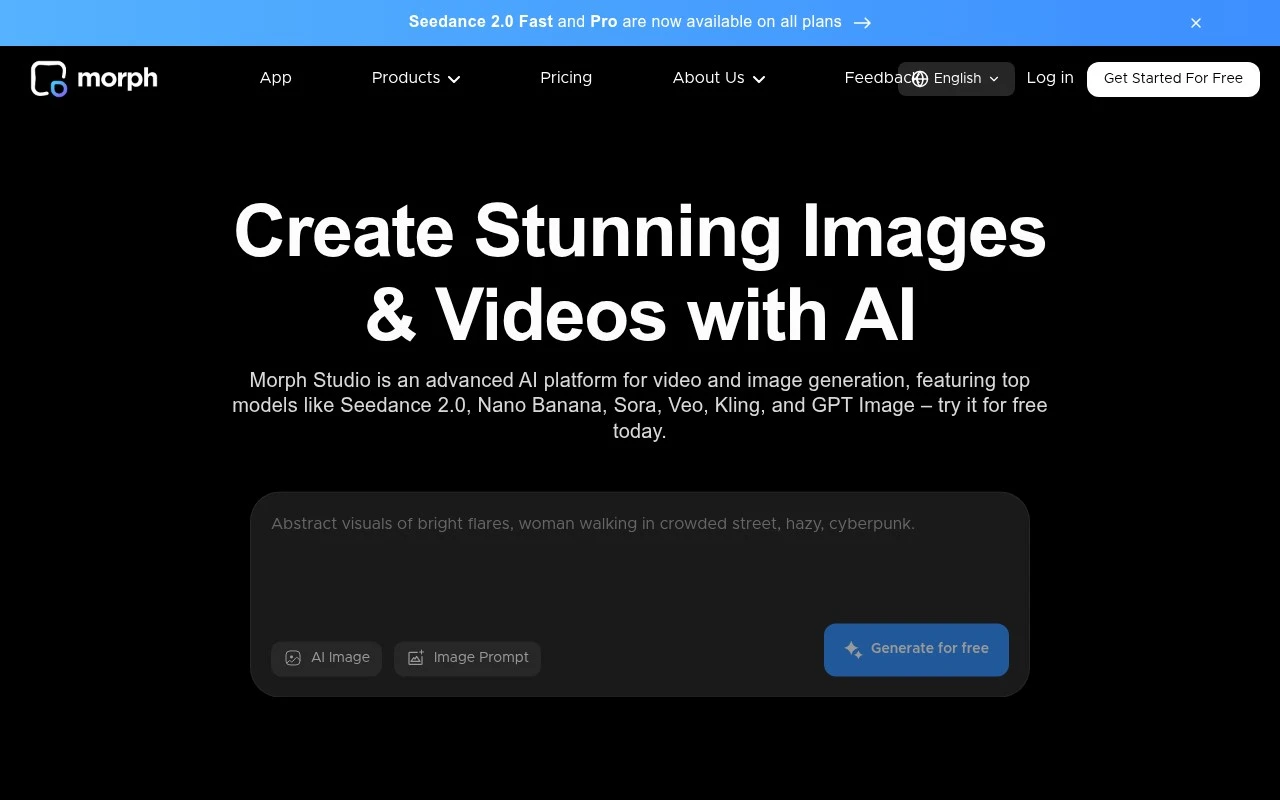
Morph Studio is a generative AI video tool focused on creating and arranging AI-generated video scenes. Its distinguishing angle is a studio-like workflow: users can generate individual shots and organize them into a longer visual sequence rather than treating each prompt as a one-off clip. It is mainly useful for creative exploration, rapid visual prototyping, and short-form AI video production.

FYAI Score

7.7 / 10

Based on 4 reviews + FYAI product analysis

Pricing:

Freemium

Best for:

Creators prototyping short AI videos shot by shot

Score Breakdown

  • Ease of use7.2 / 10
  • Features7.0 / 10
  • Pricing9.1 / 10
  • Integrations7.6 / 10
  • Support7.8 / 10

PRODUCT PREVIEW

What this AI tool does

Morph Studio is an AI tool designed to help users create and refine visual content through an interactive workflow. It focuses on turning ideas into usable outputs with minimal setup, making it suitable for people who want a straightforward way to experiment with AI-assisted creation. The tool is typically used when you need to iterate quickly—adjusting style, composition, or variations without starting from scratch each time. It can fit into early concept exploration as well as later-stage polishing, depending on how you prefer to work. As an informational resource, this page explains what morphstudio is intended for, who it may be useful to, and what to consider before adopting it in your process. It aims to provide a clear overview rather than a sales pitch, so you can decide whether it matches your needs.

Use cases

Best for

Generate Video

Generate AI video shots from prompts and arrange them into a multi-scene sequence for a cohesive short video.

Edit Video

Morph Studio lets you reorder, replace, and regenerate individual AI scenes to refine timing and continuity in a sequence.

Video Ad Creation

Create short video ads by generating product or concept shots and assembling them into a storyboarded sequence for export.

ANALYSIS

Strengths & limitations

Strengths
  • Combines AI video generation with a storyboard-oriented workflow for multi-shot projects.
  • Useful for quickly testing visual ideas before investing in manual production or editing.
  • Fits creators who want to experiment with cinematic or narrative AI video rather than only static image generation.
Limitations
  • Generated video quality, motion consistency, and character continuity can vary, as with most generative video tools.
  • Best suited to prototyping and short-form creative work, not a full replacement for professional filming, animation, or post-production pipelines.
  • Specific model capabilities, output rights, pricing, and export limits should be verified directly on the current Morph Studio site.

Evaluation

FYAI score breakdown

Our structured evaluation across five key criteria

7.7 / 10

Overall score

Based on 4 reviews + FYAI product analysis

  • Ease of use7.2 / 10
  • Features7.0 / 10
  • Pricing9.1 / 10
  • Integrations7.6 / 10
  • Support7.8 / 10

What users say

Findings from public reviews, documentation and community sources.

  • Ease of use

    Reddit describes Morph Studio as a “new All-in-one AI Video App,” and a Reddit thread points to a “Complete Morph Studio Tutorial.”

  • Features

    Reddit describes Morph Studio as an “All-in-one AI Video App.” A Reddit community example is a “WWII Movie Trailer made with Morph Studio.”

  • Pricing

    Morph Studio’s public pricing lists a free tier with “75 credits,” Basic at “$12” for “3,000 credits,” Pro at “$35” for “12,000 credits,” and Premier at “$90” for “40,000 credits.”

  • Integrations

    n8n lists the ability to “Integrate Morph with hundreds of other apps.” Morph’s own snippet frames Morph Studio as “all AI tools under one roof.”

  • Support

    Reddit surfaces a “Complete Morph Studio Tutorial.” Trustpilot shows a 2.6/5 rating from 4 reviews.

Who is this for?

Best for creators who want an all-in-one AI video workflow with public examples. Reddit describes Morph Studio as a “new All-in-one AI Video App,” and a Reddit community example is a “WWII Movie Trailer made with Morph Studio.” Less suited to buyers who rely on a large public review base for support confidence. Trustpilot shows a 2.6/5 rating from 4 reviews.

PRODUCT PREVIEW

Feature highlights

Shot-by-shot gen

Generate individual AI video shots so you can refine each moment.

Studio timeline

Arrange scenes into a longer sequence for cohesive short-form videos.

Rapid visual drafts

Explore styles and story beats quickly for fast creative prototyping.

COMPARE

Discover curated alternatives worth comparing

Compare similar AI tools based on features, pricing and use cases

8.5/ 10Based on 16 reviews

Wondercraft

Short-form VideoVideo Editing
Turns text or audio into editable AI-generated videos and audio
Best for:
Video creators
Pricing
Freemium

8.5/ 10Based on 65 reviews

Wisecut

Short-form VideoVideo Editing
Edits long videos by removing pauses and adding captions
Best for:
Video creators
Pricing
Freemium

8.6/ 10Based on 2.521 reviews

Vizard.ai

Short-form VideoVideo Editing
Extracts short clips from long videos and adds captions for social.
Best for:
Social media managers
Pricing
Freemium

Turn your message into polished animated videos that win attention and drive action. See why teams choose Morph Studio to ship standout brand content faster.

FAQ

Frequently asked
questions

Everything you need to know about this AI tool,
its features, pricing, use cases, and limitations.

What types of teams and projects is Morph Studio a good fit for?
Morph Studio tends to fit marketing and comms teams that need branded animated explainers, product promos, social ads, and campaign videos without relying on motion designers. It’s most practical when speed and consistency matter more than highly custom animation styles. If your workflow requires frame-by-frame control or complex character rigs, you may find it limiting.
Does Morph Studio have a free plan, and what are the typical limitations vs paid?
Morph Studio is generally positioned as a subscription product, and free access (if offered) is usually best treated as a trial rather than a long-term option. Common constraints to check are export resolution, watermarking, limited template/asset access, and caps on projects or renders. For comparison, confirm whether the paid tier you’re considering includes commercial usage and brand kit features.
How does Morph Studio compare with other template-based animation tools?
Compared with similar template-first video makers, Morph Studio is strongest when you want quick assembly from prebuilt scenes and assets with minimal learning curve. Tools that target advanced motion design often offer deeper timeline controls and customization, while Morph Studio typically prioritizes speed and consistency. If you’re comparing, evaluate template quality, brand controls, and export options rather than feature lists.
How fast can a team get started with Morph Studio, and what onboarding is involved?
The biggest trade-off is customization depth: advanced users may hit limits when trying to build highly tailored animations beyond the provided structure. Subscription pricing can be harder to justify for small teams with infrequent video needs. Rendering can also take longer on complex projects, which may affect tight turnaround schedules.
What should we verify about data handling, privacy, and compliance with Morph Studio?
Before adopting Morph Studio, confirm where content is stored, how long it’s retained, and whether you can delete projects and assets on demand. Ask whether uploads are used to train models, and if there are controls for excluding sensitive data. If you operate under GDPR/enterprise requirements, check for a DPA, role-based access, audit logs, and SSO availability.