Curated ToolThis tool is part of our curated AI directory. We only include tools that meet our standards for relevance, usability and real-world value.

Klap AI

Turns long videos into short vertical clips with subtitles

Short-form VideoVideo Localization
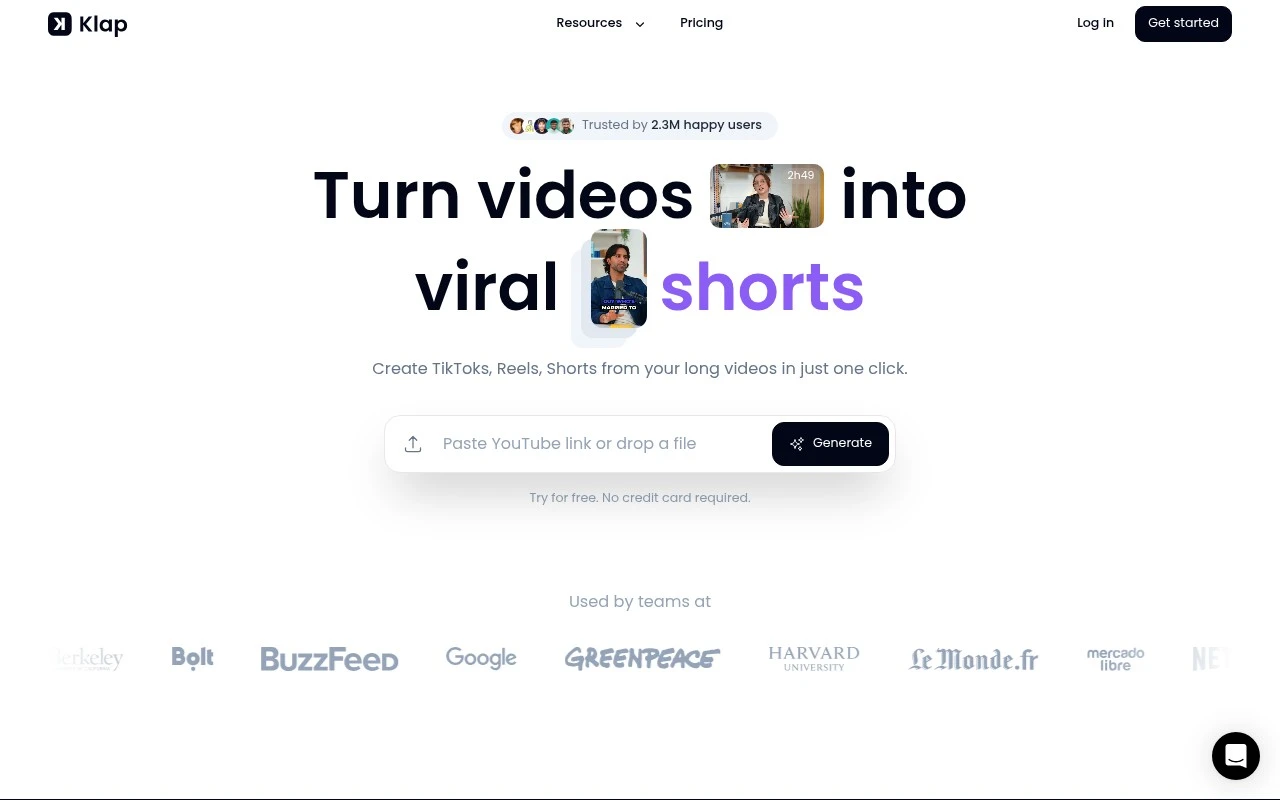
Klap AI is an AI video clipping and repurposing tool for turning long-form, speech-heavy videos into short vertical clips. Users paste a YouTube link or upload a video, and Klap identifies interesting topics, edits them into shorter clips, adds captions, reframes the video for vertical formats, and provides viral-score-style insights. It is mainly for creators and teams that want to publish more short-form content from existing videos without manually editing every clip.

FYAI Score

7.9 / 10

Based on 31 reviews

Pricing:

Paid

Best for:

Creators and social teams repurposing long videos into vertical shorts

Score Breakdown

  • Ease of use7.8 / 10
  • Features7.9 / 10
  • Pricing8.1 / 10
  • Integrations7.7 / 10
  • Support8.0 / 10

PRODUCT PREVIEW

What this AI tool does

Klap AI is an AI tool page intended to help readers understand what the product does and whether it fits their needs. Since the available context does not specify an introduction or a main use case, this description focuses on how to approach the tool and what to look for when evaluating it. In general, an AI tool like this is used to automate or assist with a specific workflow, such as generating content, analyzing information, or streamlining repetitive tasks. When reviewing klap-ai, consider the type of inputs it expects, the format of its outputs, and how well it integrates into your existing process, including any requirements around accounts, data handling, or usage limits. For an informational overview, it can be helpful to check the tool’s documentation or examples to understand typical results and constraints. If you plan to use it in a professional setting, also look for clarity on privacy, reliability, and how the tool handles errors or edge cases.

Use cases

Best for

Content Repurposing

Use Klap AI to turn a long YouTube video into multiple vertical shorts by auto-selecting segments, reframing, and captioning.

Edit Video

Upload a speech-heavy video and Klap AI automatically trims it into short clips, reframes to 9:16, and exports for social.

Add Subtitles

Klap AI generates timed captions from the audio and burns subtitles onto each clip for vertical short-form publishing.

ANALYSIS

Strengths & limitations

Strengths
  • Focused specifically on repurposing long videos into TikToks, Reels, and YouTube Shorts rather than general-purpose video editing.
  • Includes AI topic extraction, automatic clipping, subtitles, smart reframing, and clip customization in one workflow.
  • Supports spoken video formats such as podcasts, interviews, educational videos, product reviews, and trainings, with transcription and editing support across many languages.
Limitations
  • The site says Klap works best on videos with speech because the algorithm relies heavily on speech detection, so it may be less suitable for non-speaking footage.
  • The free option is limited to creating one video before upgrading to a paid plan.
  • Claims about clips being viral-worthy or growing followers are not guarantees and should be treated as optimization guidance rather than assured performance.

Evaluation

FYAI score breakdown

Our structured evaluation across five key criteria

7.9 / 10

Overall score

Based on 31 reviews

  • Ease of use7.8 / 10
  • Features7.9 / 10
  • Pricing8.1 / 10
  • Integrations7.7 / 10
  • Support8.0 / 10

What users say

Findings from public reviews, documentation and community sources.

  • Ease of use

    Klap’s product page says users can “paste a link to your Youtube video, or upload a video file,” and says the AI creates multiple clips “in a matter of minutes.”

  • Features

    Klap’s product page describes AI topic extraction/editing, auto reframing, AI captions, and 52 transcription/editing languages.

  • Pricing

    Klap’s pricing page states “No hidden fees. Cancel anytime,” lists a yearly option at “100 clips monthly” for “$14/month,” and the home FAQ references a free try-out plus “Klap Pro for just $29/month.”

  • Integrations

    Klap’s product page says users can directly share and schedule clips to “TikTok, YouTube, Instagram, and LinkedIn.”

  • Support

    Klap’s FAQ says, “Feel free to contact us on Discord or by live chat.”

Who is this for?

Best for creators repurposing long YouTube videos or uploaded files into short clips, Klap’s product page says users can paste a YouTube link or upload a video file, and the AI creates multiple clips “in a matter of minutes.” Less suited to teams that need publishing destinations beyond TikTok, YouTube, Instagram, and LinkedIn, because Klap’s stated direct share and schedule options name those four platforms.

PRODUCT PREVIEW

Feature highlights

Auto clip highlights

Finds key moments and turns them into ready-to-post short clips.

Vertical reframing

Auto crops and reframes for TikTok, Reels, and Shorts formats.

Viral score insights

Ranks clips with performance-style signals to pick the best posts.

COMPARE

Discover curated alternatives worth comparing

Compare similar AI tools based on features, pricing and use cases

8.5/ 10Based on 16 reviews

Wondercraft

Short-form VideoVideo Editing
Turns text or audio into editable AI-generated videos and audio
Best for:
Video creators
Pricing
Freemium

8.5/ 10Based on 65 reviews

Wisecut

Short-form VideoVideo Editing
Edits long videos by removing pauses and adding captions
Best for:
Video creators
Pricing
Freemium

8.6/ 10Based on 2.521 reviews

Vizard.ai

Short-form VideoVideo Editing
Extracts short clips from long videos and adds captions for social.
Best for:
Social media managers
Pricing
Freemium

Turn long videos into scroll-stopping clips in minutes. Start creating more content with less effort and keep your brand story consistent with Klap AI.

FAQ

Frequently asked
questions

Everything you need to know about this AI tool,
its features, pricing, use cases, and limitations.

Is Klap AI a good fit for marketing teams, creators, or agencies?
Klap AI is best suited for turning existing long-form videos (webinars, podcasts, interviews, product demos) into short, social-ready clips with captions and reframed layouts. It’s a practical choice for teams that need consistent output for TikTok/Shorts/Reels without heavy editing. If your workflow depends on frame-accurate edits, complex motion graphics, or multi-track timelines, you may outgrow it.
Does Klap AI have a free plan, and what are the typical limitations compared to paid tiers?
Klap AI commonly offers a limited free/trial experience so you can test clip generation and exports before paying. Free usage is usually constrained by export limits, watermarks, processing time, or restricted features like higher resolutions and batch workflows. Check the current pricing page for exact caps, since these details can change.
How does Klap AI compare with Opus Clip, Vidyo.ai, or CapCut for short-form repurposing?
Compared with similar repurposing tools like Opus Clip or Vidyo.ai, Klap AI is typically evaluated on clip selection quality, caption styling, and how well it reframes speakers for vertical formats. CapCut offers deeper manual editing and effects, but requires more hands-on work to find highlights and cut them. If you want speed and automation, Klap AI is usually the better comparison; if you want granular creative control, a full editor may win.
How fast can you get from upload to publish with Klap AI, and what onboarding is required?
Automated highlight selection and captions can be inconsistent, so you may need to refine outputs to match your brand and avoid awkward cuts. Advanced editing controls are limited compared with professional NLEs, which can matter for complex storytelling or precise timing. Because it’s web-based, performance and reliability depend on your internet connection and upload speeds.
What should teams know about data handling, privacy, and compliance when using Klap AI?
Using Klap AI typically means uploading video content to a cloud service for processing, which may be a concern for confidential footage or regulated industries. Before adopting, review Klap AI’s terms and privacy policy for retention periods, deletion options, and whether content is used for model improvement. If you need SOC 2/ISO claims, DPA support, or specific data residency, confirm availability with Klap AI before rolling it out broadly.