Curated ToolThis tool is part of our curated AI directory. We only include tools that meet our standards for relevance, usability and real-world value.

Dumme

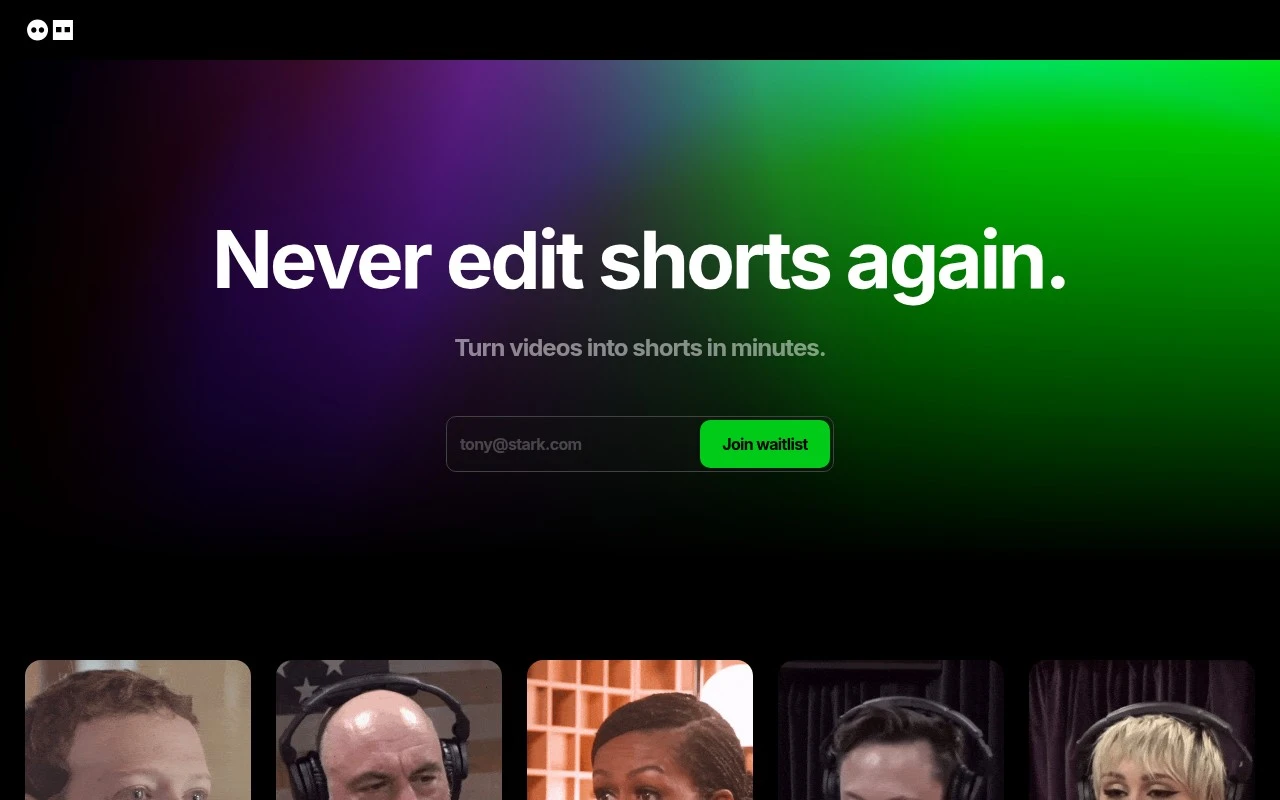
Analyzes long videos to find highlights and output captioned clips.

Short-form VideoVideo Localization
Dumme helps users turn long-form video into short-form clips by using AI to identify clip-worthy moments and prepare them for social publishing. It is most relevant for creators and teams that already produce longer video content and want to extract shareable highlights without manually scrubbing through the full recording.

FYAI Score

7.4 / 10

FYAI rating based on features, pricing and integrations

Pricing:

Paid

Best for:

Creators and video teams repurposing long recordings into social clips

Score Breakdown

  • Ease of use7.1 / 10
  • Features7.0 / 10
  • Pricing7.7 / 10
  • Integrations7.3 / 10
  • Support8.0 / 10

PRODUCT PREVIEW

What this AI tool does

Dumme is an AI tool page intended to provide a straightforward overview of what the tool is and how it can be used. Because the available details about its purpose and main use case are not defined, this description focuses on helping readers understand what information to look for when evaluating an AI tool and how to interpret the tool’s positioning. On a typical AI tool page, you can expect to find a summary of the problem the tool aims to solve, the kind of inputs it accepts, and the type of output it produces. If you are researching dumme for informational purposes, the most useful next details would be its target audience, example workflows, and any constraints such as data handling, pricing, or access requirements.

Use cases

Best for

Content Repurposing

Dumme scans long videos to identify highlight moments and exports them as shareable clips for social publishing.

Add Subtitles

It generates timed captions for video clips so you can publish with readable subtitles without manual transcription.

Short Form Video Creation

It turns long recordings into short vertical-ready clips by selecting key segments and formatting them for social feeds.

ANALYSIS

Strengths & limitations

Strengths
  • Reduces the manual work of finding usable moments in long recordings.
  • Focused specifically on repurposing long-form video into short clips rather than broad video editing.
  • Useful for turning a single podcast, interview, or webinar into multiple social posts.
Limitations
  • Automated clip selection may still require human review for context, tone, and accuracy.
  • Less useful for users who need full manual editing control or complex post-production workflows.
  • Output quality depends heavily on the quality and structure of the original video.

Evaluation

FYAI score breakdown

Our structured evaluation across five key criteria

7.4 / 10

Overall score

FYAI rating based on features, pricing and integrations

  • Ease of use7.1 / 10
  • Features7.0 / 10
  • Pricing7.7 / 10
  • Integrations7.3 / 10
  • Support8.0 / 10

What users say

Findings from public reviews, documentation and community sources.

  • Ease of use

    The supplied machine-readable materials surface no UX or onboarding details for Dumme.

  • Features

    There's An AI For That lists Dumme, with feature depth reflected in the product itself rather than a dedicated overview page.

  • Pricing

    The Pixel says “Paid plans start at $9.90 a month” and that an “Essential plan starts at $21 a month.”

  • Integrations

    Dumme says users can import video from “YouTube, Spotify, Twitter or anywhere else” and “upload a video file directly.” These options support source-based importing and direct file uploads.

  • Support

    The supplied machine-readable materials surface no support, documentation, or response-time details for Dumme.

Who is this for?

Best for users who want to turn existing media into short-form video inputs, Dumme says users can import video from “YouTube, Spotify, Twitter or anywhere else” and “upload a video file directly.” Less suited to teams that need documented support expectations or onboarding guidance, the supplied machine-readable materials surface no support, documentation, response-time, UX, or onboarding details for Dumme.

PRODUCT PREVIEW

Feature highlights

AI highlight picks

Find clip-worthy moments automatically from long-form video.

Fast clip creation

Skip scrubbing and cut multiple short clips in minutes.

Social-ready exports

Prep clips for publishing so you can post highlights faster.

COMPARE

Discover curated alternatives worth comparing

Compare similar AI tools based on features, pricing and use cases

8.5/ 10Based on 16 reviews

Wondercraft

Short-form VideoVideo Editing
Turns text or audio into editable AI-generated videos and audio
Best for:
Video creators
Pricing
Freemium

8.5/ 10Based on 65 reviews

Wisecut

Short-form VideoVideo Editing
Edits long videos by removing pauses and adding captions
Best for:
Video creators
Pricing
Freemium

8.6/ 10Based on 2.521 reviews

Vizard.ai

Short-form VideoVideo Editing
Extracts short clips from long videos and adds captions for social.
Best for:
Social media managers
Pricing
Freemium

Launch scroll-stopping promo videos in minutes. See why growing teams choose Dumme to turn ideas into polished animations that drive clicks and sales.

FAQ

Frequently asked
questions

Everything you need to know about this AI tool,
its features, pricing, use cases, and limitations.

Is Dumme a good fit for marketing teams, agencies, or solo creators?
Dumme is best suited for teams producing short promotional videos for ads, social posts, product launches, and landing pages where speed and consistent branding matter. It’s a practical choice for non-designers who want polished motion graphics without deep editing workflows. If your work requires frame-level control, complex compositing, or cinematic editing, you may find it limiting compared with pro editors.
Does Dumme have a free plan, and what are the main limitations compared to paid?
Dumme typically gates higher-output usage behind paid tiers, so free access (when available) is mainly for trying templates and basic exports. Common constraints to check are export quality, watermarking, project limits, and access to premium templates/assets. If you need frequent exports for ongoing campaigns, the subscription cost becomes the main deciding factor.
How does Dumme compare with Canva, CapCut, or Adobe Express for promo videos?
Dumme leans toward template-driven promotional videos with strong motion graphics, while Canva and Adobe Express are broader design suites with video as one component. CapCut generally offers more hands-on timeline editing and effects, which can be better for creator-style content. Choose Dumme if your priority is fast, brand-consistent marketing videos; choose the others if you need wider design coverage or deeper manual editing.
How quickly can a team get started with Dumme, and what onboarding is required?
Dumme can feel restrictive if you need advanced editing controls, custom animations, or highly specific creative direction beyond the template structure. Asset libraries may not cover niche industries, so you might need to import your own graphics, footage, or fonts. Costs can also scale if you’re producing a high volume of videos across multiple team members.
What should I check about data privacy and compliance when using Dumme?
Review Dumme’s terms for how uploaded media, brand assets, and generated videos are stored, retained, and used (including any model-training clauses, if applicable). Confirm whether it supports required controls like SSO, role-based access, audit logs, and data deletion for your organization. If you operate under GDPR/CCPA or handle client content, verify data processing agreements, hosting regions, and subcontractor disclosures before committing.