Curated ToolThis tool is part of our curated AI directory. We only include tools that meet our standards for relevance, usability and real-world value.

AIstudios

Creates AI-avatar videos with dubbing, translation, and courses

Video GeneratorsVideo Editing
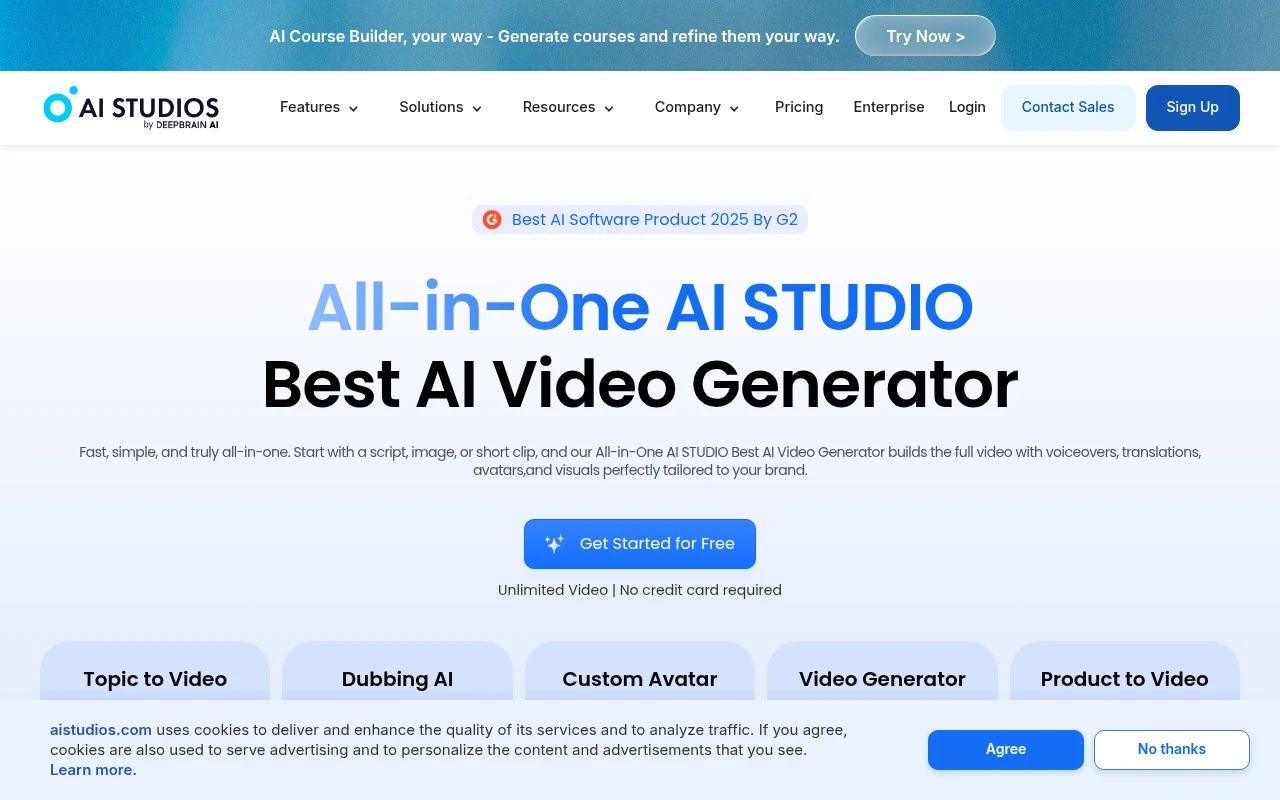
AIstudios is an all-in-one AI video studio focused on avatar-based video production, localization, and interactive learning content. The platform offers ready-made and custom AI avatars, text-to-speech in many languages, video templates, AI dubbing, document-to-video and URL-to-video workflows, product-to-video generation, and course-building tools with SCORM support. It also advertises real-time conversational avatars for customer service, sales, training, websites, apps, kiosks, and other channels.

FYAI Score

8.5 / 10

Based on 1.044 reviews

Pricing:

Freemium

Best for:

L&D and marketing teams producing multilingual avatar videos

Score Breakdown

  • Ease of use8.4 / 10
  • Features9.2 / 10
  • Pricing7.2 / 10
  • Integrations9.0 / 10
  • Support8.5 / 10

PRODUCT PREVIEW

What this AI tool does

AIstudios is an AI tool designed to help people create and refine content with less manual effort. It’s typically used when you need a quick first draft, alternative wording, or help organizing ideas into a clearer structure, while still keeping you in control of the final output. In practice, you can provide a prompt, notes, or an existing piece of text and use the tool to generate suggestions, rewrite sections, or adjust tone and clarity. This can be useful for everyday writing tasks such as emails, summaries, and short-form content, especially when you want to move from rough ideas to a more polished version. As with most AI writing tools, results depend on the quality of your input and the level of review you apply afterward. It’s best used as a drafting and editing assistant rather than a source of authoritative facts, so verifying important details and aligning the output with your goals remains important.

Use cases

Best for

Create Avatar Video

Use AIstudios to generate avatar-led videos from scripts using ready-made or custom AI avatars and video templates.

Text to Speech

Convert text into natural-sounding speech in many languages with AIstudios text-to-speech voices for video narration.

Video Translation

Translate videos by auto-dubbing into other languages and syncing the new voiceover to the original timing.

ANALYSIS

Strengths & limitations

Strengths
  • Combines video generation, avatar creation, editing, dubbing, translation, and publishing workflows in one platform.
  • Supports a large avatar and language range, including custom avatars, photo avatars, product avatars, and multilingual text-to-speech or dubbing.
  • Includes training-specific capabilities such as quizzes, branching scenarios, course generation, and SCORM/xAPI export.
Limitations
  • The official page makes broad claims across many product areas, so exact feature depth, limits, and plan availability are not clear from the provided content alone.
  • It is centered on AI-generated and avatar-led video, so it may not replace a full manual video production suite for complex filming, compositing, or post-production workflows.
  • Quality of avatars, dubbing, lip-sync, and generated visuals may vary by source material and language, and the provided page does not give enough detail to independently verify output consistency.

Evaluation

FYAI score breakdown

Our structured evaluation across five key criteria

8.5 / 10

Overall score

Based on 1.044 reviews

  • Ease of use8.4 / 10
  • Features9.2 / 10
  • Pricing7.2 / 10
  • Integrations9.0 / 10
  • Support8.5 / 10

What users say

Findings from public reviews, documentation and community sources.

  • Ease of use

    G2’s 1,044-review product page says users “consistently praise the product for its ease of use and speed in video creation,” including beginners producing content quickly. AI Studios’ product page describes a “simple workspace” and course creation with “drag, drop, and publish.”

  • Features

    AI Studios’ product page lists “2,000+ Ready-to-Use AI Avatars,” “150+ Text to Speech Languages,” “7,000+” templates, and dubbing with lip-sync. AI Studios’ product page also lists custom/photo/product/interactive avatars, URL/docs/product/topic-to-video, SCORM course building, and enterprise collaboration/security features.

  • Pricing

    AI Studios’ pricing page highlights “Get Started for Free,” “Unlimited Video,” and “No credit card required.” AI Studios’ pricing page also includes an enterprise “Contact Us” path.

  • Integrations

    AI Studios’ product page names SCORM 1.2/2004 and xAPI support for LMS use, “RESTful API,” “Webhook integrations,” and “Developer documentation.” AI Studios’ product page also says users can connect OpenAI, Claude, Gemini, or a custom LLM, and mentions deployment across web, app, kiosk, WhatsApp, iOS, and Android.

  • Support

    AI Studios’ product page lists “Dedicated account manager,” “24/7 priority technical support,” and “Customized onboarding and training” for enterprise customers.

Who is this for?

Best for teams creating avatar-led training or marketing videos, AI Studios’ product page lists “2,000+ Ready-to-Use AI Avatars,” “150+ Text to Speech Languages,” “7,000+” templates, and SCORM course building. Less suited to buyers who need detailed self-serve plan comparisons before purchase, AI Studios’ pricing page highlights “Get Started for Free,” “Unlimited Video,” “No credit card required,” and an enterprise “Contact Us” path, while detailed public tier prices or included limits are not surfaced in the provided page text.

PRODUCT PREVIEW

Feature highlights

AI Avatar Videos

Generate presenter-led videos with ready-made or custom avatars.

Localization & Dubbing

Translate, dub, and sync speech across many languages in one flow.

SCORM Course Builder

Turn content into interactive lessons and export SCORM-ready courses.

COMPARE

Discover curated alternatives worth comparing

Compare similar AI tools based on features, pricing and use cases

8.5/ 10Based on 16 reviews

Wondercraft

Short-form VideoVideo Editing
Turns text or audio into editable AI-generated videos and audio
Best for:
Video creators
Pricing
Freemium

8.5/ 10Based on 65 reviews

Wisecut

Short-form VideoVideo Editing
Edits long videos by removing pauses and adding captions
Best for:
Video creators
Pricing
Freemium

8.6/ 10Based on 2.521 reviews

Vizard.ai

Short-form VideoVideo Editing
Extracts short clips from long videos and adds captions for social.
Best for:
Social media managers
Pricing
Freemium

Turn scripts into polished avatar videos in minutes. See why teams choose AIstudios to scale training, explainers, and updates without a camera crew.

FAQ

Frequently asked
questions

Everything you need to know about this AI tool,
its features, pricing, use cases, and limitations.

What types of videos is AIstudios best suited for?
AIstudios is a strong fit for presenter-style videos like onboarding, compliance training, internal comms, product explainers, and course modules. It works best when you have a clear script and want consistent delivery across many videos or languages. If you need cinematic storytelling, heavy motion graphics, or live-action editing, you may find it limiting compared with full video editors.
Does AIstudios have a free plan, and what are the typical limitations?
AIstudios commonly offers a free trial or limited free usage, with paid tiers unlocking higher export limits and more production-ready options. The main constraints to check are video length/credits, watermarking, export resolution, and access to premium avatars/voices. Before committing, confirm whether commercial use and team features are included in the plan you’re considering.
How does AIstudios compare with Synthesia, HeyGen, or Colossyan?
AIstudios competes closely with these tools on avatar-led, script-to-video workflows and multilingual voice options. Differences usually show up in avatar realism, voice quality, template flexibility, collaboration features, and pricing/credit models. If your priority is brand control (custom avatars, fonts, layouts) or enterprise governance, compare those features side-by-side rather than assuming parity.
How quickly can a team get started with AIstudios?
AIstudios reduces filming and reshoots, but the output can feel templated if the script and scene structure aren’t strong. Emotional nuance, improvisation, and natural human performance are harder to replicate with avatars. It’s also not designed as a full post-production suite for complex compositing, detailed motion graphics, or heavy live-action workflows.
What should I consider about data privacy and compliance when using AIstudios?
If you’re using AIstudios for internal training or customer-facing content, verify how scripts, uploaded assets, and generated videos are stored and retained. Check whether the plan supports enterprise needs like SSO, audit logs, data residency, and contractual terms (e.g., DPA) if you handle regulated data. Avoid placing sensitive personal or confidential information in scripts unless the vendor’s policies and your legal team approve.