Curated ToolThis tool is part of our curated AI directory. We only include tools that meet our standards for relevance, usability and real-world value.

Diib

Diib is an SEO and website analytics platform that scans a site, monitors rankings and site health, and turns performance data into prioritized growth recommendations. It connects with sources such as Google Analytics to help users track traffic, keywords, backlinks, and technical issues.
Content & On-pageTechnical & Audit

FYAI Score

7.4 / 10

Based on 274 reviews

Pricing:

Freemium

Best for:

Website owners who want guided, plain-language growth recommendations

Score Breakdown

  • Ease of use7.8 / 10
  • Features7.2 / 10
  • Pricing7.7 / 10
  • Integrations7.1 / 10
  • Support7.2 / 10

PRODUCT PREVIEW

What this AI tool does

Diib is an online growth and website intelligence platform for site owners who want clear, step-by-step guidance on how to improve SEO, traffic, performance, and user experience. It connects Google Analytics data with website scans and competitor analysis, then turns that information into a practical Growth Plan rather than leaving users to interpret raw dashboards on their own. For small businesses, bloggers, ecommerce operators, agencies, and local service providers, the main appeal is accessibility. Diib is best suited to users who need plain-language SEO and website improvement recommendations without becoming technical SEO specialists. It explains what matters, why it matters, and what to do next in a format that feels closer to a guided action plan than a traditional analytics report. The Answer Engine is the center of the product experience. It reviews signals from analytics, search visibility, social activity, mobile performance, speed, security, and visitor behavior, then creates objectives and alerts that are specific to the website being monitored. Instead of presenting every possible metric with equal weight, the platform prioritizes the issues and opportunities that are likely to affect growth. SEO work inside the platform is framed around action. Users can use Diib for SEO audit workflows, keyword research, rank tracking, backlink analysis, on page optimization, and technical SEO analysis, but the emphasis is on translating those findings into manageable next steps. A site owner might see opportunities to improve page titles, repair technical issues, strengthen content, monitor keyword movement, or understand why competitors are gaining visibility. Performance and trust are also part of the story. The platform monitors factors such as page speed, mobile readiness, security signals, and visitor experience because growth depends on more than rankings alone. By connecting these areas to traffic and engagement data, it helps users understand whether site quality issues may be holding back conversions or search performance. Competitor context gives the recommendations more practical grounding. Rather than only showing a website in isolation, Diib can compare visibility, traffic signals, keywords, and backlinks against relevant competitors. This makes it useful for content gap analysis and SEO strategy planning, especially for teams trying to decide which pages, topics, or technical improvements deserve attention first. Diib is strongest as a guided growth assistant for website owners who want to keep moving without getting lost in analytics complexity. It is not positioned merely as a reporting tool or a database of SEO metrics. Its character is more diagnostic and instructional, combining monitoring, alerts, benchmarking, and prioritized recommendations into a workflow that helps non-experts make steady improvements to their online presence.

Use cases

Best for

SEO Strategy Planning

Diib turns Analytics and site checks into a Growth Plan with SEO objectives, tasks, and alerts for issues like speed and mobile.

Keyword Research

Diib uses your Google Analytics data to highlight pages and topics driving search traffic so you can prioritize keywords to expand.

Competitor Analysis

Diib compares your site with competitors to flag gaps in SEO, traffic sources, and performance metrics that need attention.

ANALYSIS

Strengths & limitations

Strengths
  • Best suited to small business owners and non-technical website managers because it turns analytics and SEO signals into plain-language growth objectives.
  • Combines Google Analytics, website checks, competitor analysis and benchmark data in one workflow, giving users a broader view of traffic and ranking opportunities without juggling separate reports.
  • Action-oriented alerts across SEO, social traffic, mobile performance, speed, security and visitor experience help owners prioritise fixes instead of only reviewing raw metrics.

Limitations
  • Less suitable for advanced SEO teams that need highly granular data workflows because Diib is built around guided recommendations rather than deep manual analysis.
  • Depends heavily on connected analytics and website data, so brand-new sites or sites with limited tracking history will have less behavioural data for recommendations.
  • The freemium model is better for evaluation than sustained growth management because users who need fuller monitoring and ongoing objectives should expect to use a paid plan.

Evaluation

FYAI score breakdown

Our structured evaluation across five key criteria

7.4 / 10

Overall score

Based on 274 reviews

  • Ease of use7.8 / 10
  • Features7.2 / 10
  • Pricing7.7 / 10
  • Integrations7.1 / 10
  • Support7.2 / 10

What users say

Findings from public reviews, documentation and community sources.

  • Ease of use

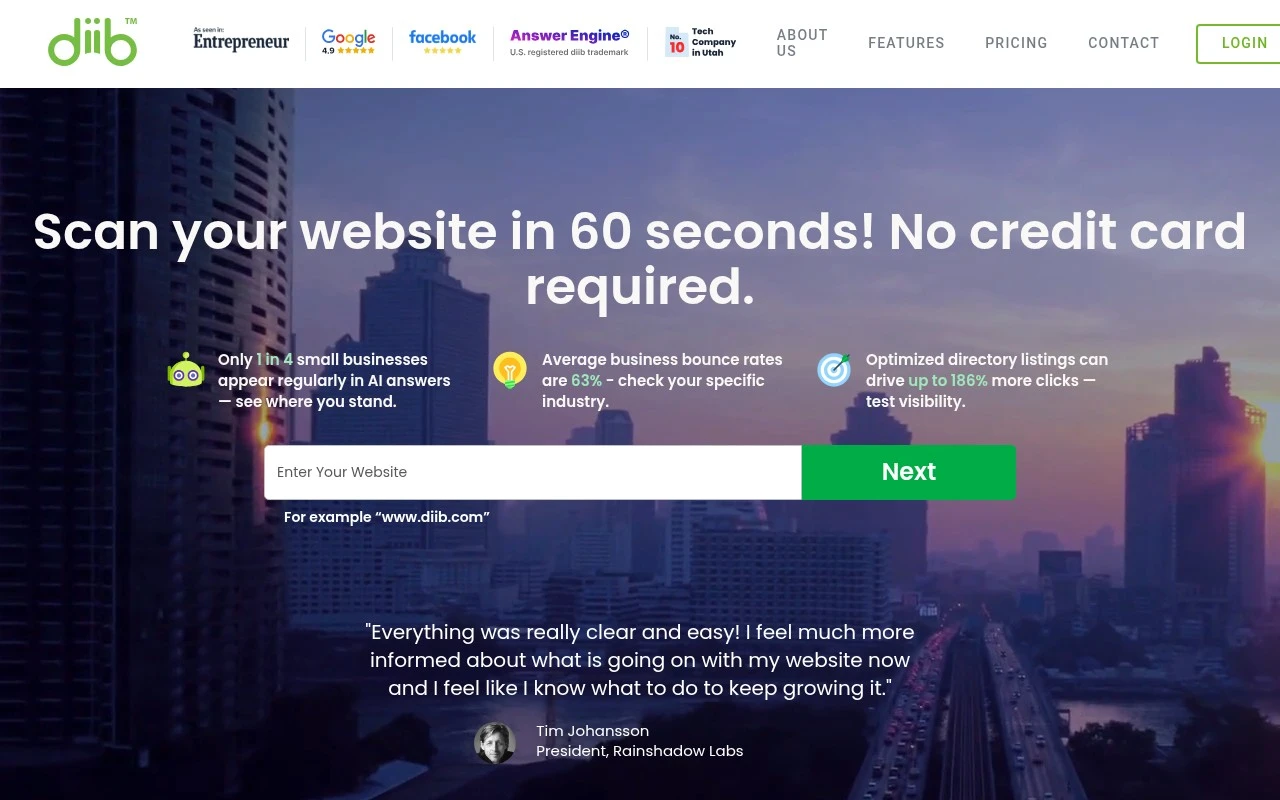
    Diib’s homepage says it provides an “easy-to-use growth plan,” lets users “Scan your website in 60 seconds,” and requires “No coding or experience needed.”

  • Features

    Diib’s pricing/features page lists RankGuard, Keyword Explorer, backlink analysis, and up to 30 websites.

  • Pricing

    Diib’s pricing page lists a Free plan at “$0/month” and Pro at “$30/month,” with full keyword/backlink tools, competitor analysis, and email/chat support.

  • Integrations

    Diib’s homepage says it “instantly syncs with Google Analytics.” Diib’s provided pages emphasize in-product monitoring and recommendations rather than a broad named integration ecosystem, API, or marketplace.

  • Support

    Diib’s pricing page lists “Email Support,” “Email and Chat Support,” daily diib Live sessions, and Growth Expert assistance for Pro users. Trustpilot includes a support-friction complaint saying Diib was “not answering support enquiries… via their dreadful chatbot or by email.”

Who is this for?

Best for small businesses or non-experts who want guided SEO tasks, Diib’s homepage says users can “Scan your website in 60 seconds” with “No coding or experience needed.” Less suited to teams that need a broad integration ecosystem, API, or marketplace, Diib’s homepage says it “instantly syncs with Google Analytics,” while the provided pages emphasize in-product monitoring and recommendations.

PRODUCT PREVIEW

Feature highlights

Custom Growth Plan

Step-by-step objectives and priorities tailored to your site.

Analytics + Insights

Combines Google Analytics data with site signals to find wins.

Custom Growth Plan

Turns your data into goals, alerts, and actions to boost performance.

COMPARE

Discover curated alternatives worth comparing

Compare similar AI tools based on features, pricing and use cases

8.8/ 10Based on 846 reviews

Yoast SEO

Content & On-pageTechnical & Audit
Optimizes SEO titles, descriptions, and product content
Best for:
SEO teams
Pricing
Freemium

8.1/ 10Based on 1,124 reviews

Yext

SEO MonitoringAI Search / GEO
Publishes verified business data, tracks AI and search discovery
Best for:
SEO teams
Pricing
Paid

7.7/ 10Based on 5,772 reviews

Writesonic

Copy Optimization
Surfaces answer-engine visibility and citation gaps for GEO fixes
Best for:
Marketing teams
Pricing
Freemium

Join thousands of business owners improving rankings with clearer SEO priorities. Start turning your site data into wins with Diib today.

FAQ

Frequently asked
questions

Everything you need to know about this AI tool,
its features, pricing, use cases, and limitations.

Who is Diib best suited for?
Diib is best suited for small business owners, local businesses, ecommerce site owners, and non-technical website managers who want guided SEO and website growth recommendations. It is most useful when a team needs help understanding traffic, rankings, keywords, backlinks, competitors, speed, security, mobile, and user-experience issues without running a complex SEO workflow.
Can I use Diib for free, or do I need a paid plan?
Diib uses a freemium model, so users can start with free access and upgrade for broader functionality. The free experience is useful for an initial website scan and basic guidance, while some monitoring and advanced features, such as Rank Guard-style protection, are associated with paid accounts.
How does Diib compare with other SEO audit and rank tracking tools?
Diib focuses on turning website and analytics data into prioritized growth objectives rather than only presenting raw SEO audit data. Compared with more technical SEO platforms, it is generally more approachable for non-specialists, but it may be less suitable for teams that need deep enterprise crawling, advanced technical diagnostics, or highly customized SEO reporting.
How long does it take to set up Diib?
Diib’s main trade-off is that it emphasizes recommendations, alerts, and monitoring rather than automatically implementing fixes on the website. It can help identify issues and prioritize objectives, but users may still need to make changes themselves or involve a developer, SEO specialist, or content manager for more complex work.
What should I consider about data privacy before using Diib?
Diib connects website and analytics signals to generate SEO and growth recommendations, so buyers should review how account, analytics, traffic, keyword, backlink, and competitor-related data is handled. Teams with compliance requirements should check Diib’s current privacy policy, data retention practices, access controls, and any relevant security documentation before connecting business-critical properties.