Curated ToolThis tool is part of our curated AI directory. We only include tools that meet our standards for relevance, usability and real-world value.

Tactiq

Summarizes meeting transcripts and extracts action items.

Meeting NotesSpeech to Text
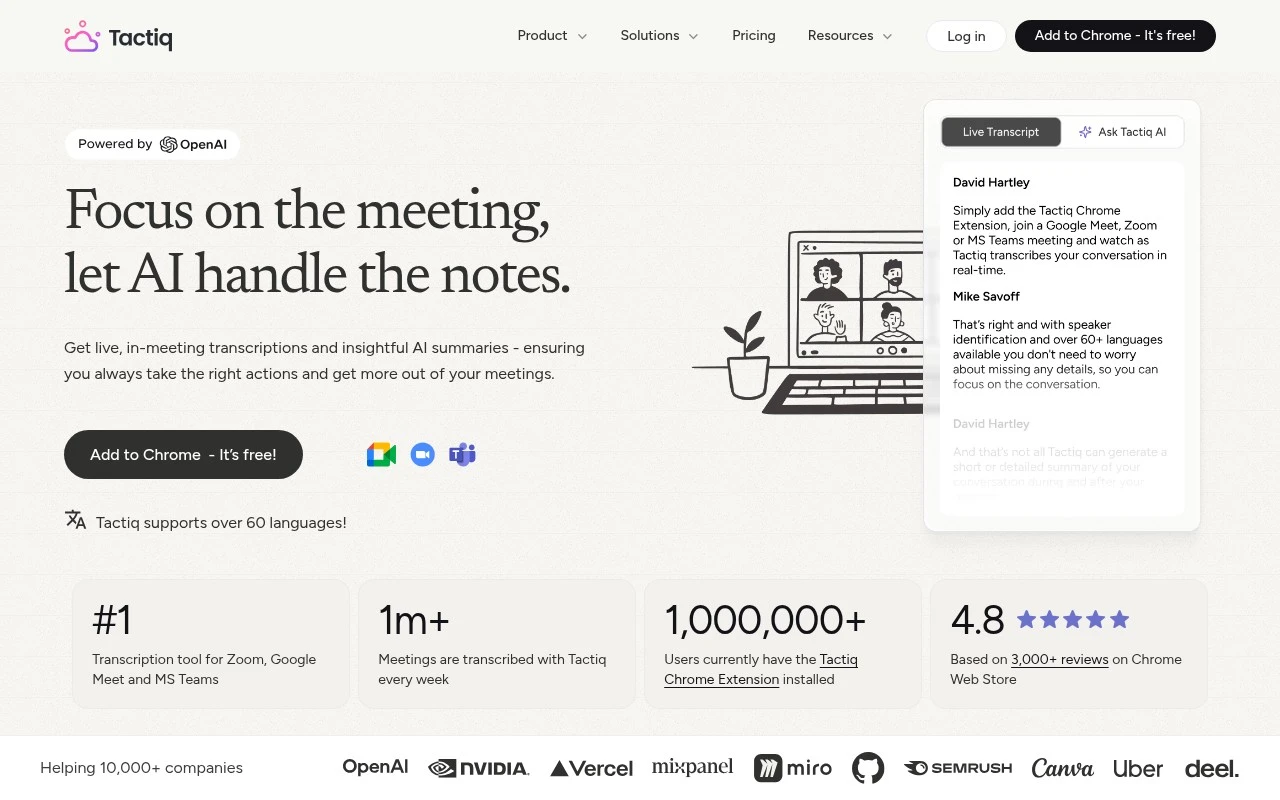
Tactiq is a bot-free AI note taker for online meetings. It runs as a Chrome extension, captures live transcripts from Google Meet, Zoom, and Microsoft Teams, and uses AI to turn those transcripts into summaries, action items, answers to custom questions, and shareable workflow outputs. Its positioning emphasizes real-time transcription, no audio recording or storage, multilingual support, and enterprise security controls.

FYAI Score

8.6 / 10

Based on 26 reviews

Pricing:

Freemium

Best for:

Remote teams who need reliable meeting notes and follow-ups

Score Breakdown

  • Ease of use8.8 / 10
  • Features8.6 / 10
  • Pricing9.0 / 10
  • Integrations8.0 / 10
  • Support8.4 / 10

PRODUCT PREVIEW

What this AI tool does

Tactiq is an AI tool designed to help people capture and organize what happens in meetings and calls. It focuses on turning spoken conversations into written notes that are easier to review later, which can be useful when you need to remember decisions, action items, or key points without relying on manual note-taking. In practice, it fits teams and individuals who spend time in online meetings and want a clearer record of discussions for follow-up. By providing a structured way to revisit what was said, it can support documentation, sharing summaries with others, and keeping projects aligned across participants.

Use cases

Best for

Meeting Notes

Tactiq captures live meeting transcripts in Meet, Zoom, and Teams and turns them into summaries and action items.

Email Writing

It converts meeting transcripts into follow up emails by generating drafts from key decisions, next steps, and owners.

Workflow Automation

It exports transcript based summaries and action items into shareable templates you can paste into docs, tickets, or CRM updates.

ANALYSIS

Strengths & limitations

Strengths
  • Works live during meetings and can produce summaries and action items before the meeting context is lost.
  • Does not require an AI bot to join the call and says it does not record or store meeting audio.
  • Supports team workflows by turning transcript-based AI actions into reusable prompts and sharing outputs to tools such as Slack, Notion, Linear, and HubSpot.
Limitations
  • The official page frames Tactiq primarily around Google Meet, Zoom, and Microsoft Teams, so other meeting platforms are not clearly supported.
  • The product is presented as a Chrome extension, which may not suit users who need a non-Chrome or fully platform-native meeting assistant.
  • The page says transcription is only displayed to the user by default, so teams may still need explicit sharing or notification practices for collaborative visibility and consent.

Evaluation

FYAI score breakdown

Our structured evaluation across five key criteria

8.6 / 10

Overall score

Based on 26 reviews

  • Ease of use8.8 / 10
  • Features8.6 / 10
  • Pricing9.0 / 10
  • Integrations8.0 / 10
  • Support8.4 / 10

What users say

Findings from public reviews, documentation and community sources.

  • Ease of use

    The G2 review page references Tactiq’s “Add to Chrome - It’s free!” workflow and says users can “Get live transcriptions without an AI bot joining the meeting.” G2 review snippets say users “consistently praise the product for its ease of use and accurate transcriptions.”

  • Features

    The Tactiq pricing page lists live meeting transcripts, AI summaries, action items, Ask AI, reusable prompts, and workflow automations. The Tactiq pricing page also lists speaker identification, 60+ languages, transcript search, team spaces, analytics, SAML SSO, and compliance features.

  • Pricing

    The Tactiq pricing page lists a free plan at “€0 Free forever. No credit card” with “10 transcripts / mo,” plus paid annual tiers at €6.67 Pro, €13.33 Team, and €25.50 Business per user/month. The Tactiq pricing page says paid plans include unlimited transcripts, while Pro has limited AI credits.

  • Integrations

    The Tactiq integrations page lists “Google Docs,” “Confluence,” “Notion,” “Slack,” “Google Meet,” “Zoom,” “Calendar,” and “HubSpot.” The Tactiq integrations page centers on meeting and productivity workflows rather than a separately surfaced marketplace/API ecosystem.

  • Support

    The Tactiq pricing page lists “Priority customer support” on Team, a “Customer success manager” on Business, and a “Dedicated account manager” on Enterprise. The Tactiq pricing FAQ directs users to “get in touch with our friendly team.”

Who is this for?

Best for teams that want meeting transcripts without adding a bot to calls, Tactiq says users can “Get live transcriptions without an AI bot joining the meeting.” Best for teams working across common productivity tools because the integrations page lists “Google Docs,” “Confluence,” “Notion,” “Slack,” “Google Meet,” “Zoom,” “Calendar,” and “HubSpot.” Less suited to teams that need a separately surfaced marketplace/API ecosystem, the integrations evidence centers on meeting and productivity workflows rather than a separately surfaced marketplace/API ecosystem.

PRODUCT PREVIEW

Feature highlights

Live transcripts

Capture real-time meeting transcripts from your browser, bot-free.

AI summaries & tasks

Convert transcripts into summaries, action items, and key decisions.

Privacy-first capture

No audio recording or storage, with enterprise-grade security controls.

COMPARE

Discover curated alternatives worth comparing

Compare similar AI tools based on features, pricing and use cases

7.8/ 10Based on 31 reviews

Wudpecker

Meeting NotesSummarization
Turns meeting recordings into notes, summaries, and action items
Best for:
Knowledge workers
Pricing
Freemium

9.0/ 10Based on 1.589 reviews

Toggl Track

Time & Habit Tracking
Tracks time with automatic activity detection and reporting.
Best for:
Operations teams
Pricing
Freemium

8.5/ 10Based on 2.648 reviews

Todoist

Task & Project Management
Organize, schedule, and share tasks with AI-assisted planning
Best for:
Knowledge workers
Pricing
Freemium

Turn every meeting into clear notes and accountable next steps. Start using Tactiq today and keep your team aligned without the scramble after calls.

FAQ

Frequently asked
questions

Everything you need to know about this AI tool,
its features, pricing, use cases, and limitations.

What types of teams and meetings is Tactiq a good fit for?
Tactiq fits teams that run frequent online meetings and want consistent notes, decisions, and action items without relying on a dedicated note-taker. It’s especially useful for sales calls, customer success check-ins, recruiting interviews, and recurring project syncs. If most collaboration happens asynchronously or in-person, the value tends to drop.
How do Tactiq’s free and paid plans differ in practice?
The free tier is typically enough to test transcription quality and the workflow, but it usually comes with tighter limits on usage and advanced features. Paid plans generally add higher or unlimited meeting volume, more robust exports/sharing, and richer summaries or highlights. When comparing, check whether your expected meeting hours and required integrations fit within the plan limits.
How does Tactiq compare with Otter, Fireflies, or Fathom for meeting notes?
Tactiq is often chosen for a lightweight workflow around capturing transcripts and turning them into structured notes and action items, particularly for Google Meet/Zoom users. Tools like Otter and Fireflies may offer broader conversation intelligence features and deeper admin controls depending on plan, while Fathom is frequently favored for very simple post-call summaries. The best choice usually depends on whether you prioritize ease of use, analytics, or governance features.
How fast can a team get Tactiq working, and what onboarding is involved?
Tactiq’s output can miss nuance like sarcasm, overlapping speech, or domain-specific terms, so some teams still do a quick human review. Its value is strongest for virtual meetings; if you rarely meet online, it may not justify the subscription. You may also need to adjust workflows if you require highly customized note formats or strict approval steps.
What should we check about Tactiq’s data handling, privacy, and compliance before adopting it?
Confirm where Tactiq stores transcripts and whether it supports your retention and deletion requirements, especially for regulated data. Review how meeting participants are notified/consented to recording or transcription, since rules vary by region. If you need formal compliance (e.g., SOC 2, GDPR terms, DPA), verify the current documentation and admin controls before rolling out company-wide.