Curated ToolThis tool is part of our curated AI directory. We only include tools that meet our standards for relevance, usability and real-world value.

Supernormal

Desktop app that captures meetings locally and generates summaries

Meeting NotesEmail Assistant
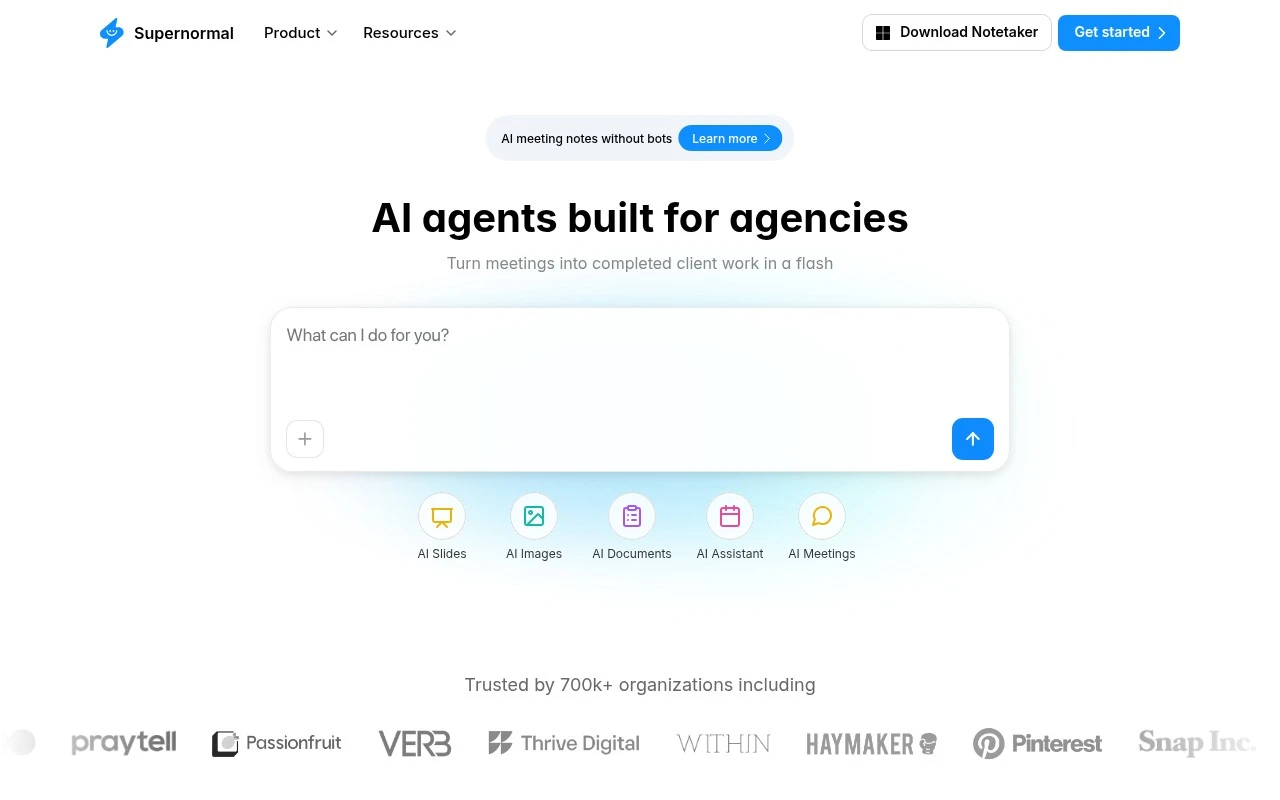
Supernormal is a desktop AI meeting notetaker focused on bot-free meeting capture. The app runs on the user’s computer, connects to calendar and audio permissions during setup, and automatically takes notes when meetings start. After a meeting, users can prompt Supernormal’s agents to turn the discussion into practical outputs such as summaries, follow-up emails, documents, slides, and calendar invites.

FYAI Score

8.2 / 10

Based on 185 reviews

Pricing:

Freemium

Best for:

Remote teams that want automatic meeting notes without bots

Score Breakdown

  • Ease of use8.7 / 10
  • Features7.8 / 10
  • Pricing8.0 / 10
  • Integrations9.1 / 10
  • Support7.5 / 10

PRODUCT PREVIEW

What this AI tool does

Supernormal is an AI tool designed to help teams capture and organize information from conversations, such as meetings, interviews, or customer calls. It focuses on turning spoken discussion into structured notes that are easier to review later, reducing the need for manual note-taking and follow-up. In practice, it can support common workflows like documenting decisions, summarizing key points, and keeping a consistent record of what was discussed across different sessions. This is useful for people who need reliable meeting notes for collaboration, project tracking, or knowledge sharing. For anyone researching AI meeting assistants, supernormal fits the informational need of understanding how automated transcription and summarization can streamline documentation. It’s typically used alongside existing communication and productivity tools to make conversation outcomes easier to find and act on.

Use cases

Best for

Meeting Notes

Supernormal runs on your computer and auto-captures meeting notes when a scheduled meeting starts, without a bot joining the call.

Email Writing

After a meeting, you can prompt Supernormal to draft follow-up emails from the captured discussion notes and action items.

Audio Summarization

Supernormal summarizes meeting audio into a concise recap and key decisions using its on-device meeting capture workflow.

ANALYSIS

Strengths & limitations

Strengths
  • Captures meeting notes without requiring a bot participant to join the call.
  • Goes beyond summaries by generating follow-up drafts and other post-meeting work from the discussion.
  • Designed to run automatically in the background after setup, using calendar and audio permissions.
Limitations
  • The desktop notetaker has stated system requirements: Apple Silicon with macOS 14.4.1 or later, or Windows 11 or later.
  • The provided page does not specify exactly which meeting platforms are supported by the desktop notetaker.
  • Its described value is centered on meetings, so it is not positioned as a general-purpose document or slide generator independent of meeting context.

Evaluation

FYAI score breakdown

Our structured evaluation across five key criteria

8.2 / 10

Overall score

Based on 185 reviews

  • Ease of use8.7 / 10
  • Features7.8 / 10
  • Pricing8.0 / 10
  • Integrations9.1 / 10
  • Support7.5 / 10

What users say

Findings from public reviews, documentation and community sources.

  • Ease of use

    Supernormal’s desktop app page says users can “Sign in with Google or your work email,” connect calendar, audio, and language settings, and complete setup because “the whole process takes less than two minutes.” Supernormal’s desktop app page also says the app “runs quietly in the background” and takes notes automatically without a bot joining the call.

  • Features

    Supernormal’s desktop app page says Supernormal takes meeting notes from the computer and uses meeting context to generate “slides, follow-up emails, documents, calendar invites, and more.” Supernormal’s desktop app page also highlights bot-free capture and agents for post-meeting work.

  • Pricing

    Supernormal’s pricing page lists a Free plan at “$0,” Team at “$20,” and Business at “$40,” plus enterprise-grade security.

  • Integrations

    Supernormal’s integrations page lists native connections to “Slack, Gmail, Google Calendar, Outlook, Drive, Linear, and more,” and Zapier lists Supernormal as connecting with “9000 other apps.” Supernormal’s integrations page also mentions using “Supernormal's MCP to connect your meetings to other work tools.”

  • Support

    Supernormal’s desktop app page surfaces support resources including “Help Center,” “Templates,” “Blog,” security pages, and “Report vulnerability.” G2 shows Supernormal at 4.4/5 from 19 reviews.

Who is this for?

Best for teams that want meeting notes without adding a bot to calls, Supernormal’s desktop app page says the app “runs quietly in the background” and takes notes automatically without a bot joining the call. Less suited to teams that need public support responsiveness benchmarks before buying, the cited support facts are resource pages such as “Help Center,” “Templates,” “Blog,” security pages, and “Report vulnerability,” plus G2 showing 4.4/5 from 19 reviews.

PRODUCT PREVIEW

Feature highlights

Bot-free capture

Desktop app listens locally so no meeting bot has to join.

Auto-start notes

Connect your calendar and it starts taking notes when meetings begin.

Agents to outputs

Prompt agents for summaries, emails, docs, slides, and invites.

COMPARE

Discover curated alternatives worth comparing

Compare similar AI tools based on features, pricing and use cases

7.8/ 10Based on 31 reviews

Wudpecker

Meeting NotesSummarization
Turns meeting recordings into notes, summaries, and action items
Best for:
Knowledge workers
Pricing
Freemium

9.0/ 10Based on 1.589 reviews

Toggl Track

Time & Habit Tracking
Tracks time with automatic activity detection and reporting.
Best for:
Operations teams
Pricing
Freemium

8.5/ 10Based on 2.648 reviews

Todoist

Task & Project Management
Organize, schedule, and share tasks with AI-assisted planning
Best for:
Knowledge workers
Pricing
Freemium

Turn every meeting into clear notes and accountable next steps. Start using Supernormal today and keep projects moving without the manual follow-up.

FAQ

Frequently asked
questions

Everything you need to know about this AI tool,
its features, pricing, use cases, and limitations.

What types of teams and meetings is Supernormal best suited for?
Supernormal is a strong fit for teams that run frequent internal meetings (standups, 1:1s, project check-ins) and need consistent notes, decisions, and action items without manual effort. It’s especially useful when follow-ups must be tracked across tools like calendars and task systems. If your meetings are highly unstructured or require a very specific note template, you may find it less flexible than some alternatives.
Does Supernormal have a free plan, and what are the typical limitations compared to paid tiers?
Supernormal commonly offers a free entry option, but it’s usually constrained by usage limits (such as number of meetings, transcription/minutes, or feature access). Paid plans typically unlock higher caps, team features, and more robust integrations and admin controls. Check the current pricing page for exact quotas, since these details can change.
How does Supernormal compare with Otter, Fireflies, or Fathom for meeting notes?
Compared with tools like Otter, Supernormal tends to emphasize structured meeting documentation and turning conversations into organized notes and action items. Fireflies often competes on breadth of integrations and searchable conversation intelligence, while Fathom is frequently favored for lightweight Zoom-centric workflows. Your choice usually comes down to whether you prioritize structured summaries, deep search/analytics, or the simplest capture experience.
How quickly can a team get Supernormal running, and what onboarding effort should you expect?
Supernormal can be less ideal if your team needs heavy customization of note formats or highly tailored templates. It also relies on stable internet connectivity for best performance, which can be a drawback in low-connectivity environments. Finally, teams with strict meeting policies may need to confirm participant consent and recording/transcription rules before rolling it out.
What should I review about Supernormal’s data handling, privacy, and compliance before adopting it?
Verify what data Supernormal stores (audio, transcripts, summaries), how long it’s retained, and whether you can control deletion and access permissions. Confirm where data is processed, what encryption and security controls are in place, and whether it supports your required standards (e.g., SOC 2, GDPR, or DPA terms). If you handle sensitive conversations, also check how meeting participants are notified and how sharing links/exports are governed.