Curated ToolThis tool is part of our curated AI directory. We only include tools that meet our standards for relevance, usability and real-world value.

Slite

AI knowledge search with citations and doc drift detection

Knowledge Search
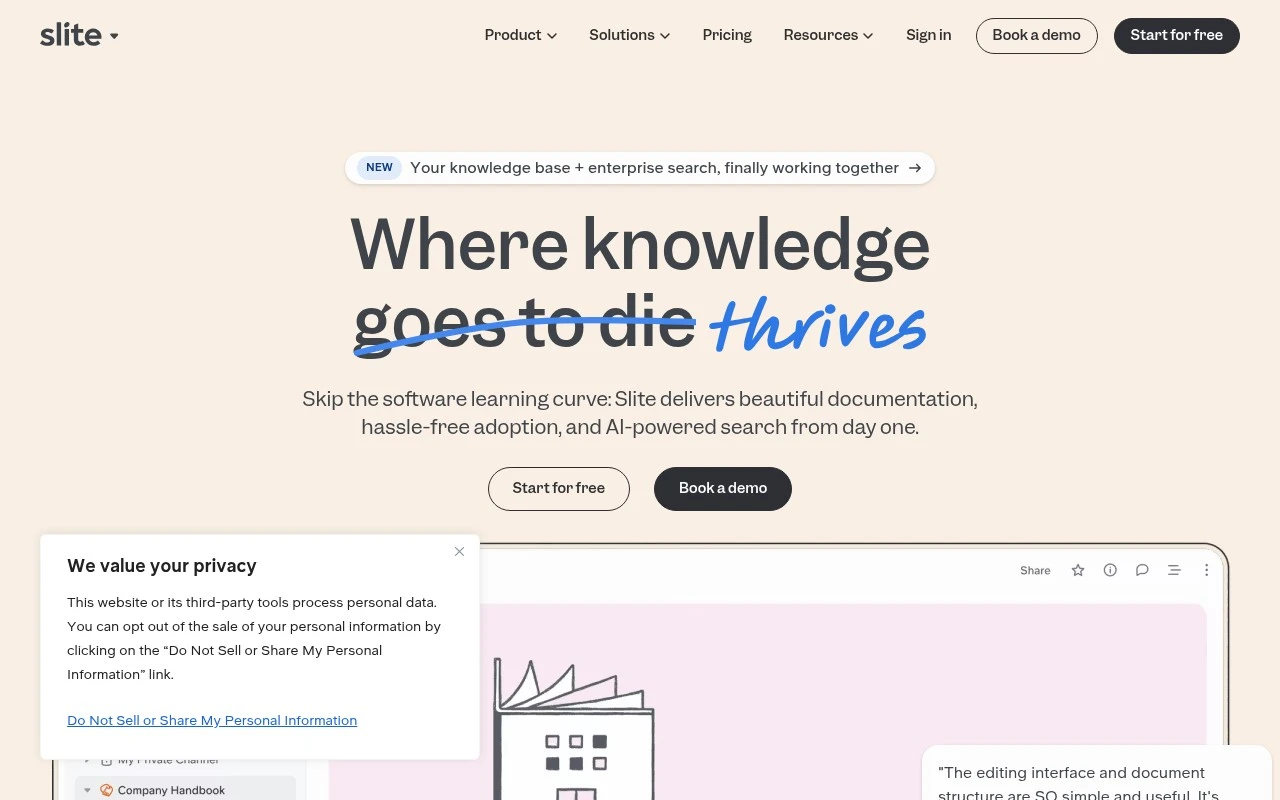
Slite is a self-maintaining AI knowledge base for teams. It combines collaborative documentation with AI search, verification workflows, and an agent that monitors connected work tools for changes that may make docs outdated. The product is positioned as a trusted knowledge layer for both employees and AI agents, with cited answers, permission-aware access, review states, version history, and enterprise security controls.

FYAI Score

8.6 / 10

Based on 291 reviews

Pricing:

Freemium

Best for:

Product and engineering orgs keeping internal knowledge accurate

Score Breakdown

  • Ease of use8.9 / 10
  • Features8.2 / 10
  • Pricing8.1 / 10
  • Integrations8.5 / 10
  • Support9.2 / 10

PRODUCT PREVIEW

What this AI tool does

Slite is a collaborative documentation tool designed to help teams capture and organize knowledge in one place. It’s typically used for writing internal docs such as meeting notes, project updates, onboarding guides, and shared processes, so information is easier to find and keep consistent across a group. In practice, it supports day-to-day work by giving teams a structured space to create, edit, and maintain documents together. This can reduce time spent searching across chats and scattered files, and it helps keep decisions and context accessible as projects evolve. For people evaluating documentation tools, slite is relevant when the goal is to centralize team knowledge without adding unnecessary complexity. It fits informational needs like understanding how a team wiki works, what it’s used for, and how it can support ongoing documentation habits.

Use cases

Best for

Knowledge Base Search

Search your Slite knowledge base with AI answers that cite sources and respect page permissions and review status.

Internal Search

Use Slite to search across connected work tools and docs, returning permission-aware results with links to the source.

Documentation Generation

Generate new documentation drafts from prompts and existing pages, then route them through verification and version history.

ANALYSIS

Strengths & limitations

Strengths
  • Focuses on keeping documentation current, not just storing it, by detecting stale knowledge and drafting updates for human approval.
  • AI search ranks verified knowledge first, cites sources, and respects user permissions.
  • Supports AI-agent workflows through MCP so verified Slite knowledge can be used by external AI tools.
Limitations
  • The self-maintaining behavior still depends on human review and team verification rather than fully autonomous publishing.
  • The most agent-powered knowledge-base features appear tied to the higher Pro plan or Enterprise offering.
  • Its value depends on how well a team connects and maintains its source tools and documentation workflows.

Evaluation

FYAI score breakdown

Our structured evaluation across five key criteria

8.6 / 10

Overall score

Based on 291 reviews

  • Ease of use8.9 / 10
  • Features8.2 / 10
  • Pricing8.1 / 10
  • Integrations8.5 / 10
  • Support9.2 / 10

What users say

Findings from public reviews, documentation and community sources.

  • Ease of use

    G2 says users praise Slite for its "intuitive interface," and Slite's own customer quote says, "Slite's interface is straightforward. You don't need training to use it."

  • Features

    Slite's pricing page lists "Unlimited docs," real-time collaborative editing, verification workflows, AI search, doc fact-checking, and agent workflows across tiers.

  • Pricing

    Slite's pricing page lists Basic at "$10 per user/month" and Pro at "$20 per user/month" billed yearly, plus a "14 days free trial" with no credit card required. Slite's pricing page also shows paid tiers after the trial and custom-priced Enterprise.

  • Integrations

    Slite's pricing page lists "Public API," "MCP access," "Slack integration," embeds/link previews, authenticated embeds, and Enterprise "custom data sources." Slite's product page references syncing/searching across tools like Slack, Drive, Linear, GitHub, Claude, ChatGPT, and Cursor.

  • Support

    Slite's pricing page lists "Priority support," a "Dedicated account manager," "Personalized onboarding & migration," and an SLA on Enterprise. Slite's pricing page includes customer quotes describing "very swift response" and support that is "fast and efficient."

Who is this for?

Best for teams building a shared knowledge base that needs AI-assisted retrieval and governance, Slite's pricing page lists AI search, doc fact-checking, verification workflows, permissions, analytics, and audit logs across tiers. Less suited to teams avoiding paid tiers after evaluation, Slite's pricing page lists a "14 days free trial," paid Basic at "$10 per user/month" and Pro at "$20 per user/month" billed yearly, and custom-priced Enterprise.

PRODUCT PREVIEW

Feature highlights

AI search w/ citations

Get instant answers backed by sources, not guesswork.

Review & verification

Set owners and states so knowledge stays approved and trusted.

Auto-outdated alerts

Monitors connected tools and flags docs that may be stale.

COMPARE

Discover curated alternatives worth comparing

Compare similar AI tools based on features, pricing and use cases

7.8/ 10Based on 31 reviews

Wudpecker

Meeting NotesSummarization
Turns meeting recordings into notes, summaries, and action items
Best for:
Knowledge workers
Pricing
Freemium

9.0/ 10Based on 1.589 reviews

Toggl Track

Time & Habit Tracking
Tracks time with automatic activity detection and reporting.
Best for:
Operations teams
Pricing
Freemium

8.5/ 10Based on 2.648 reviews

Todoist

Task & Project Management
Organize, schedule, and share tasks with AI-assisted planning
Best for:
Knowledge workers
Pricing
Freemium

Bring team knowledge into one trusted place. Start using Slite today to keep docs clear, aligned, and easy to find as your team grows.

FAQ

Frequently asked
questions

Everything you need to know about this AI tool,
its features, pricing, use cases, and limitations.

What teams and workflows is Slite a good fit for?
Slite works best for teams that need a lightweight, shared knowledge base—product, engineering, support, and operations teams documenting decisions, processes, and meeting notes. It’s a strong choice when real-time collaboration and clear organization matter more than heavy document governance. If you need complex publishing workflows or strict enterprise controls, you may want to compare alternatives.
Does Slite have a free plan, and what are the main limitations compared to paid?
Slite typically offers a free tier suitable for trying the product with basic docs and collaboration. Paid plans are where you usually get more advanced permissions, storage/history controls, and admin features needed for a team-wide rollout. If you expect rapid growth, check user limits and feature gating before committing.
How does Slite compare with Notion, Confluence, or Google Docs for team documentation?
Compared with Notion, Slite is more focused on documentation and knowledge base structure, while Notion often wins on databases and flexible workflows. Versus Confluence, Slite is generally simpler to adopt but may feel lighter on enterprise governance and deep integrations. Against Google Docs, Slite is better for organizing long-term team knowledge rather than managing standalone documents.
How quickly can a team set up Slite and start using it effectively?
Slite can be limiting if you rely on a large ecosystem of integrations or need highly customized workflows. Larger organizations may find gaps in advanced governance, complex permissions models, or specialized documentation requirements. Pricing can also become a factor as you scale users and need higher-tier features.
What should we check about Slite’s data handling, privacy, and compliance before adopting it?
Review where Slite hosts data, what encryption and access controls are provided, and whether it supports SSO/SAML on the plan you need. If you have regulatory requirements, confirm available compliance documentation (e.g., SOC 2) and data retention/deletion options. Also verify admin auditability and permission granularity for sensitive internal content.