Curated ToolThis tool is part of our curated AI directory. We only include tools that meet our standards for relevance, usability and real-world value.

Sembly AI

Records meetings, transcribes audio, and extracts actions.

Meeting NotesSummarization
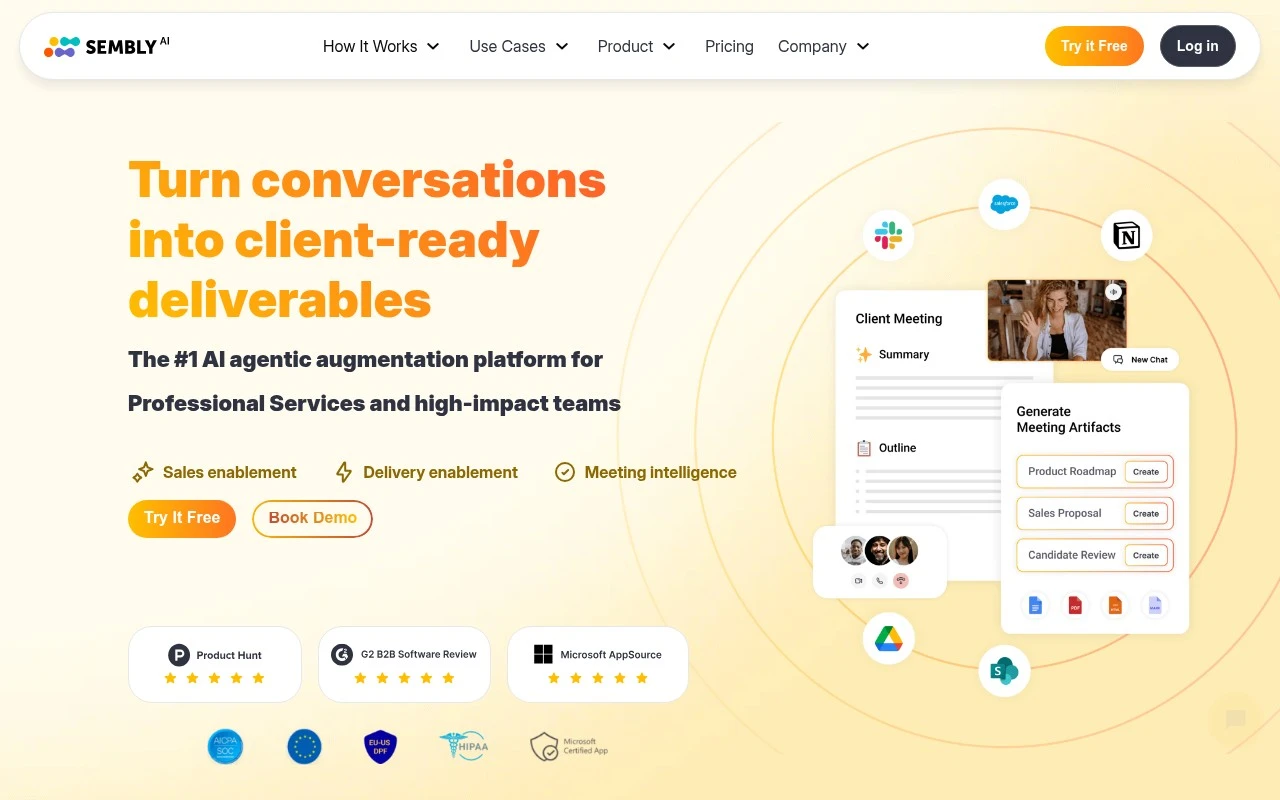
Sembly AI AI is an AI meeting intelligence and agentic work-product platform for teams that run on conversations. It captures and analyzes meetings, identifies key points, decisions, tasks, commitments, risks, sentiment, engagement, and topic patterns, then turns that content into structured notes and client-facing deliverables. The product is positioned especially for professional services and other client-facing teams that need to convert calls into proposals, reports, briefs, project documentation, and follow-up materials.

FYAI Score

8.2 / 10

Based on 46 reviews

Pricing:

Freemium

Best for:

Client-facing professional services teams turning calls into deliverables

Score Breakdown

  • Ease of use8.3 / 10
  • Features8.3 / 10
  • Pricing8.0 / 10
  • Integrations8.5 / 10
  • Support7.7 / 10

PRODUCT PREVIEW

What this AI tool does

Sembly AI is an AI tool designed to help teams capture and organize what happens in meetings. It focuses on turning spoken discussions into usable written output, so decisions, action items, and key points are easier to review and share after a call. In practice, it’s useful for anyone who wants a reliable meeting record without taking detailed notes in real time. By creating structured summaries from meeting audio or transcripts, it can support follow-ups, reduce missed tasks, and make it simpler to keep stakeholders aligned. For people comparing meeting assistant options, sembly fits an informational need: understanding how AI can streamline meeting documentation and improve consistency across recurring conversations. It’s typically used alongside common video conferencing and collaboration workflows, where quick access to past discussions matters.

Use cases

Best for

Meeting Notes

Sembly AI turns meeting recordings into structured notes with decisions, action items, risks, and key discussion points.

Transcribe Audio

Upload or connect call audio to generate a timestamped transcript with speaker labels and searchable topics.

Email Writing

Use meeting insights to draft follow up emails that summarize outcomes, assign next steps, and capture commitments.

ANALYSIS

Strengths & limitations

Strengths
  • Goes beyond basic meeting notes by generating client-ready documents such as proposals, briefs, reports, minutes, and follow-up emails from meeting content.
  • Supports meeting intelligence workflows including decision tracking, action item extraction, conversation search, templates, collections, workspace analytics, and integrations with 50+ tools.
  • Official site states support for 48 languages, major conferencing platforms, US and EU data residency options, SOC 2 Type II certification, Microsoft 365 certification, and configurable retention and access controls.
Limitations
  • Best fit appears to be meeting-heavy professional services and client-facing teams; it may be less relevant for users who do not need meeting capture or meeting-derived deliverables.
  • Its outputs depend on the quality and completeness of recorded meeting conversations, transcription accuracy, speaker identification, and the information actually discussed in the meeting.
  • The official page does not provide enough detail to compare pricing, plan limits, implementation effort, or the exact depth of each integration.

Evaluation

FYAI score breakdown

Our structured evaluation across five key criteria

8.2 / 10

Overall score

Based on 46 reviews

  • Ease of use8.3 / 10
  • Features8.3 / 10
  • Pricing8.0 / 10
  • Integrations8.5 / 10
  • Support7.7 / 10

What users say

Findings from public reviews, documentation and community sources.

  • Ease of use

    G2’s 46-review product page rates Sembly AI 4.5/5 and says users “consistently praise the product for its ease of use” and accurate meeting notes.

  • Features

    Sembly’s site lists client-ready deliverables, decision and outcome tracking, conversation analysis, and support for 48 languages.

  • Pricing

    Sembly’s pricing page lists Basic at $17/month or $10/month annually, Pro at $29/user/month or $20 annually, and Max at $39/user/month or $30 annually, each with a free trial. The pricing page includes unlimited meeting hours.

  • Integrations

    Sembly’s product page states that Sembly syncs to “Salesforce, Notion, Slack, HubSpot, and 50+ tools” and supports Google Meet, Microsoft Teams, Webex, and Zoom. Sembly’s pricing page lists Zapier integrations, webhooks, MCP access, calendar sync, and custom SMTP relay.

  • Support

    Sembly’s pricing page lists “Priority Support” for higher tiers, and Enterprise includes “a dedicated success contact.”

Who is this for?

Best for teams that want meeting notes to turn into follow-up work and shareable outputs, Sembly’s site lists client-ready deliverables, decision and outcome tracking, and conversation analysis. Best for teams using existing collaboration and CRM tools because Sembly syncs to “Salesforce, Notion, Slack, HubSpot, and 50+ tools.” Less suited to users who want a primarily free-plan-led setup, the pricing page lists paid tiers starting with Basic at $17/month or $10/month annually, with each tier offering a free trial.

PRODUCT PREVIEW

Feature highlights

Meeting intelligence

Captures meetings and surfaces key points, decisions, and action items.

Tasks & commitments

Tracks owners, deadlines, risks, and follow-ups from every conversation.

Client-ready outputs

Turns calls into structured notes, briefs, proposals, and reports.

COMPARE

Discover curated alternatives worth comparing

Compare similar AI tools based on features, pricing and use cases

7.8/ 10Based on 31 reviews

Wudpecker

Meeting NotesSummarization
Turns meeting recordings into notes, summaries, and action items
Best for:
Knowledge workers
Pricing
Freemium

9.0/ 10Based on 1.589 reviews

Toggl Track

Time & Habit Tracking
Tracks time with automatic activity detection and reporting.
Best for:
Operations teams
Pricing
Freemium

8.5/ 10Based on 2.648 reviews

Todoist

Task & Project Management
Organize, schedule, and share tasks with AI-assisted planning
Best for:
Knowledge workers
Pricing
Freemium

Turn every meeting into clear outcomes in minutes. Start using Sembly AI today to stay aligned, move faster, and never lose key decisions again.

FAQ

Frequently asked
questions

Everything you need to know about this AI tool,
its features, pricing, use cases, and limitations.

What types of teams and meetings is Sembly AI a good fit for?
Sembly AI fits teams that run frequent video calls and need consistent meeting notes, decisions, and action items without relying on a dedicated note-taker. It’s especially useful for recurring internal meetings (standups, project syncs, 1:1s) and client calls where follow-ups must be tracked. If your meetings are mostly in-person, highly confidential, or very noisy, you may want to compare alternatives that handle those conditions better.
Does Sembly AI have a free plan, and what are the practical limits compared to paid tiers?
Sembly AI typically offers a free tier or trial, but it’s mainly for evaluating core transcription and summary workflows rather than rolling out to a full team. Paid plans are usually where you get higher usage limits, more robust collaboration/sharing, and admin controls that matter in production. If you need organization-wide adoption, compare pricing based on meeting volume and number of seats, not just the headline monthly rate.
How does Sembly AI compare with Otter, Fireflies, or Fathom for meeting notes?
Sembly AI is generally positioned around structured meeting documentation—summaries, decisions, and action items—rather than just raw transcripts. Compared with tools like Otter or Fireflies, the difference often comes down to integrations, admin features, and how reliably action items are captured in your meeting style. If you care most about lightweight personal notes, a simpler tool may be faster; if you need team-wide consistency and follow-up tracking, Sembly AI may be the better comparison candidate.
How quickly can a team set up Sembly AI and start getting usable meeting summaries?
Accuracy can drop in noisy calls, with heavy accents, or when multiple people talk over each other, which can affect summaries and action items. There’s also a learning curve to get consistent outputs (e.g., configuring what gets captured and how it’s organized). For larger teams, subscription costs can become material, so it’s worth comparing total cost against meeting volume and the time saved.
What should I check about Sembly AI’s data handling, privacy, and compliance before adopting it?
Confirm where Sembly AI stores recordings/transcripts, how long data is retained, and whether you can delete data on demand for specific users or meetings. Review access controls (who can view notes, share externally, or export) and whether SSO/admin features are available on your plan. If you operate in regulated environments, verify the vendor’s stated compliance posture and whether a DPA and audit documentation are available.