Curated ToolThis tool is part of our curated AI directory. We only include tools that meet our standards for relevance, usability and real-world value.

Sana AI

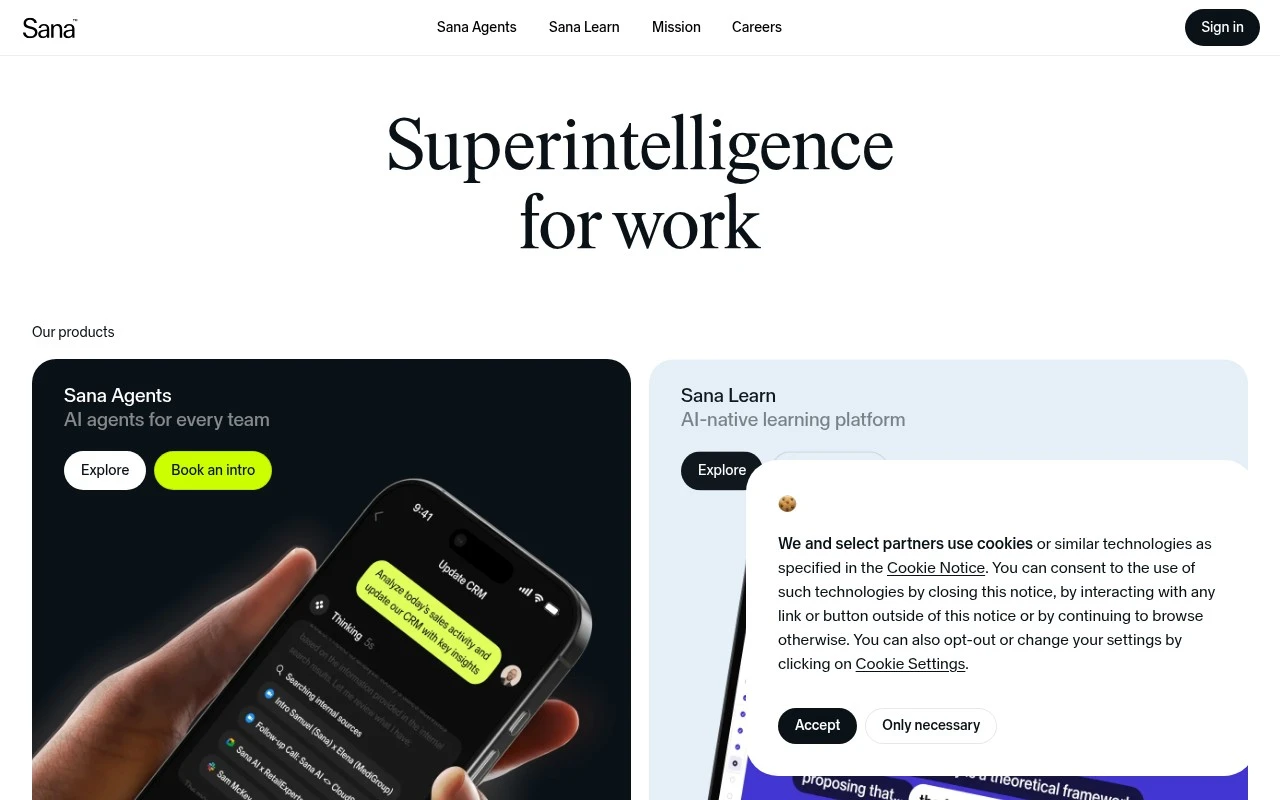
Sana AI is an AI-powered workplace knowledge and learning platform that supports internal search across company content and apps, helping employees find answers and access training resources from a central hub.
Knowledge Search

FYAI Score

7.9 / 10

Based on 106 reviews

Pricing:

Paid

Best for:

Organizations needing chat-based search across internal knowledge and meetings

Score Breakdown

  • Ease of use8.7 / 10
  • Features7.2 / 10
  • Pricing8.0 / 10
  • Integrations8.0 / 10
  • Support7.2 / 10

PRODUCT PREVIEW

What this AI tool does

Sana AI is an AI knowledge agent for people and organizations that want to search, question, and interact with their internal knowledge through chat. Sana AI is best understood as a conversational layer over company information, helping users move from keyword-based internal search to direct answers grounded in the knowledge they already have. Its core value is making information easier to find, especially when that information is spread across documents, knowledge bases, and meeting content. For teams, the main appeal is speed of access. Instead of asking colleagues where something is stored or scanning through long pages of documentation, a user can ask a question in natural language and receive a relevant response. This positions the tool as a practical knowledge base search experience, but with the conversational feel of an AI assistant rather than a traditional search bar. Meetings are an important part of the story because much organizational knowledge is spoken before it is written down. Sana AI appears designed to help users interact with meeting-related knowledge, making past discussions easier to revisit and query. That makes it useful in contexts where decisions, updates, and explanations are often captured in calls rather than formal documents. Compared with a standard internal search tool, the experience is less about matching exact terms and more about understanding intent. A question such as where a policy was discussed, what a team decided, or how a process works can be treated as a knowledge task rather than a file hunt. The tool’s character is therefore closer to an AI knowledge companion than a simple document index. Knowledge-heavy organizations are the clearest fit. Sana AI is for employees, managers, and teams who need faster access to trusted internal information without constantly interrupting subject-matter experts. It can be especially relevant for onboarding, project handovers, operational questions, and any workflow where institutional knowledge is useful but difficult to locate. A fair Sana AI review should focus on how well it retrieves accurate answers from an organization’s own information, how clearly it cites or connects users back to source material, and how naturally it supports chat-based exploration. Buyers comparing Sana AI pricing should also consider the size of their knowledge environment, the importance of meeting interaction, and whether the tool reduces time spent searching across scattered systems. The broader positioning is focused rather than overloaded. Sana AI is not best described as a generic chatbot or a broad automation suite, but as an AI layer for internal knowledge discovery and interaction. Its promise is to make organizational memory more accessible, so that people can ask better questions and get to useful context faster.

Use cases

Best for

Internal Search

Use Sana AI to chat with your company knowledge and meeting notes to answer internal questions with sourced results.

Knowledge Base Search

Search a knowledge base by asking questions in chat and retrieving relevant docs and meeting context from your workspace.

ANALYSIS

Strengths & limitations

Strengths
  • Best suited to teams with information spread across knowledge bases and meetings because chat-based access can reduce time spent searching manually.
  • Useful for meeting-heavy organizations because it lets users interact with meeting information alongside broader organizational knowledge.
  • Fits knowledge workers who need self-serve answers because natural language search lowers the need to know exactly where information is stored.

Limitations
  • Less suitable for teams seeking broad workflow automation because the product is centered on knowledge chat, search, and meeting interaction rather than end-to-end task execution.
  • Less suitable for casual individual users or very small teams because the paid model is easiest to justify when there is enough shared knowledge and meeting content to search.
  • Requires well-maintained knowledge and meeting sources to be most useful, so teams with scattered, outdated, or poorly permissioned information may need cleanup before rollout.

Evaluation

FYAI score breakdown

Our structured evaluation across five key criteria

7.9 / 10

Overall score

Based on 106 reviews

  • Ease of use8.7 / 10
  • Features7.2 / 10
  • Pricing8.0 / 10
  • Integrations8.0 / 10
  • Support7.2 / 10

What users say

Findings from public reviews, documentation and community sources.

  • Ease of use

    G2’s review signal highlights that “Sana Learn makes onboarding easy and intuitive,” including for a “non-technical person,” and describes it as “fast, efficient, and easy to follow.”

  • Features

    G2’s product-review summary says users praise Sana Learn for simplifying “course creation” and enhancing “collaboration.” Reddit discussion frames Sana as AI agents working inside Workday and across the tech stack.

  • Pricing

    Sana’s pricing page lists a free entry point at “$0/month” and a Team-style paid tier at “$30 per user / month,” alongside enterprise-grade plans with custom pricing.

  • Integrations

    Sana’s support collection says Sana can connect “documents, apps, databases, and content,” and names integration guides such as Asana and Azure Blob.

  • Support

    G2’s review signal highlights onboarding and interface comments, and the G2 product-review summary references course creation and collaboration.

Who is this for?

Best for teams that want AI-assisted onboarding and learning workflows, G2’s review signal says Sana Learn makes onboarding easy and intuitive for a “non-technical person,” and G2’s product-review summary says users praise “course creation” and “collaboration.” Less suited to buyers that need fully published enterprise pricing, Sana’s pricing page lists “$0/month” and “$30 per user / month,” while enterprise pricing remains custom.

PRODUCT PREVIEW

Feature highlights

Knowledge chat

Ask questions in chat and get answers from your org’s knowledge.

Unified search

Search across internal content to quickly find the right info.

Meeting Q&A

Interact with meeting knowledge to recap decisions and next steps.

COMPARE

Discover curated alternatives worth comparing

Compare similar AI tools based on features, pricing and use cases

7.8/ 10Based on 31 reviews

Wudpecker

Meeting NotesSummarization
Turns recordings into notes, summaries, action items, and Q&A
Best for:
Knowledge workers
Pricing
Freemium

9.0/ 10Based on 1,589 reviews

Toggl Track

Time & Habit Tracking
Tracks time, automates activity capture, and reports team data
Best for:
Operations teams
Pricing
Freemium

8.5/ 10Based on 2,648 reviews

Todoist

Task & Project Management
Captures tasks, organizes schedules, and clarifies action plans
Best for:
Knowledge workers
Pricing
Freemium

Turn onboarding into confident performance. Request a Sana AI demo and see how personalized learning helps every new hire ramp faster from day one.

FAQ

Frequently asked
questions

Everything you need to know about this AI tool,
its features, pricing, use cases, and limitations.

Who is Sana AI best suited for?
Sana AI is best suited for teams and knowledge workers who need to find answers across stored organizational knowledge and meeting information. It is a good fit when the main need is asking questions, searching internal content, and interacting with accumulated knowledge through an AI chat interface.
Is Sana AI free or paid?
Sana AI is best treated as a paid product for evaluation and budgeting purposes. Teams comparing it should check sana.ai for current plan details, included usage limits, workspace features, and any differences between individual, team, or organization-level access before committing.
How does Sana AI compare with other knowledge base search tools?
Sana AI focuses on chat and search across organizational knowledge, including meeting-related information. Compared with similar AI knowledge assistants, the right choice depends on the sources you need to search, answer quality, permission handling, administrative controls, pricing, and how naturally the tool fits into existing team workflows.
How much work does it take to set up Sana AI?
The main trade-off with Sana AI is that buyers should verify details such as supported data sources, integrations, deployment options, and administrative controls before choosing it. Its core positioning is clear around AI chat and search over knowledge, but broader workflow automation or learning-platform features should not be assumed.
What should teams check about privacy and compliance before using Sana AI?
Teams should confirm Sana AI’s current data handling, retention, access control, and compliance policies before adding sensitive internal knowledge or meeting content. Important review areas include user permissions, auditability, security certifications, data residency, vendor terms, and whether the tool fits the organization’s internal governance requirements.