Curated ToolThis tool is part of our curated AI directory. We only include tools that meet our standards for relevance, usability and real-world value.

Notta

Transcribes meetings, summarizes, extracts action items, and searches.

Meeting NotesSummarization
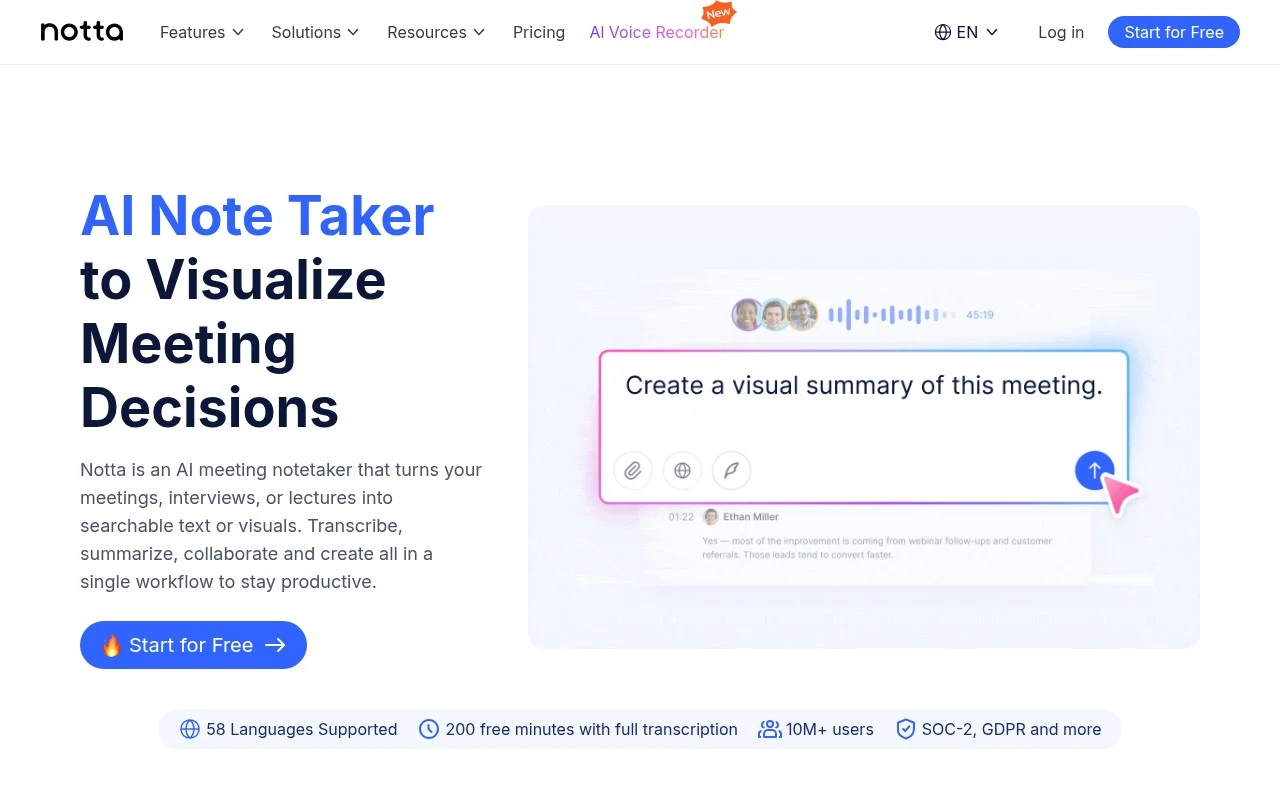
Notta is an AI note-taking and transcription platform for meetings, interviews, lectures, and recordings. It supports online, in-person, and imported-file workflows, with transcription in 58 languages, summarization, collaboration, searchable meeting history, and AI-generated deliverables such as slides and infographics. It is positioned for professionals and teams that want to convert conversations into notes, decisions, follow-ups, and visual knowledge assets.

FYAI Score

8.1 / 10

Based on 234 reviews

Pricing:

Freemium

Best for:

Teams capturing meeting notes, decisions, and follow-ups at scale

Score Breakdown

  • Ease of use7.9 / 10
  • Features8.1 / 10
  • Pricing8.2 / 10
  • Integrations8.6 / 10
  • Support7.7 / 10

PRODUCT PREVIEW

What this AI tool does

Notta is an AI-powered transcription tool designed to turn spoken audio into readable text. It’s typically used when you need a written record of meetings, interviews, lectures, or voice notes, helping reduce the time spent manually typing or summarizing what was said. You can use it by uploading an audio or video file or by recording speech directly, then reviewing the generated transcript to correct names, technical terms, or unclear sections. The resulting text can be used for documentation, sharing notes with others, or creating summaries for later reference. Because transcription accuracy can vary depending on audio quality, accents, and background noise, it’s best treated as a starting point rather than a final document. If you work with sensitive content, it’s also worth checking how notta handles data storage and privacy before using it in regulated or confidential settings.

Use cases

Best for

Meeting Notes

Notta records meetings, transcribes them, and generates searchable notes with summaries and action items for follow-up.

Transcribe Audio

Upload or record audio in Notta to get a timestamped transcript in 58 languages that you can search and export.

Audio Summarization

Notta summarizes a transcript into key points and decisions so you can review the gist without replaying the audio.

ANALYSIS

Strengths & limitations

Strengths
  • Supports multiple capture sources, including online meetings, in-person meetings, and imported files.
  • Offers transcription in 58 languages and a free plan with 200 transcription minutes per month.
  • Goes beyond basic transcripts by generating summaries, action items, insights, presentations, and infographics from meeting content.
Limitations
  • The official page claims broad transcription support, but content generation is described as available only in selected languages such as English, Japanese, Chinese, Spanish, and German.
  • The free plan is limited by monthly transcription minutes, so regular meeting-heavy users may need a paid plan.
  • The public page does not provide detailed limits for visual generation, collaboration, storage, or each listed integration.

Evaluation

FYAI score breakdown

Our structured evaluation across five key criteria

8.1 / 10

Overall score

Based on 234 reviews

  • Ease of use7.9 / 10
  • Features8.1 / 10
  • Pricing8.2 / 10
  • Integrations8.6 / 10
  • Support7.7 / 10

What users say

Findings from public reviews, documentation and community sources.

  • Ease of use

    G2 shows 234 reviews for Notta and a 4.4/5 rating, with users said to praise “fast and accurate transcriptions” that “significantly streamline note-taking for meetings and interviews.” Notta’s own FAQ describes “Zero setup required” and “Record → Ask → Get insights.”

  • Features

    Notta’s website says Notta “transcribes, summarizes, and generates action plans” and supports “58 Languages” across “in-person,” “online,” and “imported files.” Notta’s pricing table lists speaker identification, translation, custom templates, and screen recording.

  • Pricing

    Notta’s pricing page lists a free tier at ¥0, Premium at ¥1,185/month annually, Business at ¥2,508/month annually, and Enterprise by consultation. Notta’s home page states “Pro plans start at $8.17/month,” and Notta’s pricing page presents real-time translation and Notta Brain Premium as add-ons.

  • Integrations

    Notta’s pricing page lists integrations including Zoom, Google Calendar, Zapier, and Salesforce. Notta’s pricing page also lists meeting, storage, workspace, and CRM connections such as Microsoft Teams, Google Drive, Notion, and HubSpot.

  • Support

    Notta’s pricing page lists “専用サポートデスク(要相談)” for enterprise-style support. Notta’s FAQ covers trial cancellation, payments, invoices, accuracy, and AI credit rules.

Who is this for?

Best for teams that need meeting and interview notes across multiple formats. Notta supports “in-person,” “online,” and “imported files” and says it “transcribes, summarizes, and generates action plans.” Best for multilingual workflows that need transcription coverage because Notta lists “58 Languages.” Less suited to users who need advanced capabilities included in the base plan, Notta’s pricing page presents real-time translation and Notta Brain Premium as add-ons.

PRODUCT PREVIEW

Feature highlights

Live transcription

Capture meetings, interviews, and lectures in real time.

58-language support

Transcribe multilingual conversations and recordings accurately.

AI summaries & assets

Generate summaries, action items, slides, and infographics.

COMPARE

Discover curated alternatives worth comparing

Compare similar AI tools based on features, pricing and use cases

7.8/ 10Based on 31 reviews

Wudpecker

Meeting NotesSummarization
Turns meeting recordings into notes, summaries, and action items
Best for:
Knowledge workers
Pricing
Freemium

9.0/ 10Based on 1.589 reviews

Toggl Track

Time & Habit Tracking
Tracks time with automatic activity detection and reporting.
Best for:
Operations teams
Pricing
Freemium

8.5/ 10Based on 2.648 reviews

Todoist

Task & Project Management
Organize, schedule, and share tasks with AI-assisted planning
Best for:
Knowledge workers
Pricing
Freemium

Turn every meeting, lecture, or interview into clear notes in minutes. See why teams choose Notta to stay aligned and move faster.

FAQ

Frequently asked
questions

Everything you need to know about this AI tool,
its features, pricing, use cases, and limitations.

What types of teams and workflows is notta a good fit for?
notta works best for teams that need fast, searchable transcripts from meetings, interviews, lectures, or voice notes with minimal manual cleanup. It’s a practical choice when you regularly capture discussions across multiple languages and want a simple upload/record-to-transcript flow. If your workflow depends on highly customized transcript layouts or domain-specific jargon (e.g., medical/legal), plan for more review time.
How do notta’s free and paid plans differ in practice?
The free tier is typically best for occasional transcription and testing accuracy on your audio, but it usually comes with tighter limits on minutes, exports, and advanced features. Paid plans make more sense when you need higher monthly transcription volume, longer recordings, and more consistent access to features like exporting and collaboration. If you expect heavy usage, compare the effective cost per hour against alternatives.
How does notta compare with tools like Otter, Rev, or Sonix?
Compared with meeting-focused tools like Otter, notta is often evaluated for straightforward transcription and multilingual needs rather than deep meeting workspace features. Versus Rev, notta is generally positioned as a faster self-serve option, while Rev’s human transcription can be better when near-perfect accuracy is required. Against Sonix, the decision often comes down to pricing at your volume, export/format needs, and which tool handles your accents and terminology more reliably.
How quickly can a team start using notta, and what onboarding is required?
Costs can rise quickly for high transcription volumes, so it may be less attractive for small teams with frequent long recordings. Formatting and customization options may feel limited if you need transcripts to match strict documentation standards. Accuracy can drop with heavy accents, noisy audio, or specialized terminology, so budget time for review.
What should I check about notta’s data handling, privacy, and compliance before adopting it?
Confirm where notta stores and processes audio/transcripts, how long data is retained, and whether you can delete data on demand. Review whether encryption is used in transit and at rest, and whether the plan supports organization controls like access management and audit needs. If you handle regulated data (e.g., HIPAA/financial), verify the available compliance documentation and contractual options before uploading sensitive recordings.