Curated ToolThis tool is part of our curated AI directory. We only include tools that meet our standards for relevance, usability and real-world value.

Laxis

Summarizes meetings, extracts actions, and answers from history

Meeting NotesKnowledge Search
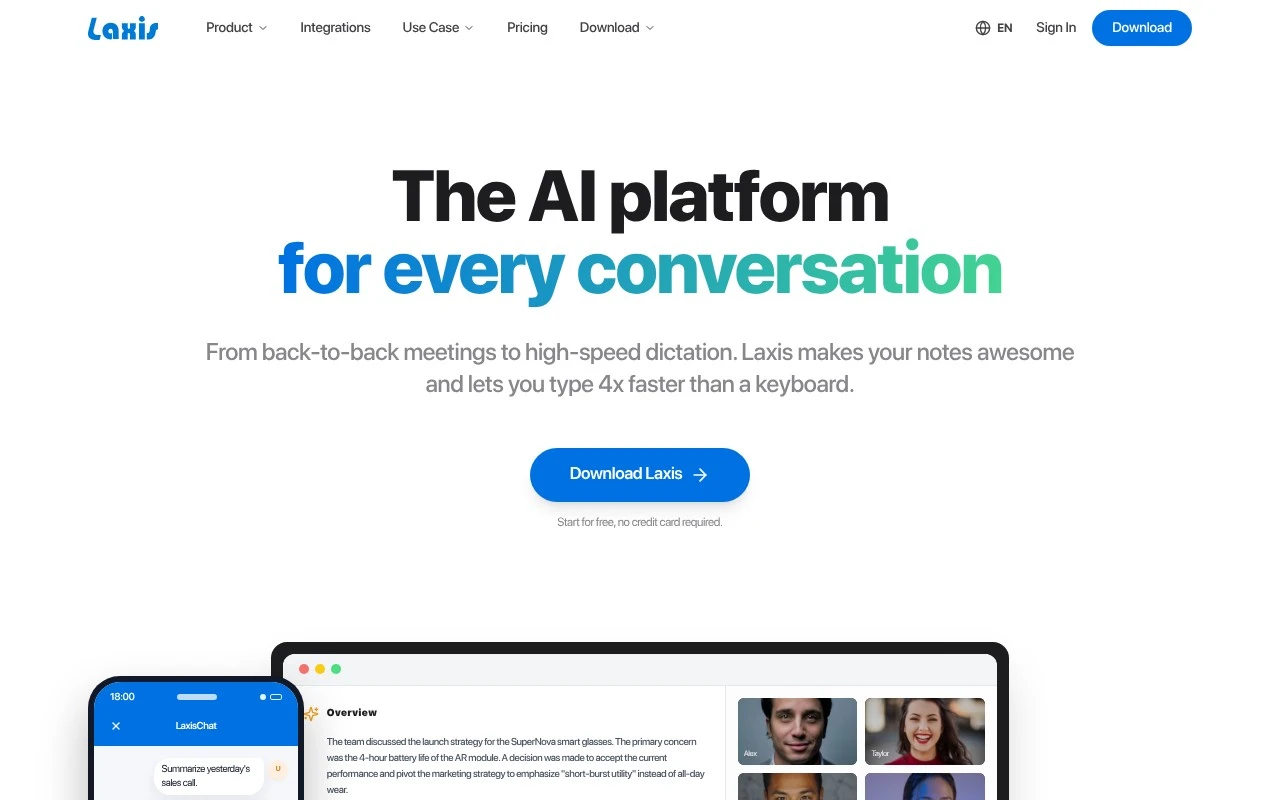
Laxis is an AI platform for conversations and voice input. It combines an AI meeting assistant with bot-free or bot-based meeting capture, transcription-style summaries, action items, AI chat over meeting history, report generation from templates, and workflow/CRM syncing. It also offers a voice keyboard for speaking into everyday apps and converting rough speech into cleaned, structured, professional text.

FYAI Score

8.4 / 10

Based on 33 reviews

Pricing:

Freemium

Best for:

Sales and customer-facing teams capturing meetings and follow-ups

Score Breakdown

  • Ease of use8.2 / 10
  • Features7.9 / 10
  • Pricing9.1 / 10
  • Integrations9.0 / 10
  • Support8.1 / 10

PRODUCT PREVIEW

What this AI tool does

Laxis is an AI tool page intended to help visitors understand what the tool does and whether it fits their needs. Because the available details about its purpose and main use case are not provided, this description focuses on setting expectations and guiding readers on what to look for when evaluating the tool. If you are researching laxis for informational purposes, review the tool’s inputs and outputs, the types of tasks it supports, and any limitations or requirements for using it effectively. Checking example workflows, supported integrations, and data handling notes can also help you determine how it would fit into your existing process. As more context becomes available, this page can be updated with a clearer overview of the tool’s primary use case, typical users, and practical scenarios where it is most useful.

Use cases

Best for

Meeting Notes

Laxis captures meetings with or without a bot, then generates summaries and action items you can sync to CRM workflows.

Transcribe Audio

Use Laxis to record voice or meetings and produce a transcript-style summary with key points and action items.

Internal Search

Ask questions in Laxis chat to search across your meeting history and pull answers from past transcripts and summaries.

ANALYSIS

Strengths & limitations

Strengths
  • Supports multiple capture methods, including bot-free recording, assistant bot invites, and audio/video file uploads.
  • Goes beyond basic transcription by producing summaries, action items, topics, reports, and searchable AI answers across meeting history.
  • Includes a cross-app voice keyboard with cleanup, structuring, custom vocabulary, rewriting, summarization, and translation features.
Limitations
  • The official page names an AI sales agent but provides limited detail in the fetched content about what that agent specifically does.
  • Specific supported CRM and workflow integrations are not listed in the provided page text.
  • Claims such as 100+ languages and 4x faster typing are marketing claims from the site and should be verified for a buyer’s specific use case.

Evaluation

FYAI score breakdown

Our structured evaluation across five key criteria

8.4 / 10

Overall score

Based on 33 reviews

  • Ease of use8.2 / 10
  • Features7.9 / 10
  • Pricing9.1 / 10
  • Integrations9.0 / 10
  • Support8.1 / 10

What users say

Findings from public reviews, documentation and community sources.

  • Ease of use

    G2 describes Laxis setup as “super simple with no technical knowledge required” and “plug and play.” Capterra calls Laxis “very good, easy to use software.”

  • Features

    The Laxis page lists an AI meeting assistant, voice keyboard, AI sales agent, and bot-free capture. The Laxis page also lists 50+ report templates, CRM sync, and 100,000+ professionals using it.

  • Pricing

    The Laxis pricing page lists Basic at $0 with 300 transcription minutes/month, Premium at $15.99/month with 2,000 minutes and AI Chat, and Business at $29.99/month with unlimited transcription, CRM automation, 7,000+ app integrations, team admin, and priority support. G2 characterizes Laxis pricing as “exceptionally good.”

  • Integrations

    The Laxis integrations page names Zoom, HubSpot, Salesforce, Google Meet, Microsoft Teams, Slack, and Notion, and lists “7,000+ apps via Zapier.” The Laxis pricing page lists “Full API & SSO Integration” for Enterprise.

  • Support

    The Laxis pricing page lists “Priority Support” on Business and “Dedicated Account Manager” and “Onboarding & Training” on Enterprise. The Laxis pricing page also links to “Help Center” and “Contact Support.”

Who is this for?

Best for teams that want meeting transcription tied into CRM and workflow automation. Business includes unlimited transcription, CRM automation, 7,000+ app integrations, team admin, and priority support. Less suited to teams that require dedicated onboarding on a lower tier, the pricing page places “Dedicated Account Manager” and “Onboarding & Training” on Enterprise.

PRODUCT PREVIEW

Feature highlights

Meeting capture

Record with or without a bot and keep every detail in one place.

Summaries & actions

Auto-generate structured notes and action items you can share fast.

CRM workflow sync

Push meeting insights into templates, reports, and your CRM.

COMPARE

Discover curated alternatives worth comparing

Compare similar AI tools based on features, pricing and use cases

7.8/ 10Based on 31 reviews

Wudpecker

Meeting NotesSummarization
Turns meeting recordings into notes, summaries, and action items
Best for:
Knowledge workers
Pricing
Freemium

9.0/ 10Based on 1.589 reviews

Toggl Track

Time & Habit Tracking
Tracks time with automatic activity detection and reporting.
Best for:
Operations teams
Pricing
Freemium

8.5/ 10Based on 2.648 reviews

Todoist

Task & Project Management
Organize, schedule, and share tasks with AI-assisted planning
Best for:
Knowledge workers
Pricing
Freemium

Turn every meeting into clear notes and accountable next steps. See why teams choose Laxis to stay aligned and move work forward—starting today.

FAQ

Frequently asked
questions

Everything you need to know about this AI tool,
its features, pricing, use cases, and limitations.

What types of teams and meetings is Laxis a good fit for?
Laxis fits teams that run frequent internal or client meetings and need consistent notes, decisions, and action items without manual write-ups. It’s especially useful for sales calls, customer success check-ins, and project status meetings where follow-ups matter. If your meetings require highly customized templates or specialized documentation formats, you may find it less flexible than some alternatives.
Does Laxis have a free plan, and what are the practical limitations compared to paid tiers?
Laxis typically offers a free option or trial, but the free experience is usually constrained by usage caps (such as meeting minutes), export/sharing options, or advanced features. Paid plans are generally where you get more reliable scaling for teams, stronger integrations, and fuller access to action-item tracking. Before committing, check whether your expected meeting volume and collaboration needs fit within the free limits.
How does Laxis compare with tools like Otter, Fireflies, or Fathom for meeting notes?
Compared with transcription-first tools, Laxis is often evaluated on how well it turns conversations into structured notes and trackable action items. Some competitors may offer broader language support, deeper CRM workflows, or more mature search and analytics, depending on the product. If your priority is tight action-item follow-through and straightforward meeting documentation, Laxis can be a strong contender; if you need heavy customization or enterprise controls, compare those areas closely.
How quickly can a team get Laxis running, and what onboarding effort should we expect?
Laxis can be less ideal if you need extensive customization of note formats or highly specialized meeting templates. Like other automated meeting tools, it depends on stable connectivity and can be affected by audio quality or occasional software issues. Teams that want full manual control over documentation may prefer a more traditional note-taking approach.
How should we evaluate Laxis for privacy, data retention, and compliance requirements?
Confirm what Laxis stores (audio, transcripts, summaries), where data is hosted, and how long it’s retained, since these vary by plan and settings. If you operate in regulated environments, verify access controls, encryption, auditability, and whether it supports your compliance needs (e.g., SOC 2/ISO, GDPR, or HIPAA where applicable). Also align internal policy on meeting consent and participant notifications before recording.