Curated ToolThis tool is part of our curated AI directory. We only include tools that meet our standards for relevance, usability and real-world value.

Guru

Retrieves cited internal answers and flags stale or conflicting docs

Knowledge Search
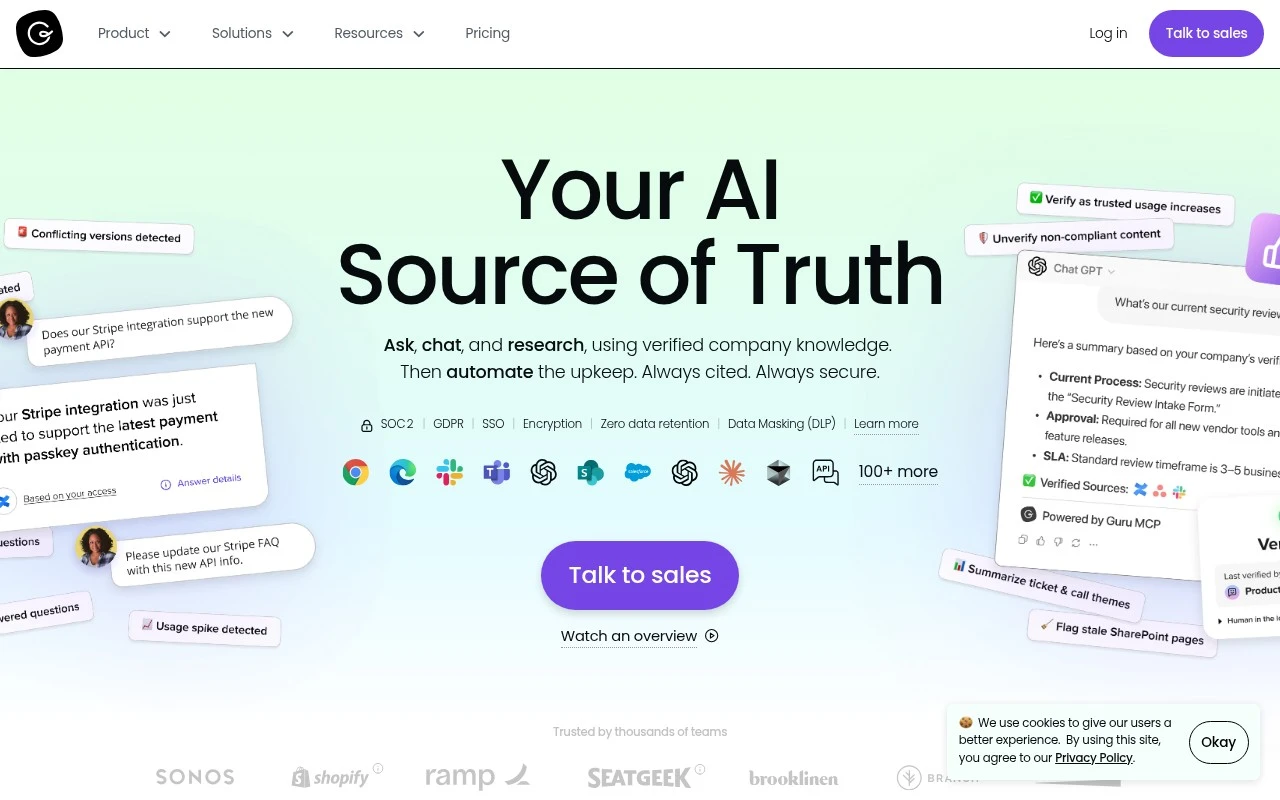
Guru provides a governed knowledge layer for enterprise AI. It turns scattered company knowledge into a structured, continuously maintained source of truth, with controls for verification, permissions, citations, audits, and compliance-oriented governance. Its positioning is less about being a simple wiki and more about making internal knowledge reliable enough for both employees and AI tools to use in daily work.

FYAI Score

8.7 / 10

Based on 2.320 reviews

Pricing:

Freemium

Best for:

Enterprise teams governing internal knowledge for employees and AI

Score Breakdown

  • Ease of use8.7 / 10
  • Features9.2 / 10
  • Pricing7.1 / 10
  • Integrations9.3 / 10
  • Support9.3 / 10

PRODUCT PREVIEW

What this AI tool does

Guru is an AI tool page entry with limited public context available about what it does or who it is designed for. If you’re researching it, the most useful starting point is to confirm the official source (such as a website, app listing, or documentation) and check whether it’s intended for personal use, teams, or a specific industry. In general, tools listed as AI products can range from chat-based assistants to workflow automation, content analysis, or knowledge management utilities. Without a defined intro or main use case, it’s best to look for clear indicators like example workflows, supported integrations, pricing tiers, and privacy or data-handling details to understand how it might fit your needs. If you share a link or a short description of what gurukm claims to do, this page description can be refined to match the actual purpose and expected search intent more accurately.

Use cases

Best for

Knowledge Base Search

Guru lets teams search a verified knowledge base with citations, permissions, and audit trails to retrieve trusted answers.

Internal Search

Guru provides internal search across company knowledge with governance controls like access permissions, verification, and compliance auditing.

ANALYSIS

Strengths & limitations

Strengths
  • Designed around verified, governed knowledge rather than unmanaged AI answers.
  • Supports trust controls such as citations, role-aware answers, audit trails, SSO, DLP, and configurable guardrails.
  • Focuses on ongoing knowledge maintenance, including duplicate detection, stale content flagging, expert review routing, and automatic improvement workflows.
Limitations
  • The official page presents Guru primarily as an enterprise sales-led platform, so fit and pricing may require direct evaluation with sales.
  • Its value depends on having enough internal knowledge, ownership, and governance processes for Guru to structure and maintain.
  • The provided source does not fully detail implementation complexity, supported integrations, or limits of its AI automation.

Evaluation

FYAI score breakdown

Our structured evaluation across five key criteria

8.7 / 10

Overall score

Based on 2.320 reviews

  • Ease of use8.7 / 10
  • Features9.2 / 10
  • Pricing7.1 / 10
  • Integrations9.3 / 10
  • Support9.3 / 10

What users say

Findings from public reviews, documentation and community sources.

  • Ease of use

    SoftwareAdvice reports 4.8/5 across 639 reviews, with users citing Guru's "intuitive interface" and "real-time updates."

  • Features

    Guru's features page lists "100+ source connectors," a "Unified knowledge index," permission-aware ingestion, and automated verification/maintenance.

  • Pricing

    Guru's pricing page says investment is "tailored to your organization's scale, knowledge complexity, and AI maturity" and asks users to "Book a call" rather than publishing seat prices or package amounts.

  • Integrations

    Guru's pricing page states Guru supports "100+ enterprise tools out of the box" and names Slack, Microsoft Teams, Salesforce, Zendesk, Confluence, and SharePoint. Guru's pricing page also references MCP delivery for AI tools and agents.

  • Support

    Guru's pricing page says Guru's package includes "access to a team of solution engineers," "integration setup and rollout support," "change management playbook," and "ongoing optimization reviews." Capterra reviews are cited at 4.8/5 across 639 Capterra reviews.

Who is this for?

Best for organizations that need enterprise knowledge management across many systems. Guru lists "100+ source connectors," a "Unified knowledge index," and permission-aware ingestion. Less suited to teams that need upfront budget comparison, Guru's pricing page says investment is "tailored to your organization's scale, knowledge complexity, and AI maturity" and asks users to "Book a call" rather than publishing seat prices or package amounts.

PRODUCT PREVIEW

Feature highlights

Verified knowledge

Keep answers accurate with verification workflows and ownership.

Governance & audits

Control access, track changes, and support compliance with audit trails.

AI-ready citations

Provide sourced answers with citations your AI tools can trust.

COMPARE

Discover curated alternatives worth comparing

Compare similar AI tools based on features, pricing and use cases

7.8/ 10Based on 31 reviews

Wudpecker

Meeting NotesSummarization
Turns meeting recordings into notes, summaries, and action items
Best for:
Knowledge workers
Pricing
Freemium

9.0/ 10Based on 1.589 reviews

Toggl Track

Time & Habit Tracking
Tracks time with automatic activity detection and reporting.
Best for:
Operations teams
Pricing
Freemium

8.5/ 10Based on 2.648 reviews

Todoist

Task & Project Management
Organize, schedule, and share tasks with AI-assisted planning
Best for:
Knowledge workers
Pricing
Freemium

See why teams choose Guru to find trusted answers fast and stay aligned. Start turning scattered knowledge into confident decisions today.

FAQ

Frequently asked
questions

Everything you need to know about this AI tool,
its features, pricing, use cases, and limitations.

What teams and workflows is Guru a good fit for?
Guru tends to work best for support, sales, and operations teams that need fast access to vetted answers while working in tools like Slack, Microsoft Teams, or a browser. It’s a strong fit when you want lightweight knowledge capture with verification/ownership rather than a heavy documentation portal. If your priority is long-form technical docs or public-facing documentation, you may find other tools more natural.
Does Guru have a free plan, and what are the practical limitations compared to paid?
Guru typically offers a free option for small teams, but key capabilities (like advanced permissions, governance, and admin controls) are usually gated to paid tiers. In practice, most organizations evaluating it for company-wide knowledge management end up needing paid plans for scale and compliance needs. Confirm current pricing and feature availability on getguru.com since packaging can change.
How does Guru compare with Confluence, Notion, or SharePoint for knowledge management?
Compared with Confluence or SharePoint, Guru is often chosen for in-the-flow retrieval (extensions and chat integrations) and maintaining “verified” answers, rather than building large wiki spaces. Versus Notion, Guru is typically more opinionated around knowledge governance and surfacing trusted snippets, while Notion is broader for project docs and databases. Your choice usually comes down to whether you need a wiki/workspace first (Confluence/Notion/SharePoint) or a verified knowledge layer embedded in daily tools (Guru).
How quickly can a team get Guru running, and what onboarding effort should you expect?
The biggest trade-off is the upfront effort: you’ll get more value if you invest in content structure, ownership, and ongoing verification. Some teams find the UI less intuitive than general-purpose doc tools, especially for long-form authoring. Cost can also be a factor for smaller teams if you need advanced admin and governance features.
What should we evaluate in Guru regarding data handling, privacy, and compliance?
Check where your data is stored, what encryption and access controls are available, and whether Guru supports requirements like SSO/SAML, SCIM provisioning, and audit logs on your target plan. If you use Slack/Teams integrations, review what content is indexed or surfaced and how permissions are enforced across systems. For regulated environments, verify available compliance attestations and your options for retention, deletion, and admin oversight.