Curated ToolThis tool is part of our curated AI directory. We only include tools that meet our standards for relevance, usability and real-world value.

Gamma

Generates and edits presentations, docs, and simple web pages.

Productivity
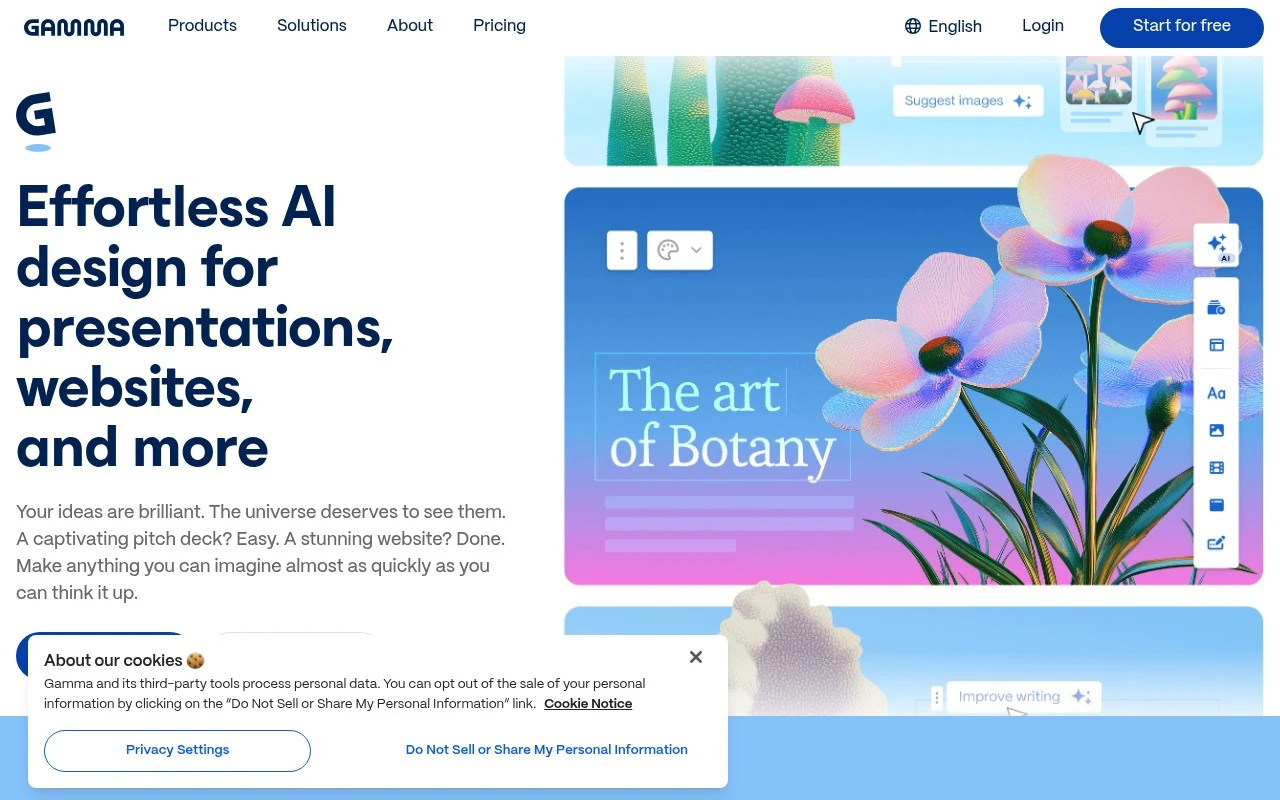
Gamma is an AI content creation tool focused on making presentation-style materials faster to produce. Users can start from a prompt, outline, or existing text and generate decks, documents, or simple web pages with layouts and visual structure applied automatically. It is best suited for people who need polished, shareable communication materials without spending as much time on slide design and formatting.

FYAI Score

7.5 / 10

Based on 117 reviews

Pricing:

Freemium

Best for:

Founders and teams creating polished decks fast

Score Breakdown

  • Ease of use7.7 / 10
  • Features7.1 / 10
  • Pricing7.5 / 10
  • Integrations8.5 / 10
  • Support7.0 / 10

PRODUCT PREVIEW

What this AI tool does

Gamma is an AI tool designed to help people turn ideas into clear, shareable content with less manual formatting. It’s commonly used when you need to draft a presentation, document, or simple web-style page and want the structure and wording to come together quickly. You typically start by describing your topic or pasting in rough notes, then refine the generated outline and text to match your audience and tone. It can be useful for early drafts, internal updates, and client-facing materials where consistency and readability matter. Because the output is generated from prompts, results can vary, so it works best when you review for accuracy, add context, and adjust details to fit your goals. This makes it a practical option for informational workflows where speed helps, but human editing is still important.

Use cases

Best for

Presentation Generation

Generate a slide deck from a prompt, outline, or pasted text, with layouts and visual structure applied automatically.

Website Generation

Use Gamma to turn a prompt or existing content into a simple shareable web page with structured sections and formatting.

Report Generation

Convert notes or source text into a formatted report document with headings, sections, and visual layout generated for you.

ANALYSIS

Strengths & limitations

Strengths
  • Speeds up the first draft of decks, documents, and visual explainers from minimal input.
  • Combines writing assistance with layout and presentation formatting rather than only generating text.
  • Useful for non-designers who need professional-looking materials for meetings, lessons, pitches, or internal communication.
Limitations
  • AI-generated structure and wording still require human review for accuracy, tone, and audience fit.
  • May not replace advanced presentation software for highly customized slide design, animation, or complex brand requirements.
  • The official page content provided in the scrape did not expose functional details, so this description relies on general knowledge rather than the supplied page text.

Evaluation

FYAI score breakdown

Our structured evaluation across five key criteria

7.5 / 10

Overall score

Based on 117 reviews

  • Ease of use7.7 / 10
  • Features7.1 / 10
  • Pricing7.5 / 10
  • Integrations8.5 / 10
  • Support7.0 / 10

What users say

Findings from public reviews, documentation and community sources.

  • Ease of use

    Reddit users describe Gamma’s main advantage as speed and presentation polish, saying its “strength is layout speed” and that AI slide generators like Gamma are “amazing for making great looking slides.” Reddit users also mention “hallucinated visuals.”

  • Features

    Reddit user discussion frames Gamma around AI-assisted slide generation and fast layout creation, while one comment calls it a “pretty wrapper” around AI text and another flags “hallucinated visuals.”

  • Pricing

    Gamma’s pricing page says “Free includes: Create up to 10 cards per prompt” across “presentations, docs, websites, social, and images.”

  • Integrations

    Gamma’s integrations page states it works inside “Claude, ChatGPT, Slack, Superhuman, Glean, and more.” Automation directories also list Gamma connectivity.

  • Support

    Trustpilot lists 117 reviews for Gamma with a 1.7/5 rating and summarizes repeated customer-service complaints as “slow” and “unhelpful.”

Who is this for?

Best for users who need fast AI-assisted presentation creation, Reddit users say Gamma’s “strength is layout speed” and that AI slide generators like Gamma are “amazing for making great looking slides.” Gamma also fits workflows that involve “Claude, ChatGPT, Slack, Superhuman, Glean, and more,” according to Gamma’s integrations page. Less suited to users who need dependable visual accuracy or responsive help, Reddit users mention “hallucinated visuals,” and Trustpilot lists 117 reviews with a 1.7/5 rating and customer-service complaints described as “slow” and “unhelpful.”

PRODUCT PREVIEW

Feature highlights

Prompt-to-deck

Generate structured presentations from a prompt, outline, or text.

Auto layouts & design

Applies clean layouts and visual hierarchy without slide tweaking.

Share as a web page

Publish and share your deck as a simple, scrollable web page.

COMPARE

Discover curated alternatives worth comparing

Compare similar AI tools based on features, pricing and use cases

7.8/ 10Based on 31 reviews

Wudpecker

Meeting NotesSummarization
Turns meeting recordings into notes, summaries, and action items
Best for:
Knowledge workers
Pricing
Freemium

9.0/ 10Based on 1.589 reviews

Toggl Track

Time & Habit Tracking
Tracks time with automatic activity detection and reporting.
Best for:
Operations teams
Pricing
Freemium

8.5/ 10Based on 2.648 reviews

Todoist

Task & Project Management
Organize, schedule, and share tasks with AI-assisted planning
Best for:
Knowledge workers
Pricing
Freemium

Create polished, story-driven decks in minutes instead of hours. See why teams choose Gamma to communicate ideas clearly and win buy-in faster.

FAQ

Frequently asked
questions

Everything you need to know about this AI tool,
its features, pricing, use cases, and limitations.

What types of teams and projects is Gamma a good fit for?
Gamma works best for business teams that need to produce polished decks quickly and iterate with stakeholders in real time. It’s a strong choice for sales pitches, internal updates, product narratives, and client-ready proposals where design consistency matters. If your workflow depends on heavy offline editing or highly bespoke slide layouts, you may prefer a more traditional presentation tool.
How do Gamma’s free and paid plans differ in practice?
The free tier is typically enough to test the editor, templates, and basic sharing, but it can be limiting for frequent use or team workflows. Paid plans generally unlock more advanced features, higher usage limits, and team-oriented controls. If you need consistent branding, collaboration at scale, or predictable export/sharing options, a paid plan is usually the deciding factor.
How does Gamma compare with PowerPoint, Google Slides, and Canva for presentations?
Compared with PowerPoint and Google Slides, Gamma is often faster for generating a well-designed first draft and keeping formatting consistent, but it can feel less flexible for pixel-perfect slide control. Versus Canva, Gamma is more presentation-structure focused, while Canva can be stronger for broad design assets and granular visual editing. If your team already relies on Microsoft or Google ecosystems for file workflows, that integration may outweigh Gamma’s speed.
How quickly can a team get started with Gamma, and what onboarding effort should you expect?
Gamma has limited offline functionality, so it’s not ideal for travel-heavy teams or low-connectivity environments. Some users find the customization options and new workflow less straightforward than traditional slide tools, especially for complex, bespoke designs. If you need strict control over every element’s placement, you may encounter constraints.
What should I check regarding data privacy, security, and compliance when evaluating Gamma?
Review Gamma’s privacy policy and security documentation to understand how content is stored, processed, and retained, especially if you’ll upload sensitive client or internal data. Confirm whether your plan includes admin controls (e.g., access management) and what options exist for data export or deletion. If you have regulatory requirements (SOC 2, GDPR, etc.), validate current certifications and contractual terms before rolling it out broadly.