Curated ToolThis tool is part of our curated AI directory. We only include tools that meet our standards for relevance, usability and real-world value.

Fellow

Transcribes meetings, summarizes, and extracts action items.

Meeting NotesSummarization
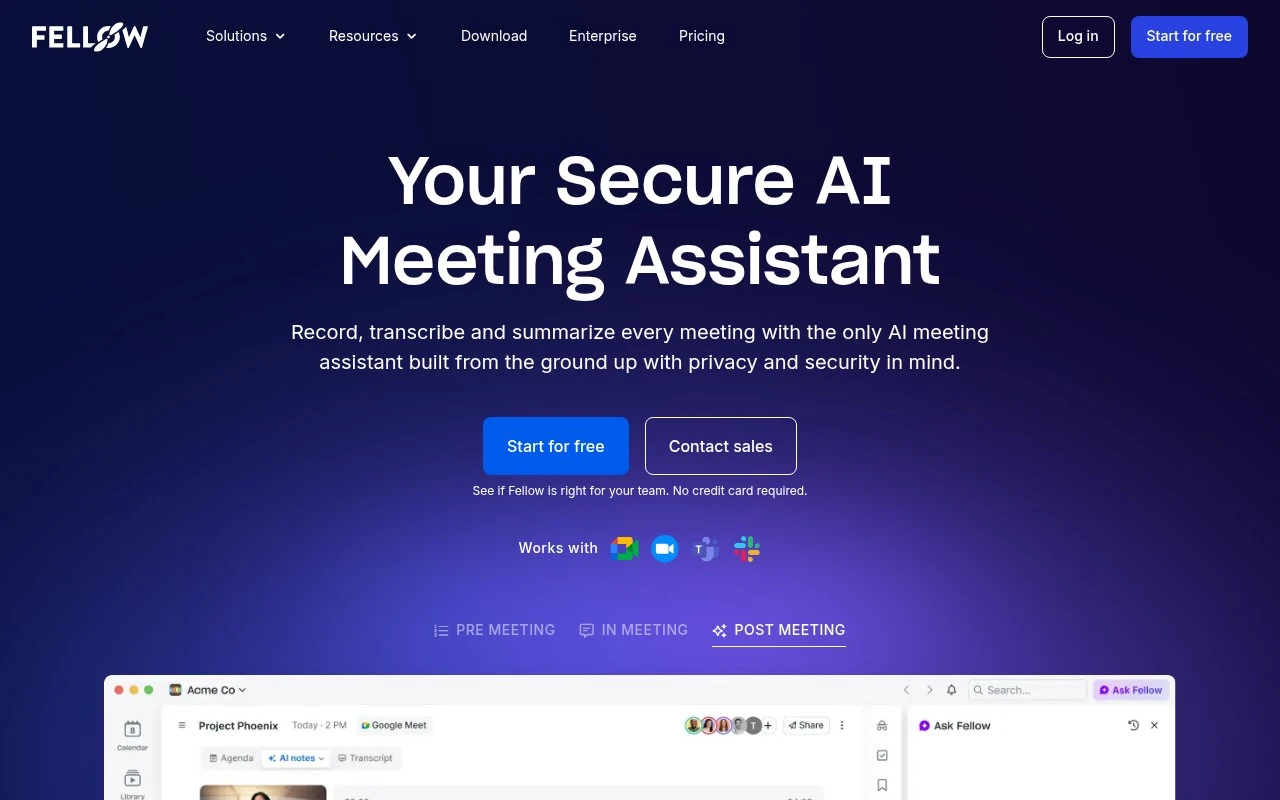
Fellow is an AI meeting assistant and notetaker for teams and organizations. It captures meeting recordings, transcripts, summaries, decisions, and action items, then makes them searchable and usable through an AI agent called AskFellow. The product emphasizes enterprise privacy controls, centralized meeting governance, and regulated-industry workflows, including audit trails, redaction, zero-day retention options, and permissioned access to meeting records.

FYAI Score

9.1 / 10

Based on 2.422 reviews

Pricing:

Freemium

Best for:

Enterprise teams needing governed, searchable meeting knowledge

Score Breakdown

  • Ease of use9.3 / 10
  • Features9.2 / 10
  • Pricing9.1 / 10
  • Integrations9.1 / 10
  • Support8.9 / 10

PRODUCT PREVIEW

What this AI tool does

Fellow is an AI-assisted tool designed to support teams in running more organized meetings and keeping track of what was decided. It helps capture discussion points, document outcomes, and turn them into clear notes that are easy to share and revisit. In practice, it’s useful for people who want a consistent record of agendas, meeting notes, and follow-ups without relying on memory or scattered documents. By centralizing information from recurring meetings, it can make it easier to maintain continuity across projects and ensure action items don’t get lost. This page provides an overview of how fellow fits into common meeting workflows, what kinds of teams typically use it, and what to consider when evaluating it for your organization.

Use cases

Best for

Meeting Notes

Fellow records meetings and generates searchable notes with summaries, decisions, and assigned action items.

Transcribe Audio

Upload or capture meeting audio in Fellow to produce a transcript with speaker labels and searchable text.

Crm Automation

Use AskFellow to pull decisions and action items from meeting records and paste them into CRM fields for updates.

ANALYSIS

Strengths & limitations

Strengths
  • Supports automated meeting capture and summaries across major meeting formats and platforms, including Zoom, Google Meet, Microsoft Teams, Slack huddles, Webex, and in-person meetings.
  • Emphasizes privacy, centralized access control, auditability, and security for organization-wide meeting records.
  • Connects meeting insights to workflow tools and CRMs, including Salesforce and HubSpot, to help automate follow-ups and pipeline updates.
Limitations
  • Its core value is meeting capture and meeting-derived workflow automation, so it is not a general-purpose project management or knowledge management system by itself.
  • The most distinctive governance and compliance features appear most relevant to enterprise or regulated-industry deployments rather than casual individual use.
  • Usefulness depends on whether a team is willing to record meetings and connect Fellow to its conferencing, CRM, and productivity tools.

Evaluation

FYAI score breakdown

Our structured evaluation across five key criteria

9.1 / 10

Overall score

Based on 2.422 reviews

  • Ease of use9.3 / 10
  • Features9.2 / 10
  • Pricing9.1 / 10
  • Integrations9.1 / 10
  • Support8.9 / 10

What users say

Findings from public reviews, documentation and community sources.

  • Ease of use

    Software Advice lists Fellow with “Overall Rating 4.9” across 37 reviews and a visible “Ease of use” rating of 5.

  • Features

    Fellow’s pricing page says Fellow “records, transcribes, and summarizes meetings,” captures “AI action items,” offers AskFellow for meeting insights, and provides transcription in “99 languages.”

  • Pricing

    Fellow’s pricing page lists a Free tier, Team at “$7 per user / month billed annually” or $11 monthly, Business at $15 annually or $23 monthly, and Enterprise at $25 annually. Fellow’s pricing page says Business includes unlimited AI notes/recordings, Enterprise includes advanced controls, and the Free tier is capped at 5 lifetime AI notes and recordings per user.

  • Integrations

    Fellow’s homepage states it has “over 50 integrations,” including Zoom, Google Meet, Microsoft Teams, and Slack, plus API access on paid tiers.

  • Support

    Fellow’s pricing page lists “Chat & email support” across all tiers, with an “Onboarding program” and “Dedicated account manager” available on higher tiers.

Who is this for?

Best for teams that want AI meeting notes across common meeting tools, Fellow’s pricing page says Fellow “records, transcribes, and summarizes meetings,” captures “AI action items,” and supports transcription in “99 languages.” Fellow’s homepage states it has “over 50 integrations,” which helps teams connect Fellow to existing productivity workflows. Less suited to users who need ongoing AI meeting notes at no cost, Fellow’s Free tier is capped at 5 lifetime AI notes and recordings per user.

PRODUCT PREVIEW

Feature highlights

AI meeting notes

Capture recordings, transcripts, summaries, decisions, and action items.

AskFellow agent

Search and query past meetings to find answers and next steps fast.

Meeting governance

Permissioned access, audit trails, redaction, and retention controls.

COMPARE

Discover curated alternatives worth comparing

Compare similar AI tools based on features, pricing and use cases

7.8/ 10Based on 31 reviews

Wudpecker

Meeting NotesSummarization
Turns meeting recordings into notes, summaries, and action items
Best for:
Knowledge workers
Pricing
Freemium

9.0/ 10Based on 1.589 reviews

Toggl Track

Time & Habit Tracking
Tracks time with automatic activity detection and reporting.
Best for:
Operations teams
Pricing
Freemium

8.5/ 10Based on 2.648 reviews

Todoist

Task & Project Management
Organize, schedule, and share tasks with AI-assisted planning
Best for:
Knowledge workers
Pricing
Freemium

Run meetings people actually value. Use Fellow to turn every discussion into clear decisions, owners, and next steps—starting today.

FAQ

Frequently asked
questions

Everything you need to know about this AI tool,
its features, pricing, use cases, and limitations.

What types of teams and meetings is Fellow a good fit for?
Fellow fits teams that run recurring 1:1s, staff meetings, and project check-ins where agendas, shared notes, and action items need to be consistent. It’s especially useful when you want a standard meeting structure across managers or cross-functional groups. If your meetings are mostly ad hoc and don’t need follow-through tracking, lighter note tools may be enough.
Does Fellow have a free plan, and what are the main limitations compared to paid tiers?
Fellow typically offers a free option, but the practical value depends on limits around features like advanced templates, integrations, and team-wide controls. Paid plans are usually where you get stronger collaboration workflows (e.g., more robust action-item tracking and admin features). Before choosing, check whether the free tier supports your meeting volume and the integrations your team relies on.
How does Fellow compare with Notion, Confluence, or Google Docs for meeting workflows?
Compared with general docs/wiki tools, Fellow is more opinionated around meeting agendas, recurring 1:1s, and capturing decisions and action items in one place. Notion or Confluence can be more flexible for broader documentation, but they often require more manual setup to keep meetings consistent. If your priority is meeting cadence and accountability rather than a company-wide knowledge base, Fellow is usually the closer match.
How quickly can a team get set up in Fellow, and what onboarding effort should you expect?
Fellow can feel heavyweight if your team prefers unstructured meetings or already has a strong process in another system. Integration coverage may be a deciding factor if you need deep links into specific project management tools. Cost can also scale with headcount, so it’s worth modeling pricing for your expected user base.
What should we evaluate around data handling, privacy, and compliance when using Fellow?
If you plan to store sensitive meeting notes (e.g., HR, legal, or customer details), review Fellow’s security documentation for encryption, data retention, and access controls. Confirm whether it supports requirements like SSO, audit logs, and admin permissions at the plan you’re considering. For regulated environments, verify where data is hosted and whether relevant compliance attestations are available.