Curated ToolThis tool is part of our curated AI directory. We only include tools that meet our standards for relevance, usability and real-world value.

Decktopus

Creates designed slide decks from prompts, text, or PDFs

Productivity
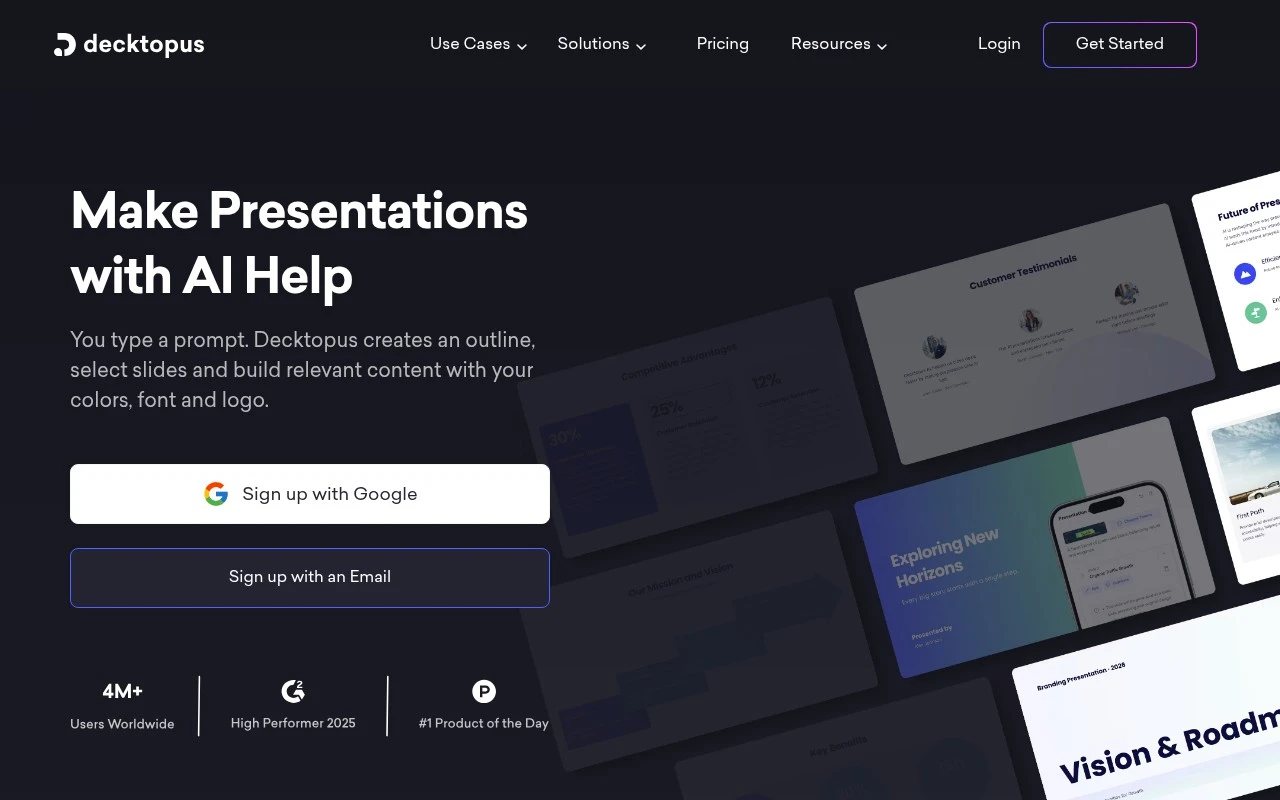
Decktopus is an AI presentation assistant for generating and editing slide decks. Users can start from a prompt, pasted text, or a PDF, then get a designed presentation that can be adjusted with a drag-and-drop editor. The product emphasizes business presentation workflows, especially brand consistency for teams through uploaded logos, colors, fonts, custom templates, slide libraries, team organization, and Zapier-based workflow automation.

FYAI Score

7.9 / 10

Based on 67 reviews

Pricing:

Freemium

Best for:

Sales and marketing teams producing on-brand decks fast

Score Breakdown

  • Ease of use7.8 / 10
  • Features7.7 / 10
  • Pricing7.9 / 10
  • Integrations8.0 / 10
  • Support8.6 / 10

PRODUCT PREVIEW

What this AI tool does

Decktopus is an AI-assisted presentation tool designed to help people create slide decks with less manual formatting and starting-from-scratch work. It’s typically used when you have a topic, outline, or rough notes and want to turn them into a structured presentation that looks consistent. In practice, you provide a prompt or key points, and the tool generates a draft deck that you can review and edit. This can be useful for common scenarios like business updates, sales pitches, training materials, or classroom presentations, where speed and clarity matter. Because the output is still a draft, it works best when you treat it as a starting point and refine the wording, data, and visuals to match your audience and goals. decktopus can fit into a workflow where you iterate quickly on content, then finalize design and details before sharing or presenting.

Use cases

Best for

Prompt to Slide Deck

Decktopus generates a fully designed slide deck from a prompt, pasted text, or an uploaded PDF.

Brand-Aligned Templates

Apply saved brand colors, fonts, and logos to slides using custom layouts and reusable templates.

Collaborative Slide Editing

Edit, regenerate, and reorder slides with drag-and-drop controls plus team access and collaboration features.

ANALYSIS

Strengths & limitations

Strengths
  • Can generate designed presentations from prompts, existing text, or PDFs rather than starting from a blank deck.
  • Supports brand consistency through logos, colors, fonts, custom layouts, and company templates.
  • Includes practical presentation support features such as slide regeneration, AI-generated images, speaker notes, Q&A prompts, hooks, and storytelling structure.
Limitations
  • AI-generated decks may still require review, editing, or regeneration to fit the user’s exact message and style.
  • The product is focused on presentations, so it is not a general-purpose document, spreadsheet, or full design-suite replacement.
  • More advanced or fully customized branding appears to require contacting the company rather than being entirely self-serve.

Evaluation

FYAI score breakdown

Our structured evaluation across five key criteria

7.9 / 10

Overall score

Based on 67 reviews

  • Ease of use7.8 / 10
  • Features7.7 / 10
  • Pricing7.9 / 10
  • Integrations8.0 / 10
  • Support8.6 / 10

What users say

Findings from public reviews, documentation and community sources.

  • Ease of use

    G2 says users “consistently praise the ease of use and professional templates that allow for quick presentation creation,” and SoftwareAdvice notes “Ease of use” and “Very fluid and accessible,” with some media-upload bugs reported.

  • Features

    Decktopus advertises prompt-to-branded decks, slide regeneration, PDF-to-presentation conversion, and branded enterprise slide systems on decktopus.com.

  • Pricing

    Decktopus pricing lists Pro at $14.99/month billed annually with 9,000 AI credits and 300 AI presentations/year, Business at $34.99/user/month billed annually with 12,000 AI credits and team features, plus custom Enterprise and a 50% student discount code.

  • Integrations

    Zapier states Decktopus AI “integrates with 9000 other apps,” and Decktopus pricing lists Webhook and Custom Domain Connection on Business.

  • Support

    Decktopus’ own site claims “<1min average customer support response time,” and a Decktopus homepage testimonial says working with customer service “was a pleasant experience.”

Who is this for?

Best for teams that need branded presentations quickly, Decktopus advertises prompt-to-branded decks, custom templates, team organization, and branded enterprise slide systems. Less suited to users whose presentations depend on frequent media uploads, SoftwareAdvice notes positive ease-of-use feedback but also reports some media-upload bugs.

PRODUCT PREVIEW

Feature highlights

AI deck generator

Create a full slide deck from a prompt, text, or PDF in minutes.

Brand consistency

Apply logos, colors, fonts, and templates across every presentation.

Team workflows

Organize teams, reuse slide libraries, and automate via Zapier.

COMPARE

Discover curated alternatives worth comparing

Compare similar AI tools based on features, pricing and use cases

7.8/ 10Based on 31 reviews

Wudpecker

Meeting NotesSummarization
Turns meeting recordings into notes, summaries, and action items
Best for:
Knowledge workers
Pricing
Freemium

9.0/ 10Based on 1.589 reviews

Toggl Track

Time & Habit Tracking
Tracks time with automatic activity detection and reporting.
Best for:
Operations teams
Pricing
Freemium

8.5/ 10Based on 2.648 reviews

Todoist

Task & Project Management
Organize, schedule, and share tasks with AI-assisted planning
Best for:
Knowledge workers
Pricing
Freemium

Create client-ready presentations in minutes, not hours. Start with Decktopus today and spend your time on the message—not the slide design.

FAQ

Frequently asked
questions

Everything you need to know about this AI tool,
its features, pricing, use cases, and limitations.

What types of presentations is Decktopus a good fit for?
Decktopus works best for business decks where speed and consistency matter—sales pitches, internal updates, training slides, and client proposals. It’s a strong option for teams that want a polished baseline quickly and then refine content. If you need highly bespoke layouts or brand-heavy design systems, you may find it less flexible than design-first tools.
Does Decktopus have a free plan, and what are the main limitations compared to paid tiers?
Decktopus typically offers a free way to try the workflow, but key capabilities (such as broader template access, exports, and advanced collaboration or branding controls) are commonly gated to paid plans. Expect the free experience to be best for evaluation rather than ongoing client work. Check the current plan page for exact export formats, watermarking, and seat limits since these can change.
How does Decktopus compare with PowerPoint/Google Slides and AI-first alternatives like Tome or Gamma?
Compared with PowerPoint or Google Slides, Decktopus prioritizes fast generation and guided structure over deep manual layout control. Versus Tome/Gamma-style tools, Decktopus is often more template-driven and presentation-traditional, which can be preferable for standard business decks. If your team needs pixel-level design or complex animations, native slide tools may still be the better fit.
How quickly can a team get started with Decktopus, and what onboarding is required?
Decktopus can feel limiting if you want complete creative control or advanced design features beyond what templates allow. The time savings may come at the cost of unique layouts, and some users prefer more granular editing. Pricing can also be a deciding factor for freelancers or small teams compared with tools bundled into existing office suites.
What should I know about data privacy, ownership, and compliance when using Decktopus?
If you’re putting client or sensitive internal content into Decktopus, review its current privacy policy, data retention terms, and any available enterprise/security documentation. Confirm where data is stored, whether content is used to improve models, and what controls exist for access management and deletion. For regulated industries, validate whether Decktopus supports your required compliance standards (e.g., SOC 2/ISO, DPA) before rollout.