Curated ToolThis tool is part of our curated AI directory. We only include tools that meet our standards for relevance, usability and real-world value.

Capacities

Connected note-taking and personal knowledge management workspace

Knowledge Search
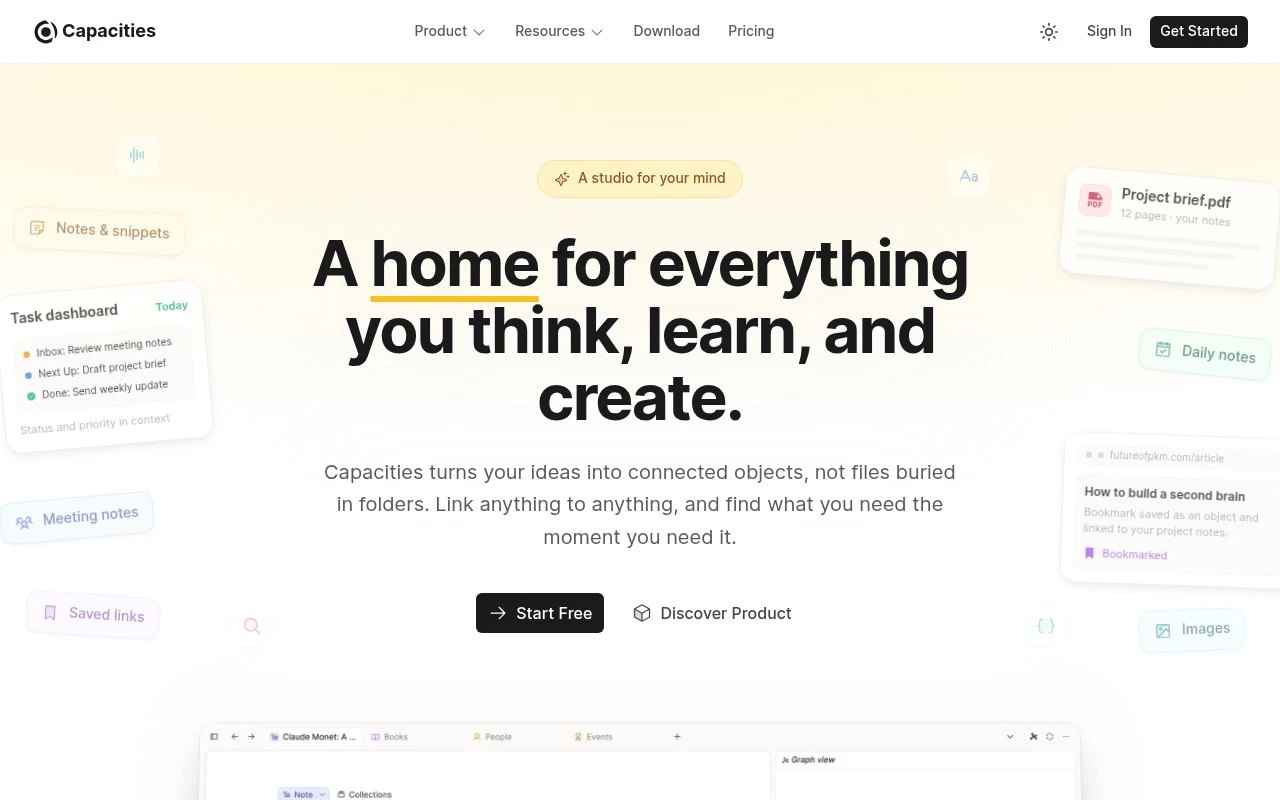
Capacities is a cross-platform note-taking and knowledge management app built around objects and connections instead of traditional folders. Users can start from daily notes, turn information into structured objects, link anything to anything, and use backlinks and related content to rediscover connections across their notes. It is positioned as a thinking space for people who collect ideas, research, projects, and references over time.

FYAI Score

8.0 / 10

Based on 66 reviews

Pricing:

Freemium

Best for:

Researchers and creators building a long-term personal knowledge base

Score Breakdown

  • Ease of use8.2 / 10
  • Features7.9 / 10
  • Pricing7.8 / 10
  • Integrations7.6 / 10
  • Support8.5 / 10

PRODUCT PREVIEW

What this AI tool does

Capacities is an AI-assisted workspace for capturing, organizing, and revisiting information in a way that supports ongoing research and writing. It’s designed for people who collect notes, links, and ideas over time and want a system that helps them keep context without constantly reformatting or reorganizing everything. Instead of treating your content as isolated documents, it encourages you to connect related items so you can build a clearer picture of a topic as it evolves. This can be useful for students, researchers, and knowledge workers who need to turn scattered inputs into structured understanding. As you add more material, the tool can help you surface relevant context when you return to a subject later, making it easier to continue a project or pick up a line of thinking. If you’re looking for an informational overview of a note-taking and knowledge management tool with AI support, capacities fits that category.

Use cases

Best for

Internal Search

Use Capacities to search across daily notes, objects, and backlinks to quickly retrieve related pages and connections.

Knowledge Base Search

Search your Capacities knowledge base by querying linked objects and related content to surface relevant notes and references.

ANALYSIS

Strengths & limitations

Strengths
  • Object-based organization is distinct from conventional folder-based note systems and can make people, books, projects, meetings, and ideas easier to connect.
  • Daily notes provide a low-friction inbox for capturing information before organizing it more deeply.
  • Available on Mac, Windows, Linux, iOS, and Android, with a free starting option according to the official site.
Limitations
  • Users who prefer a traditional file-and-folder hierarchy may find the object-based model unfamiliar.
  • The official page emphasizes limited setup and no plugin rabbit holes, so it may be less suitable for users who want heavy customization through plugins.
  • The provided official content mentions an AI Assistant but does not explain its capabilities in detail.

Evaluation

FYAI score breakdown

Our structured evaluation across five key criteria

8.0 / 10

Overall score

Based on 66 reviews

  • Ease of use8.2 / 10
  • Features7.9 / 10
  • Pricing7.8 / 10
  • Integrations7.6 / 10
  • Support8.5 / 10

What users say

Findings from public reviews, documentation and community sources.

  • Ease of use

    The Capacities website says, “No complex setup. Just open the app and start getting your thoughts down,” and presents daily notes as an inbox with objects created as needed. Reddit sentiment describes Capacities as helping users organize thoughts in a way other apps had not.

  • Features

    The Capacities website lists connected objects, properties, backlinks, and “Related Content” that surfaces unlinked connections. The Capacities website also lists daily notes, custom object types, and an AI Assistant.

  • Pricing

    The Capacities pricing page structures pricing around a free core product plus paid “Pro” and “Believer” tiers for additional features. The Capacities Pro page references a free trial and no credit card required.

  • Integrations

    The Capacities integrations documentation states that Capacities offers “first-party integrations built by our team, plus community integrations built and maintained by external developers.”

  • Support

    The Capacities website cites “10,000+ Community Members” and an “Active Discord community.” Capacities also provides public documentation pages.

Who is this for?

Best for people who want a personal knowledge management system built around quick capture and structured connections, the Capacities website says, “No complex setup. Just open the app and start getting your thoughts down,” with daily notes as an inbox and objects created as needed. Less suited to users who want only standalone notes, Capacities uses connected objects, properties, backlinks, and custom object types, so the workflow centers on object-based organization.

PRODUCT PREVIEW

Feature highlights

Object-based notes

Capture info as structured objects, not folders, for clearer context.

Links & backlinks

Connect anything and surface related notes to spark new insights.

Daily notes to system

Start with daily notes, then evolve them into reusable knowledge.

COMPARE

Discover curated alternatives worth comparing

Compare similar AI tools based on features, pricing and use cases

7.8/ 10Based on 31 reviews

Wudpecker

Meeting NotesSummarization
Turns meeting recordings into notes, summaries, and action items
Best for:
Knowledge workers
Pricing
Freemium

9.0/ 10Based on 1.589 reviews

Toggl Track

Time & Habit Tracking
Tracks time with automatic activity detection and reporting.
Best for:
Operations teams
Pricing
Freemium

8.5/ 10Based on 2.648 reviews

Todoist

Task & Project Management
Organize, schedule, and share tasks with AI-assisted planning
Best for:
Knowledge workers
Pricing
Freemium

Bring your team’s knowledge and work into one place. Start using Capacities today to stay aligned, move faster, and finish projects with less back-and-forth.

FAQ

Frequently asked
questions

Everything you need to know about this AI tool,
its features, pricing, use cases, and limitations.

What teams and workflows is Capacities a good fit for?
Capacities works best for teams that want a shared workspace combining project tracking with structured knowledge (notes, docs, and linked context). It’s a strong fit for cross-functional collaboration where decisions, tasks, and reference material need to stay connected. If you mainly need lightweight task lists without a knowledge layer, simpler tools may be faster.
Does Capacities have a free plan, and what are the practical limitations compared to paid?
Capacities typically offers a free tier suitable for trying the core workspace, but paid plans are where you’ll feel fewer constraints for ongoing team use. Common differences are higher usage limits, more collaboration controls, and advanced features that matter once multiple people rely on it daily. If you’re evaluating for a team rollout, confirm seat pricing and any caps that could affect heavy usage.
How does Capacities compare with Notion, Asana, or ClickUp for team productivity?
Compared with Asana, Capacities tends to emphasize knowledge and context alongside tasks rather than being purely execution-focused. Versus Notion, it’s more opinionated around structured objects and linking, which can reduce setup flexibility but improve consistency. Against ClickUp, expect fewer built-in workflow modules and integrations, but a cleaner, less cluttered workspace for teams that don’t need everything in one suite.
How quickly can a team get set up in Capacities, and what onboarding effort should you expect?
Capacities can feel less plug-and-play if your team expects lots of prebuilt templates, automations, or deep third-party integrations. Some organizations may find the pricing less attractive compared to basic task trackers, especially for larger seat counts. It’s a better match for teams that value a unified knowledge + work system over a best-of-breed stack.
What should we check about data privacy, security, and compliance before using Capacities?
Review where Capacities hosts data, what encryption and access controls are available, and whether it supports requirements like SSO, audit logs, or role-based permissions for your plan. If you’re in a regulated environment, confirm any available compliance documentation (e.g., SOC 2/ISO claims) and data processing terms. Also verify retention, export options, and how shared content is handled when users leave.