Curated ToolThis tool is part of our curated AI directory. We only include tools that meet our standards for relevance, usability and real-world value.

Avoma

Transcribes meetings, drafts notes, and analyzes sales calls.

Meeting NotesEmail Assistant
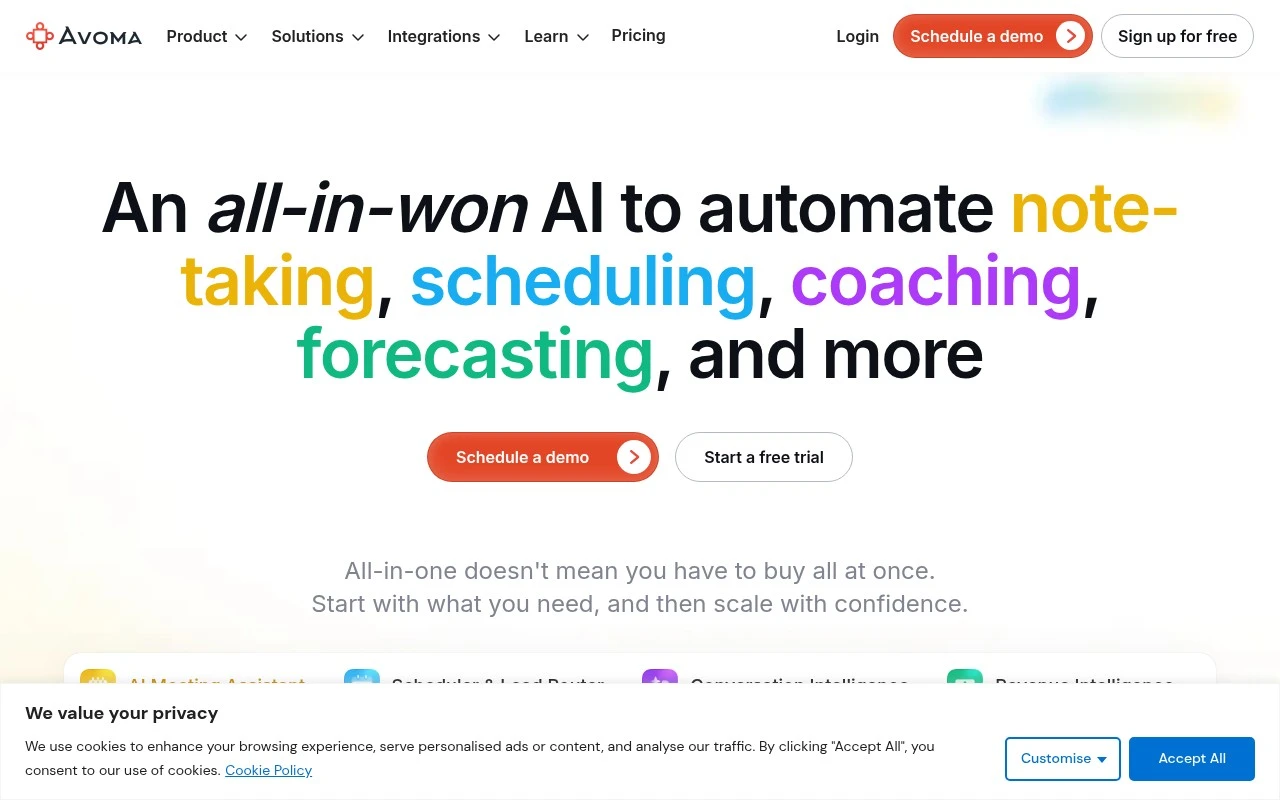
Avoma combines an AI meeting assistant with scheduling, lead routing, conversation intelligence, and revenue intelligence. It is positioned for teams that want one system for meeting documentation, sales coaching, CRM updates, and deal inspection rather than separate tools for transcription, scheduling, and revenue analysis.

FYAI Score

8.9 / 10

Based on 1.362 reviews

Pricing:

Free trial

Best for:

Sales and customer success teams improving call quality and pipeline

Score Breakdown

  • Ease of use9.2 / 10
  • Features8.8 / 10
  • Pricing9.3 / 10
  • Integrations7.7 / 10
  • Support8.9 / 10

PRODUCT PREVIEW

What this AI tool does

Avoma is an AI-assisted meeting tool designed to help teams capture what was discussed and turn conversations into usable notes and follow-ups. It typically works alongside your calendar and video conferencing setup, creating a written record of meetings so information is easier to review and share. In practice, it’s used by sales, customer success, and internal teams that want a consistent way to document decisions, action items, and key moments without relying on manual note-taking. By organizing meeting content in one place, it can support faster handoffs, clearer accountability, and better continuity across projects. If you’re researching Avoma, it’s helpful to consider how it fits into your existing workflow, including where meeting recordings and notes should live, who needs access, and what level of automation is appropriate for your organization’s privacy and compliance requirements.

Use cases

Best for

Meeting Notes

Avoma records meetings and generates structured notes with summaries, action items, and decisions for easy sharing.

Transcribe Audio

Avoma transcribes meeting audio into searchable text with speaker attribution and timestamps.

Email Writing

Avoma drafts follow up emails from meeting transcripts and key points so you can send recap and next steps faster.

ANALYSIS

Strengths & limitations

Strengths
  • Covers several connected revenue workflows in one product: notes, follow-ups, CRM updates, scheduling, routing, coaching, and forecasting.
  • Supports AI-generated meeting artifacts such as transcripts, notes, smart chapters, follow-up drafts, and an Ask Avoma copilot.
  • Includes sales-specific intelligence features such as call scoring, talk-pattern insights, semantic topic tracking, deal risk alerts, methodology scoring, and win-loss analysis.
Limitations
  • The product is primarily framed around sales and revenue workflows, so it may be more than a general-purpose meeting note-taker needs.
  • Conversation intelligence and revenue intelligence capabilities appear to be separate modules or add-ons rather than simply part of basic note-taking.
  • Many higher-value features depend on team adoption across meetings, CRM processes, scheduling, and sales methodology tracking.

Evaluation

FYAI score breakdown

Our structured evaluation across five key criteria

8.9 / 10

Overall score

Based on 1.362 reviews

  • Ease of use9.2 / 10
  • Features8.8 / 10
  • Pricing9.3 / 10
  • Integrations7.7 / 10
  • Support8.9 / 10

What users say

Findings from public reviews, documentation and community sources.

  • Ease of use

    G2 reports a 4.6/5 rating from 1,362 reviews for Avoma and says users “consistently praise Avoma for its ease of use and AI-generated summaries.”

  • Features

    Avoma’s website lists AI note-taking, live transcription, AI summaries, and CRM updates. Avoma’s website also references “transcription in 40+ languages,” conversation intelligence, coaching, forecasting, and deal-risk alerts.

  • Pricing

    Avoma’s pricing page lists Startup at $19 per recorder seat/month annually, Organization at $24, and Enterprise at $39. Avoma’s pricing page also lists a “Free 14-day trial” and says “Viewers and Collaborators are always free.”

  • Integrations

    Avoma’s pricing page references “Auto Save Notes to CRM Records,” “Dialer Integration,” and, on the Organization plan, “API Integration & Webhooks.”

  • Support

    Avoma’s pricing page lists “Customer Success Manager” on Organization and “Designated Success Manager,” “Concierge Onboarding & Training,” and “Quarterly Business Reviews” on Enterprise.

Who is this for?

Best for revenue teams that want meeting capture connected to pipeline work, Avoma’s website lists AI note-taking, live transcription, CRM updates, forecasting, and deal-risk alerts. Less suited to teams trying to keep recorder seats free long term, Avoma’s pricing page lists a “Free 14-day trial” and paid recorder seats starting with Startup at $19 per recorder seat/month annually, while “Viewers and Collaborators are always free.”

PRODUCT PREVIEW

Feature highlights

AI meeting notes

Auto-capture summaries, action items, and key moments from calls.

Deal & revenue intel

Spot risks, trends, and deal health from conversation signals.

CRM auto-updates

Sync notes and fields to keep your CRM current without manual work.

COMPARE

Discover curated alternatives worth comparing

Compare similar AI tools based on features, pricing and use cases

7.8/ 10Based on 31 reviews

Wudpecker

Meeting NotesSummarization
Turns meeting recordings into notes, summaries, and action items
Best for:
Knowledge workers
Pricing
Freemium

9.0/ 10Based on 1.589 reviews

Toggl Track

Time & Habit Tracking
Tracks time with automatic activity detection and reporting.
Best for:
Operations teams
Pricing
Freemium

8.5/ 10Based on 2.648 reviews

Todoist

Task & Project Management
Organize, schedule, and share tasks with AI-assisted planning
Best for:
Knowledge workers
Pricing
Freemium

Turn every sales call into clear next steps and better follow-ups. Start using Avoma today to keep your team aligned and moving deals forward.

FAQ

Frequently asked
questions

Everything you need to know about this AI tool,
its features, pricing, use cases, and limitations.

Is Avoma a good fit for sales teams, customer success, or internal meetings?
Avoma is strongest for revenue teams that run frequent customer calls and want automatic notes, summaries, and follow-up insights tied to a CRM. It can also work for customer success and recruiting, but the most value shows up when you need consistent call documentation and coaching across a team. If your meetings are mostly internal and you don’t need CRM workflows, lighter meeting note tools may be enough.
Does Avoma have a free plan, and what do you typically get only on paid tiers?
Avoma is generally positioned as a paid product, with access to advanced features varying by plan and packaging. In most cases, deeper conversation intelligence, team analytics, and CRM automations are gated to higher tiers than basic recording or note capture. If you need a long-term free tier for a small team, confirm current availability and limits (seats, recordings, and integrations) before committing.
How does Avoma compare with Gong, Chorus, Otter, or Fireflies for meeting notes and sales insights?
Compared with Gong/Chorus, Avoma is often evaluated as a more lightweight option for meeting notes plus coaching and CRM workflows, while the enterprise leaders may go deeper on large-scale revenue intelligence. Versus Otter or Fireflies, Avoma tends to be more sales-process oriented, with stronger emphasis on follow-ups, deal context, and CRM syncing rather than general-purpose transcription. The best choice depends on whether you prioritize coaching/forecast workflows or simple cross-team note-taking.
How quickly can a team get Avoma running, and what onboarding work should you expect?
Transcription and summaries can be affected by poor audio, accents, or multiple people talking, so you may still need spot-checking for critical details. Teams new to automated note tools often need a short adjustment period to trust and operationalize the outputs. Cost can also be a deciding factor if you only need basic transcription rather than CRM-linked insights.
What should we verify about Avoma’s data handling, privacy, and compliance before rollout?
Confirm where Avoma stores recordings and transcripts, how long data is retained, and whether you can control deletion and access by role. If you operate in regulated environments, review available security documentation (e.g., SOC 2 status, encryption, SSO) and how consent/recording notifications are handled for participants. Also validate what data is shared with connected CRMs and whether you can limit what fields get written back.