Curated ToolThis tool is part of our curated AI directory. We only include tools that meet our standards for relevance, usability and real-world value.

Castmagic

Transcribes audio/video and generates summaries and content assets

Email Marketing & DeliverabilityContent & Social

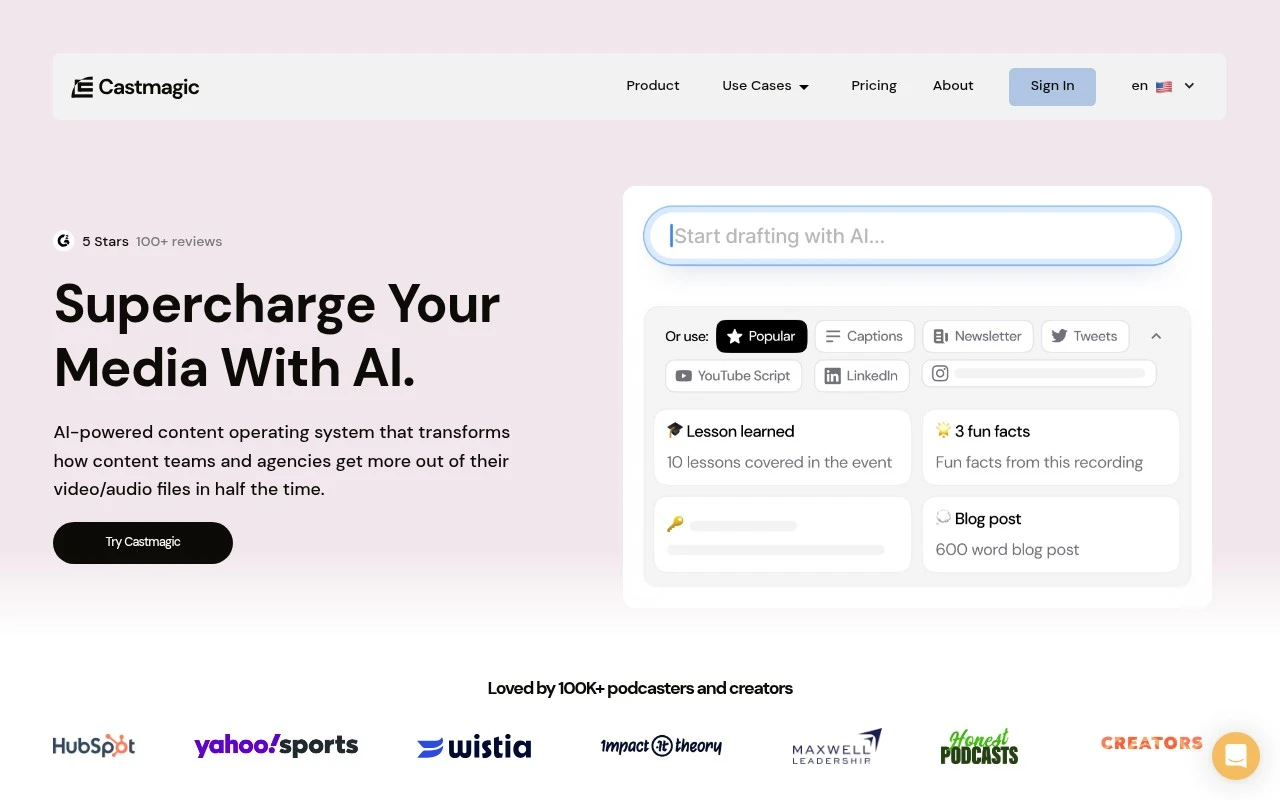
Castmagic is an AI-powered content operating system for turning long-form audio and video into written and promotional assets. Users can upload files or import from sources such as YouTube, podcasts, social platforms, cloud storage, RSS, and other media services, then generate transcripts, summaries, notes, blog content, newsletters, social posts, quotes, scripts, and related campaign materials. It is positioned for teams and agencies that need to repurpose large volumes of media across brands, clients, and channels.

FYAI Score

8.2 / 10

Based on 9 reviews + FYAI product analysis

Pricing:

Freemium

Best for:

Marketing teams and agencies repurposing podcasts, webinars, and videos

Score Breakdown

  • Ease of use7.9 / 10
  • Features8.3 / 10
  • Pricing8.0 / 10
  • Integrations8.6 / 10
  • Support8.5 / 10

PRODUCT PREVIEW

What this AI tool does

Castmagic is an AI tool designed to help people turn recorded audio or video into usable written material. It’s typically used after you’ve captured a conversation—such as a podcast episode, interview, meeting, or webinar—and want a faster way to produce text you can review, edit, and reuse. In practice, the tool focuses on converting spoken content into a transcript and then helping shape that transcript into clearer outputs, such as summaries or draft notes. This can be useful for teams that need documentation, creators who want written versions of their recordings, or anyone trying to make long-form spoken content easier to search and reference later.

Use cases

Best for

Content Repurposing

Castmagic turns long-form audio or video into transcripts, summaries, blog drafts, newsletters, and social posts from one upload or import.

Transcribe Audio

Import a file, YouTube link, podcast feed, or cloud media and generate a searchable transcript you can copy or reuse.

Meeting Notes

Upload a recorded meeting and generate structured notes with key points, action items, and quotes for follow-up.

ANALYSIS

Strengths & limitations

Strengths
  • Built specifically around repurposing recordings into many content formats, not just transcription.
  • Supports team and agency workflows such as multi-brand workspaces, folders, permissions, comments, tasks, approvals, and client review flows.
  • Includes content-library features such as semantic search, editable templates, brand voice settings, and campaign generation from a single recording.
Limitations
  • Best suited to workflows that start with existing audio or video; it is not described as a general writing tool for content without a recording source.
  • The official page makes broad claims such as highly accurate transcription, but the provided source does not include independent accuracy benchmarks.
  • The site text emphasizes generated drafts and assets, so users may still need human editing, fact-checking, and brand review before publishing.

Evaluation

FYAI score breakdown

Our structured evaluation across five key criteria

8.2 / 10

Overall score

Based on 9 reviews + FYAI product analysis

  • Ease of use7.9 / 10
  • Features8.3 / 10
  • Pricing8.0 / 10
  • Integrations8.6 / 10
  • Support8.5 / 10

What users say

Findings from public reviews, documentation and community sources.

  • Ease of use

    Castmagic describes setup as “Paste a link, or upload the recording” and says it is “importing before you’ve finished signing up.” Capterra lists Castmagic at 5/5 from 9 reviews.

  • Features

    Castmagic’s website lists transcripts, summaries, show notes, articles, brand voice training, editable templates, multi-client workspaces, semantic search, and approval flows.

  • Pricing

    Castmagic’s pricing page lists annual tiers at Hobby $21/month for 5 transcription hours, Starter $79/month for 20 hours, and Business $790/month for 80 hours. Castmagic’s pricing page also lists seats and feature limits.

  • Integrations

    Castmagic lists native connections including Zoom, Google Drive, Zapier, RSS, YouTube URL import, TikTok URL import, and Instagram URL import. Zapier states Castmagic connects with “9000 other apps.”

  • Support

    Castmagic’s pricing page says all paid tiers include a “Slack community (1.7k+ members)” and “Live chat support.” Castmagic’s pricing page says Starter and Business add an onboarding call.

Who is this for?

Best for marketing teams repurposing recordings into multiple content assets, Castmagic’s website lists transcripts, summaries, show notes, articles, brand voice training, editable templates, multi-client workspaces, semantic search, and approval flows. Less suited to teams with 80 transcription hours on a small budget, Castmagic’s pricing page lists Business at $790/month for 80 hours.

PRODUCT PREVIEW

Feature highlights

Auto Transcripts

Convert audio/video into clean, searchable transcripts fast.

Repurpose Content

Generate blogs, newsletters, social posts, quotes, and scripts.

Import Anywhere

Pull media from YouTube, podcasts, RSS, and cloud storage.

COMPARE

Discover curated alternatives worth comparing

Compare similar AI tools based on features, pricing and use cases

7.4/ 10Based on 30 reviews

Zencastr

Podcast Editing
Edits audio/video via text, transcribes, and makes social clips
Best for:
Audio & podcast creators
Pricing
Freemium

8.5/ 10Based on 16 reviews

Wondercraft

Short-form VideoVideo Editing
Turns text or audio into editable AI-generated videos and audio
Best for:
Video creators
Pricing
Freemium

8.6/ 10Based on 130 reviews

Wellsaid

AI Voiceover
Generates realistic AI voiceovers from scripts with voice controls
Best for:
Audio & podcast creators
Pricing
Paid only

Turn every recording into publish-ready content in minutes. See why teams choose Castmagic to ship more marketing that sounds like them.

FAQ

Frequently asked
questions

Everything you need to know about this AI tool,
its features, pricing, use cases, and limitations.

What marketing use cases is Castmagic a good fit for?
Castmagic fits teams that need to turn long-form source material (like podcasts, webinars, or interviews) into marketing assets such as blog drafts, social posts, email copy, and show notes. It’s most useful when you have consistent recordings and want repeatable outputs via templates. If your workflow starts from written briefs rather than audio/video, other tools may feel more direct.
Does Castmagic have a free plan, and what are the typical limitations vs paid?
Castmagic commonly offers a limited free/trial experience, with paid tiers unlocking higher usage limits and more robust workflows. The main constraints to check are transcription/content generation minutes, export options, and access to advanced templates. If you need predictable monthly volume, the paid plan is usually the deciding factor.
How does Castmagic compare to tools like Descript, Riverside, or generic AI writing apps?
Compared with Descript or Riverside, Castmagic is more focused on repurposing content into marketing deliverables rather than recording/editing. Versus general AI writing tools, Castmagic’s advantage is its workflow around transcripts and reusable content templates. If you need deep editing, collaboration on the media itself, or broad integrations, a recording/editing suite may be a better anchor tool.
How quickly can a team get Castmagic running, and what onboarding effort should you expect?
Output quality depends heavily on the clarity of the source audio and the specificity of your prompts, so human review is still needed. Integration options may be narrower than full marketing suites, which can add manual steps for publishing. It’s also optimized for repurposing from recordings, so it may be less efficient for net-new copy from scratch.
What should teams know about data handling, privacy, and compliance when using Castmagic?
Using Castmagic typically means uploading or processing audio/video and generating transcripts, so treat inputs as potentially sensitive data. Before adopting, confirm retention policies, who can access workspace content, and whether you can delete data on request. If you operate under GDPR/CCPA or handle regulated data, review their DPA/security documentation and avoid uploading confidential recordings unless approved.