Curated ToolThis tool is part of our curated AI directory. We only include tools that meet our standards for relevance, usability and real-world value.

Zoho

Cloud suite for CRM, finance, HR, and business operations

Customer Support Bots
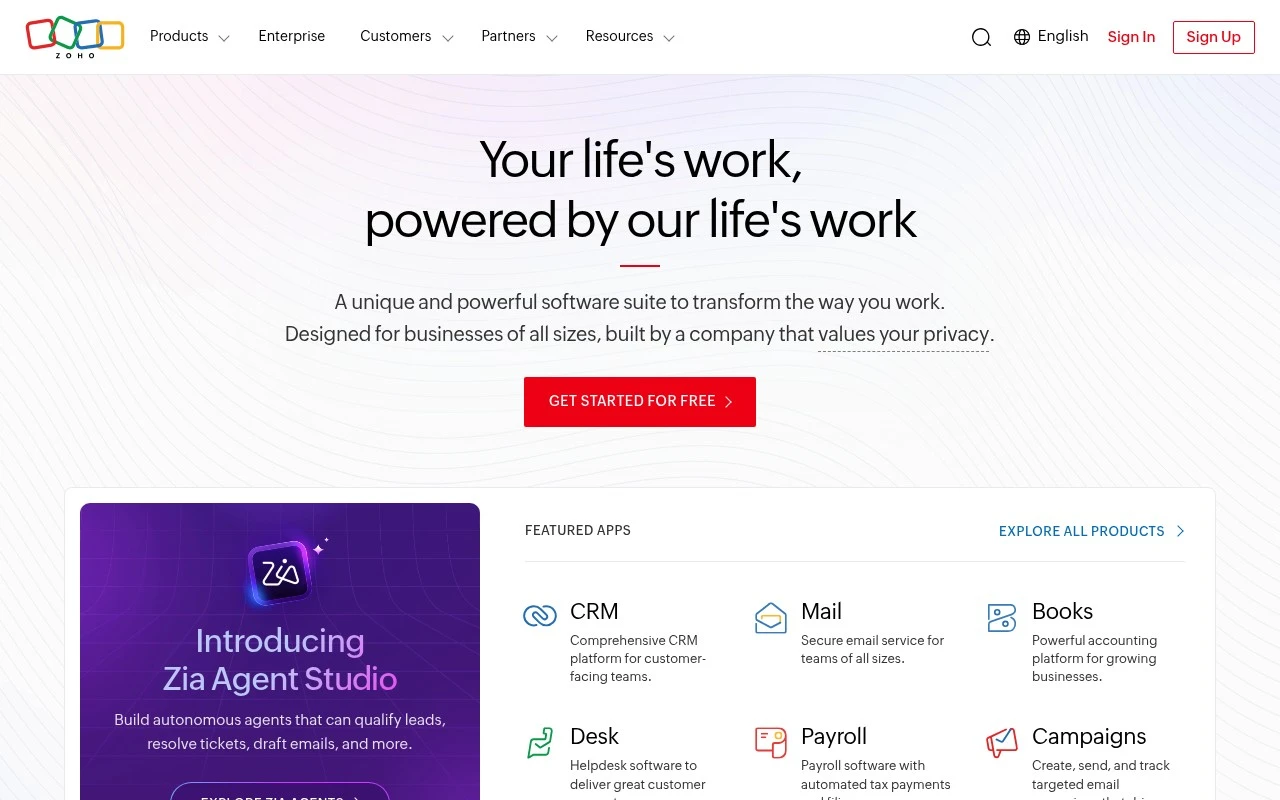
Zoho is a broad business software ecosystem rather than a single-purpose tool. Its Dutch homepage presents it as a privacy-focused cloud suite with 55+ apps for end-to-end business needs, including CRM, Mail, Books, People, Desk, and Zoho One for managing an entire business on one platform.

FYAI Score

7.8 / 10

Based on 31.824 reviews

Pricing:

Freemium

Best for:

SMBs needing one suite for CRM, finance, HR, and support

Score Breakdown

  • Ease of use7.4 / 10
  • Features7.1 / 10
  • Pricing8.4 / 10
  • Integrations8.9 / 10
  • Support7.6 / 10

PRODUCT PREVIEW

What this AI tool does

Zoho is a suite of cloud-based business applications designed to help organizations manage everyday operations in one place. It’s commonly used by small and mid-sized teams that want a structured way to handle customer relationships, internal collaboration, and routine administrative work without relying on many separate tools. Depending on which apps you use, it can support tasks like tracking leads and sales activity, organizing projects, managing invoices, and coordinating support requests. Because it’s modular, teams can start with a single app and expand over time, which can be useful when processes change or new departments need access. For people researching zoho, it’s helpful to compare the specific apps you need, how they integrate with your existing systems, and what level of customization is required. Reviewing data privacy options, user permissions, and reporting needs can also clarify whether it fits your organization’s workflow.

Use cases

Best for

Crm Automation

Zoho CRM automates lead capture, deal stages, and follow-up workflows using rules, assignments, and scheduled actions.

Invoicing

Zoho Books creates invoices from contacts and items, applies taxes, and tracks payment status with reminders and reconciliation.

Project Management

Zoho Projects plans work with tasks, milestones, and dependencies, and tracks progress with timelines and timesheets.

ANALYSIS

Strengths & limitations

Strengths
  • Covers many business functions in one vendor ecosystem, including CRM, email, accounting, HR, and support.
  • Zoho One provides an all-in-one suite intended to connect departments and centralize business operations.
  • The company states that it does not sell user data and does not rely on an advertising-based business model.
Limitations
  • The suite may be broader than necessary for teams that only need one narrow tool.
  • The provided homepage gives limited detail on specific features, pricing, or implementation requirements for each app.
  • AI-specific functionality is not clearly described on the provided page, so Zoho should not be categorized primarily as an AI tool based on this source alone.

Evaluation

FYAI score breakdown

Our structured evaluation across five key criteria

7.8 / 10

Overall score

Based on 31.824 reviews

  • Ease of use7.4 / 10
  • Features7.1 / 10
  • Pricing8.4 / 10
  • Integrations8.9 / 10
  • Support7.6 / 10

What users say

Findings from public reviews, documentation and community sources.

  • Ease of use

    G2 review coverage for Zoho CRM reports that users find it “easy to use,” and the G2 snippet says Zoho CRM “helps organize customer data efficiently” and automates repetitive tasks.

  • Features

    Zoho’s own page describes a “ruim 55 apps” business suite including CRM, Mail, Books, and Zoho One as a unified operating system for business.

  • Pricing

    Zoho’s CRM pricing page lists a “Free · 3 users” plan plus Standard and Professional tiers with free trials.

  • Integrations

    Zoho’s CRM integrations page states “1,100+ ready-to-use app integration” across marketing, sales, finance, booking, telephony, and communications.

  • Support

    Zoho’s own page says its enterprise offering includes “professional services, infrastructure, support and security.”

Who is this for?

Best for organizations that want conversational workflows connected to a broader business suite, Zoho’s own page describes a “ruim 55 apps” suite including CRM, Mail, Books, and Zoho One. Zoho’s CRM integrations page also states “1,100+ ready-to-use app integration,” which fits CRM-centered workflows across marketing, sales, finance, booking, telephony, and communications. Less suited to teams evaluating conversational-AI-specific bot design, NLP, or channel automation depth, Zoho’s supplied page describes an end-to-end business suite rather than detailing those capabilities.

PRODUCT PREVIEW

Feature highlights

55+ Connected Apps

Run sales, finance, HR, and support with shared data across apps.

CRM to Close Loop

Track leads to deals and follow-ups with a unified customer view.

Privacy-First Cloud

Built with strong privacy controls to keep business data protected.

COMPARE

Discover curated alternatives worth comparing

Compare similar AI tools based on features, pricing and use cases

8.1/ 10FYAI score

Helply

Customer Support BotsKnowledge Base Bots
Answers support tickets, drafts replies, and flags churn risk
Best for:
Customer support teams
Pricing
Freemium

8.7/ 10Based on 7.757 reviews

Zoho Desk

Customer Support BotsKnowledge Base Bots
Uses Zia AI to triage tickets, draft replies, and flag issues
Best for:
Customer support teams
Pricing
Freemium

8.3/ 10Based on 2 reviews

Zendesk

Customer Support BotsChatbots
AI for ticket routing, agent assist, intent detection, and QA scoring
Best for:
Customer support teams
Pricing
Freemium

Start responding faster and engaging customers 24/7 with zoho. See why growing teams use it to convert more chats into loyal customers.

FAQ

Frequently asked
questions

Everything you need to know about this AI tool,
its features, pricing, use cases, and limitations.

When is zoho a good fit for conversational AI, and when should I look elsewhere?
zoho is a solid fit if you want to automate common support and sales questions (FAQs, order status, lead capture) and already use Zoho apps like CRM or Desk. It’s typically best for SMB teams that need quick deployment and basic-to-moderate conversation flows. If you need highly tailored dialog, complex troubleshooting, or a strongly differentiated brand voice, you may find other platforms more flexible.
Does zoho offer a free plan for chatbots, and what are the typical limitations vs paid?
zoho often provides trials and entry-level tiers depending on the specific Zoho product you use for chat (e.g., SalesIQ/Desk add-ons), but “free” options are usually limited in channels, bot capacity, or advanced features. Paid plans generally unlock more conversations/agents, richer automation, and deeper integrations. Check the exact plan tied to your Zoho module because limits can vary by product and region.
How does zoho compare with Intercom, Zendesk, or Freshchat for customer support automation?
zoho tends to be more cost-friendly and works best when you want an integrated stack with Zoho CRM/Desk rather than stitching multiple vendors together. Intercom and Zendesk often provide stronger out-of-the-box support workflows and broader marketplace ecosystems, especially for larger teams. If your priority is tight Zoho-suite integration and predictable costs, zoho is competitive; if you need advanced bot customization and enterprise-grade routing, compare carefully.
How quickly can I get a zoho chatbot live, and what onboarding effort should I expect?
zoho can feel less customizable in conversation design and response control than some specialist chatbot platforms, which may limit a unique tone or complex branching. It may also struggle with nuanced, multi-step issues unless you invest in careful intent design and escalation paths. The upside is simpler administration and strong value when you’re already in the Zoho ecosystem.
What should I check about data handling, privacy, and compliance when using zoho chatbots?
Verify where zoho stores and processes chat data for your account (data center region) and whether it aligns with your regulatory needs. Review retention settings, access controls, and how transcripts are shared with Zoho CRM/Desk or third-party tools via integrations. If you handle sensitive data, confirm encryption, audit logging, and your ability to limit what the bot collects before handing off to a human.