Curated ToolThis tool is part of our curated AI directory. We only include tools that meet our standards for relevance, usability and real-world value.

Zendesk

AI for ticket routing, agent assist, intent detection, and QA scoring

Customer Support BotsChatbots
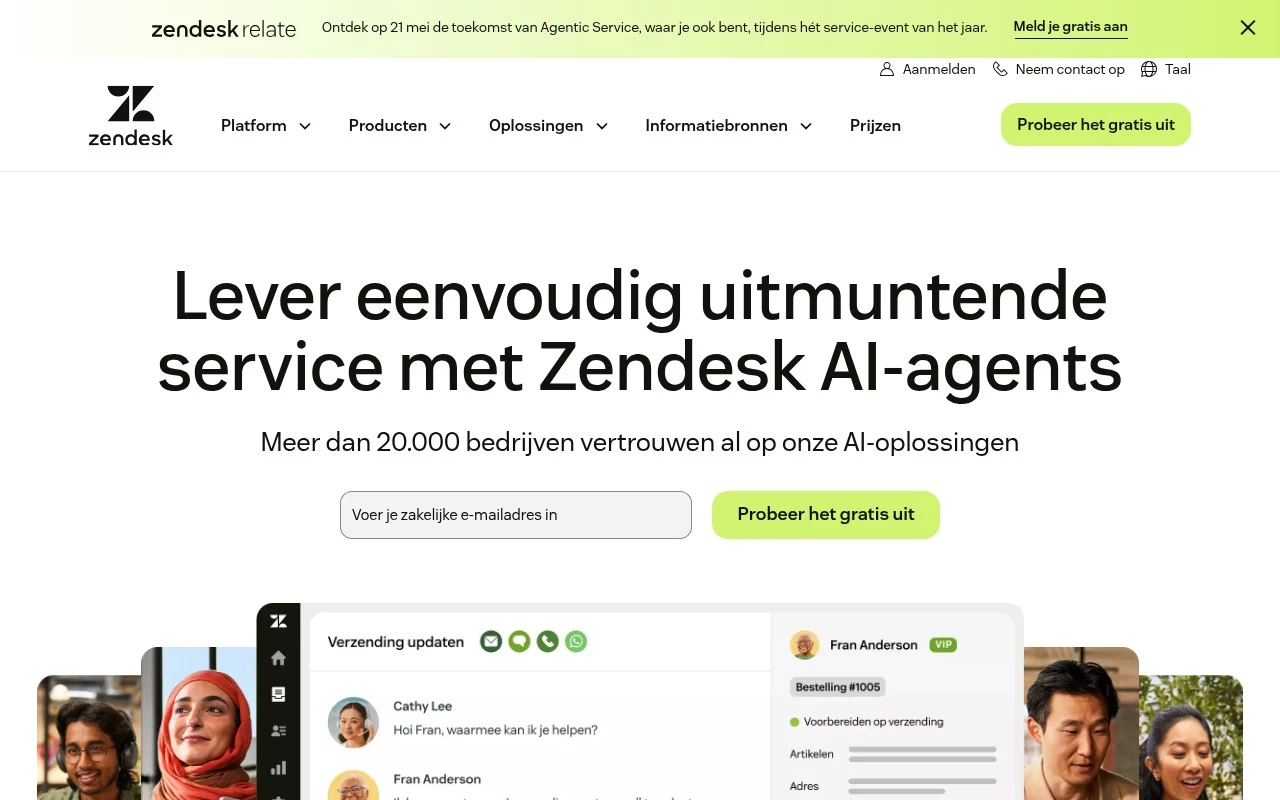
Zendesk provides a unified service platform for customer support, employee service, and contact center operations. Its current positioning centers on AI-first service: autonomous AI agents, agent assistance, knowledge-driven responses, quality monitoring, analytics, and integrations through a large app marketplace. It is aimed at teams that need to manage high volumes of service interactions while keeping human agents, AI automation, and support data in one operational system.

FYAI Score

8.3 / 10

Based on 2 reviews

Pricing:

Freemium

Best for:

Support and CX teams handling high-volume customer service

Score Breakdown

  • Ease of use7.7 / 10
  • Features9.3 / 10
  • Pricing8.0 / 10
  • Integrations9.4 / 10
  • Support7.0 / 10

PRODUCT PREVIEW

What this AI tool does

Zendesk is a customer support platform used by teams to manage conversations with customers across common channels like email, chat, and web forms. It helps organize incoming requests into a shared workspace so support agents can track issues, respond consistently, and keep context in one place. In practice, teams use it to route tickets to the right people, monitor response times, and maintain a record of past interactions. It’s often adopted by companies that need a structured help desk workflow, whether for internal IT support or external customer service. For someone researching support software, zendesk can be useful to understand as a reference point for how modern ticketing systems handle intake, assignment, and reporting. It’s typically evaluated alongside other help desk tools based on factors like team size, required integrations, and the level of automation needed.

Use cases

Best for

Customer Support Automation

Zendesk uses AI agents and macros to auto respond to tickets and route requests by intent, language, and priority.

Workflow Automation

Zendesk triggers workflows that assign tickets, set SLAs, escalate breaches, and notify teams based on ticket events and fields.

Report Generation

Zendesk Explore generates support reports by querying ticket and CSAT data into dashboards with scheduled exports.

ANALYSIS

Strengths & limitations

Strengths
  • Combines core support channels such as tickets, messaging, live chat, and voice with AI automation in one platform.
  • Includes AI-specific service features such as autonomous AI agents, copilot assistance, AI quality assurance, and AI-supported workforce management.
  • Supports broader service operations with analytics, knowledge base workflows, security and governance positioning, and a marketplace of integrations.
Limitations
  • The official page emphasizes platform breadth and AI outcomes but does not provide enough detail in the supplied content to evaluate real implementation effort or pricing.
  • Organizations mainly needing a simple shared inbox or basic ticketing system may find the platform broader than necessary.
  • AI-driven service quality will likely depend on connected knowledge, workflow setup, governance, and ongoing monitoring rather than being fully automatic by default.

Evaluation

FYAI score breakdown

Our structured evaluation across five key criteria

8.3 / 10

Overall score

Based on 2 reviews

  • Ease of use7.7 / 10
  • Features9.3 / 10
  • Pricing8.0 / 10
  • Integrations9.4 / 10
  • Support7.0 / 10

What users say

Findings from public reviews, documentation and community sources.

  • Ease of use

    Zendesk.nl states “Start binnen enkele minuten, niet maanden” and “Koppel je kennis en ga met een paar klikken live. Zonder scripts of developers.” Zendesk.nl presents setup around connecting knowledge and going live in a few clicks for AI service workflows.

  • Features

    Zendesk.nl lists autonomous “AI agents,” omnichannel support, messaging/live chat, voice, knowledge base, Copilot, quality assurance, workforce management, reporting and analytics. Zendesk.nl claims AI agents can handle complex issues “volledig autonoom” across channels.

  • Pricing

    The Zendesk pricing page lists Support Team at “€19 agent/maand,” Suite Team at “€55 agent/maand,” and Suite Professional at “€115 agent/maand,” billed annually. The Zendesk pricing page places meaningful AI/omnichannel capability in higher per-agent tiers.

  • Integrations

    The Zendesk marketplace describes its ecosystem as including “more than 1,800 apps, partners and integrations.” The Zendesk integration page references connecting favorite tools across CRM, social media, and other apps.

  • Support

    A Reddit comment about Zendesk support says, “Their customer service is so bad, we were begging for responses,” with “weeks” passing and “never” getting a proper account review. Zendesk has visible help-center and community resources.

Who is this for?

Best for customer-support teams that want a broad service platform, Zendesk.nl lists autonomous “AI agents,” omnichannel support, Copilot, and reporting and analytics in the conversational-AI service stack. Less suited to teams trying to keep AI/omnichannel costs low, the Zendesk pricing page lists Support Team at “€19 agent/maand” and Suite Professional at “€115 agent/maand,” billed annually, while meaningful AI/omnichannel capability sits in higher per-agent tiers. Less suited to teams that rely on fast vendor responses, a Reddit comment describes “weeks” passing and “never” getting a proper account review.

PRODUCT PREVIEW

Feature highlights

AI Agents & Bots

Automate answers and actions across chat, email, and messaging.

Agent Assist AI

Suggests replies, summarizes threads, and surfaces next best steps.

QA & Analytics

Monitor quality, track trends, and improve service performance.

COMPARE

Discover curated alternatives worth comparing

Compare similar AI tools based on features, pricing and use cases

8.1/ 10FYAI score

Helply

Customer Support BotsKnowledge Base Bots
Answers support tickets, drafts replies, and flags churn risk
Best for:
Customer support teams
Pricing
Freemium

8.7/ 10Based on 7.757 reviews

Zoho Desk

Customer Support BotsKnowledge Base Bots
Uses Zia AI to triage tickets, draft replies, and flag issues
Best for:
Customer support teams
Pricing
Freemium

7.8/ 10Based on 31.824 reviews

Zoho

Customer Support Bots
Cloud suite for CRM, finance, HR, and business operations
Best for:
Operations teams
Pricing
Freemium

Join thousands of support teams using Zendesk to resolve issues faster and deliver consistently great customer experiences. Start improving every interaction today.

FAQ

Frequently asked
questions

Everything you need to know about this AI tool,
its features, pricing, use cases, and limitations.

What types of support teams is Zendesk a good fit for?
Zendesk tends to fit teams that need structured ticketing across email, chat, and social channels, plus automation for routing, macros, and SLAs. It’s often a strong choice for mid-size to enterprise support orgs that want configurable workflows and detailed reporting. If you mainly need a lightweight live chat widget with minimal process, simpler tools may be easier to run.
Does Zendesk have a free plan, and what are the practical limitations?
Zendesk is primarily paid, and most meaningful automation, analytics, and advanced admin controls sit behind higher-tier plans or add-ons. You may find trials, but ongoing free usage is typically limited compared with freemium helpdesk tools. Budget for extra costs if you need AI features, multiple brands, advanced reporting, or premium integrations.
How does Zendesk compare with Intercom, Freshdesk, or Salesforce Service Cloud?
Compared with Intercom, Zendesk is usually more helpdesk- and ticketing-centric, while Intercom often emphasizes in-app messaging and proactive engagement. Versus Freshdesk, Zendesk can offer deeper ecosystem maturity and customization, but it may be pricier as you scale features. Against Salesforce Service Cloud, Zendesk is often faster to deploy and simpler to administer, while Salesforce can be stronger for organizations already standardized on Salesforce CRM.
How quickly can you set up Zendesk, and what onboarding effort should you expect?
Costs can rise quickly when you add AI capabilities, advanced reporting, or multiple integrations, so it’s important to model total cost at your expected agent count. The platform is flexible, but that flexibility can create complexity and a steeper learning curve for new admins. Some teams also find automated replies feel less personal unless they invest in content and tuning.
What should we check about data privacy, security, and compliance with Zendesk?
Review where Zendesk stores and processes data for your region, and confirm the security features you need (SSO/SAML, role-based access, audit logs) are included in your plan. If you handle regulated data, validate options for data retention, deletion workflows, and any required contractual terms (e.g., DPA) before rollout. Also assess what data is shared with third-party apps you connect through the Zendesk marketplace.