Curated ToolThis tool is part of our curated AI directory. We only include tools that meet our standards for relevance, usability and real-world value.

Userbot

Build governed AI agents using verified business knowledge

Customer Support BotsAgent Builders
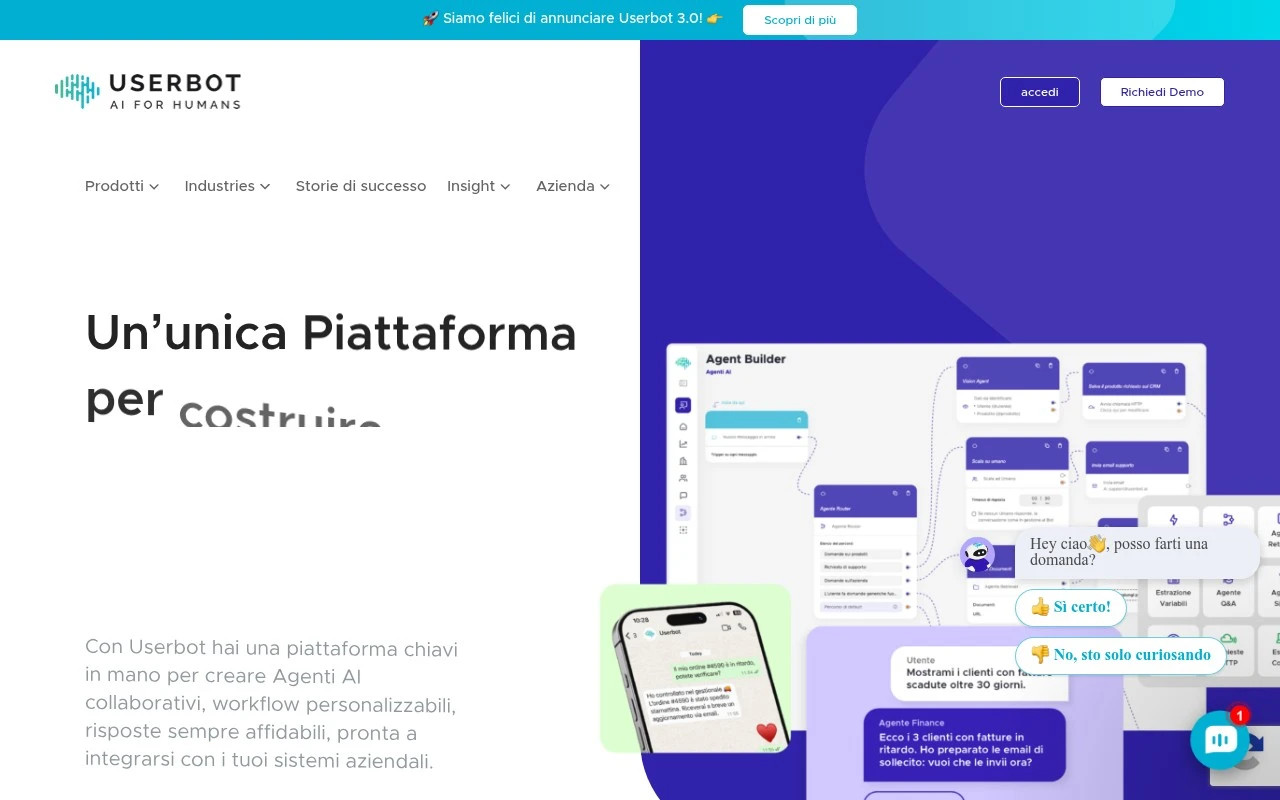
Userbot is a no-code, visual AI-agent builder aimed at enterprises that want to create and manage teams of specialized agents. The platform supports knowledge-base grounding, multi-agent orchestration, omnichannel chat and messaging, API-based integrations, human escalation, analytics, brand customization, multilingual communication, and security/GDPR-oriented governance.

FYAI Score

7.4 / 10

Based on 13 reviews + FYAI product analysis

Pricing:

Paid

Best for:

Enterprise CX and IT teams building governed AI agent teams

Score Breakdown

  • Ease of use7.7 / 10
  • Features7.4 / 10
  • Pricing7.1 / 10
  • Integrations7.5 / 10
  • Support7.3 / 10

PRODUCT PREVIEW

What this AI tool does

Userbot is an AI tool designed to help you automate and streamline routine interactions, such as responding to common questions or guiding users through simple workflows. It’s intended for situations where consistent, timely replies matter and where a human team may not always be available to handle every message in real time. In practice, userbot can be used to support customer communication, internal help requests, or other conversational tasks where clarity and consistency are important. It typically fits best when you have repeatable information to share and want a reliable way to deliver it, while still leaving complex or sensitive cases to human review. This page provides an informational overview of what userbot is for and the kinds of problems it can help address, so you can decide whether it matches your needs and how it might fit into your existing processes.

Use cases

Best for

Agent Building

Build and manage specialized AI agents in a visual no-code canvas with knowledge-base grounding and governance controls.

Workflow Automation

Automate workflows by orchestrating multiple agents and triggering API integrations with human escalation and analytics.

Customer Support Automation

Userbot automates customer support across chat and messaging channels using grounded answers, multilingual replies, and handoff to humans.

ANALYSIS

Strengths & limitations

Strengths
  • Supports multi-agent workflows rather than only single chatbot-style conversations.
  • Designed to integrate with enterprise systems such as CRM, ERP, ticketing platforms, APIs, and webhooks.
  • Includes governance-oriented features such as dashboards, reporting, human escalation, GDPR positioning, and visibility into agent decisions.
Limitations
  • The available site content is high-level and does not provide detailed pricing, deployment requirements, or implementation timelines.
  • Real value likely depends on the quality of the connected knowledge bases and the effort required to integrate internal systems.
  • The platform appears oriented toward business and enterprise use cases rather than lightweight personal chatbot creation.

Evaluation

FYAI score breakdown

Our structured evaluation across five key criteria

7.4 / 10

Overall score

Based on 13 reviews + FYAI product analysis

  • Ease of use7.7 / 10
  • Features7.4 / 10
  • Pricing7.1 / 10
  • Integrations7.5 / 10
  • Support7.3 / 10

What users say

Findings from public reviews, documentation and community sources.

  • Ease of use

    Userbot describes an end-to-end guided setup and a visual no-code platform that lets users build automations “anche senza alcuna competenza tecnica,” and G2 reviews say Userbot is “Easy to install, easy to connect.”

  • Features

    Userbot product page lists multi-agent orchestration, knowledge-base grounding from documents/endpoints/websites, multilingual agents, and escalation to humans.

  • Pricing

    Userbot pricing page is oriented around the product overview and demo flow rather than showing public tier names, included limits, or amounts.

  • Integrations

    Userbot product page states agents can connect to business systems such as “ERP, CRM, Ticketing,” exchange data via “API o webhook,” and operate across email, web, app, and messaging systems.

  • Support

    Userbot site positions Userbot as an enterprise platform with a demo-led sales motion. Userbot site says the company has supported private and public-sector organizations for nearly 10 years.

Who is this for?

Best for organizations that need conversational agents connected to internal knowledge and operations, Userbot product page lists multi-agent orchestration, knowledge-base grounding from documents/endpoints/websites, and escalation to humans. Less suited to teams that need to compare plans before contacting sales, Userbot pricing page does not show public tier names, included limits, or amounts.

PRODUCT PREVIEW

Feature highlights

Multi-agent orchestration

Coordinate specialist agents to solve requests end-to-end.

Knowledge-base grounding

Ground answers in your docs to keep responses accurate and on-brand.

Governance & GDPR

Enterprise security controls, auditability, and compliant operations.

COMPARE

Discover curated alternatives worth comparing

Compare similar AI tools based on features, pricing and use cases

8.1/ 10FYAI score

Helply

Customer Support BotsKnowledge Base Bots
Answers support tickets, drafts replies, and flags churn risk
Best for:
Customer support teams
Pricing
Freemium

8.7/ 10Based on 7.757 reviews

Zoho Desk

Customer Support BotsKnowledge Base Bots
Uses Zia AI to triage tickets, draft replies, and flag issues
Best for:
Customer support teams
Pricing
Freemium

7.8/ 10Based on 31.824 reviews

Zoho

Customer Support Bots
Cloud suite for CRM, finance, HR, and business operations
Best for:
Operations teams
Pricing
Freemium

Start answering shoppers instantly and reduce support load. See why e-commerce teams choose Userbot to boost satisfaction and speed up every response.

FAQ

Frequently asked
questions

Everything you need to know about this AI tool,
its features, pricing, use cases, and limitations.

What types of support use cases is Userbot a good fit for in e-commerce?
Userbot is typically a strong fit for high-volume, repetitive customer support like order status, shipping updates, returns, FAQs, and basic product questions. It’s most useful when you can standardize answers and route edge cases to a human agent. If your support relies heavily on empathy, negotiation, or complex troubleshooting, you’ll likely need a robust handoff workflow.
Does Userbot have a free plan, and what are the common limitations compared to paid tiers?
Userbot offerings can vary by plan, but free or trial access (when available) is usually limited in conversation volume, channels, or advanced features like integrations and analytics. Paid tiers generally unlock higher usage limits, more customization, and operational controls needed for production support. Before choosing, confirm how pricing scales with conversations/agents and whether key integrations are included or add-ons.
How does Userbot compare with other customer support chatbots like Intercom, Zendesk bots, or Gorgias automation?
Userbot is often evaluated as a focused conversational automation option, while Intercom and Zendesk tend to be broader customer support suites with deeper ticketing and agent workspace features. Gorgias is commonly favored by Shopify-centric teams that want tight helpdesk + automation in one place. If you already run a helpdesk, compare how well Userbot integrates versus switching to a suite that bundles bot, inbox, and reporting.
How quickly can a team get Userbot live, and what onboarding work should you expect?
Userbot may underperform on complex, nuanced questions where context, policy exceptions, or empathy matter, which can increase handoffs or customer frustration. It also requires ongoing maintenance as products, policies, and shipping timelines change. If your support volume is low or highly specialized, the setup effort may outweigh the automation gains.
What should I check about Userbot’s data handling, privacy, and compliance before deploying it?
Verify what customer data Userbot stores (chat transcripts, identifiers, order details), where it’s hosted, and how long data is retained. Confirm whether it supports requirements like GDPR/DSAR workflows, role-based access, audit logs, and data deletion on request. If you handle sensitive data, ensure you can limit what the bot collects and that integrations don’t expose more information than necessary.