Curated ToolThis tool is part of our curated AI directory. We only include tools that meet our standards for relevance, usability and real-world value.

Ultravox

Infrastructure for real-time AI voice agents in live calls

Agent BuildersVoice Agents
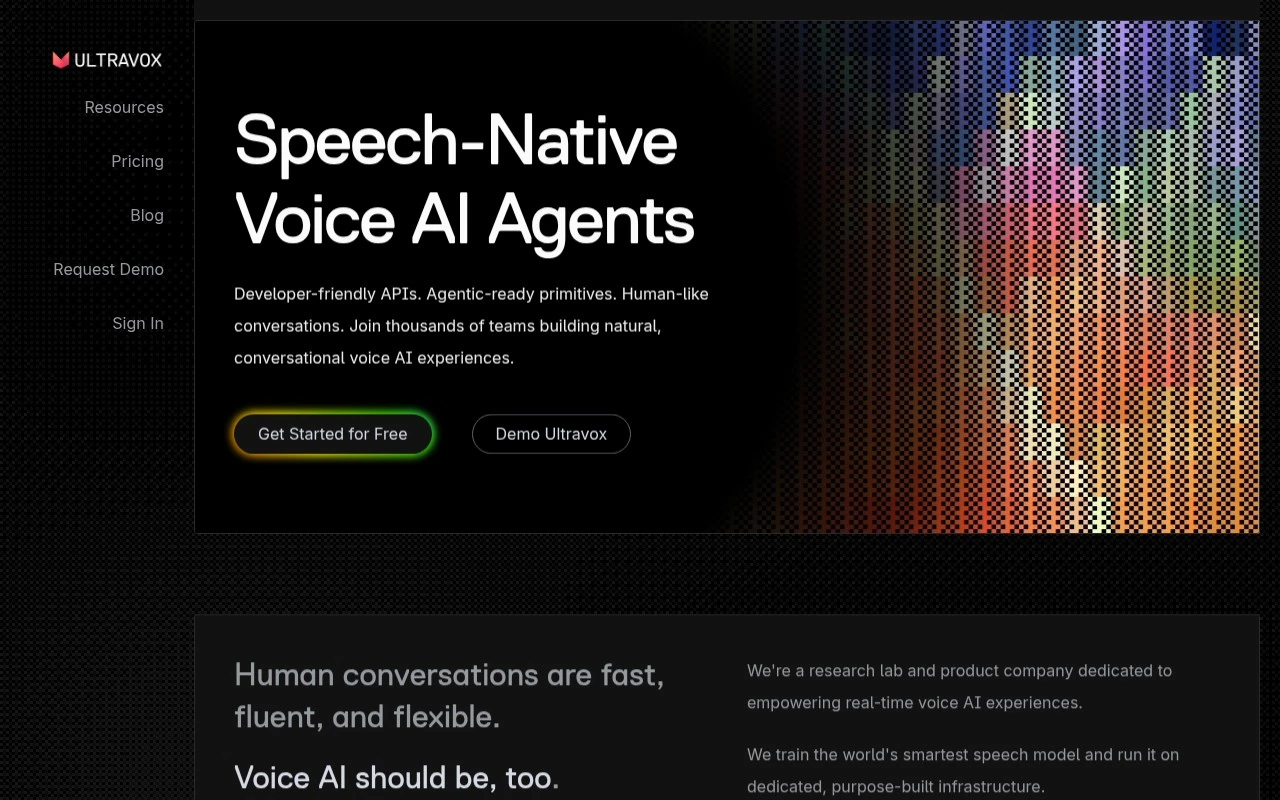
Ultravox provides speech-native voice AI infrastructure for teams building real-time voice agents. Its platform combines speech models, inference infrastructure, APIs, SDKs, and telephony support to help developers create fast, natural spoken AI interactions.

FYAI Score

7.8 / 10

FYAI rating based on features, pricing and integrations

Pricing:

Paid only

Best for:

Developers building real-time voice agents with telephony

Score Breakdown

  • Ease of use7.3 / 10
  • Features7.7 / 10
  • Pricing8.9 / 10
  • Integrations7.7 / 10
  • Support7.4 / 10

PRODUCT PREVIEW

What this AI tool does

Ultravox is an AI tool designed to help people work with voice and audio in a more automated way. It focuses on turning spoken content into something you can search, review, and reuse, which can be useful when you have recordings that are hard to skim or share in their original form. In practice, it can support common workflows like capturing meetings, interviews, or voice notes and converting them into text that’s easier to organize and reference. Depending on how you use it, the output can help with documentation, summaries, and follow-up tasks, especially when you want a written record without manually transcribing. This page provides an informational overview of what ultravox is intended for and the kinds of situations where it may fit. If you’re comparing tools, consider the types of audio you handle, the level of accuracy you need, and how you plan to store or integrate the resulting text into your existing process.

Use cases

Best for

Agent Building

Ultravox lets developers build real-time voice agents using speech models, low-latency inference, and voice APIs and SDKs.

Call Automation

Automate inbound and outbound phone calls by connecting Ultravox to telephony and routing live speech to your agent via streaming APIs.

ANALYSIS

Strengths & limitations

Strengths
  • Speech-native approach is designed to preserve cues such as tone, cadence, and pitch instead of treating speech only as text.
  • Offers developer-facing APIs, SDKs, and telephony support for building real-time voice applications.
  • Runs its own model and inference infrastructure, which the company positions around lower latency and scalable voice-agent performance.
Limitations
  • Best suited to technical teams; the site describes infrastructure and APIs rather than a simple no-code voice-agent builder.
  • Some details, such as specific telephony provider integrations and production deployment requirements, are not fully described in the provided site text.
  • Speech generation is listed as coming soon, so not every part of the broader voice stack appears equally mature from the public page.

Evaluation

FYAI score breakdown

Our structured evaluation across five key criteria

7.8 / 10

Overall score

FYAI rating based on features, pricing and integrations

  • Ease of use7.3 / 10
  • Features7.7 / 10
  • Pricing8.9 / 10
  • Integrations7.7 / 10
  • Support7.4 / 10

What users say

Findings from public reviews, documentation and community sources.

  • Ease of use

    Ultravox.ai positions Ultravox for builders with “Developer-friendly REST APIs,” “Intuitive Dev Kits,” “Get Started for Free,” and “Unlimited playground calls.” The same Ultravox.ai page frames onboarding around developer tools rather than a no-code workflow.

  • Features

    Ultravox.ai lists a speech-native real-time voice model, managed inference infrastructure, SDKs for “web + mobile,” and telephony support. Ultravox.ai also references custom voices, RAG corpora, outbound call scheduling, and open-weight models on Hugging Face.

  • Pricing

    The Ultravox pricing page states “First 30 minutes free, $0.05/min after that,” with Pay As You Go at “$0/month,” Pro at “$100/month,” and Enterprise custom pricing. The Ultravox pricing page also lists concurrency limits, SIP pricing, and token pricing.

  • Integrations

    The Ultravox docs describe getting started with “Telephony Platforms,” integrating with an existing phone system via the “SIP Guide,” and building “a custom integration.” Ultravox.ai also references REST APIs and SDKs.

  • Support

    The Ultravox pricing page lists “Priority SLA,” “Org support,” and “Response SLA” for Enterprise. The Ultravox pricing page lists “Priority SLA,” “Org support,” and “Response SLA” as unavailable on lower tiers.

Who is this for?

Best for builders implementing real-time voice AI, Ultravox.ai references “Developer-friendly REST APIs,” SDKs for “web + mobile,” telephony support, and managed inference infrastructure. Less suited to nontechnical teams or teams needing published lower-tier support commitments, the Ultravox pricing page lists “Priority SLA,” “Org support,” and “Response SLA” for Enterprise, while lower tiers list those items as unavailable.

PRODUCT PREVIEW

Feature highlights

Speech-native models

Natural, low-latency speech interactions optimized for real-time agents.

Realtime inference stack

Production infrastructure to run voice AI reliably at scale.

APIs, SDKs & telephony

Integrate voice agents into apps and phone calls with developer tools.

COMPARE

Discover curated alternatives worth comparing

Compare similar AI tools based on features, pricing and use cases

8.1/ 10FYAI score

Helply

Customer Support BotsKnowledge Base Bots
Answers support tickets, drafts replies, and flags churn risk
Best for:
Customer support teams
Pricing
Freemium

8.7/ 10Based on 7.757 reviews

Zoho Desk

Customer Support BotsKnowledge Base Bots
Uses Zia AI to triage tickets, draft replies, and flag issues
Best for:
Customer support teams
Pricing
Freemium

7.8/ 10Based on 31.824 reviews

Zoho

Customer Support Bots
Cloud suite for CRM, finance, HR, and business operations
Best for:
Operations teams
Pricing
Freemium

See why teams choose Ultravox to turn every customer conversation into faster resolutions and happier users. Start delivering more personal support today.

FAQ

Frequently asked
questions

Everything you need to know about this AI tool,
its features, pricing, use cases, and limitations.

Is Ultravox a good fit for customer support, marketing, or sales use cases?
Ultravox tends to fit best when you need personalized, data-driven conversations across support and marketing touchpoints rather than a simple FAQ bot. It’s a stronger option for teams that want CRM-connected context, segmentation, and performance reporting. If your main goal is a lightweight widget with minimal configuration, simpler chatbot tools may be a better match.
Does Ultravox offer a free plan, and what are the typical limitations of lower tiers?
Ultravox is generally positioned as a paid, business-focused platform; if a trial is available, it’s usually time-limited or feature-scoped rather than a full free tier. Lower tiers commonly restrict usage volume, channels, advanced personalization, and analytics depth. Confirm what’s included for CRM integrations and reporting, since those often drive the value in Ultravox.
How does Ultravox compare with other conversational AI platforms like Intercom, Drift, or Ada?
Compared with tools like Intercom or Drift, Ultravox is typically evaluated on how well it personalizes conversations using customer data and how cleanly it fits into your existing CRM workflow. Versus automation-first platforms like Ada, the decision often comes down to how much customization and analytics you need versus speed-to-launch. If your team already lives in a specific support suite, the native integrations and agent handoff experience may outweigh Ultravox’s flexibility.
How quickly can a team get Ultravox live, and what onboarding effort should you expect?
Ultravox can demand more upfront configuration to take advantage of personalization and reporting, which may slow early ROI for small teams. It may also be more expensive than basic chatbot products, especially once you add channels, seats, or higher usage. Teams without prior conversational AI experience should plan for a learning curve and ongoing tuning.
What should I check about Ultravox’s data handling, privacy, and compliance before buying?
Verify what customer data Ultravox stores, how long it’s retained, and whether data is used to improve models or kept isolated to your account. Ask about encryption, access controls, audit logs, and whether it supports your required standards (e.g., GDPR/CCPA processes, DPA availability, and data residency options if needed). If you’re integrating a CRM, confirm how permissions and sensitive fields are handled to avoid over-sharing into conversation logs.